Orion Notes: Handwrite & PDFs
ORION STUDIO PTE. LTDアプリ内課金
- 3 歳以上対象年齢
- 仕事効率化カテゴリ
- 2026/11/17更新日
- 無料価格
com.orion.notes.usのGoogle Play公式ページにリンクしています。最終確認:2026/11/21。

Orion Notes: Handwrite & PDFsは現在Google Playで入手できない可能性があります
前回の確認時、ストアのページにアクセスできませんでした。リンク先は引き続きGoogle Playの公式ページです。
スクリーンショット
このアプリについて
Googleによる英語 (アメリカ合衆国)からの自動翻訳です。
Noteinより:手書きノート、PDF注釈、AI学習ツール。
手書きメモ、PDF注釈、AI学習アシスタントを搭載した、Androidタブレットとスタイラスペン対応のアプリ。Google I/O 2025で紹介されました。
Orion Notesは、ペンで考える学生、教師、専門家のためのノートアプリです。手書きメモ、講義スライドや教科書への書き込み、講義の録音など、あらゆる操作が可能。AIがそれらをすべて要約、クイズ、採点付き練習問題に変換します。
🖊️ 紙のような書き心地
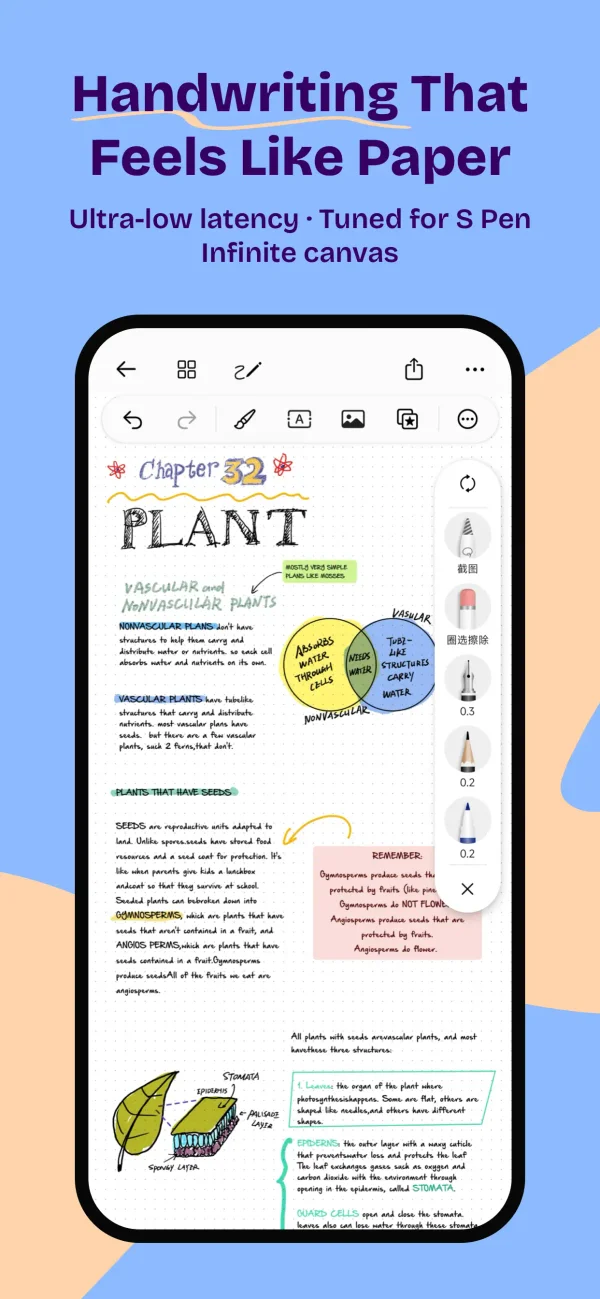
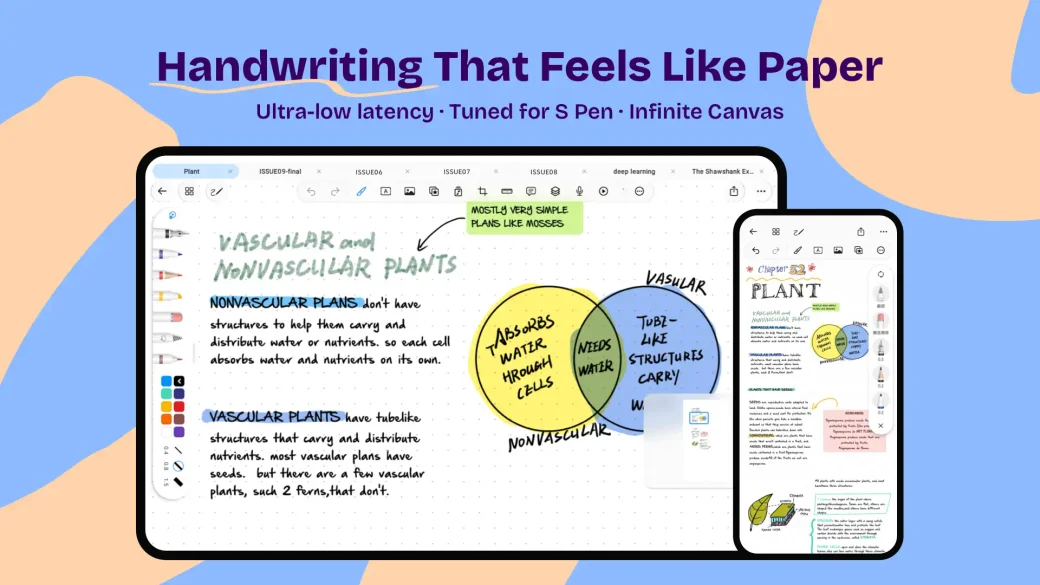
超低遅延で筆圧感知機能を備えたインクは、Sペンをはじめとするアクティブスタイラスペンに最適化されています。万年筆、ボールペン、鉛筆、蛍光ペン、カリグラフィーペン、テープ、レーザー、そして22種類の自動認識図形に対応。定規、レイヤー機能、20種類のペンプリセットも搭載。
🔍 手書き文字検索
手書きメモ、PDF、テキストボックス、表の中から任意の単語を検索できます。認識処理はデバイス上で実行され、無料、プライバシー保護、アップロード不要です。
📄 PDF、Word、PowerPointのインポートと注釈
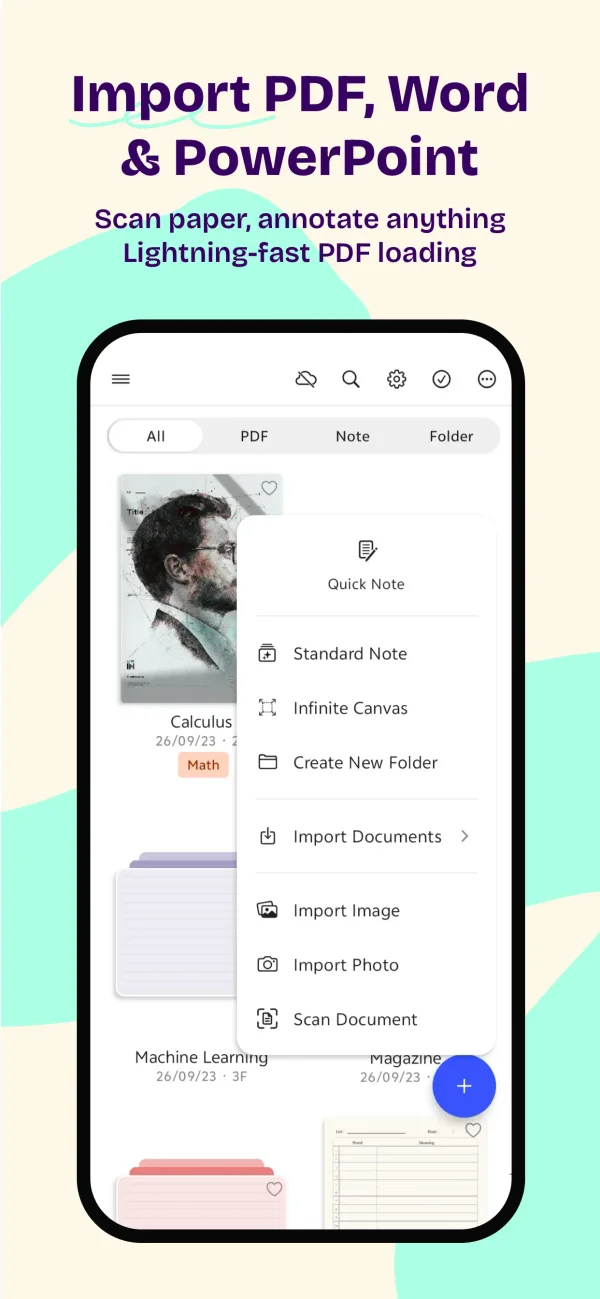
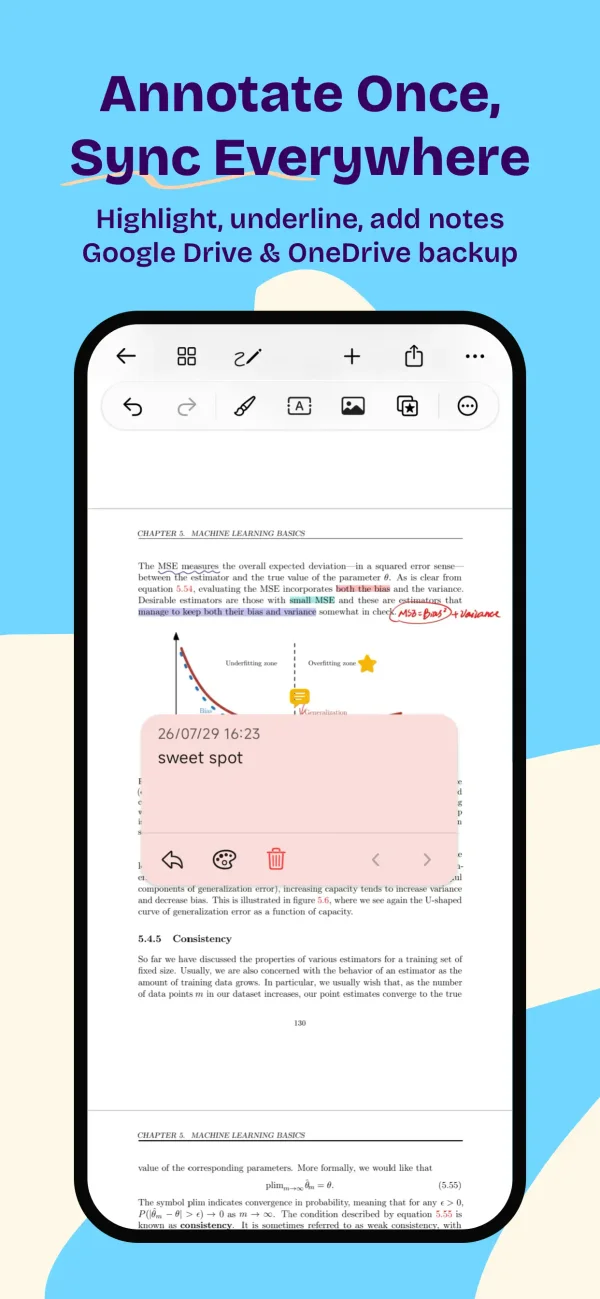
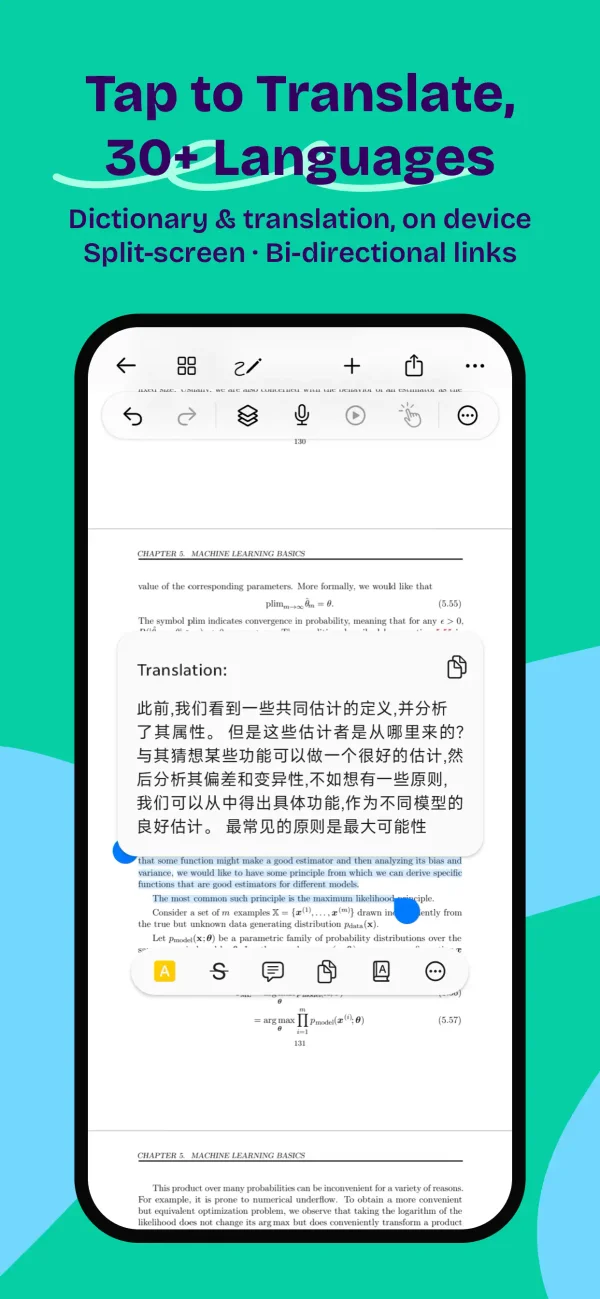
PDF、Word、PowerPointファイル、画像、またはカメラで紙文書をスキャンしてインポートできます。ハイライト、下線、取り消し線、メモの追加、ページへの直接書き込みが可能です。他のPDFからページを追加したり、回転、並べ替え、新しいノートブックへの分割もできます。単語をタップするとすぐに辞書が表示され、選択したテキストを30以上の言語でデバイス上で翻訳できます。
🎙️ 講義を録音し、ノートと同期
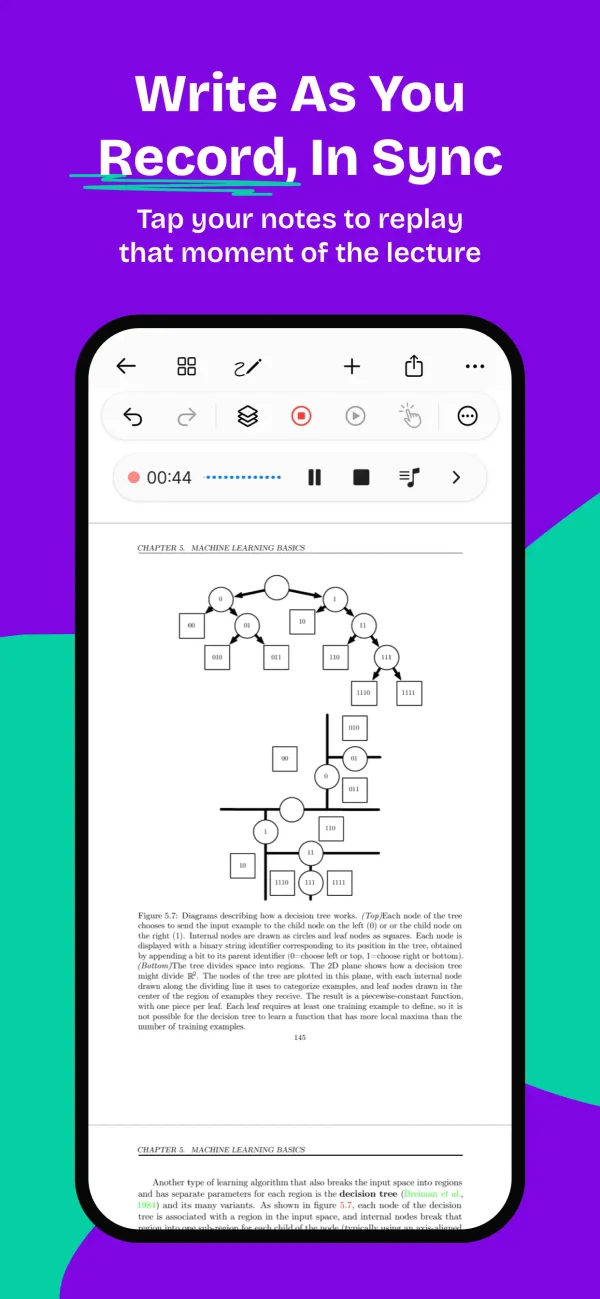
書きながら録音できます。手書き文字をタップすると、録音の該当箇所にジャンプします。再生速度の調整、15秒スキップ、またはセグメントのループ再生も可能です。
🤖 AI学習アシスタント(Orion Notes Pro)
AI機能は対応地域でご利用いただけます。
要約:
重要なポイント、ハイライト、用語を、それぞれ元のページにリンクさせて表示します。
自動アウトライン:
あらゆる文書を、ページリンク付きの構造化されたアウトラインに変換します。
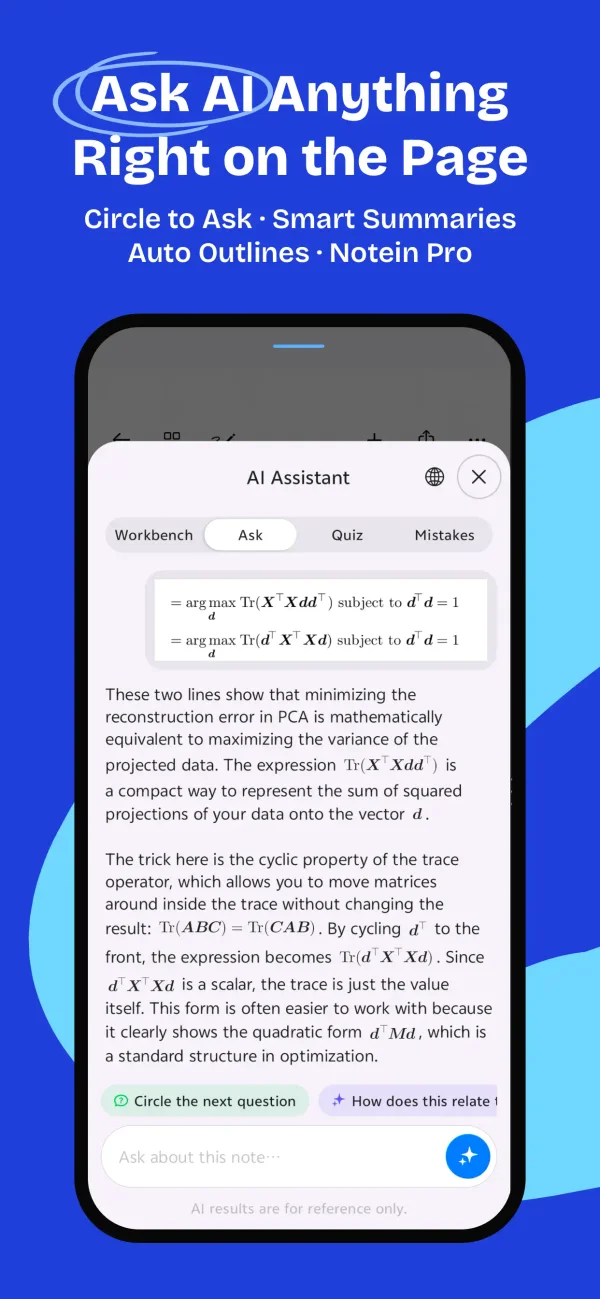
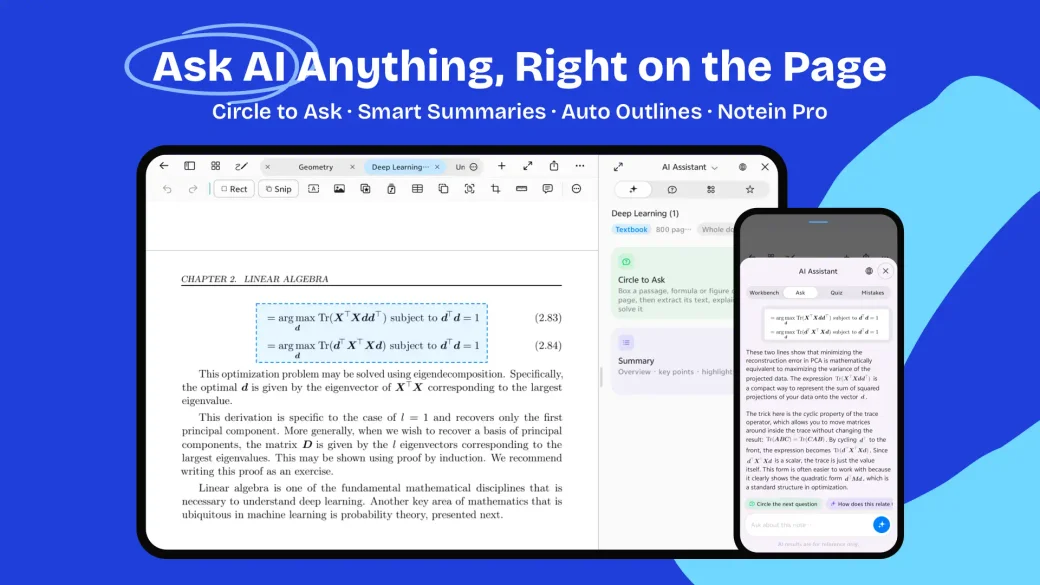
質問コーナー:ページ上の任意の箇所を囲むだけで、AIが説明したり、テキストを抽出したり、問題を解いたりします。
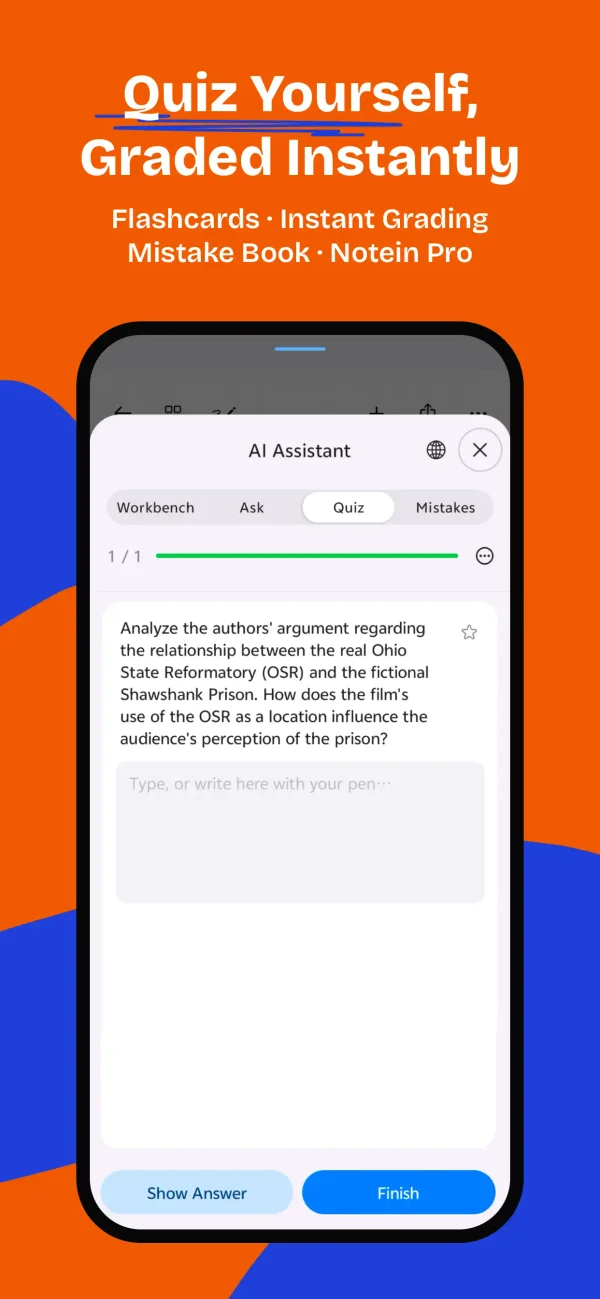
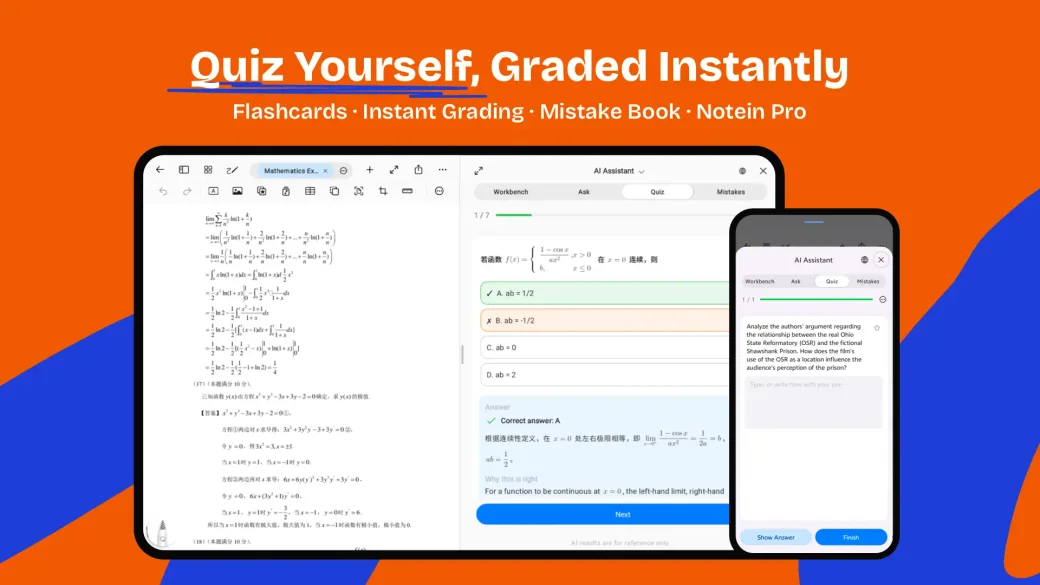
クイズ:どの章からでも、多肢選択式、穴埋め式、短答式の問題を作成できます。手書きまたはキーボードで解答し、解説付きの採点結果をすぐに確認できます。
採点:解答済みの試験は、手書き文字の文字起こしと解答例とともに、問題ごとに採点されます。
間違い帳:間違った解答は自動的に記録され、正しく理解すると消去されます。
手書き文字をテキストに変換:任意の手書き文字を囲み、編集可能なテキストに変換します。16種類の出力言語から選択して、お好みの言語で解答を表示できます。
🧠 自分好みに整理:ノートブック、色や写真付きの表紙が付いたネストされたフォルダ、ラベル、お気に入り、ピン留め機能。ハイパーリンクでページをリンクしたり、双方向リンクで2つのノートブックを接続したり、学習ガイドや個人の知識ベースを作成したりできます。トピックの比較や間違いの記録に便利な編集可能な表を追加することもできます。定番の用紙サイズはもちろん、無限に広がるキャンバスにも書き込めます。
📐 テンプレートと用紙
コーネル式ノート、語彙集、間違いリスト、記憶力曲線復習、日・週・月間プランナー、会議メモ、楽譜など、様々なテンプレートをご用意。独自のテンプレートを保存したり、カスタムフォントをインポートしたり、50種類以上のカバーとステッカーパックから選ぶこともできます。
⏱️ 集中力を維持
編集ページには、カウントダウンタイマー、ストップウォッチ、ポモドーロタイマーが内蔵されているので、時間制限付きの練習や復習に最適です。
☁️ 同期、バックアップ、ロック
GoogleドライブまたはOneDriveでデバイス間を同期。クラウドへの自動バックアップとバージョン復元機能も搭載。いつでもローカルバックアップを作成できます。指紋認証でプライベートノートブックをロック。
📱 Android対応
画面分割とマルチウィンドウに対応。ノートブック切り替え用のタブ、カスタマイズ可能なツールバーも搭載。 Android 14以降では、Orion Notesをデフォルトのメモアプリに設定すれば、ロック画面やスタイラスのボタンから直接メモを作成できます。PDFまたはJPEG形式でエクスポートしたり、ネイティブファイルを他のデバイスに共有したりすることも可能です。
最初は無料で始められ、オプションで有料アップグレードもご利用いただけます。最新のプランと機能については、アプリをご覧ください。
ただメモを取るだけではありません。Androidタブレットとスタイラス向けに設計されたツールを使って、自由に創造し、探求し、思考を深めましょう。今すぐOrion Notesをダウンロードして、あなたのアイデアを形にしましょう。
原文を表示
Handwriting notes, PDF annotation, and an AI study assistant — built for Android tablets and styluses. Highlighted at Google I/O 2025.
Orion Notes is the note-taking app for students, teachers, and professionals who think with a pen: take handwritten notes, mark up lecture slides and textbooks, record the lecture, then let AI turn it all into summaries, quizzes, and graded practice.
🖊️ Handwriting That Feels Like Paper
Ultra-low latency ink with pressure sensitivity, tuned for S Pen and other active styluses. Fountain pen, ballpoint, pencil, highlighter, calligraphy pen, tape, laser, and 22 auto-recognized shapes. Ruler, layers, and 20 favorite pen presets.
🔍 Search Your Handwriting
Find any word in your handwritten notes, PDFs, text boxes, and tables. Recognition runs on your device — free, private, no upload.
📄 Import & Annotate PDFs, Word & PowerPoint
Import PDFs, Word, and PowerPoint files, images, or scan paper documents with your camera. Highlight, underline, strike through, add notes, and draw right on the page. Add pages from other PDFs, rotate, reorder, and split into new notebooks. Tap any word for an instant dictionary, or translate selected text in 30+ languages — on device.
🎙️ Record Lectures, Synced to Your Notes
Record while you write. Tap any handwriting to jump to that moment in the recording. Adjust playback speed, skip 15 seconds, or loop a segment for review.
🤖 AI Study Assistant (Orion Notes Pro)
AI features are available in supported regions.
Summaries:
Key points, highlights, and terms — each linked to the page it came from.
Auto Outlines:
Turn any document into a structured, page-linked outline.
Circle to Ask:
Draw around anything on the page and ask AI to explain it, extract the text, or solve it.
Quizzes:
Generate multiple-choice, fill-in-the-blank, and short-answer questions from any chapter. Answer by hand or keyboard and get instant checking with explanations.
Grading:
Have a completed exam graded question by question, with handwriting transcription and worked answers.
Mistake Book:
Wrong answers are collected automatically and cleared once you master them.
Handwriting to Text:
Lasso any handwriting and convert it to editable text. Answers in your language: choose from 16 output languages.
🧠 Organize Your Way
Notebooks, nested folders with color and photo covers, labels, favorites, and pinning. Link pages with hyperlinks, connect two notebooks with bidirectional links, and build study guides or a personal knowledge base. Add editable tables for comparing topics or collecting mistakes. Write on classic paper sizes or an infinite canvas.
📐 Templates & Paper
Cornell notes, vocabulary books, mistake collections, memory-curve review, daily/weekly/monthly planners, meeting notes, music sheets, and more. Save your own templates, import custom fonts, and choose from 50+ covers and sticker packs.
⏱️ Stay Focused
A built-in countdown, stopwatch, and Pomodoro timer on the editing page — for timed practice and revision sessions.
☁️ Sync, Back Up & Lock
Sync across devices with Google Drive or OneDrive, with automatic cloud backup and version restore. Keep a local backup anytime. Lock private notebooks with your fingerprint.
📱 Made for Android
Split-screen and multi-window, tabs for switching between notebooks, and a customizable toolbar. On Android 14+, set Orion Notes as your default notes app and start a note straight from the lock screen or your stylus button. Export as PDF or JPEG, or share the native file to another device.
Free to start, with optional paid upgrades. See the app for current plans and included features.
Don't just take notes. Create, explore, and think freely with tools designed for your Android tablet and stylus. Download Orion Notes today and bring your ideas to life.
データ セーフティ
このアプリが収集・共有するデータについて、ORION STUDIO PTE. LTDがGoogle Playで申告している内容です。
- 第三者と共有されるデータはありません詳しくは、デベロッパーが共有を申告する方法についての説明をご覧ください
- このアプリは以下の種類のデータを収集することがあります個人情報、アプリのアクティビティ、他 2 件
- データは送信中に暗号化されます
- データを削除するようリクエストできます
新機能
バージョン v2.1.57.0 · 2026/11/17
New
• Merge notebooks into a new one; originals stay unchanged.
Improved
• Faster pen/eraser switching; less width-panel flicker.
• Smoother zoom, shape guides and PDF link loading.
• Sign-in help to restore another account’s purchases.
• Page overview keeps searches.
Fixed
• Incomplete cross-page PDF/image exports.
• Inertial scrolling in text mode.
• Pen-end eraser not working.
• Screenshot offsets and obscured buttons on some systems or in split screen.
• Other fixes.
開発元の連絡先
- メールsupport@notein.cn
- プライバシーポリシーnotein.ai
- 住所60 PAYA LEBAR ROAD #08-11 PAYA LEBAR SQUARE Singapore 409051
情報
- 提供元
- ORION STUDIO PTE. LTD
- カテゴリ
- 仕事効率化
- バージョン
- v2.1.57.0
- 更新日
- 2026/11/17
- リリース
- 2025/7/22
- 必要条件
- Android 8.0以降
- 対象年齢
- 3 歳以上
- 価格
- 無料
- アプリ内課金
- ¥1,040~¥6,200/アイテム
- パッケージ名
- com.orion.notes.us
類似のアプリ
-
 CalendarTask
ツール
-
 メモ帳
仕事効率化
-
 touchnotes - 手書きノート・PDF
仕事効率化
-
 Zoho Sheet: Spreadsheet アプリ
仕事効率化
-
 習慣化アプリ: ルーティン リマインダー & 目標達成アプリ
仕事効率化
-
 HiNotes by HiDock
仕事効率化
-
 DrawNote - 描画メモ帳、ノート、お絵かき、手書き
仕事効率化
-
 UpNote: メモ、日記、やる事
仕事効率化
-
 Journal it! 手帳, 生産性, ノート
仕事効率化
-
 Fabric: your second brain
仕事効率化
-
 Zoho Projects
仕事効率化
-
 JotterPad - 脚本や小説を執筆しよう
仕事効率化