SBB Preview
Schweizerische Bundesbahnen SBB広告を含む
- 3 歳以上対象年齢
- 地図&ナビカテゴリ
- 2026/11/12更新日
- 無料価格
ch.sbb.mobile.android.previewのGoogle Play公式ページにリンクしています。最終確認:2026/11/27。

スクリーンショット

このアプリについて
Googleによる英語 (アメリカ合衆国)からの自動翻訳です。
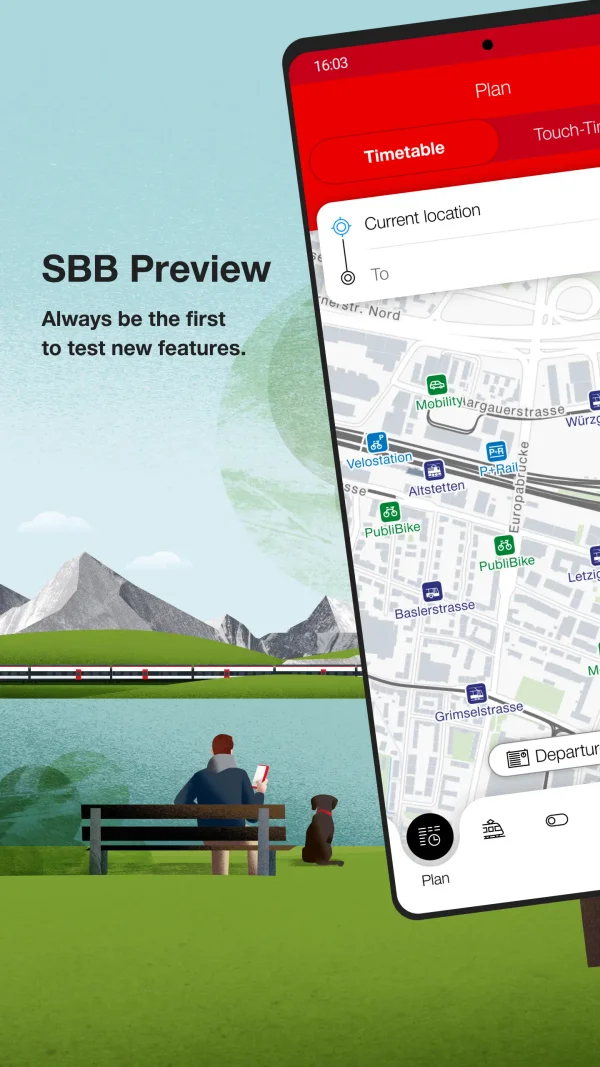
SBBプレビュー - 常に最新の機能をテストする最初のものになります。
重要:SBBプレビューはSBBモバイルアプリのプレビューバージョンです。私たちはSBBプレビューを使用して、将来SBBモバイルアプリに含めたい新しい革新的な機能をテストしています。
スイスのどこへでも旅行するための時刻表の問い合わせとチケット購入の基本的な機能は、SBBプレビューでもSBBモバイルでも同じです。区別しやすいように、プレビューアプリは灰色のままにしています。
アプリの心臓部は、次のメニューポイントとコンテンツを備えた新しいナビゲーションバーです。
計画:
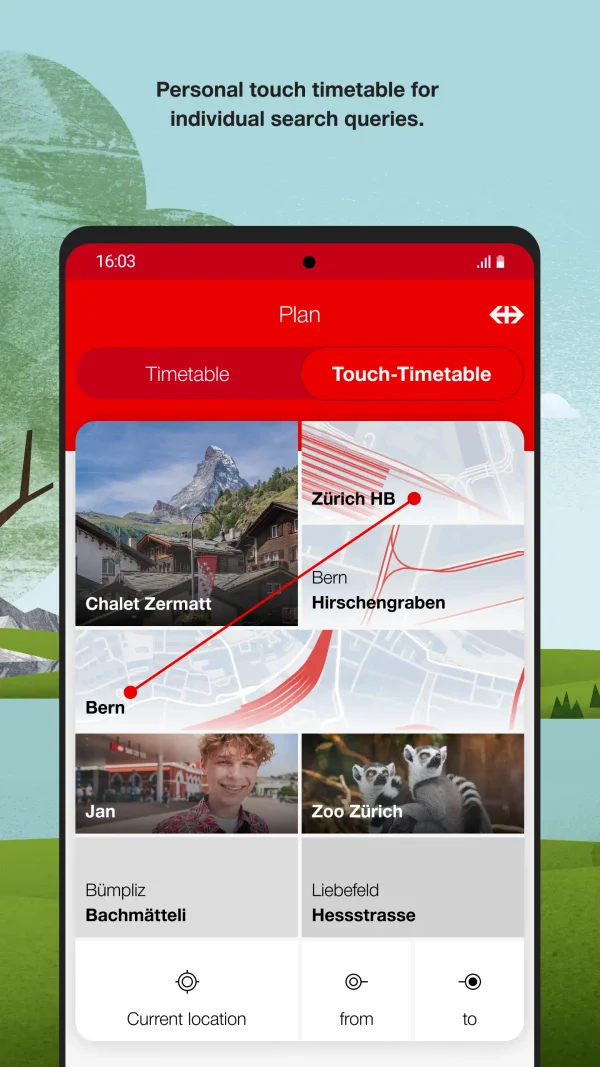
•タッチ時刻表を介した簡単な時刻表リクエストで旅行を計画するか、現在の位置を出発地または目的地として使用して、地図上に配置します。
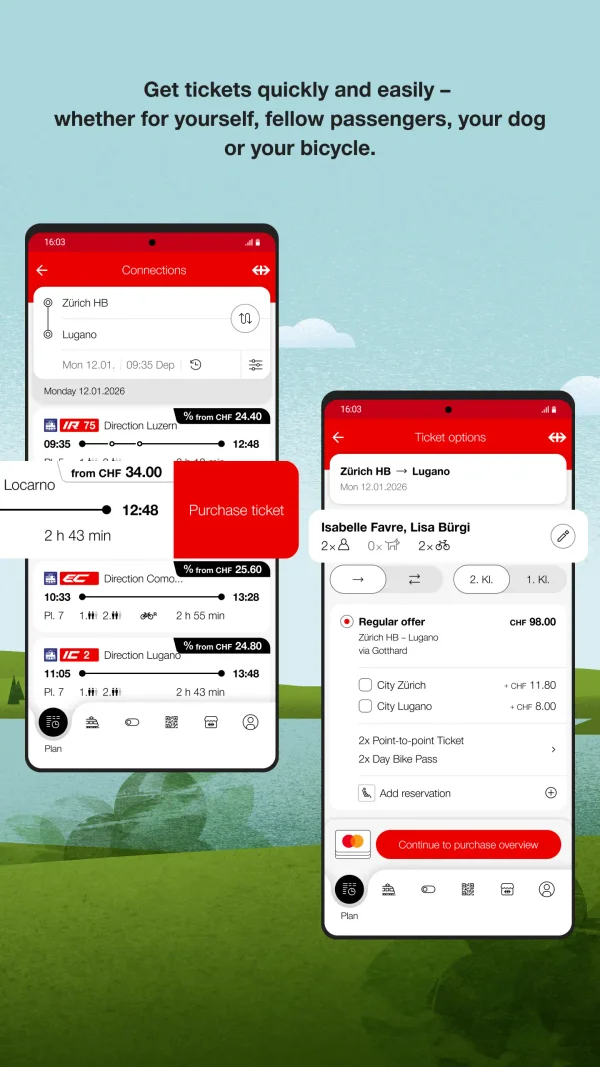
•わずか2回のクリックで、スイス全土のチケットを購入できます。 SwissPassのトラベルカードが適用されます。
•スーパーセーバーチケットまたはセーバーデイパスで特に手頃な価格で旅行できます。
ヒント:
•チケットを購入すると、旅程は[旅程]タブに保存されます。
•チケットを購入しなくても、手動で時刻表に移動を保存できます。
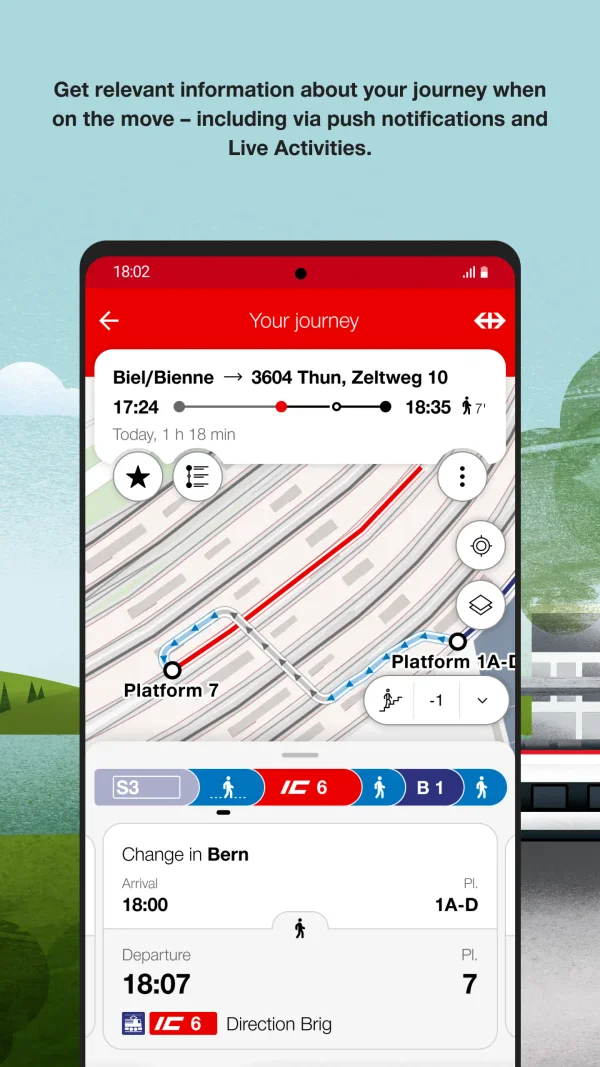
•アプリは、旅行中にドアからドアへと移動し、プッシュ通知を介して遅延、中断、交換時間に関する情報を受け取ります。
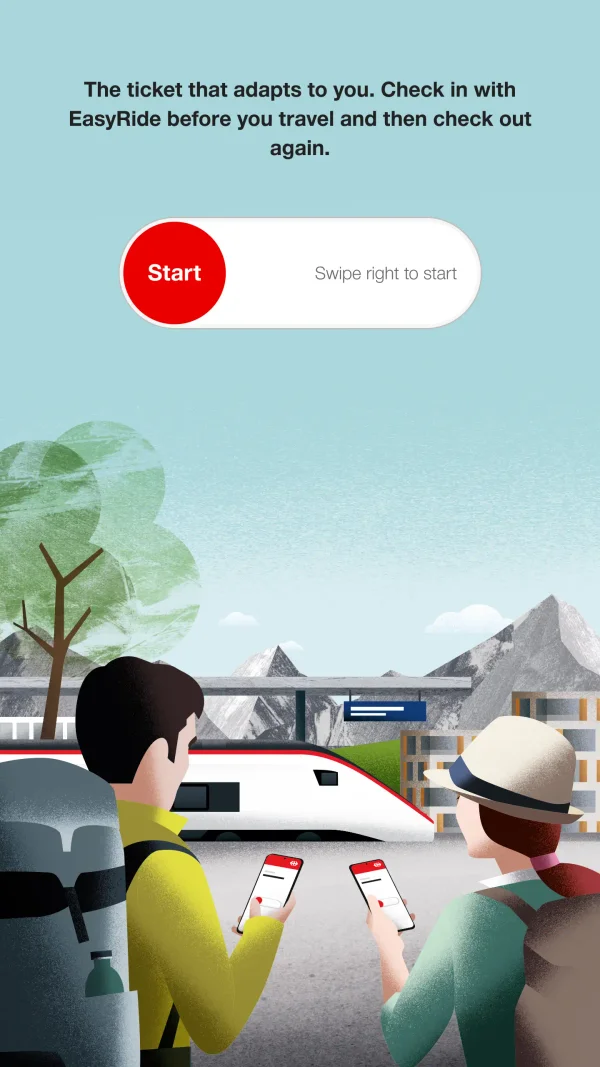
EasyRide:
•GAトラベルカードネットワーク全体で、チェックイン、乗車、出発。
•EasyRideは、旅行したルートに基づいて旅行に適したチケットを計算し、その後、関連する金額を請求します。
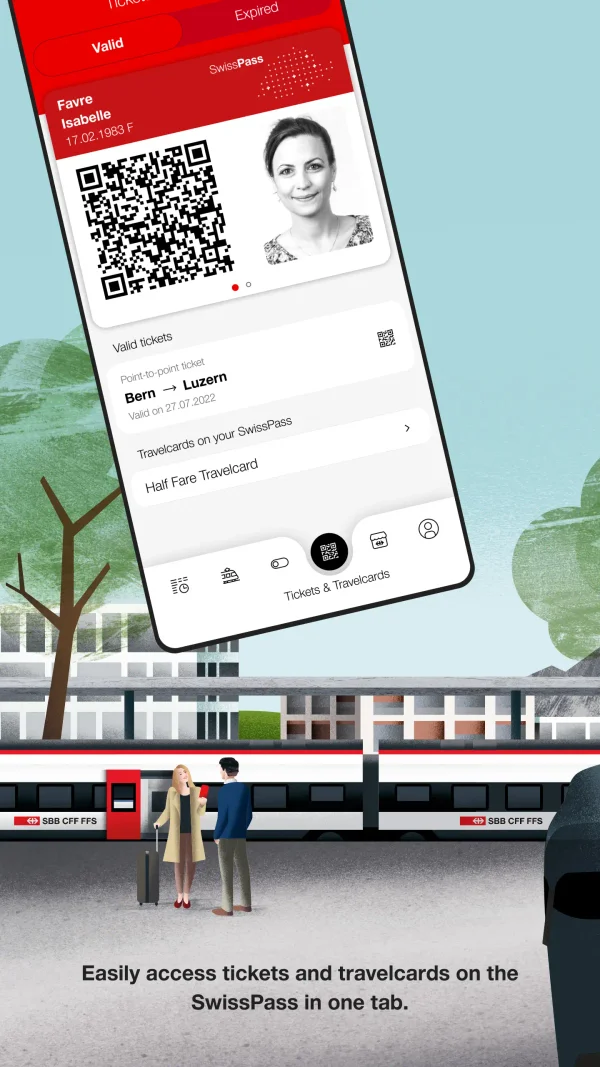
チケットとトラベルカード:
•SwissPassMobileを使用して、公共交通機関のトラベルカードをデジタルで表示します。
•SwissPassの有効および期限切れのチケットとトラベルカードの概要も示します。
プロフィール:
•個人設定とカスタマーサポートへの直接アクセス。
お問い合わせください。
ご不明な点がございましたら、お気軽にお問い合わせください。
https://www.sbb.ch/en/timetable/mobile-apps/sbb-mobile/contact.html
データのセキュリティと承認。
SBBプレビューに権限が必要なのはなぜですか?
場所:
現在地から始まる接続の場合、SBB Previewが最寄りの停車地を見つけることができるように、GPS機能をアクティブにする必要があります。これは、最寄りの停車地を時刻表に表示したい場合にも当てはまります。
カレンダーと電子メール:
接続を自分のカレンダーに保存して、電子メール(友達、外部カレンダー)で送信できます。 SBB Previewには、目的の接続をカレンダーにインポートできるようにするための読み取りおよび書き込み権限が必要です。
カメラへのアクセス:
パーソナライズされたタッチ時刻表のSBBプレビューで直接写真を撮るには、アプリがカメラにアクセスする必要があります。許可を求められます。
インターネットアクセス:
SBB Previewには、時刻表情報とチケット購入オプションのためのインターネットアクセスが必要です。
メモリー:
停車地のリスト、接続(履歴)、チケット購入などのオフライン機能をサポートするには、SBB Previewがデバイスのメモリにアクセスする必要があります(アプリ固有の設定を保存します)。
原文を表示
Important: SBB Preview is the preview version of the SBB Mobile app. We are using SBB Preview to test new and innovative functions and features which we want to include in the SBB Mobile app in future.
The basic functions for timetable enquiries – and for ticket purchases – for journeys anywhere in Switzerland are the same in SBB Preview as in SBB Mobile. We’ve kept the Preview app in grey to make it easier to distinguish.
The heart of the app is the new navigation bar with the following menu points and contents:
Plan:
• Plan your journey with a simple timetable request via the touch timetable or use your current position as the origin or destination, locating it on the map.
• Buy your ticket for the whole of Switzerland in just two clicks. Your travelcards on your SwissPass are applied.
• Travel particularly affordably with supersaver tickets or Saver Day Passes.
Trips:
• When purchasing tickets, your journey will be saved in the ‘Journeys’ tab.
• Even if you don’t buy a ticket, you can save your journey manually in the timetable.
• The app accompanies you from door to door as you travel and you will receive information about delays, disruption and interchange times via push notification.
EasyRide:
• Check in, get on and set off – across the entire GA Travelcard network.
• EasyRide calculates the right ticket for your journey on the basis of the routes you travelled on and charges you the relevant amount subsequently.
Tickets and travelcards:
• Show your public transport travelcards digitally with SwissPass Mobile.
• It also gives you an overview of your valid and expired tickets and travelcards on the SwissPass.
Profile:
• Straightforward access to your personal settings and our customer support.
Contact us.
If you have any questions, don’t hesitate to contact us:
https://www.sbb.ch/en/timetable/mobile-apps/sbb-mobile/contact.html
Data security and authorisations.
Why does SBB Preview need permissions?
Location:
For connections starting from a current location, the GPS function has to be activated so that SBB Preview can find the nearest stop. This also applies if you want to have the nearest stop displayed in the timetable.
Calendar and e-mail:
You can save connections in your own calendar and send them by e-mail (to friends, an external calendar). SBB Preview requires read and write permissions to be able to import your desired connection into the calendar.
Access to the camera:
To take photos straight in SBB Preview for the personalised touch timetable, the app needs access to the camera. You will be asked for permission.
Internet access:
SBB Preview needs internet access for timetable informations and ticket purchase options.
Memory:
To support offline functions such as the list of stops, connections (history) and ticket purchase, SBB Preview needs access to your device’s memory (save app-specific settings).
データ セーフティ
このアプリが収集・共有するデータについて、Schweizerische Bundesbahnen SBBがGoogle Playで申告している内容です。
- 第三者と共有されるデータはありません詳しくは、デベロッパーが共有を申告する方法についての説明をご覧ください
- このアプリは以下の種類のデータを収集することがあります位置情報、個人情報、他 6 件
- データは送信中に暗号化されます
- データを削除するようリクエストできます
新機能
バージョン 12.61.0.201.master · 2026/11/12
· Redemption of percentage and fixed-amount coupons for international travel.
· Graphical seat reservation for the Montreux–Bernese Oberland Railway.
· General bug fixes.
開発元の連絡先
- ウェブサイトsbb.ch
- メールsbbmobile.android@sbb.ch
- プライバシーポリシーsbb.ch
- 住所Hilfikerstrasse 1 3014 Bern Switzerland
情報
- 提供元
- Google Commerce Ltd
- カテゴリ
- 地図&ナビ
- バージョン
- 12.61.0.201.master
- 更新日
- 2026/11/12
- リリース
- 2015/12/7
- 必要条件
- Android 8.0以降
- 対象年齢
- 3 歳以上
- 価格
- 無料
- パッケージ名
- ch.sbb.mobile.android.preview