Scanvra - Doc Scanner
AppAspect Technologies Pvt. Ltd.広告を含む · アプリ内課金
- 3 歳以上対象年齢
- 仕事効率化カテゴリ
- 2026/8/18更新日
- 無料価格
com.pdf.cam.docscannerのGoogle Play公式ページにリンクしています。最終確認:2026/11/23。
スクリーンショット

このアプリについて
Googleによる英語 (アメリカ合衆国)からの自動翻訳です。
オールインワンのポケットスキャナー。ドキュメントを瞬時にキャプチャ、変換、共有できます。
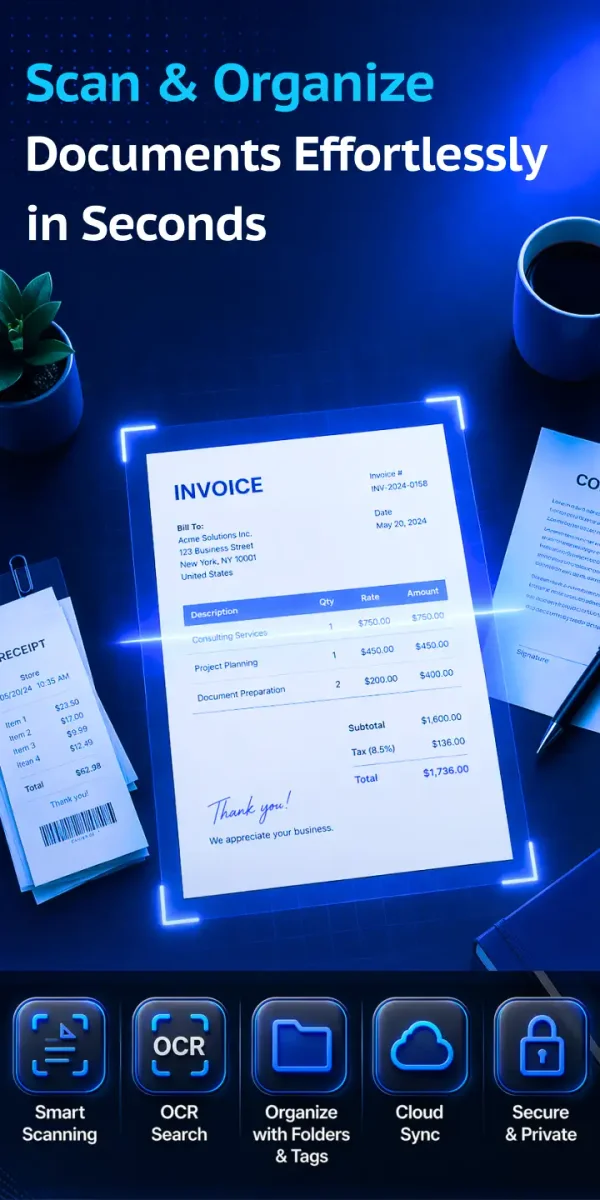
究極のオールインワンドキュメントスキャナー&PDF作成アプリ。スキャン、整理、共有が数秒で完了!
スマートフォンをパワフルなポータブルスキャナーに変身させましょう。請求書、契約書、IDカードなど、どんな書類でもFastScannerなら鮮明でプロフェッショナルなデジタルコピーを作成し、すぐに共有できます。高度なAIによる自動トリミングと画像補正機能で、原本よりも美しい仕上がりを実現します。
--- 主な機能 ---
🚀 高度なドキュメントスキャン
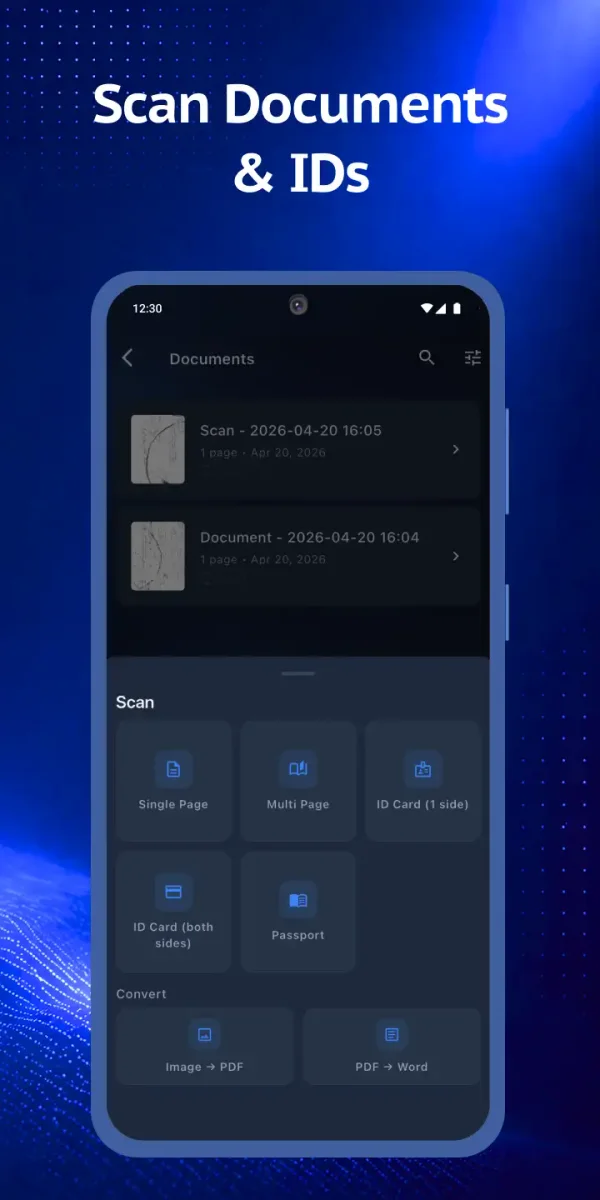
複数のモード:複数ページのドキュメントには、シングルスキャンモードとバッチモードを選択できます。
スマート補正:自動トリミングと自動補正により、テキストと画像が鮮明に仕上がります。
どこからでもインポート:カメラでスキャンするか、ギャラリーから既存の写真を直接インポートできます。
多用途:請求書、領収書、契約書、証明書、手書きメモなど、あらゆる書類に最適です。
🪪 高精度IDカードスキャナー
専用IDモード:身分証明書専用のスキャン機能を搭載。
両面スキャン:パスポート、運転免許証、PANカードなどのカードの表裏を1枚の用紙に簡単にスキャンできます。
完璧な位置合わせ:ID書類を正しい比率で保存するために、自動スケーリング機能が搭載されています。
📁 スマートファイル管理
スマートフォルダ:ファイルを分類・整理して、必要なファイルをすぐに検索できます。
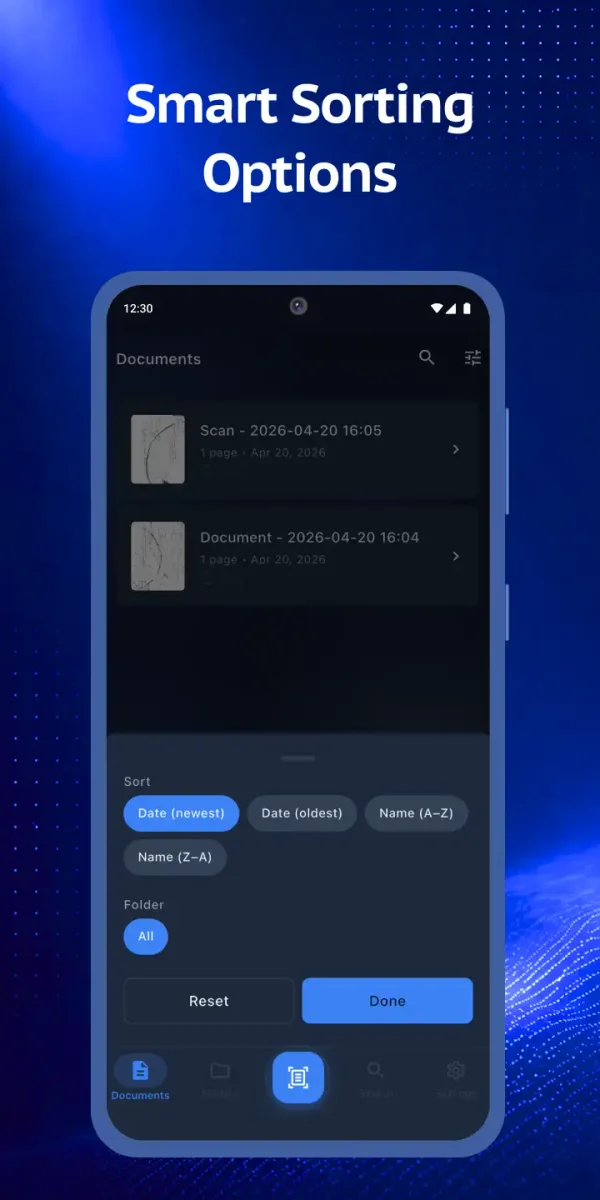
クイックソート:名前、日付、ファイルサイズでドキュメントを並べ替えて、必要なファイルを簡単に見つけることができます。
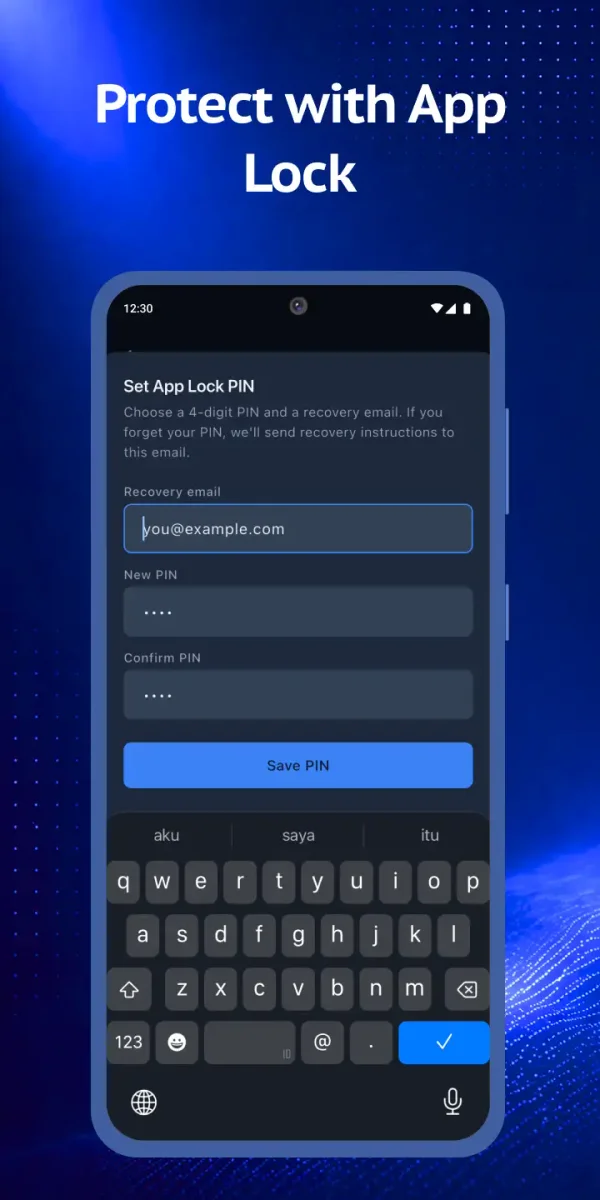
安全なストレージ:PINロックで大切なドキュメントを保護します。
🔄 強力なPDFツールとコンバーター
PDFからWordへ:スキャンしたPDFを編集可能なWord文書にシームレスに変換します。
WebからPDFへ:内蔵ブラウザを使用して、任意のWebページをPDFとして保存し、オフラインで閲覧できます。
マルチフォーマットビューア:PDF、JPG、PNG、TXT、HTML、およびMS Officeファイル(Word、Excel、PowerPoint)を開いて表示できます。
☁️ クラウド同期&共有
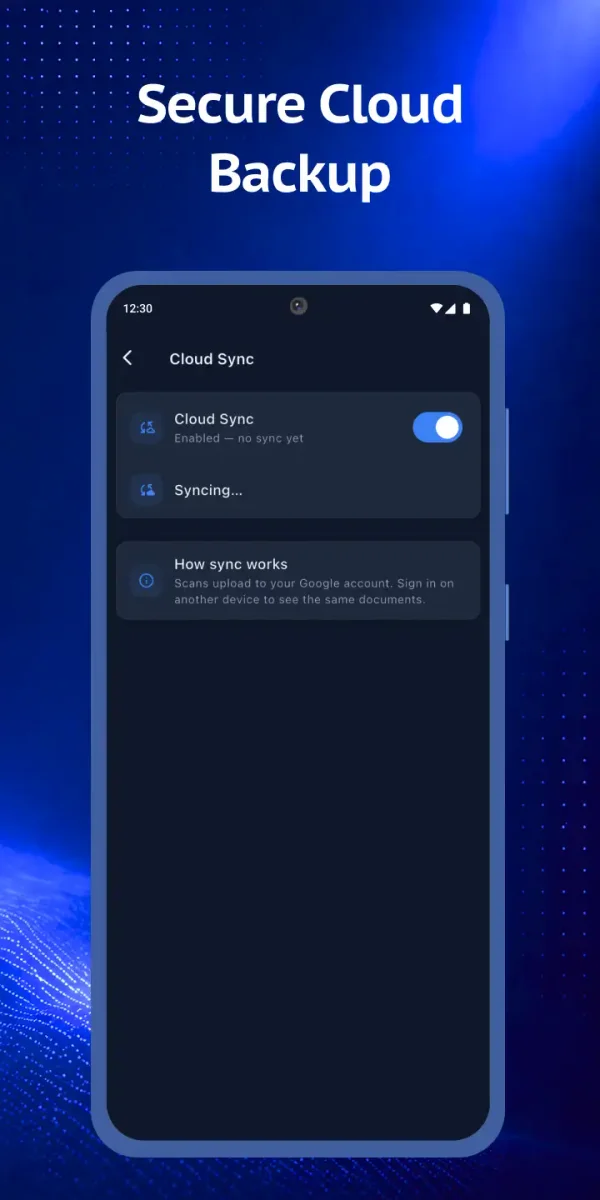
クラウドバックアップ:ドキュメントをクラウドに安全に同期し、あらゆるデバイスからアクセスできます。
インスタントエクスポート:ワンタップでメール、WhatsApp、Slack経由でファイルを共有できます。
ワイヤレス転送:Wi-FiまたはUSB共有を使用して、スマートフォンとコンピューター間でファイルを簡単に転送できます。
--- FastScannerを選ぶ理由 ---
✅ 100%のプライバシー:ドキュメントはデバイスまたはプライベートクラウドにローカルに保存されます。
✅ ウォーターマークなし:ビジネス用途に最適な、クリーンでプロフェッショナルなPDFを作成できます。
✅ 超高速:スピードと効率性を追求した設計です。
今すぐFastScannerをダウンロードして、オフィスをポケットに入れて持ち歩きましょう!
利用規約:https://www.appaspect.com/apps/apple/docscanner/terms.html
プライバシーポリシー:https://www.appaspect.com/apps/apple/docscanner/privacy.html
原文を表示
The ultimate all-in-one document scanner and PDF creator. Scan, organize, and share in seconds!
Transform your smartphone into a powerful portable scanner. Whether it’s an invoice, a business contract, or an ID card, FastScanner ensures your digital copies are crisp, professional, and ready to share. Using advanced AI-driven auto-cropping and image enhancement, your documents will look better than the originals.
--- KEY FEATURES ---
🚀 Advanced Document Scanning
Multiple Modes: Choose between Single Scan or Batch Mode for multi-page documents.
Smart Enhancement: Auto-cropping and auto-enhancement ensure text and images are sharp and clear.
Import Anywhere: Scan using your camera or import existing photos directly from your gallery.
Versatile Use: Perfect for bills, receipts, contracts, certificates, and handwritten notes.
🪪 Precision ID Card Scanner
Dedicated ID Mode: Specialized scanning for identity documents.
Dual-Side Scanning: Easily capture the front and back of cards (Passports, Licenses, PAN cards, etc.) on a single page.
Perfect Alignment: Automatic scaling to ensure ID documents are saved in their correct proportions.
📁 Smart File Management
Smart Folders: Categorize and organize your files for instant retrieval.
Quick Sorting: Find what you need by sorting documents by name, date, or file size.
Secure Storage: Protect your private documents with a secure PIN Lock.
🔄 Powerful PDF Tools & Converter
PDF to Word: Seamlessly convert your PDF scans into editable Word documents.
Web to PDF: Use the built-in browser to save any webpage as a PDF for offline reading.
Multi-Format Viewer: Open and view PDF, JPG, PNG, TXT, HTML, and MS Office files (Word, Excel, PowerPoint).
☁️ Cloud Sync & Sharing
Cloud Backup: Sync your documents securely to the cloud and access them from any device.
Instant Export: Share files via Email, WhatsApp, or Slack in one tap.
Wireless Transfer: Use Wi-Fi or USB sharing to move files between your phone and computer effortlessly.
--- WHY CHOOSE US? ---
✅ 100% Privacy: Your documents are stored locally on your device or in your private cloud.
✅ No Watermarks: Clean, professional PDFs ready for business use.
✅ Lightning Fast: Designed for speed and efficiency.
Download FastScanner today and carry your office in your pocket!
Terms of Use: https://www.appaspect.com/apps/apple/docscanner/terms.html
Privacy Policy: https://www.appaspect.com/apps/apple/docscanner/privacy.html
データ セーフティ
このアプリが収集・共有するデータについて、AppAspect Technologies Pvt. Ltd.がGoogle Playで申告している内容です。
- このアプリはサードパーティと以下の種類のデータを共有することがあります購入履歴
- このアプリは以下の種類のデータを収集することがあります個人情報、財務情報、他 3 件
- データは送信中に暗号化されます
- データを削除するようリクエストできます
新機能
バージョン 1.2.0 · 2026/8/18
Improvements in app functionality and solved minor issues
開発元の連絡先
- ウェブサイトappaspect.com
- メールinfo@appaspecttechnologies.com
- プライバシーポリシーappaspect.com
- 住所A/8, Shakti Vijay Society, Nr Vijay Park Brts Stand N.H.8 Krishnanagar Ahmedabad, Gujarat 382345 India
情報
- 提供元
- AppAspect Technologies Pvt. Ltd.
- カテゴリ
- 仕事効率化
- バージョン
- 1.2.0
- 更新日
- 2026/8/18
- リリース
- 2026/4/30
- 必要条件
- Android 7.0以降
- 対象年齢
- 3 歳以上
- 価格
- 無料
- アプリ内課金
- ¥880~¥2,280/アイテム
- パッケージ名
- com.pdf.cam.docscanner
類似のアプリ
-
 PDFエディタ―自由に編集しましょう!
ツール
-
 PDF結合:スキャン、署名、編集
仕事効率化
-
 DestCert Exam Prep
教育
-
 CamCard - AIスキャナー、文字起こし
仕事効率化
-
 Lawyer Diary & Handbook
カスタマイズ
-
 Lawfully Case Tracker
ツール
-
 Nelko
ツール
-
 Regula Document Reader
ビジネス
-
 Authenticator App - OneAuth
ツール
-
 Resume Builder - CV Engineer
ビジネス
-
 PDFスキャナアプリ - PDFスキャナ、DocScan
仕事効率化
-
 SmartTeach
教育