Site24x7
Zoho Corporation- 3 歳以上対象年齢
- ツールカテゴリ
- 2026/11/12更新日
- 無料価格
com.adventnet.webmon.androidのGoogle Play公式ページにリンクしています。最終確認:2026/11/21。
スクリーンショット

このアプリについて
Googleによる英語 (アメリカ合衆国)からの自動翻訳です。
最新の IT 向けの AI を活用したモニタリング
Site24x7 Android アプリについて
ManageEngine Site24x7 は、DevOps および IT 運用のための AI を活用した可観測性プラットフォームです。クラウドベースのプラットフォームの幅広い機能は、アプリケーションのパフォーマンスのトラブルシューティングや、Web サイト、サーバー、ネットワーク、クラウド リソースに関連するインシデントのリアルタイムの調査に役立ちます。ユーザーは、外出先でもビジュアル チャートとダッシュボードを使用して、すべて 1 つのコンソールから 600 を超えるテクノロジーのリアルタイム メトリクスを追跡できます。
Site24x7 Android アプリがどのように役立つか
ユーザー プロファイルに基づいて、インスタント通知の受信、コメントの追加、インシデントの根本原因の分析、監視対象リソースの KPI の追跡、既知のアラートのメンテナンスとしてのマーク付け、是正措置の認証をすべてモバイル アプリを通じて行うことができます。 Site24x7 Android アプリは、すべての監視対象リソースの可用性とパフォーマンスのレポートに加え、根本原因分析 (RCA)、サービス レベル アグリーメント (SLA)、およびダウンタイム レポートを提供します。
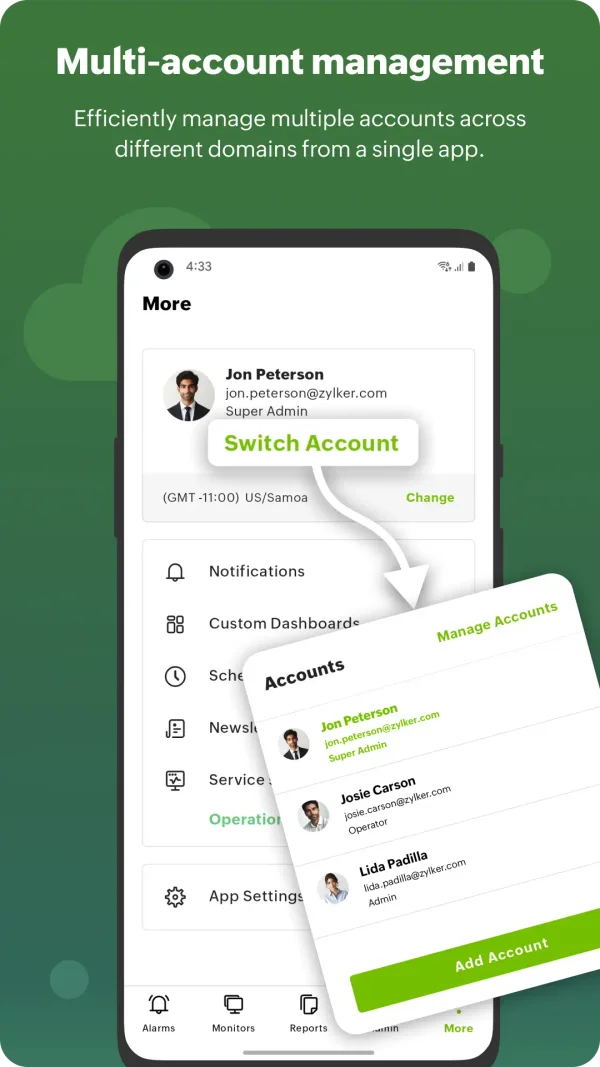
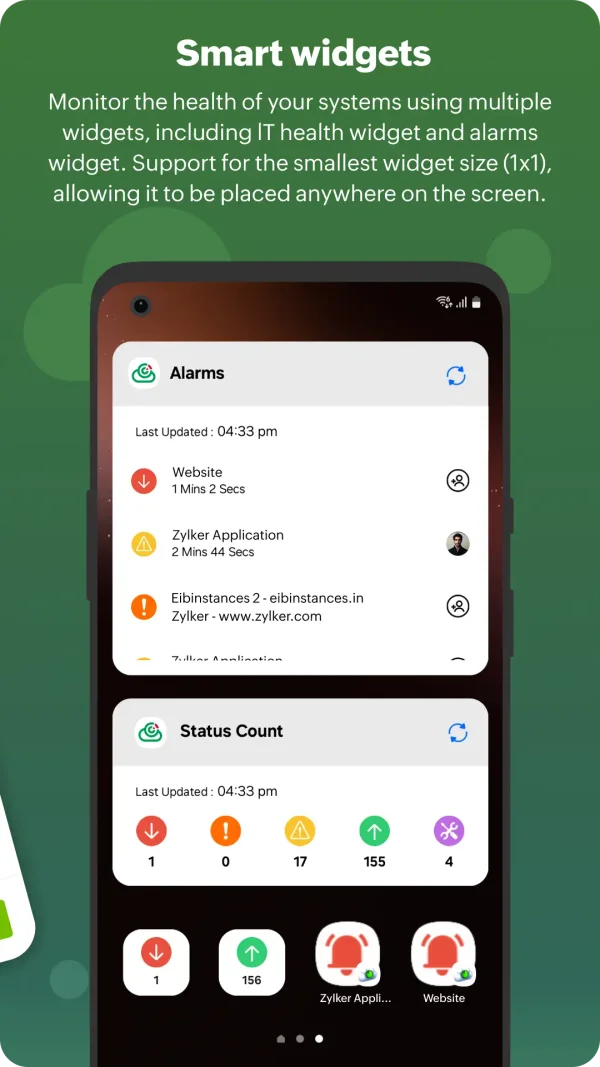
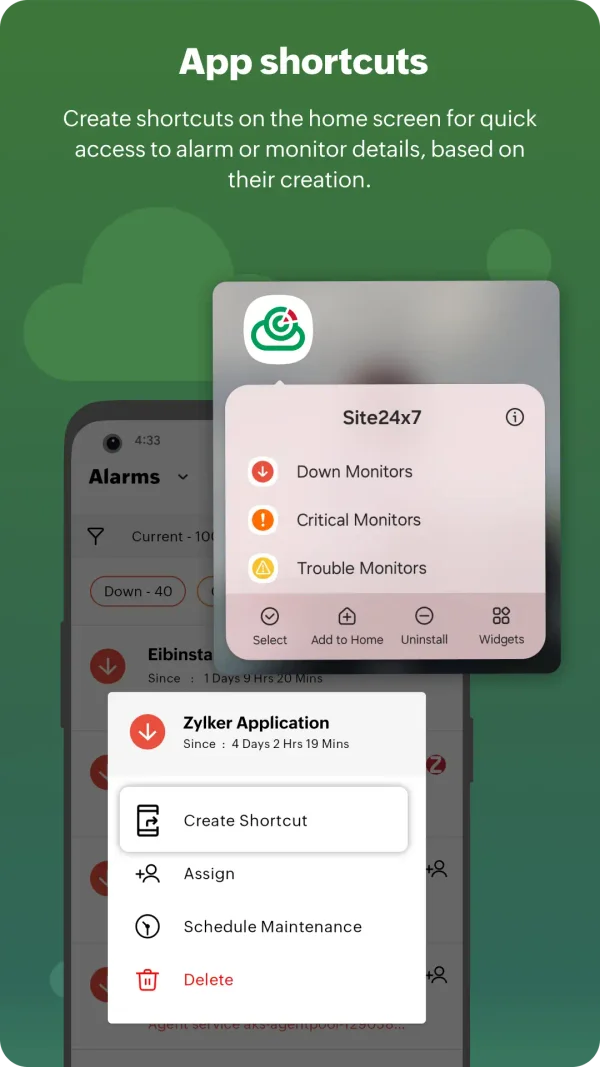
モニターの停止履歴とパフォーマンス レポートを取得します。ドメイン全体で複数のアカウントを管理し、アラームやステータスなどのウィジェットを使用してシステムの状態を追跡します。アラームのショートカットを使用すると、画面からアラームに直接アクセスできます。技術者を迅速に割り当てて迅速に解決し、複数のアラームを簡単に監視するためのショートカットを作成します。
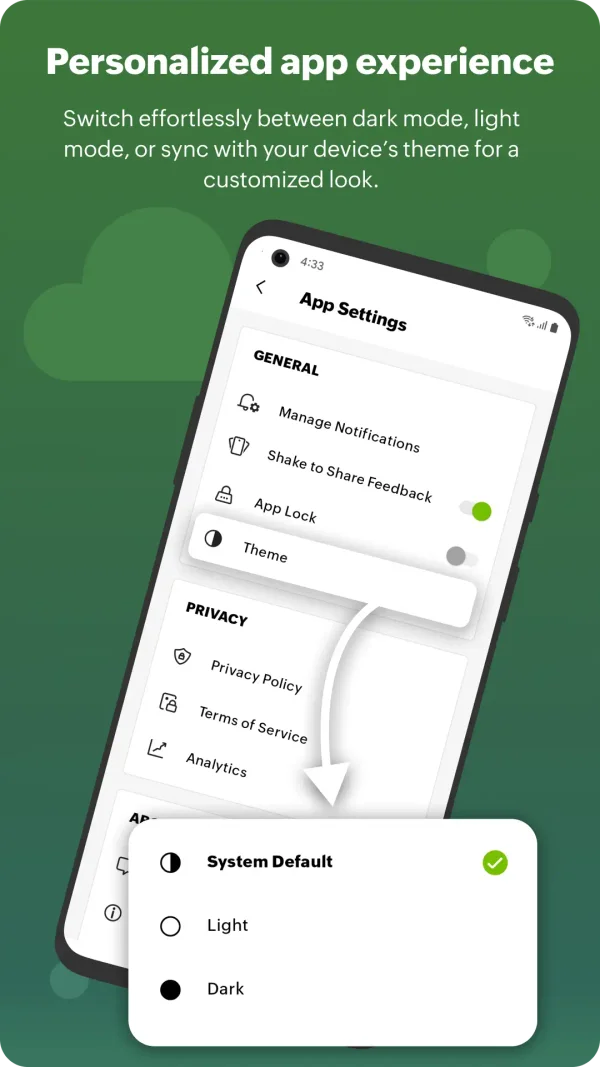
このアプリは、パーソナライズされたエクスペリエンスを実現するために、明るいテーマと暗いテーマの両方をサポートしています。
Site24x7 Android アプリを使用して次のことを行います。
問題を即座にトラブルシューティングする
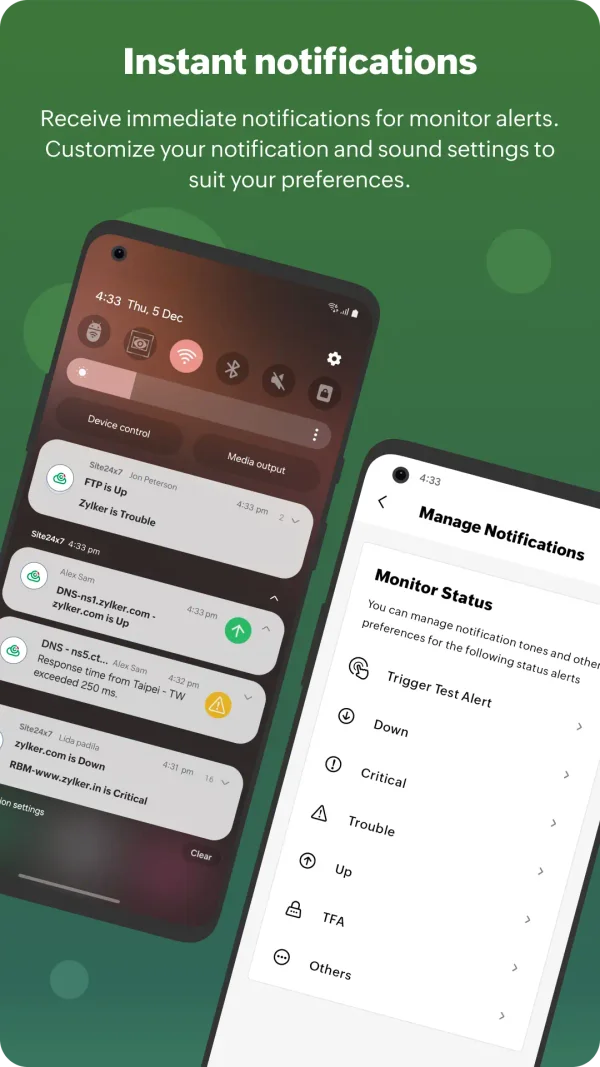
* パフォーマンスの問題について即座に通知を受け取り、IT 自動化で問題を解決します。ステータス通知をカスタマイズし、アラートのテスト機能を使用してアラートを即座にテストします。
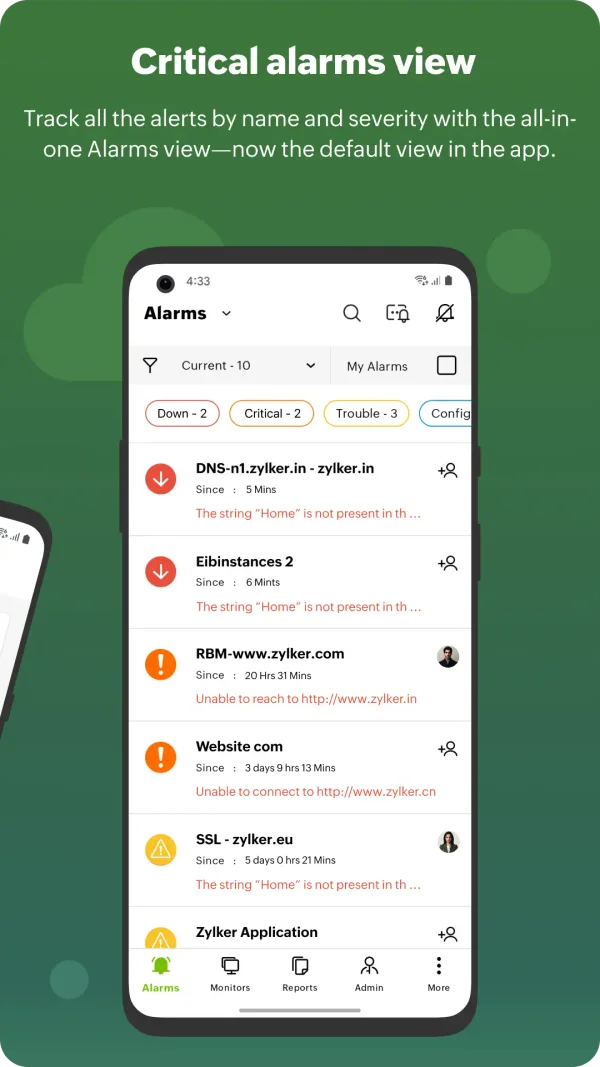
* モニターのステータス (アップ、ダウン、トラブル、またはクリティカル) とダウンタイムの RCA レポートを表示します。
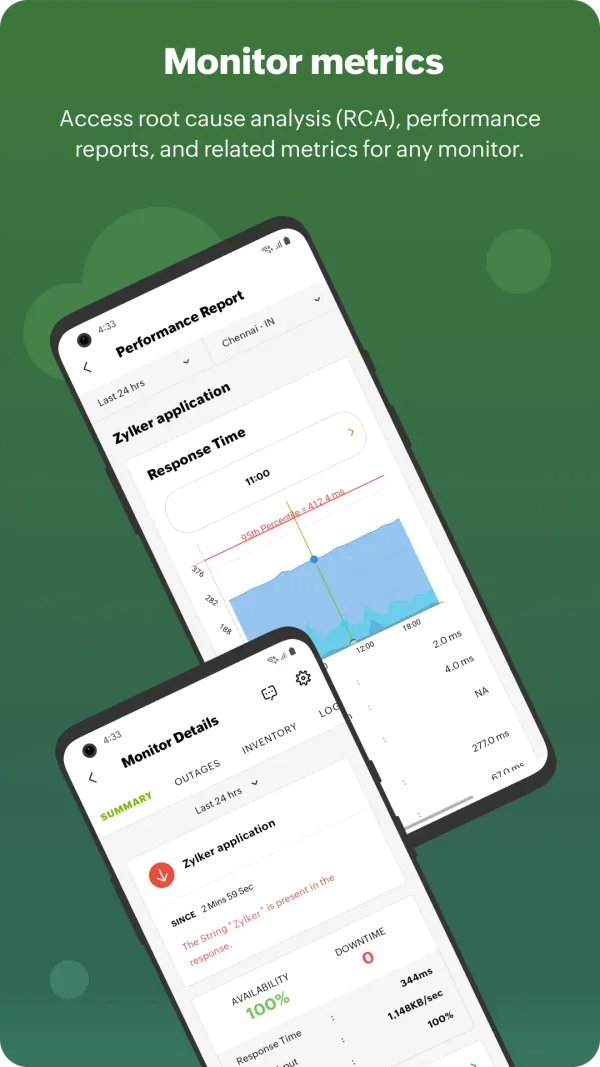
* 詳細な内訳を含むモニターの停止およびパフォーマンス レポートを取得します。
* Anomaly ダッシュボードを使用して IT パフォーマンスの異常を検出します。
* MSP およびビジネス ユニットのダッシュボードにアクセスして、顧客固有の可用性に関する洞察を取得します。
* スケジュールされたメンテナンスと SLA 追跡により、SLA を効率的に管理します。
* モニターを追加し、「管理」タブから管理アクションを実行します。
* アラーム、技術者の割り当て、詳細なモニター情報に素早くアクセスできるステータス ウィジェットを使用して、すべてのモニターの視覚的な概要を取得し、1x1 ウィジェット、アラーム機能、統計ベースのウィジェットをサポートします。
簡単に監視と管理
* 複数のアカウントでログインすると、すべてのデータ センター (DC) を簡単に管理できます。
* ドメインを監視し、80 以上のメトリクスを使用してサーバーのパフォーマンスを追跡します。
* タイムゾーンを設定して、シームレスな監視と位置ベースの可用性ビューを実現します。
* インシデントチャットでステータスを監視するための更新について共同作業します
* 個々のアカウントのデータセンターベースの可用性追跡。
エクスペリエンスをパーソナライズする
* 明るいテーマと暗いテーマを備えた新鮮なインターフェースをお楽しみください。
Site24x7 について
Site24x7 は、DevOps と IT 運用向けに特別に設計された AI を活用したフルスタック モニタリングを提供します。サーバー、コンテナ、ネットワーク、クラウド環境、データベース、アプリケーションなどのさまざまなソースからテレメトリ データを収集し、包括的な可観測性を提供します。さらに、Site24x7 は、合成および実際のユーザー監視機能の両方を通じてエンドユーザー エクスペリエンスを追跡します。これらの機能により、DevOps チームと IT チームはアプリケーションのダウンタイム、パフォーマンスの問題、インフラストラクチャの問題のトラブルシューティングと解決が可能になり、最終的にはデジタル ユーザー エクスペリエンスをより効果的に管理できるようになります。
Site24x7 は、テクノロジー スタック向けに次のような幅広いオールインワン パフォーマンス監視機能を提供します。
* ウェブサイトの監視
* サーバー監視
* アプリケーションのパフォーマンス監視
* ネットワーク監視
* Azure と GCP の監視
* ハイブリッド、プライベート、パブリック クラウドのモニタリング
* コンテナ監視
サポートが必要な場合は、support@site24x7.com までご連絡ください。
原文を表示
About the Site24x7 Android app
ManageEngine Site24x7 is an AI-powered observability platform for DevOps and IT operations. The cloud-based platform’s broad capabilities help troubleshoot application performance and investigate incidents related to websites, servers, networks, and cloud resources in real time. Users can track real-time metrics for over 600 technologies using visual charts and dashboards while on the go, all from a single console.
How the Site24x7 Android app can help
Based on your user profile, you can receive instant notifications, add comments, analyze the root causes of incidents, track the KPIs of monitored resources, mark known alerts as maintenance, and authenticate remedial actions—all through the mobile app. The Site24x7 Android app provides availability and performance reports for all monitored resources, along with root cause analysis (RCA), service level agreement (SLA), and downtime reports.
Get outage histories and performance reports for your monitors. Manage multiple accounts across domains and track your system health using widgets like Alarms and Status. Alarm shortcuts help you access the alarm directly from the screen. Quickly assign technicians for faster resolution and create shortcuts to monitor multiple alarms with ease.
The app supports both light and dark themes for a personalized experience.
Use the Site24x7 Android app to:
Troubleshoot issues instantly
* Get instant notifications for performance issues and resolve them with IT automation. Customize status notifications and instantly test alerts using the Test Alert feature.
* View monitor statuses (Up, Down, Trouble, or Critical) and RCA reports for downtime.
* Get outage and performance reports for monitors with detailed breakdowns.
* Detect anomalies in IT performance with the Anomaly dashboard.
* Access the MSP and Business Unit dashboards for customer-specific availability insights.
* Manage SLAs efficiently with scheduled maintenance and SLA tracking.
* Add monitors and perform administrative actions from the Admin tab.
* Get a visual overview of all monitors with status widgets that allow quick access to alarms, technician assignments, and detailed monitor information, supporting 1x1 widgets, alarm features, and statistics-based widgets.
Monitor & manage with ease
* Log in with multiple accounts to manage all data centers (DCs) effortlessly.
* Monitor domains and track your server performance using over 80 metrics.
* Set time zones for seamless monitoring and location-based availability views.
* Collaborate on updates to monitor statuses with incident chat
* Data center-based availability tracking for individual accounts.
Personalize your experience
* Enjoy a fresh interface with light and dark themes.
About Site24x7
Site24x7 provides AI-powered full-stack monitoring specifically designed for DevOps and IT operations. It collects telemetry data from various sources, including servers, containers, networks, cloud environments, databases, and applications, to offer comprehensive observability. Additionally, Site24x7 tracks end-user experiences through both synthetic and real user monitoring capabilities. These features enable DevOps and IT teams to troubleshoot and resolve application downtime, performance issues, and infrastructure challenges, ultimately helping them manage the digital user experience more effectively.
Site24x7 offers a wide range of all-in-one performance monitoring features for your technology stacks, including:
* Website monitoring
* Server monitoring
* Application performance monitoring
* Network monitoring
* Azure and GCP monitoring
* Hybrid, private, and public cloud monitoring
* Container monitoring
For any help, please get in touch with support@site24x7.com
データ セーフティ
このアプリが収集・共有するデータについて、Zoho CorporationがGoogle Playで申告している内容です。
- 第三者と共有されるデータはありません詳しくは、デベロッパーが共有を申告する方法についての説明をご覧ください
- データは収集されません詳しくは、デベロッパーが収集を申告する方法についての説明をご覧ください
- データは暗号化されません
- データを削除するようリクエストできます
新機能
バージョン 5.1.1 · 2026/11/12
• Never miss an alarm. Get live notifications and assign a technician or add comments right from the alert.
• Your monitors, at a glance. Resizable widgets and quick actions put status on your home screen.
• Meet the all-new Ask Zia. Go full-screen, explore prompts, and pick up past chats.
• Enjoy a cleaner, refreshed design that’s easier to navigate.
開発元の連絡先
- ウェブサイトsite24x7.com
- メールsite24x7@zohomobile.com
- プライバシーポリシーsite24x7.com
- 住所4141 Hacienda Dr Pleasanton, CA 94588-8566 United States
情報
- 提供元
- Zoho Corporation
- カテゴリ
- ツール
- バージョン
- 5.1.1
- 更新日
- 2026/11/12
- リリース
- 2012/3/28
- 必要条件
- Android 7.0以降
- 対象年齢
- 3 歳以上
- 価格
- 無料
- パッケージ名
- com.adventnet.webmon.android