Teleprompter: Script & Video
Eco Mobile Editor広告を含む · アプリ内課金
- 3 歳以上対象年齢
- 仕事効率化カテゴリ
- 2026/11/16更新日
- 無料価格
com.eco.teleprompterのGoogle Play公式ページにリンクしています。最終確認:2026/11/19。

スクリーンショット


このアプリについて
Googleによる英語 (アメリカ合衆国)からの自動翻訳です。
録画しながら台本を読みましょう。リールとYouTube用のスクロールテキスト+カメラ
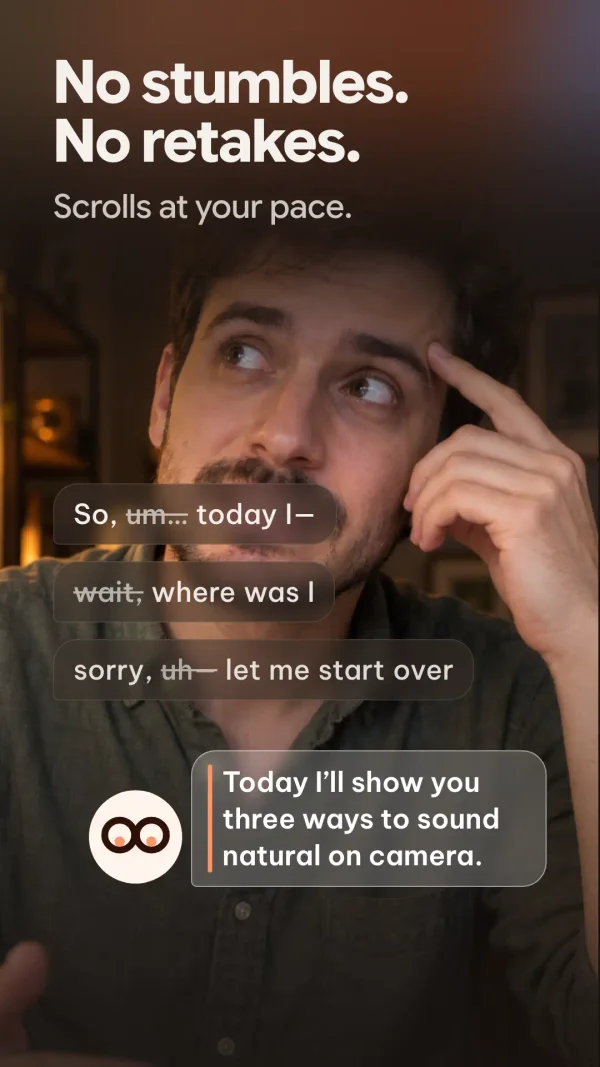
Teleprompter: Script & Videoは、カメラの前で自信を持って話すためのアプリです。スクリプトを貼り付けて録画ボタンを押せば、レンズをまっすぐ見ながら読み上げることができます。暗記もセリフ忘れも、撮り直しも不要です。
コンテンツクリエイター、中小企業経営者、教師、学生、そしてスマートフォンで自分の話を録画するすべての人に最適です。
おすすめポイント
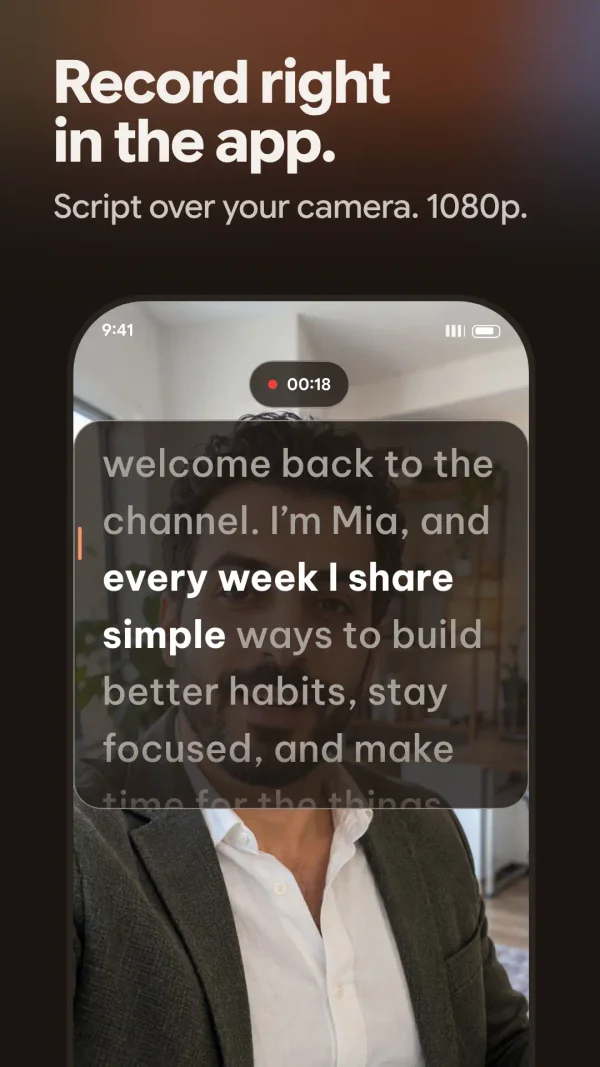
• 1つのアプリで読み上げと録画が可能 – スクリプトはフロントカメラのすぐ横に表示されるので、視聴者から目を離さずに済みます。
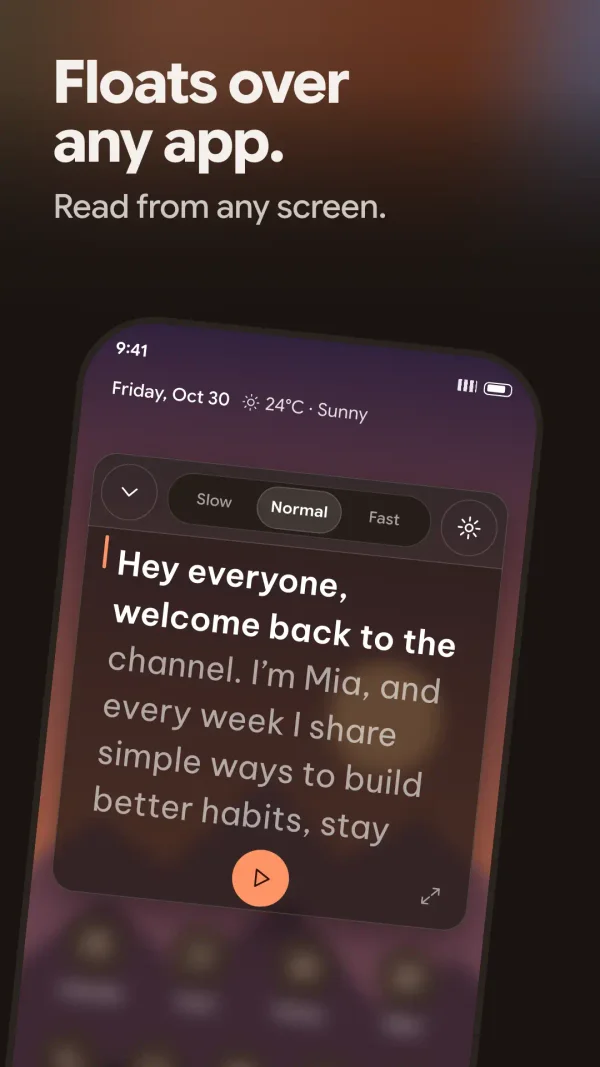
• フローティングテレプロンプター – カメラアプリ、Instagram、TikTok、YouTube、WhatsApp、Zoomなどのアプリの上にフローティングウィンドウとしてスクリプトを表示できます。
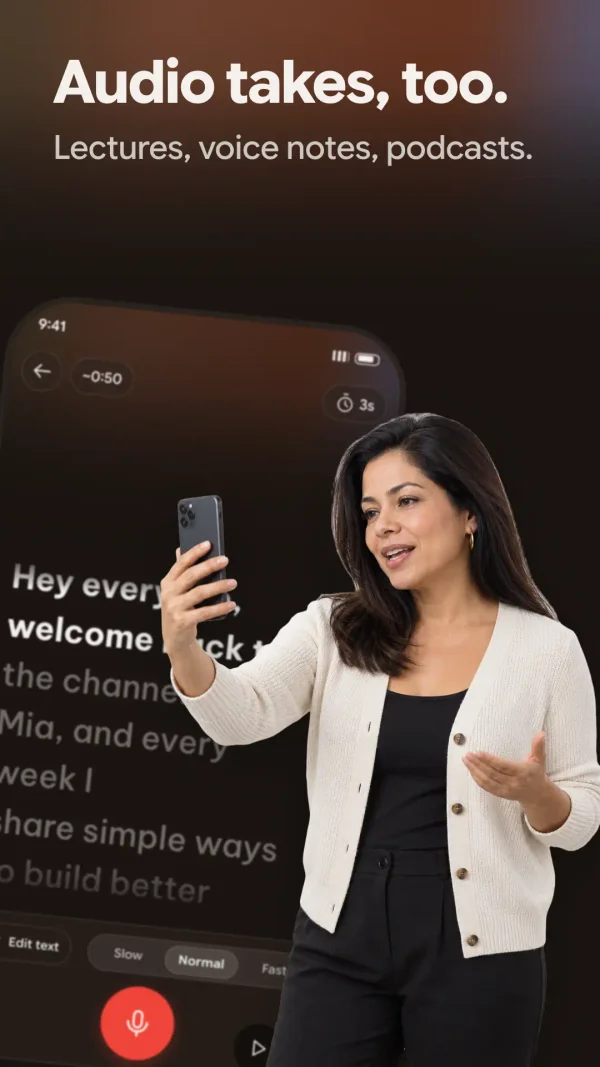
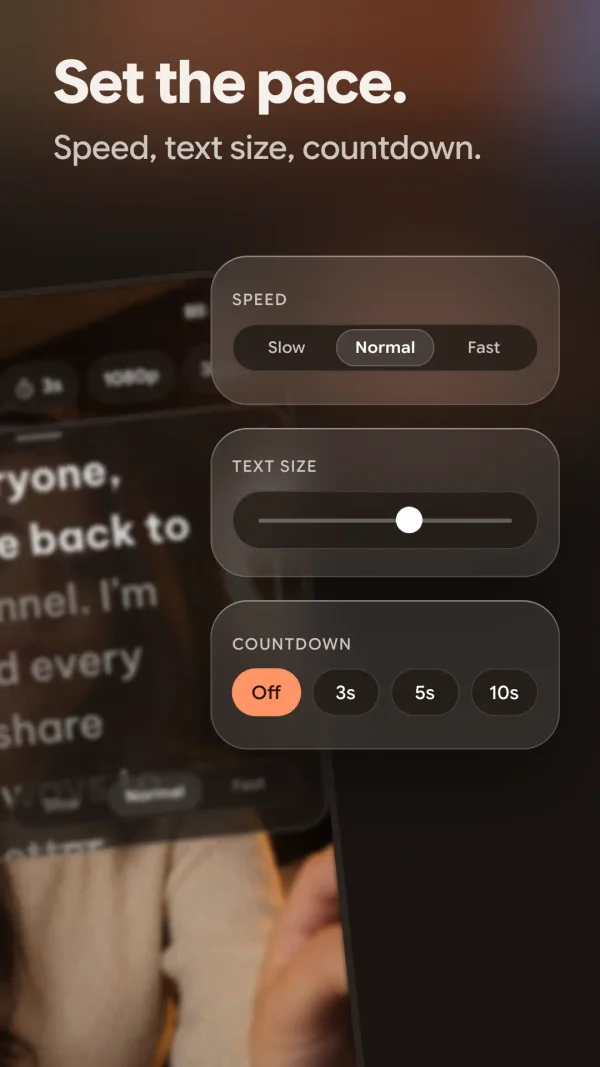
• 正確な速度調整 – カウントダウン、一時停止/再開、タップで巻き戻しなど、再生速度を細かく調整できます。
• テキストを完全にカスタマイズ – フォントサイズ、色、行間、ミラーモード、読み上げガイドなど。
• スクリプトライブラリ – テキストの書き込みまたは貼り付け、自動保存、改行の保持、複数のスクリプトの整理が可能です。
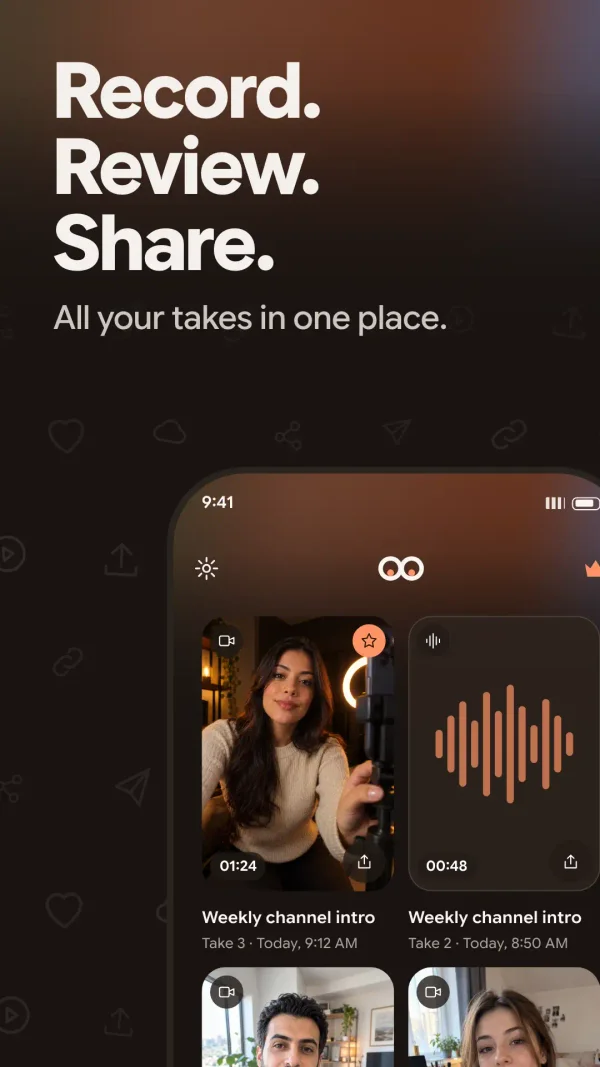
• 安定した音声で縦向きまたは横向きの録画が可能。プレビュー、ギャラリーへの保存、共有機能付き。
• オフラインでも動作します。アカウント登録は不要です。
こんな用途に最適
✔ リール動画、TikTok、YouTubeショート動画、Vlog
✔ マーケティング、商品紹介、販売促進動画
✔ オンラインコース、チュートリアル、レッスン
✔ プレゼンテーション、スピーチ、学校の課題
✔ セルフテープオーディション、ポッドキャスト、ナレーション
✔ 動画履歴書、奨学金申請、就職活動
使い方
1. スクリプトを追加 – 入力するか、任意の場所から貼り付けます。
2. テキストサイズ、速度、表示範囲を設定します。
3. 録画ボタンを押します(または、他のアプリのフローティングウィンドウを使用します)。
4. 動画を確認、保存、共有します。
Teleprompter: Script & Videoは、スマートフォンをプロ仕様のプロンプターに変え、大切なメッセージに集中できるようにします。無料でダウンロードして、次の動画をワンテイクで録画しましょう。
原文を表示
Teleprompter: Script & Video helps you speak confidently on camera. Paste your script, press record and read it while you look straight into the lens — no memorizing, no forgotten lines, fewer retakes.
Made for content creators, small business owners, teachers, students and anyone who records themselves talking on a phone.
WHY YOU'LL LOVE IT
• Read and record in one app – the script scrolls right next to the front camera, so your eyes stay on the viewer.
• Floating teleprompter – open the script as a floating window on top of your camera app, Instagram, TikTok, YouTube, WhatsApp or Zoom.
• Precise speed control – from very slow to fast, with countdown, pause/resume and tap to jump back.
• Fully adjustable text – font size, colors, line spacing, mirror mode and reading guide.
• Script library – write or paste text, auto-save, keep your line breaks, organize several scripts.
• Portrait or landscape recording with stable audio, preview, save to gallery and share.
• Works offline. No account required.
PERFECT FOR
✔ Reels, TikTok, YouTube Shorts and vlogs
✔ Marketing, product and sales videos
✔ Online courses, tutorials and lessons
✔ Presentations, speeches and school assignments
✔ Self-tape auditions, podcasts and voice-overs
✔ Video resumes, scholarship and job applications
HOW IT WORKS
1. Add a script – type it or paste from anywhere.
2. Set text size, speed and reading area.
3. Press record (or use the floating window with any other app).
4. Review, save and share your video.
Teleprompter: Script & Video turns your phone into a professional prompter so you can focus on what matters – your message. Download it for free and record your next video in one take.
データ セーフティ
このアプリが収集・共有するデータについて、Eco Mobile EditorがGoogle Playで申告している内容です。
- このアプリはサードパーティと以下の種類のデータを共有することがありますファイル、ドキュメント
- このアプリは以下の種類のデータを収集することがありますアプリのアクティビティ、アプリの情報、パフォーマンス、デバイスまたはその他の ID
- データは送信中に暗号化されます
開発元の連絡先
- ウェブサイトecomobile.vn
- メールteleprompter@ecomobile.vn
- プライバシーポリシーsites.google.com
- 住所No. 33 Trang Thi Street, Coalimex Building, Floor 8, Hà Nội Vietnam
情報
- 提供元
- Eco Mobile Editor
- カテゴリ
- 仕事効率化
- バージョン
- 1.0.2
- 更新日
- 2026/11/16
- リリース
- 2026/11/1
- 必要条件
- Android 9以降
- 対象年齢
- 3 歳以上
- 価格
- 無料
- アプリ内課金
- ¥520/アイテム
- パッケージ名
- com.eco.teleprompter
類似のアプリ
-
 Cut Cut: Photo Editor & CutOut
写真
-
 Fabric: your second brain
仕事効率化
-
 Photone - PARメーター
ツール
-
 AudioPen: AI Voice to Text
ライフスタイル
-
 Teleprompter for Video
仕事効率化
-
 動画翻訳 & 自動字幕 – Vozo AI
動画プレーヤー&エディタ
-
 TicNote: AI Recorder & Agent
ツール
-
 Captiono: AI Subtitles
動画プレーヤー&エディタ
-
 Captions Lite
動画プレーヤー&エディタ
-
 Teleprompter with Video Audio
仕事効率化
-
 Geulgram - Text on Photo
写真
-
 Krisp AI Meeting Note Taker
仕事効率化