Wireless Display
Flavapp広告を含む
- 3 歳以上対象年齢
- ライブラリ&デモカテゴリ
- 2026/10/16更新日
- 無料価格
com.WifiDisplay.TVのGoogle Play公式ページにリンクしています。最終確認:2026/11/27。
スクリーンショット
このアプリについて
Googleによる英語 (アメリカ合衆国)からの自動翻訳です。
ワイヤレスディスプレイを使用すると、電話をTVアプリに簡単に接続できます。
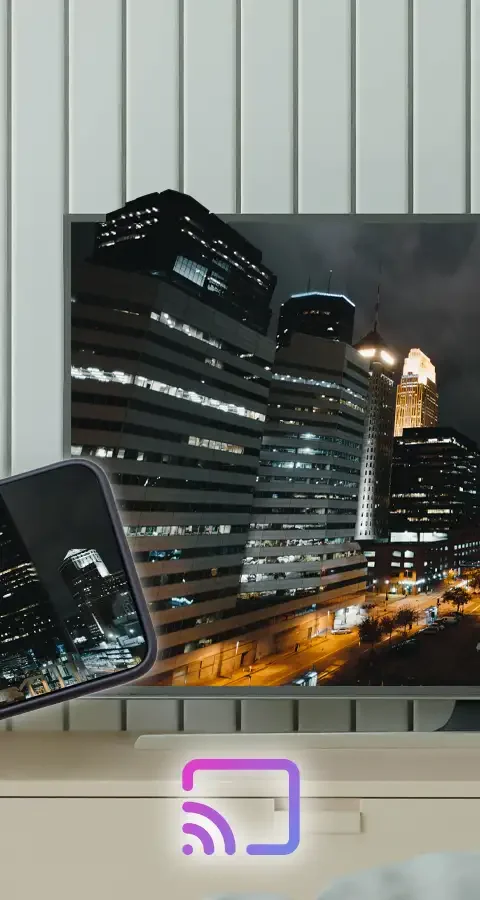
スマートフォンやタブレットの画面はほとんど問題ありませんが、家族のエリアにいるときは、テレビのはるかに大きな画面を使用してみませんか?テレビとの電話画面の共有は、このConnect Phone To TVアプリで簡単になりました。
使いやすく、すべてのメディアを選択して押すだけでテレビで再生できます。
いつでもどこでも、どのデバイスのワイヤレスディスプレイからでも楽しめます
wifiフォンのワイヤレスディスプレイを使用して友達や家族と
ストリーム、お気に入りの写真、ビデオ、音楽を再生できます
近くにあるすべての画面テレビのように、好きなように。みんなとの瞬間
見て聞いて
特徴:
* Android画面をTV画面にキャストします(スマートTVはワイヤレスディスプレイ/ Miracastをサポートしている必要があります)。
*現在のwifiネットワークでのスクリーンキャストの表示をサポートするデバイスを見つけます。
*電話コーナーのカスタムカーブとアプリケーションフォーム通知バーへのクイックアクセス。
-単にアプリケーションを開き、[スタート] [WiFiディスプレイ]をタップして同期します
画面をミラーリングする目的のディスプレイにデバイスを
-このアプリは、携帯電話の画面またはAndroidをスキャンして反映するのに役立ちます
TV / Display(cast Miraが有効)またはワイヤレスドングルのタブまたは
アダプター
以下の手順に従って、モバイル画面をテレビに表示してください。
*-テレビと電話が同じwifiネットワークに接続されていることを確認してください
*-TVでMiracast Displayを有効にする
*-スマートフォンのワイヤレスディスプレイオプションを有効にする
*-[選択]ボタンをクリックして、テレビを選択します
* - 楽しい!
画面ミラーリングは、すべてのAndroidデバイスとAndroidバージョンでサポートされています。
原文を表示
Little smartphone and tablet screens are good on the run, but when you’re in your family area then why not use your TV’s much larger screen instead? Sharing your phone screen With the Television now is easier with this Connect Phone To TV App.
Easy to use, just choose your all-media and press to play, a step to play it on your TV!
Anytime and anywhere, from any device's Wireless Display enjoy
with your friends and family with Wireless Display on your wifi phone
stream, you can play your favorite photos, videos, and music any
the way you like, like all screen TV nearby. Moments with everyone to
see and hear
Features:
* Cast Android screen to TV screen (Smart TV must support Wireless Display / Miracast).
* Find devices support show screencast in the current wifi network.
* The custom curve of the phone corner and quick access to the application form notification bar.
- Simply open the application, and tap Start "WiFi Display" and then sync
your device to the desired display which you want to mirror your screen
- This app will help you scan and reflect your phone's screen or Android
tab on TV / Display (cast Mira enabled) or Wireless dongles or
adapters
Please follow the steps below to display your mobile screen on your TV:
* - Make sure your TV and your Phone are Connected to the same wifi network
* - Enable Miracast Display on your TV
* - Enable Wireless Display option on your phone
* - Click Select button and choose your TV
* - Enjoy!
Screen Mirroring is supported by all Android devices and Android Versions.
データ セーフティ
このアプリが収集・共有するデータについて、FlavappがGoogle Playで申告している内容です。
- このアプリはサードパーティと以下の種類のデータを共有することがあります位置情報、アプリのアクティビティ、他 2 件
- このアプリは以下の種類のデータを収集することがあります位置情報、アプリのアクティビティ、他 2 件
- データは送信中に暗号化されます
- データを削除できません
開発元の連絡先
- ウェブサイトflavapp.online
- メールinfo@flavapp.online
- プライバシーポリシーflavapp.online
- 住所N5 RUE 3 QU ANAS Safi 46000 Morocco
情報
- 提供元
- Flavapp
- カテゴリ
- ライブラリ&デモ
- バージョン
- 39.0.0
- 更新日
- 2026/10/16
- リリース
- 2020/6/24
- 必要条件
- Android 7.0以降
- 対象年齢
- 3 歳以上
- 価格
- 無料
- パッケージ名
- com.WifiDisplay.TV