Zoho WorkDrive
Zoho Corporation- 3 歳以上対象年齢
- ビジネスカテゴリ
- 2026/11/20更新日
- 無料価格
com.zoho.work.driveのGoogle Play公式ページにリンクしています。最終確認:2026/11/21。
スクリーンショット




このアプリについて
Googleによる英語 (アメリカ合衆国)からの自動翻訳です。
現代チームのためのファイル同期、ストレージ、コラボレーションプラットフォーム
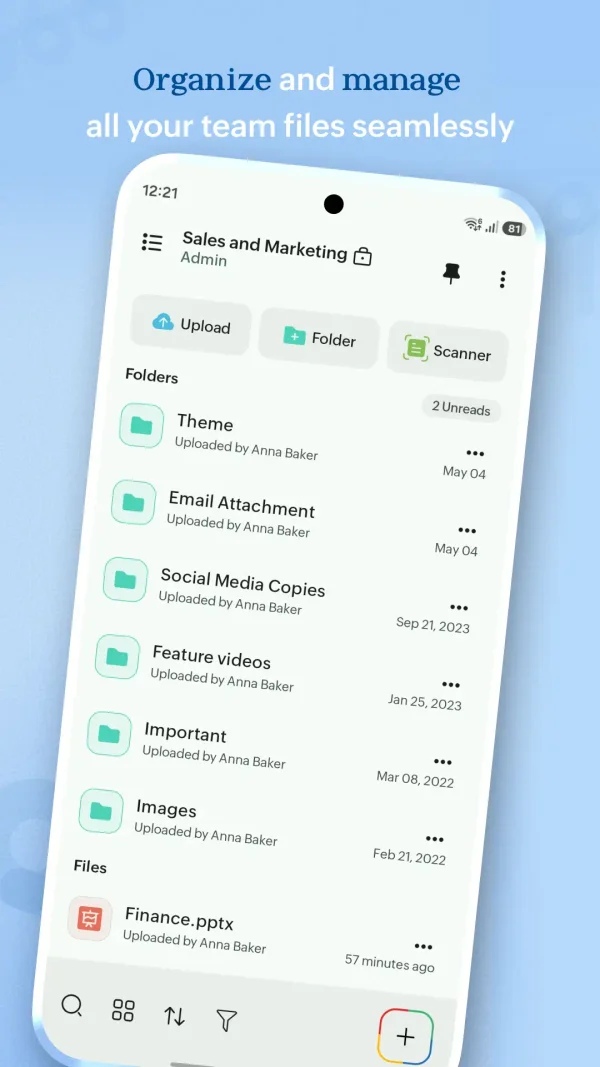
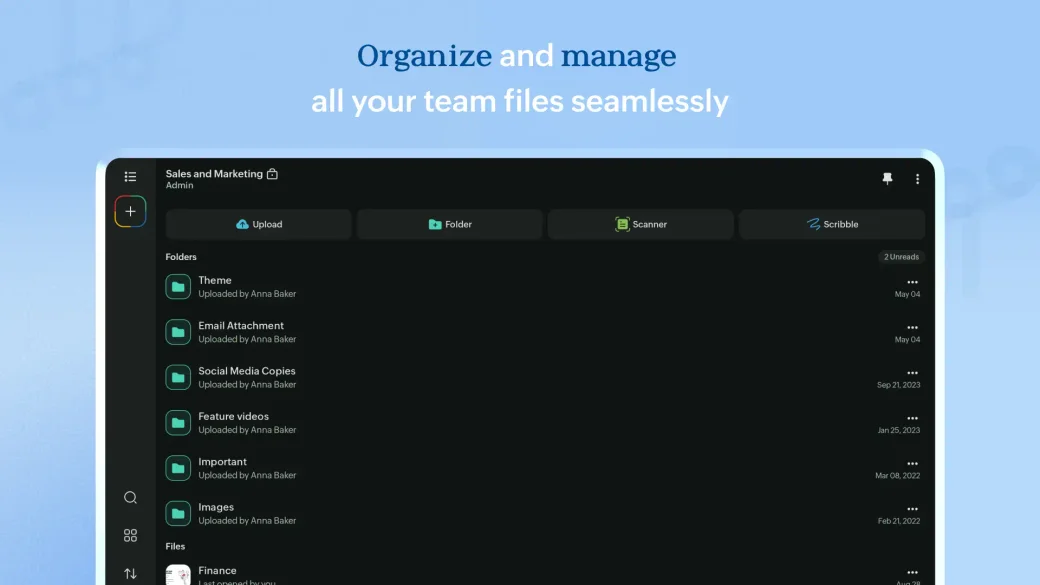
Zoho WorkDriveは、個人とチームの両方のために構築されたオンラインファイルストレージおよびコンテンツコラボレーションプラットフォームです。すべてのファイルを1か所に保存、整理、管理し、どのデバイスからでもアクセスできます。
WorkDriveモバイルアプリでできることは次のとおりです。
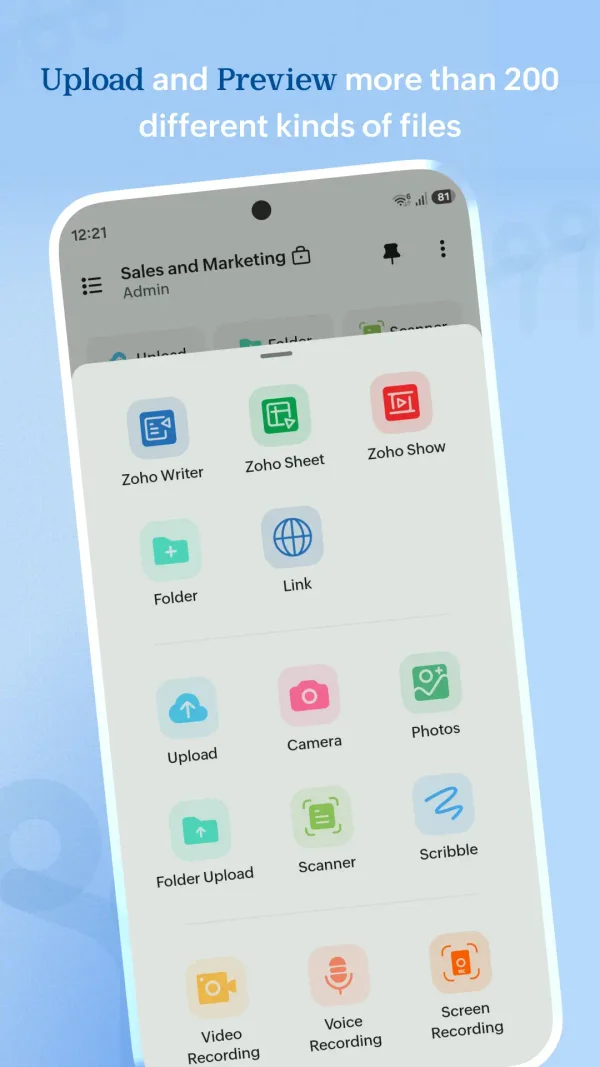
ファイルのアップロードを高速化:モバイルから写真、音声録音、デバイスやその他のクラウドストレージからファイルをアップロードし、WorkDriveを使用して1か所から管理します。また、カメラを使用してドキュメントをクラウドにスキャンし、請求書、ホワイトボードディスカッション、メモをデジタル化することもできます。
シームレスなファイル共有: WorkDriveを使用すると、大きなファイルをすばやく簡単に共有できます。電子メールでファイルを共有し、ファイルに実行させたい内容に基づいて必要な権限を割り当てます。
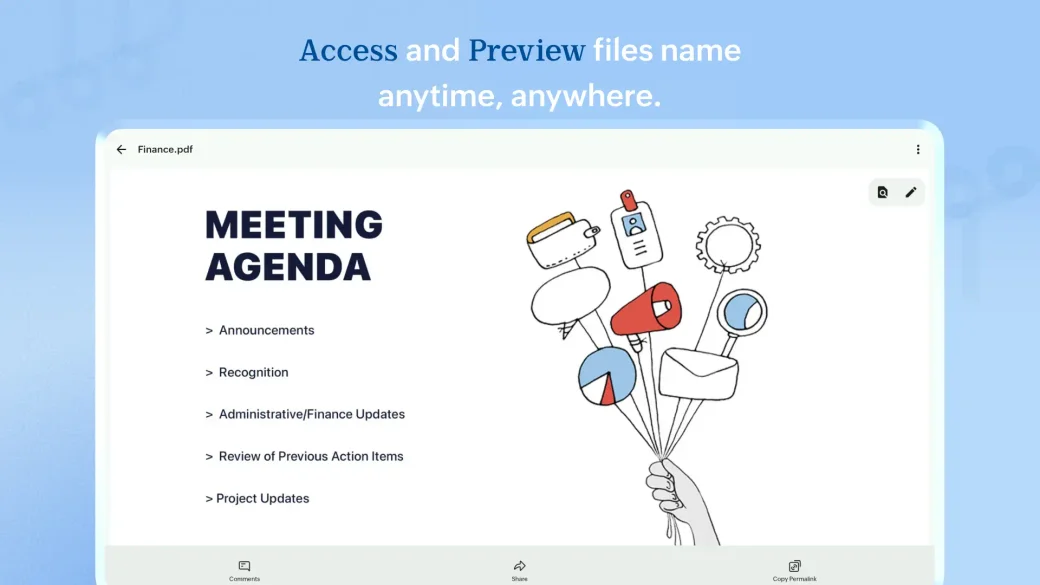
ファイルをすばやく見つける:場所、ファイルタイプ、時間に基づいてファイルを検索およびフィルタリングし、ファイルをすばやく見つけます。スマートフォンから直接ファイルの名前を変更、ゴミ箱に移動、整理します。ファイルをお気に入りとして設定して、すばやくアクセスすることもできます。ファイルをプレビューし、コメントを追加して、ドキュメントについて話し合います。
ファイルを分類する:ラベルを作成してモバイルから直接ファイルを整理します。ファイルとフォルダにラベルを付けて、既存のラベルを1か所から管理できます。
いつでもファイルにアクセス:インターネットに接続していなくてもファイルにアクセスできるように、ファイルをオフラインに設定します。
次の機能は、WorkDriveのスターター、チーム、およびビジネスプランでのみ使用できます。
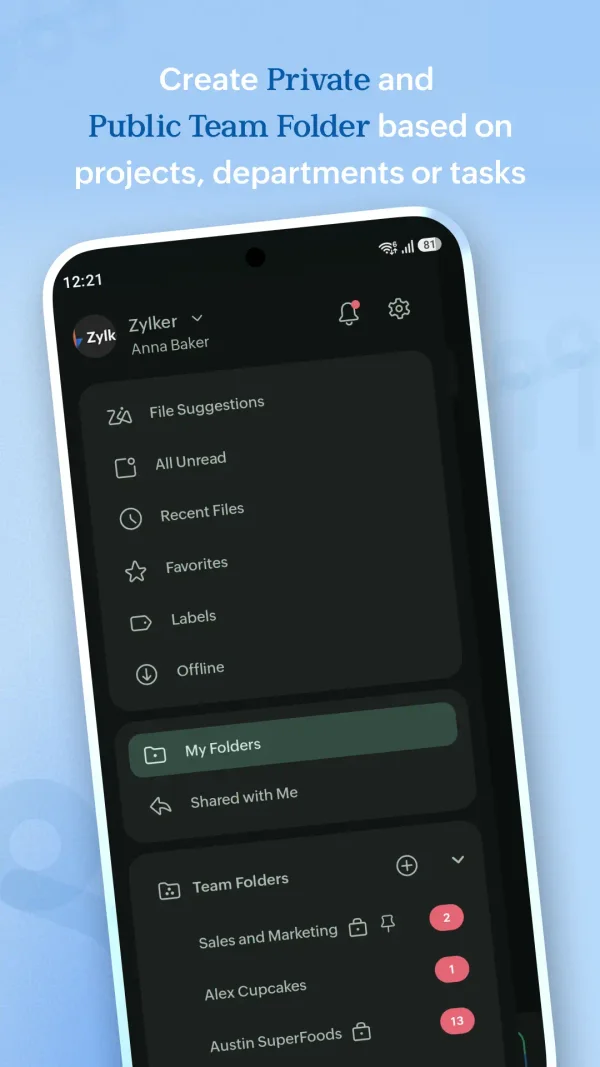
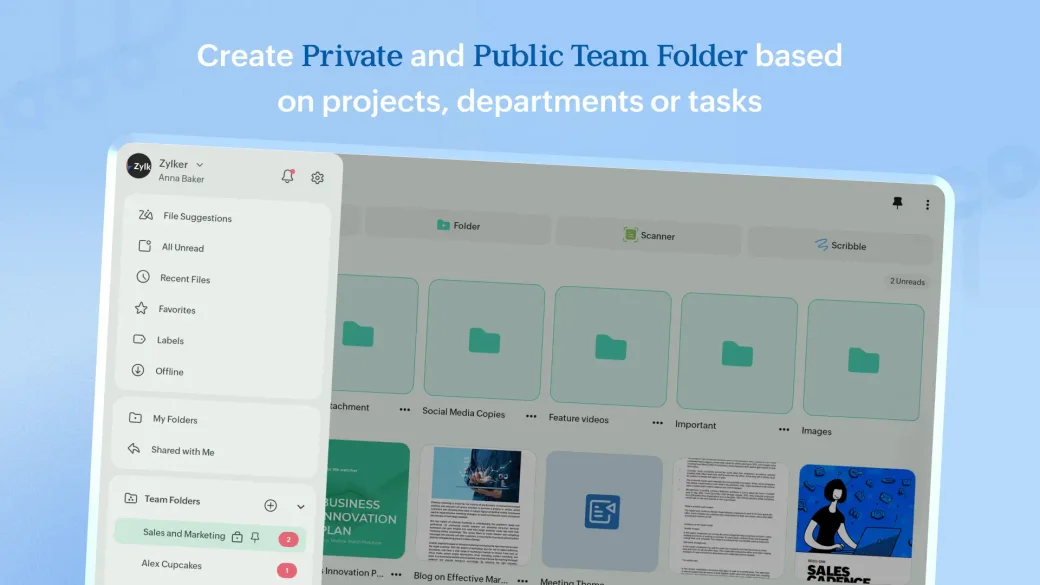
WorkDriveは、チームフォルダを提供します。これは、チームが共同で作業するための共有された安全なスペースです。特定のプロジェクトまたは部門のチームフォルダを作成し、それに関連するすべてのメンバーを追加できます。チームフォルダに追加されたファイルは、各チームメンバーが自動的に利用できるようになります。
チームとして作業する:チームフォルダを作成し、メンバーを追加して、それらに役割ベースのアクセスを割り当てます。タップするだけで、設定の変更、ゴミ箱の監視、削除したファイルの復元を行うことができます。
責任のある役割:ファイルやフォルダを組織内の誰とでも共有します。メンバーに実行させたいことに基づいて、役割ベースのアクセスを割り当てます。 WorkDriveファイルを電子メールの添付ファイルとして共有することもできます。
外部の利害関係者とのコラボレーション:外部の共有リンクを作成して、組織外の人々と連携します。また、パスワードと有効期限をリンクに設定して、安全なファイルアクセスを確保できます。
常に最新の状態に保つ:未読セクションを使用してチームフォルダレベルで、グローバル通知を使用してチームレベルで変更を追跡します。
ドキュメントの変更を綿密に監視する:通知を有効にして、WorkDrive内に保存されている特定のファイルまたはフォルダーに変更が加えられたことを確認します。製品内のベル通知を表示するか、電子メールで更新を受信するか、または両方を有効にするかを選択できます。
WorkDriveは、ヒンディー語、タミル語、アラビア語、日本語、イタリア語、ドイツ語、ベトナム語、フランス語、ポルトガル語を含む40以上の言語をサポートしています。
WorkDriveコミュニティ(https://help.zoho.com/portal/en/community/zoho-workdrive)に参加して、製品のアップデートと最新機能に完全にアクセスしてください。ご不明な点がございましたら、support @ zohoworkdrive.comまでお問い合わせください。
原文を表示
Zoho WorkDrive is an online file storage and content collaboration platform built for both individuals and teams. You can store, organize, and manage all your files in a single place and access them from any device.
Here's what you can do with the WorkDrive mobile app,
Upload files faster: Upload photos from your mobile, audio recordings and any file from your device or other cloud storage and manage them from a single place using WorkDrive. You can also scan documents to the cloud using your camera, and to digitalize your bills, whiteboard discussions, and notes.
Seamless file sharing: Sharing large files is quick and simple with WorkDrive. Share files via email and assign required permission based on what you want them to do.
Locate files quickly: Search and filter files based on location, file types, and time, to locate them faster. Rename, trash, and organize files right from your smartphones. You can also set files as favourite to access them quickly. Preview files and add comments to them to discuss around documents.
Categorize your files: Create labels to organize your files right from your mobile. You can tag files and folders to labels and manage existing labels from a single place.
Access files anytime: Set files offline to access them even without an internet connection.
The following features are exclusively available for WorkDrive's Starter, Team, and Business plans.
WorkDrive offers Team Folders—a shared and secure space for teams to work together. You can create Team Folders for a particular project or a department, and add all the relevant members to it. Any file added to the Team Folder will then be automatically available to each team member.
Work as a team: Create Team Folders, add members, and assign role-based access to them. You can modify settings, monitor trash, and restore deleted files with a tap.
Roles with responsibility: Share files and folders with anyone within your organization. Assign role-based access based on what you want members to do. You can also share WorkDrive files as email attachments.
Collaborate with external stakeholders: Create external share links to work with people outside your organization. And you can set a password and an expiry date to the link to ensure secure file access.
Always stay updated: Keep track of changes at the Team Folder level using the Unread section, and at the team level using global notifications.
Monitor document changes closely: Enable notifications to see when changes are made to a specific file or a folder stored within WorkDrive. You can either choose to see the bell notification within the product, receive an update through email, or enable both.
WorkDrive supports 40 plus languages including Hindi, Tamil, Arabic, Japanese, Italian, German, Vietnamese, French, and Portuguese.
Join our WorkDrive community (https://help.zoho.com/portal/en/community/zoho-workdrive) and get complete access to product updates and the latest features. If you have any questions, please write to us at support@zohoworkdrive.com.
データ セーフティ
このアプリが収集・共有するデータについて、Zoho CorporationがGoogle Playで申告している内容です。
- 第三者と共有されるデータはありません詳しくは、デベロッパーが共有を申告する方法についての説明をご覧ください
- このアプリは以下の種類のデータを収集することがあります個人情報、写真と動画、他 5 件
- データは送信中に暗号化されます
- データを削除するようリクエストできます
開発元の連絡先
- ウェブサイトzoho.com
- メールsupport@zohoworkdrive.com
- プライバシーポリシーzoho.com
- 住所4141 Hacienda Dr Pleasanton, CA 94588-8566 United States
情報
- 提供元
- Zoho Corporation
- カテゴリ
- ビジネス
- バージョン
- 2026.11.20
- 更新日
- 2026/11/20
- リリース
- 2018/11/27
- 必要条件
- Android 7.0以降
- 対象年齢
- 3 歳以上
- 価格
- 無料
- パッケージ名
- com.zoho.work.drive
類似のアプリ
-
 Zoho Sheet: Spreadsheet アプリ
仕事効率化
-
 jtx Board | journals & tasks
仕事効率化
-
 Daypad - Simple Time Tracker
仕事効率化
-
 Ailit: inventory&invoice
仕事効率化
-
 Zoho Books - Accounting App
ビジネス
-
 Sunsational Swim Instructor
仕事効率化
-
 Mindbook: Markdown Cloud Notes
仕事効率化
-
 Confluence Cloud
仕事効率化
-
 カラーフォルダ付きノート
仕事効率化
-
 Bullet: Habit Tracker, Journal
仕事効率化
-
 Total Drive - Cloud Storage
仕事効率化
-
 Bundled Notes - List, Organize
仕事効率化