Zoom Rooms Controller
zoom.com- 3 歳以上対象年齢
- ビジネスカテゴリ
- 2026/11/9更新日
- 無料価格
us.zoom.zrcのGoogle Play公式ページにリンクしています。最終確認:2026/11/19。

スクリーンショット
このアプリについて
Googleによる英語 (アメリカ合衆国)からの自動翻訳です。
ズームルームを使用して、シンプルでスケーラブルなビデオ会議をあらゆる会議スペースにもたらします。
幸せに会います。ワイヤレスコンテンツ共有と統合オーディオを備えた美しくシンプルでスケーラブルなビデオ会議を、会議室、トレーニングルーム、密談室、ズームルームを備えたエグゼクティブオフィスなどのあらゆる会議スペースにもたらします。
Zoom Roomsビデオ会議システムは、アプライアンスまたはカスタムハードウェアの展開を使用して、高品質のビデオ、オーディオ、および共有をあらゆるタイプのスペースにもたらし、非常に柔軟になります。モバイルデバイス、デスクトップ、および他の部屋のどこにいても、参加者に簡単に接続できます。
Androidタブレットアプリを使用すると、Mac、PC、またはZoom Rooms Applianceに、その部屋専用のZoom RoomsControllerとして接続できます。 Android Phoneアプリを使用すると、Zoom Roomとペアリングして、個人のモバイルデバイスで同様の制御機能を利用できます。
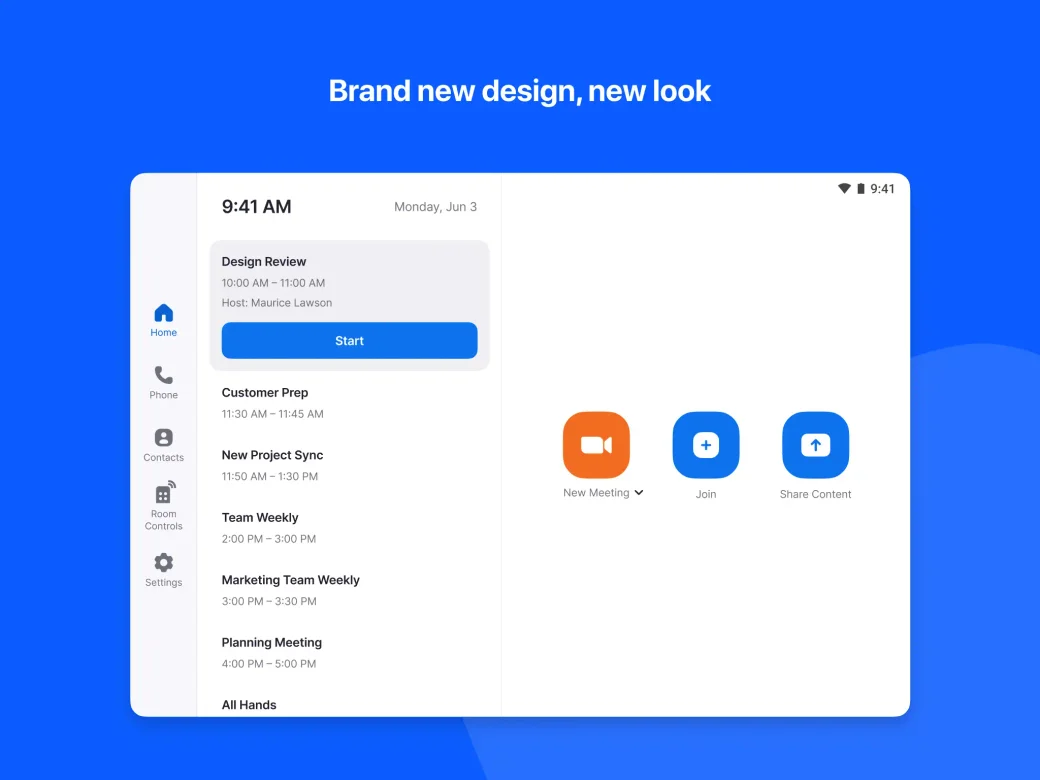
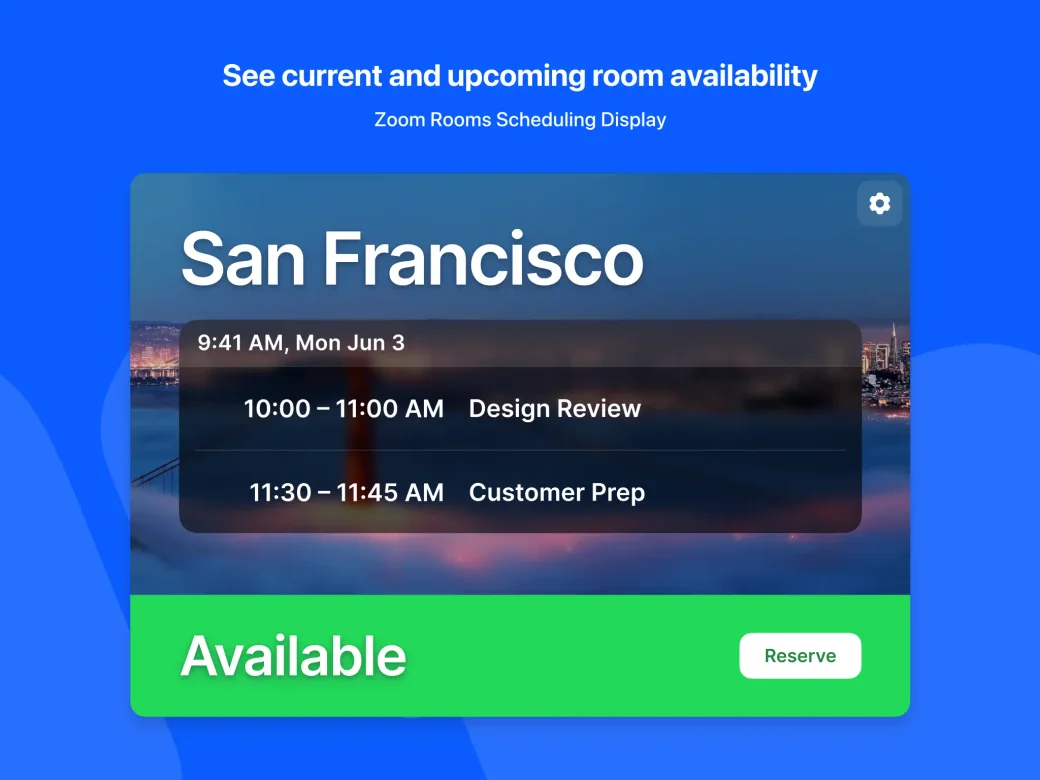
タブレット画面をスケジュール表示モードに切り替えて部屋の外に配置すると、現在の空き状況を表示したり、今後の会議を表示したり、インスタントズーム会議の時間を予約したりできます。
アプリをインストールして、画面の指示に従うだけです。
主な機能:
●最高のビデオと画面共有の品質
●Googleカレンダー、Office 365、またはMicrosoftExchangeを使用してZoomRoomsをインストールするためのクイックセットアップ。
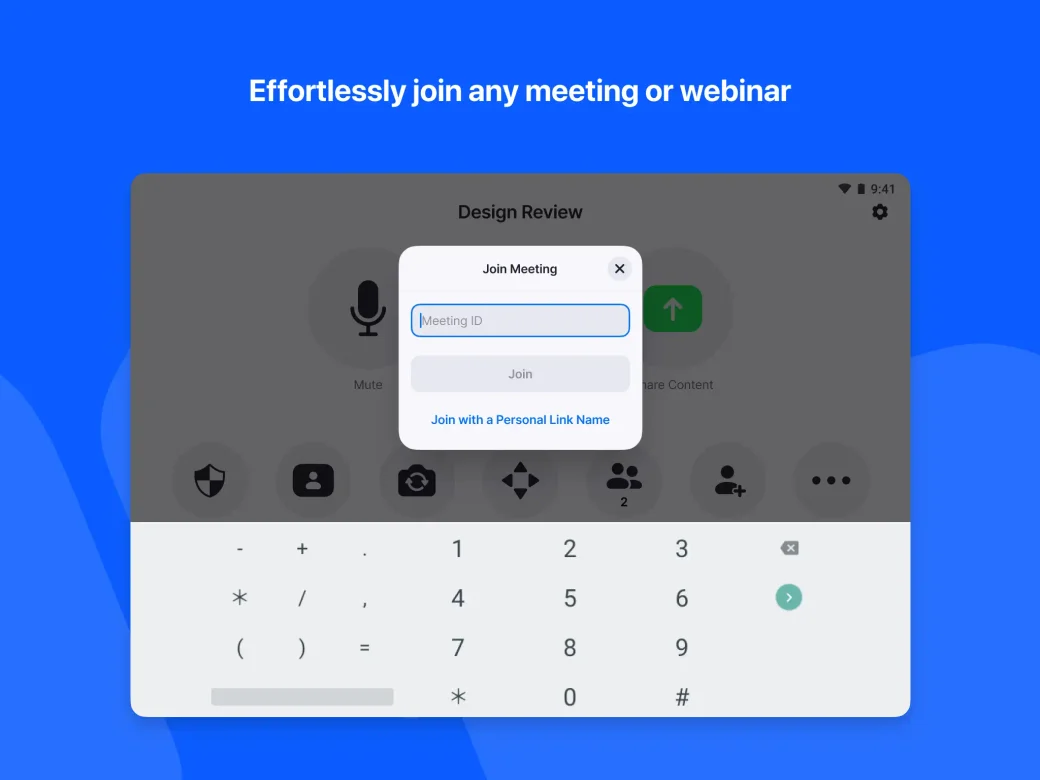
●ワンタッチで会議に参加または開始できます
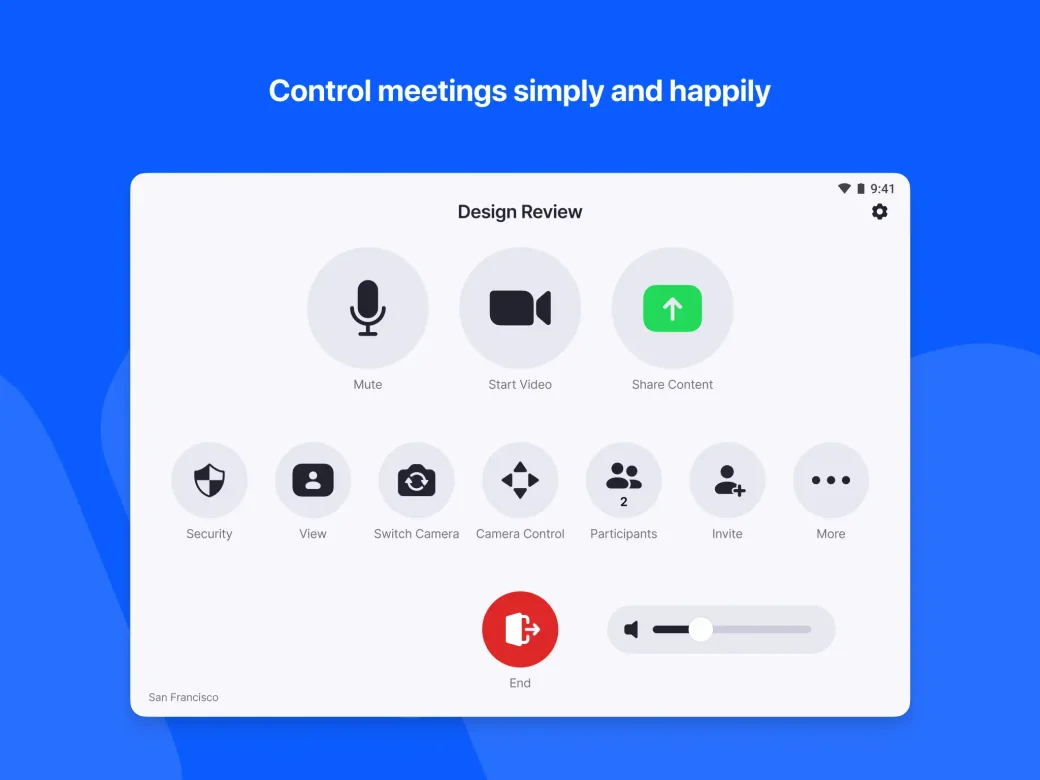
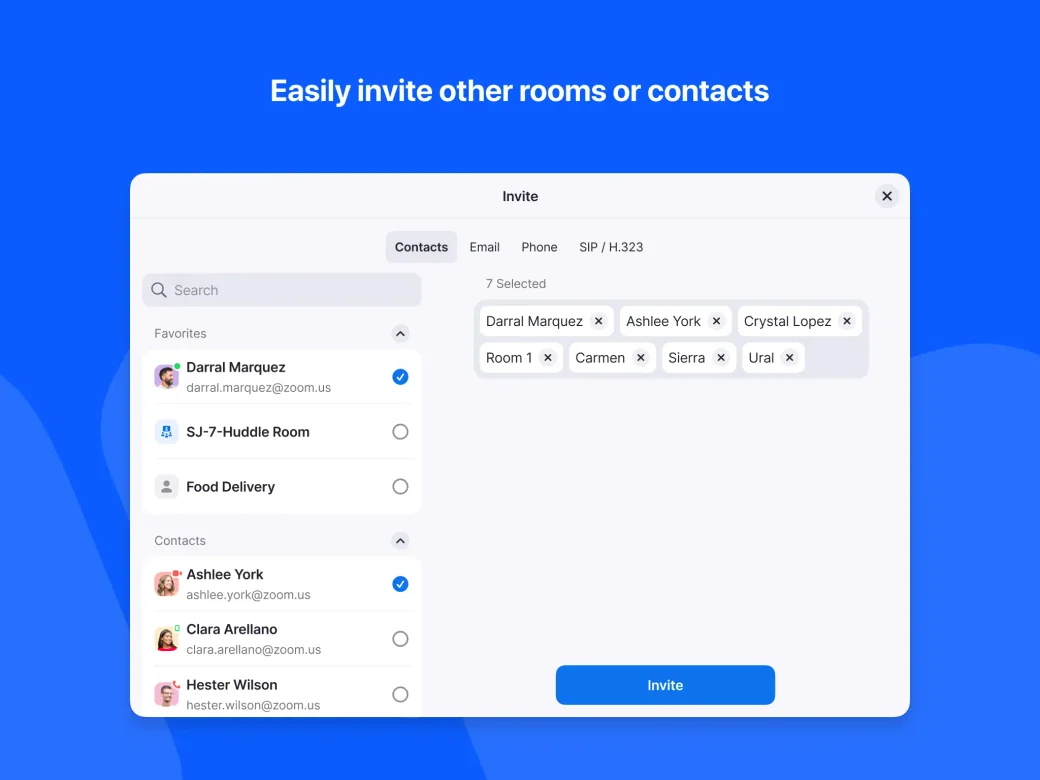
●オーディオ、ビデオ、参加者などを簡単に管理するための直感的なルームコントロール
●任意のデバイスからのワイヤレス画面共有
●あらゆる会議室に対応する最大3つのHD画面をサポート
●照明、プロジェクターなどを制御するためのネイティブルーム制御統合をサポートします
●簡素化された予約のための無制限のスケジュール表示をサポート
●無制限のデジタルサイネージをサポートして、会議室の内外の画面にコンテンツをリモートでプッシュします
●個人のモバイルデバイスからZoomRoomsとZoomforHomeデバイスをペアリングして制御する機能
●49のビデオフィードを使用して、アクティブなスピーカー、コンテンツ、またはギャラリービューを表示します
●最大1,000人のインタラクティブな会議参加者または10,000人の表示専用ズームビデオウェビナー参加者
●後で共有またはレビューするために会議を記録します
●ZoomRooms、Android、iOS、Windows、Mac、SIP / H.323ルームシステム、電話、その他のデバイスを使用して誰とでも接続できます
ソーシャル@zoomでフォローしてください!
質問があります? http://support.zoom.usまでお問い合わせください。
原文を表示
Meet Happy. Bring beautiful, simple, scalable video conferencing with wireless content sharing and integrated audio to any meeting space – conference rooms, training rooms, huddle rooms, and executive offices with Zoom Rooms.
Zoom Rooms video conferencing systems use appliance or custom hardware deployments to bring high quality video, audio and sharing to any type of space - making it extremely flexible. Easily connect to participants on mobile devices, desktops, and in other rooms, anywhere.
The Android Tablet app allows you to connect to a Mac, PC, or Zoom Rooms Appliance as the dedicated Zoom Rooms Controller for that room. The Android Phone app allows you to pair with a Zoom Room, giving you similar control functionality on your personal mobile device.
The tablet screen can be switched to the Scheduling Display mode and placed outside the room to show current availability, display upcoming meetings, and allow you to reserve time for an instant Zoom meeting.
Simply install the app and follow the on-screen instructions.
KEY FEATURES:
● Best video and screen sharing quality
● Quick setup to install Zoom Rooms with Google Calendar, Office 365, or Microsoft Exchange.
● One-touch to join or start a meeting
● Intuitive room controls to easily manage audio, video, participants, and more
● Wireless screen sharing from any device
● Supports up to 3 HD screens to fit any conference room
● Supports native room control integration to control lighting, projectors, and more
● Supports unlimited scheduling displays for simplified booking
● Supports unlimited digital signage to remotely push content to screens in and out of conference rooms
● Ability to pair and control Zoom Rooms and Zoom for Home devices from your personal mobile device
● View the active speaker, content, or gallery view with 49 video feeds
● Up to 1,000 interactive Meeting participants or 10,000 view-only Zoom Video Webinar attendees
● Record your meetings to share or review later
● Connect with anyone using Zoom Rooms, Android, iOS, Windows, Mac, SIP/H.323 room systems, telephones, and other devices
Follow us on social @zoom!
Have a question? Contact us at http://support.zoom.us.
データ セーフティ
このアプリが収集・共有するデータについて、zoom.comがGoogle Playで申告している内容です。
- 第三者と共有されるデータはありません詳しくは、デベロッパーが共有を申告する方法についての説明をご覧ください
- このアプリは以下の種類のデータを収集することがありますアプリのアクティビティ、アプリの情報、パフォーマンス、デバイスまたはその他の ID
- データは送信中に暗号化されます
- データを削除するようリクエストできます
新機能
バージョン 7.2.0 · 2026/11/9
• Select camera modes more easily with clearer previews.
• View workspace photos when reserving a room on a Scheduling Display.
• Find participants faster with directory suggestions when scheduling on Android.
• Start and manage meeting transcripts independently of closed captions.
• Use My Notes to capture conversations, create notes, and generate meeting summaries.
• Refresh the Zoom Rooms Controller interface.
• Minor bug fixes
開発元の連絡先
- ウェブサイトzoom.us
- メールdeveloper@zoom.us
- プライバシーポリシーzoom.us
- 住所55 Almaden Blvd Ste 600 San Jose, CA 95113 United States
情報
- 提供元
- zoom.com
- カテゴリ
- ビジネス
- バージョン
- 7.2.0
- 更新日
- 2026/11/9
- リリース
- 2017/9/11
- 必要条件
- Android 9以降
- 対象年齢
- 3 歳以上
- 価格
- 無料
- パッケージ名
- us.zoom.zrc
類似のアプリ
-
 Zoom Workplace for Chromebook
ビジネス
-
 CompanyCam
仕事効率化
-
 SleekFlow
ビジネス
-
 Constant Contact Marketing App
ビジネス
-
 Blink Home Monitor
ツール
-
 Qomon - Campaign, volunteer
仕事効率化
-
 SAP SuccessFactors Mobile
ビジネス
-
 Webex Intune
ビジネス
-
 Comera - Video Calls & Chat
通信
-
 Lark(ラーク)- 繋がる。未来の働き方
ビジネス
-
 Zoho Meeting - Meet Virtually
ビジネス
-
 Messenger, calls - Gem Space
通信