Actually Do It: To-Do List
Persistent, nagging reminders
iPhone, iPad, Mac向けに設計
無料 · アプリ内課金
- 対象年齢4+
- カテゴリライフスタイル
- 開発元Devin Harmse
- 言語オランダ語ほか4言語
- サイズ78.6 MB
App Storeの公式ページにリンクしています
Download.orgはActually Do It: To-Do Listのファイルを一切ホストしていません。ボタンを押すと、Devin Harmseが公開しているApp Storeのアプリページが開きます。ページの最終確認:2026/11/22。
スクリーンショット
概要
開発元はこのテキストをお使いの言語で提供していません。
Some days the hardest part isn't doing the thing, it's deciding what to do, remembering it exists, and not drowning in everything else. Actually Do It is a to-do app for exactly those days.
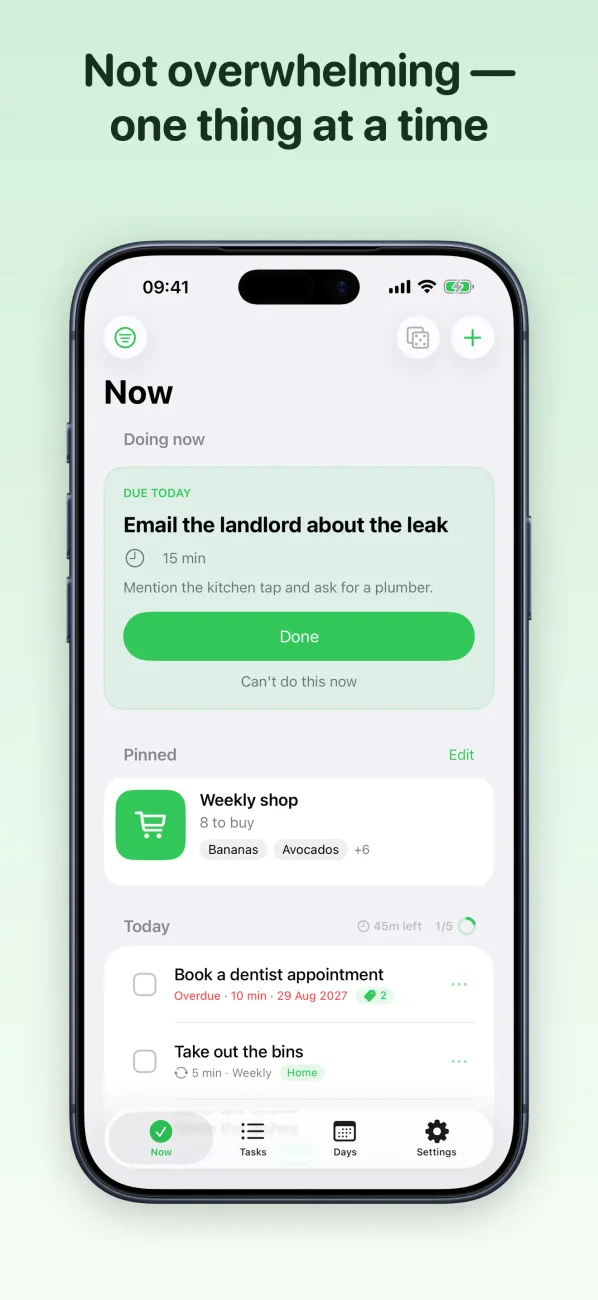
Instead of a bottomless list, it shows you ONE thing to do right now and can persistently remind you to get stuff done.
ONE THING AT A TIME
• A single "Doing now" card keeps you on one task with a big Done button and a guilt-free "Can't do this now" escape.
• A "Today" view that only shows what needs doing today. No more overwhelming list of everything.
• "Suggested next" shows a short, curated preview of what's coming, never the whole backlog.
• A day-progress ring shows what you've already knocked out today.
• Pin your goals and lists to Now, below Doing now, so what you're working towards stays in view.
NUDGES THAT ACTUALLY WORK
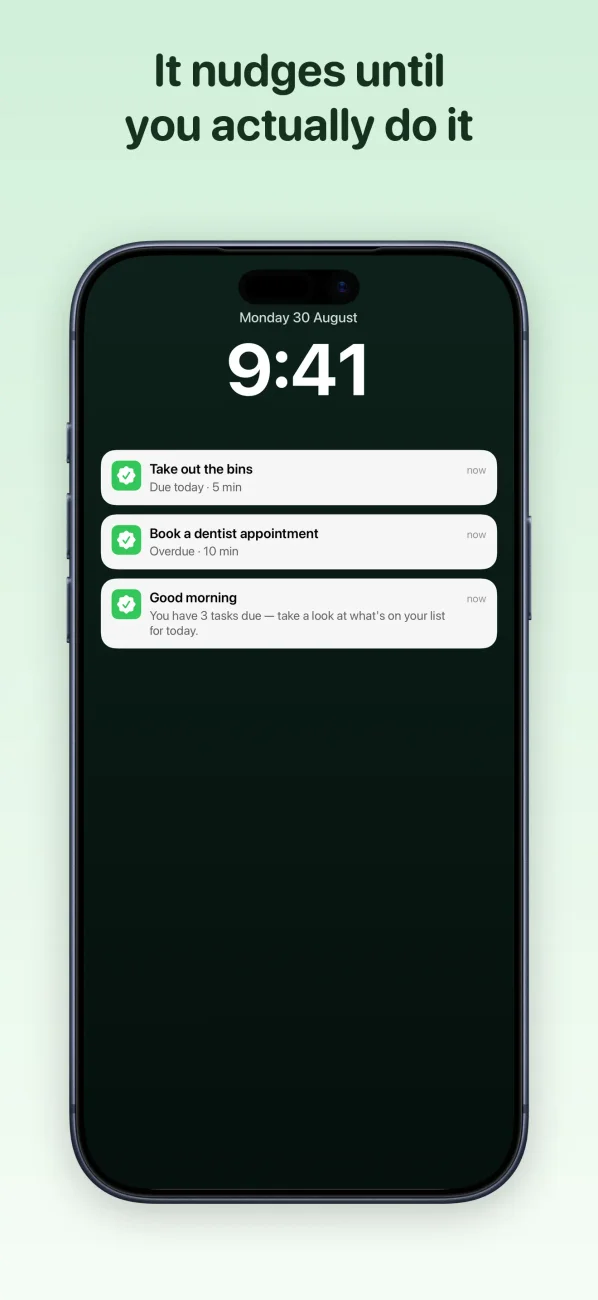
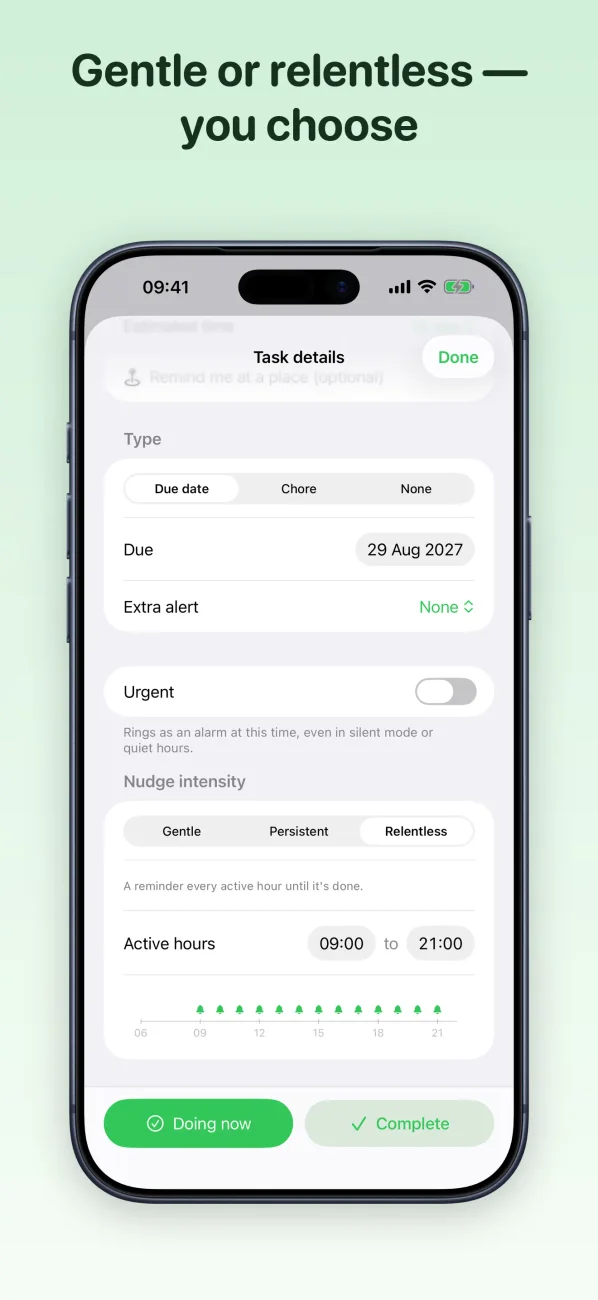
• Choose how hard each task nudges you: Gentle (one morning reminder), Persistent (a few through the day), or Relentless (every hour, 9am–9pm, until it's done).
• Reminders stop the moment you finish. No nagging about things you've already handled.
• A friendly morning digest tells you what's on your plate for the day.
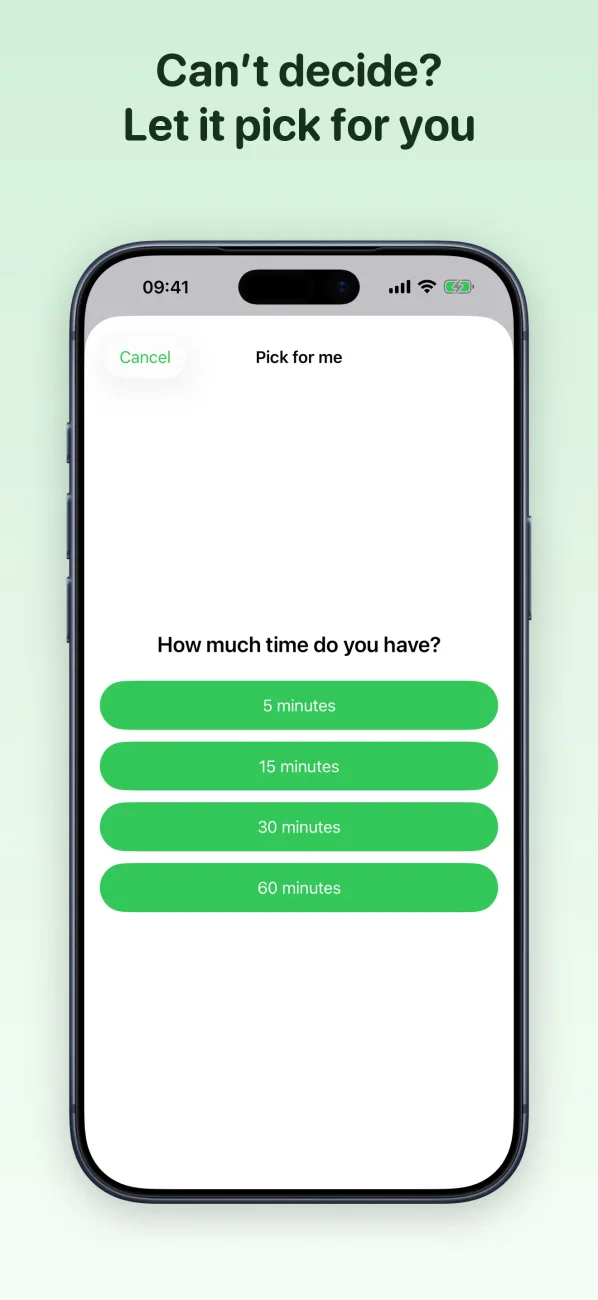
CAN'T DECIDE? LET THE APP CHOOSE
• Tap "Pick for me" and Actually Do It suggests one task to start that fits in the time you have, beating the decision paralysis when everything feels equally impossible.
CHORES & ROUTINES
• Set recurring chores (daily, weekly, monthly, or every few days) that quietly come back when they're due.
• Going away? Pause a chore so it stops nagging until you're back.
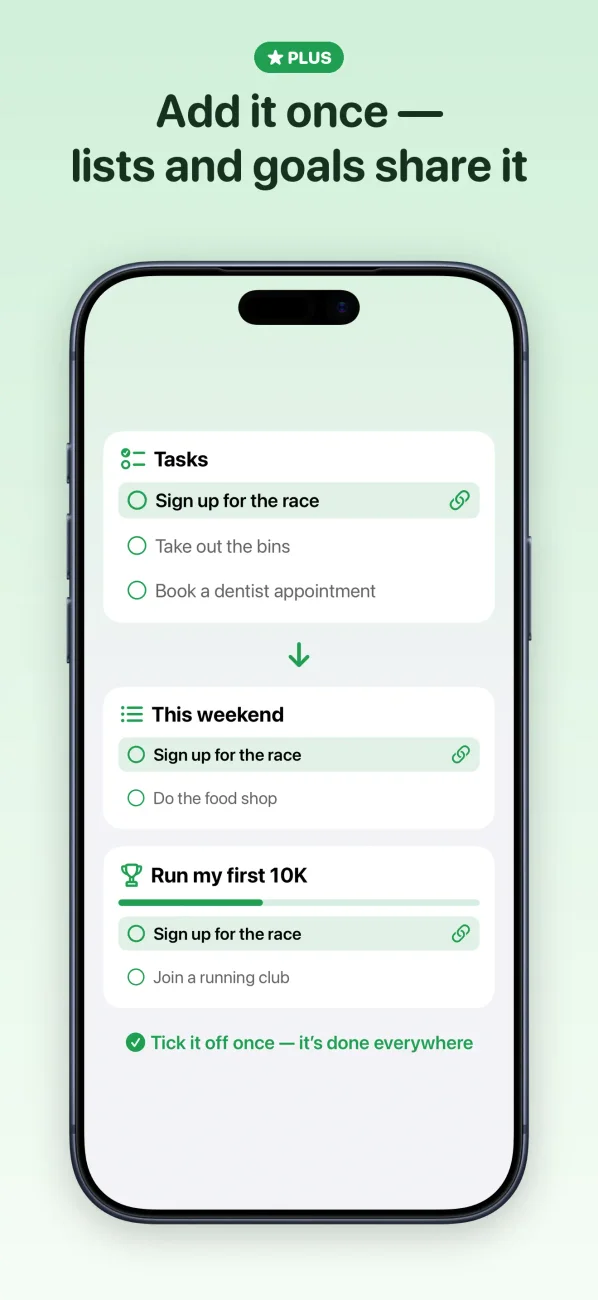
ADD IT ONCE
• Every task lives in one place. Lists and goals don't hold their own copies. They gather tasks you already have.
• The same task can sit in a list and a goal at the same time. Tick it off anywhere and it's done everywhere.
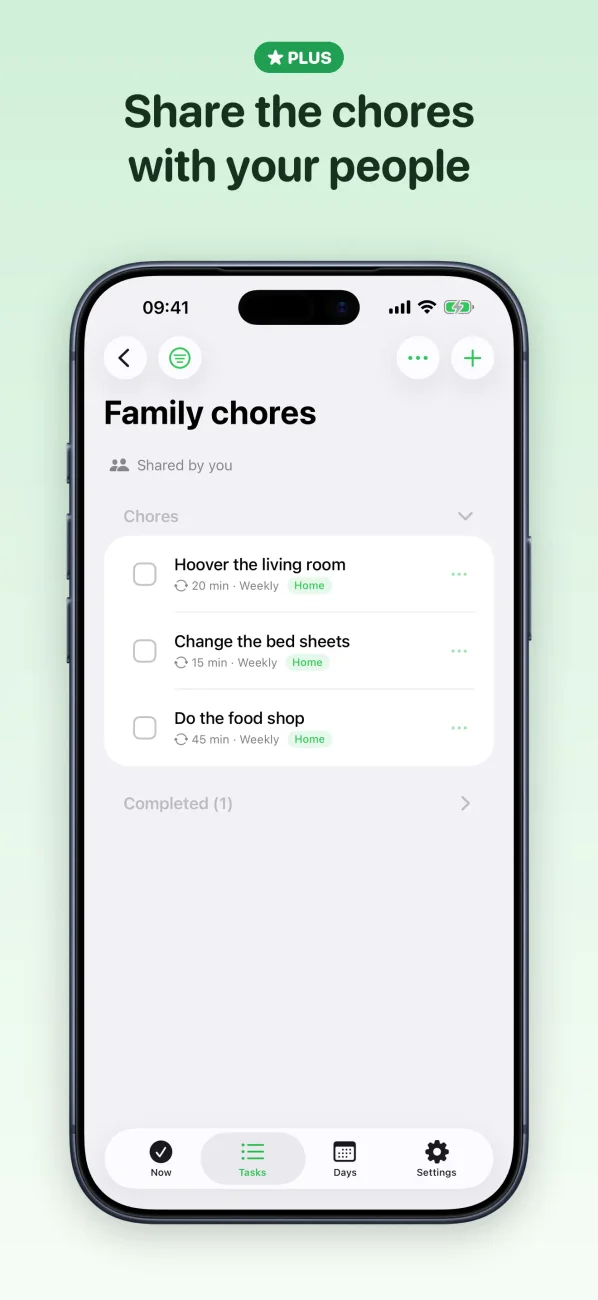
• Gather tasks into a goal with one deadline and watch its progress fill up (Plus), or share a list with your household (Plus).
SHOPPING LISTS
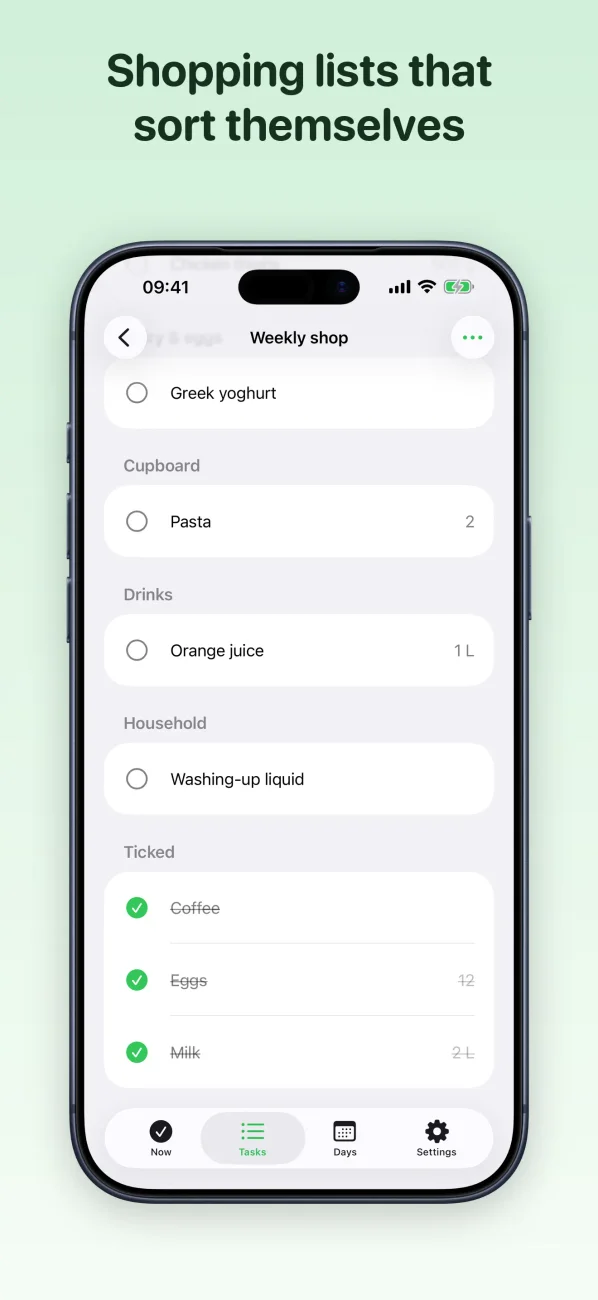
• One list for each shop. Things to buy aren't tasks, so they never crowd your day.
• New items sort themselves into the right aisle.
• What you buy moves to Bought, one tap from going back on the list.
ORGANIZED, LIGHTLY
• Tag tasks (Home, Work, Admin…) and filter down to just what matters.
• Add a time estimate, so you can pick something that fits the time you actually have.
• A Lock Screen Live Activity and Home Screen widget keep your current task in view.
• Location based tasks for when you need a reminder at a place.
• Checklists for when your tasks have tasks.
PRIVATE BY DESIGN
• No account, no sign-up, no ads, no tracking.
• Your tasks sync across your devices through your own iCloud.
ACTUALLY DO IT PLUS
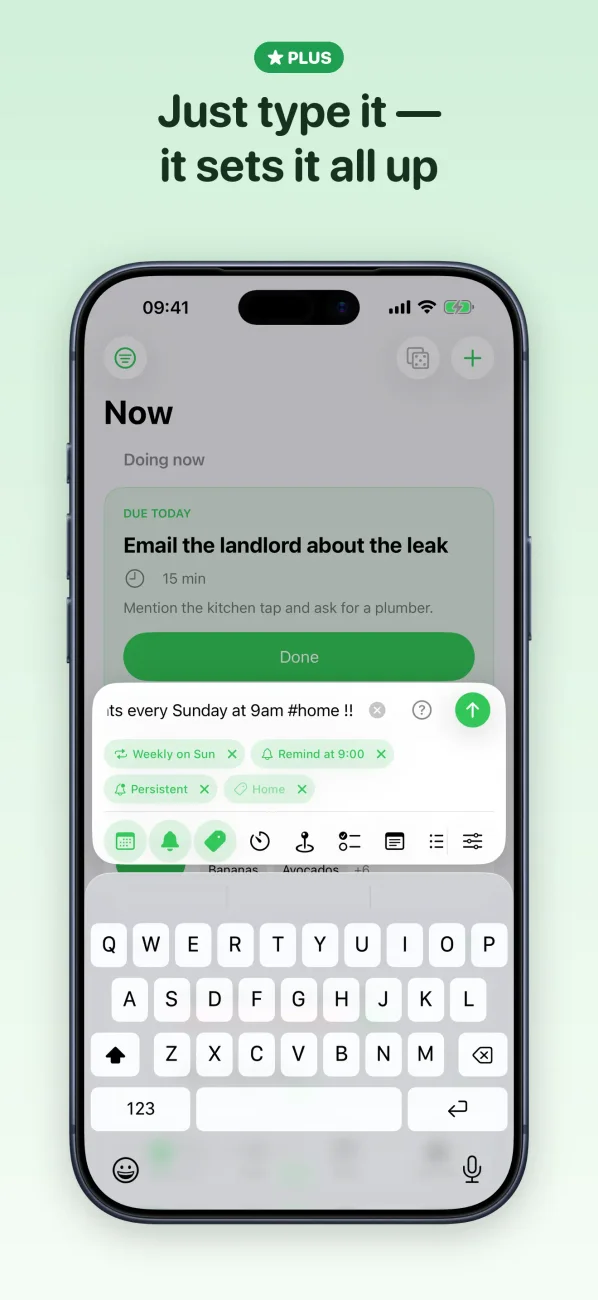
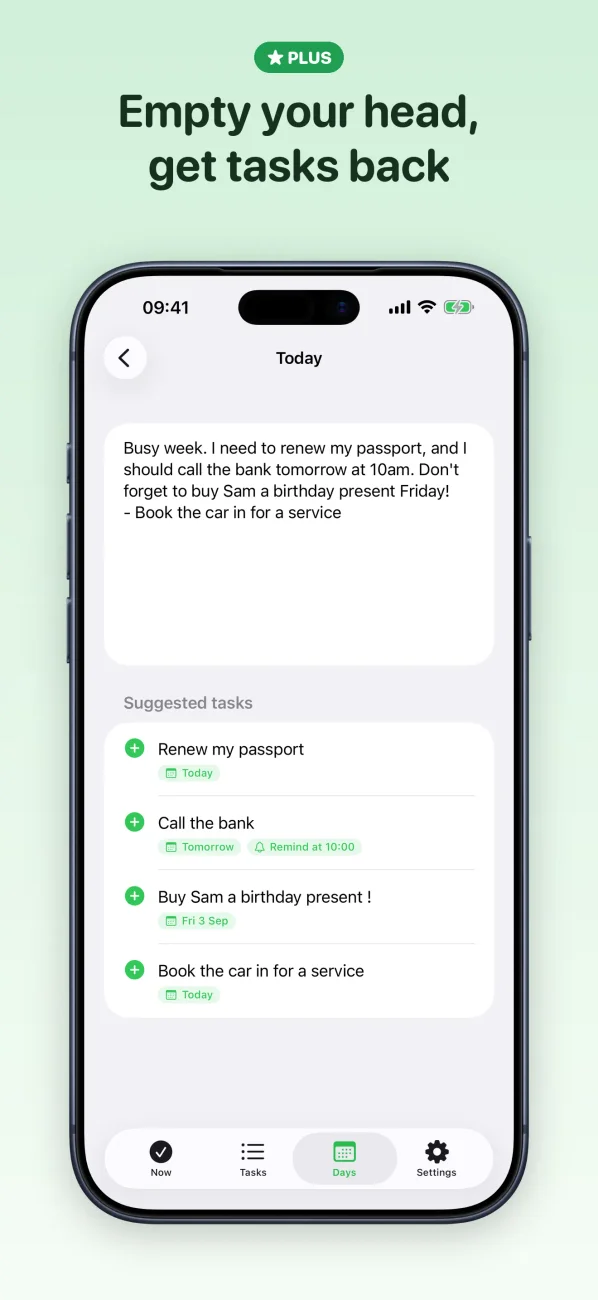
• Most of Actually Do It is free. Plus adds quick add in plain language, a daily brain dump that suggests tasks, goals, shared lists, Siri & Shortcuts, and app icons in every accent colour.
• Subscribe monthly or yearly, both with a 1-month free trial, or pay once for lifetime access.
• Subscriptions renew automatically until you cancel. Family Sharing is supported.
Built for anyone whose brain gets overwhelmed easily, but genuinely useful for anyone who wants to stop managing a list and start finishing things.
Download the app now, and Actually Do It.
Terms of Use: https://www.apple.com/legal/internet-services/itunes/dev/stdeula/
新機能
バージョン 2.1.0 · 2026/11/11
Actually Do It 2.1 adds shopping lists, and pins for the goals and lists you come back to most.
NEW FOR EVERYONE
• Shopping lists: make one for each kind of shop. Things to buy aren't tasks, so they never crowd your day
• Start with the supermarket aisles, your own sections or none. New items sort themselves, and ticked items wait at the bottom
• What you buy moves to Bought, one tap from going back on the list, and the add field suggests it as you type
• Start shopping straight from a list, or plan a trip for later. While you shop, Doing now and the Live Activity show what's left, and Done shopping clears what you got
• Pin goals and lists to Now, below Doing now, in the order you like
• Add tasks faster: a bar above the keyboard adds one task after another, with every option a tap away. Prefer every field? Choose All options in Settings › Tasks
• Give each list its own icon
• Overdue tasks nudge harder each day: Gentle steps up to Persistent, then Relentless. You can turn this off in Settings
• Urgent tasks can ring as an alarm at a time you choose, even in silent mode
• A new This Week widget shows your week day by day, with what's overdue rolled into today
• Brighter accent colours, with an Increase contrast setting
• Settings is grouped into pages, and the morning summary can be turned off
• The open iPhone Duo gets the iPad layout and sidebar
• Tap a shopping item for Move to Bought, its section and Delete, right at the top
• Tick several things in a row without the list moving under your finger
• Import from Reminders into any list, a new one or a shopping list, with the tags you choose
• Clear a task's text in one tap
• Fixes and polish
NEW WITH ACTUALLY DO IT PLUS
• Quick add moves into the add bar: type “bins out every Tuesday 7pm #home” and it fills in the rest, with a tip that shows how
• Quick add and Brain dump spot things to buy: “buy milk and eggs” goes straight onto the right shopping list
• Share a shopping list with your household: everyone sees the same items, ticks and Bought
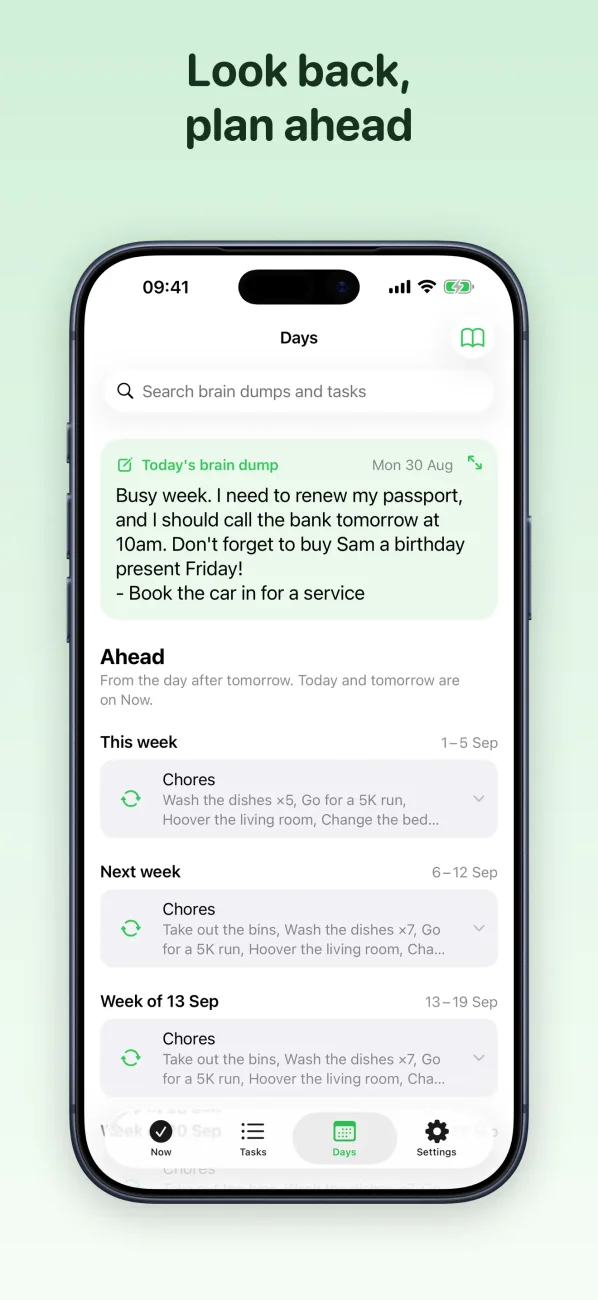
• Write today’s Brain dump right on the Days tab, and clear it in one tap to start again
• App icons: pick from 16, or let the icon match your accent colour
アプリのプライバシー
このアプリのデータの取り扱いについて、Devin HarmseがApp Storeで申告している内容です。
-
データの収集なし
開発元はこのアプリからデータを収集しません。
プライバシーの取り扱いは、ご利用の機能やお客様の年齢などに応じて異なる場合があります。
情報
- 販売元
- Devin Harmse
- カテゴリ
- ライフスタイル
- バージョン
- 2.1.0
- 更新日
- 2026/11/11
- リリース
- 2026/9/12
- サイズ
- 78.6 MB
- 必要条件
- iOS 26.5以降
- 対象年齢
- 4+
- 価格
- 無料
- アプリ内課金
- あり
- 言語
- オランダ語, ドイツ語, 英語, フランス語, スペイン語
- 著作権
- © 2026 TulipByte Studio