- 対象年齢4+
- カテゴリ教育
- 開発元Sethi De Clercq
- 言語英語
- サイズ4.0 MB
App Storeの公式ページにリンクしています
Download.orgはAmber Animator: Stop Motionのファイルを一切ホストしていません。ボタンを押すと、Sethi De Clercqが公開しているApp Storeのアプリページが開きます。ページの最終確認:2026/11/27。
スクリーンショット


概要
開発元はこのテキストをお使いの言語で提供していません。
Bring your imagination to life with Amber Animator — the intuitive, creative stop-motion animation studio designed for young creators, classrooms, and curious minds!
Whether you are crafting claymations, brick films, paper cutouts, or toy adventures, Amber Animator gives you tactile, broadcast-quality animation tools in a clean, child-friendly workspace with zero ads and 100% offline privacy.
FULLY FUNCTIONAL FREE VERSION:
• Unlimited animation projects — create as many movies as you want.
• Complete stop-motion capture camera with ghost onion skinning.
• Live timeline playback with adjustable frame rates.
• Canvas comic text titles and cartoon stickers.
• Voiceover recording and built-in cartoon sound effects.
• Standard HD video export.
• 100% free forever — no ads, no time limits, and no accounts required.
OPTIONAL PRO STUDIO UPGRADE (One-Time Lifetime Purchase — No Subscriptions):
• 3-layer audio mixer: record voiceover, add cartoon sound effects, and import custom background music from files.
• Expanded Pro soundboard library with 9 extra cartoon, sci-fi, and action Foley effects.
• Advanced multi-frame onion skinning to see up to 3 ghost frames back.
• 4K Ultra HD and 1080p export resolution.
• Looping animated GIF export.
• Clean exports with zero watermark.
• Supports Apple Family Sharing — unlock once for the entire household.
WHY KIDS, PARENTS AND EDUCATORS LOVE AMBER ANIMATOR:
LIVE MULTI-FRAME ONION SKINNING
See translucent ghost frames of your previous shots to line up movements with millimeter precision for smooth playback.
SOUND EFFECTS AND FOLEY STUDIO
Add live voiceovers, drop in cartoon sound effects (Boing, Pop, Whoosh, Zap, Magic Sparkle, and more), and layer background music with easy volume controls.
POWERFUL PLAYBACK AND EDITING TIMELINE
Animate at smooth frame rates, duplicate, delete, reorder, or scrub through your sequence instantly with auto-loop playback.
100% PRIVATE, SAFE AND COPPA COMPLIANT
• Made for Kids (Ages 6–11) and School STEAM / Media Arts Classrooms.
• No user accounts, no logins, no cloud sync, and no third-party trackers.
• Works completely offline in Airplane Mode.
EASY CINEMA EXPORT AND SHARING
Export crisp MP4 video to Photos, AirDrop, Files, or Google Classroom and Seesaw.
Start directing your first animated movie today with Amber Animator!
新機能
バージョン 1.4.3 · 2026/11/25
Welcome to Amber Animator 1.4.3!
WHAT’S NEW IN VERSION 1.4.3:
• Smart Overlay Spacing: Adding multiple titles or stickers on the same frame now offsets them automatically so they never stack directly on top of each other.
• Quick Context Menus: Press and hold any text overlay or sticker directly on the canvas or timeline to quickly edit or delete it.
• One-Tap Deletion: Added a dedicated red Delete button in the floating inspector bar, plus a fast trash shortcut in the text editor to discard accidental text instantly.
• Timeline Highlights: Text and sticker spans now glow with a clean highlight when selected on the timeline track, making it effortless to switch between items.
• Frame Rate and Capture Stability: Smoother frame rendering, faster capture performance, and improved memory management for long multi-frame animation projects.
RECENT CREATIVE FEATURES:
ALL-NEW STICKERS AND CARTOON STAMPS
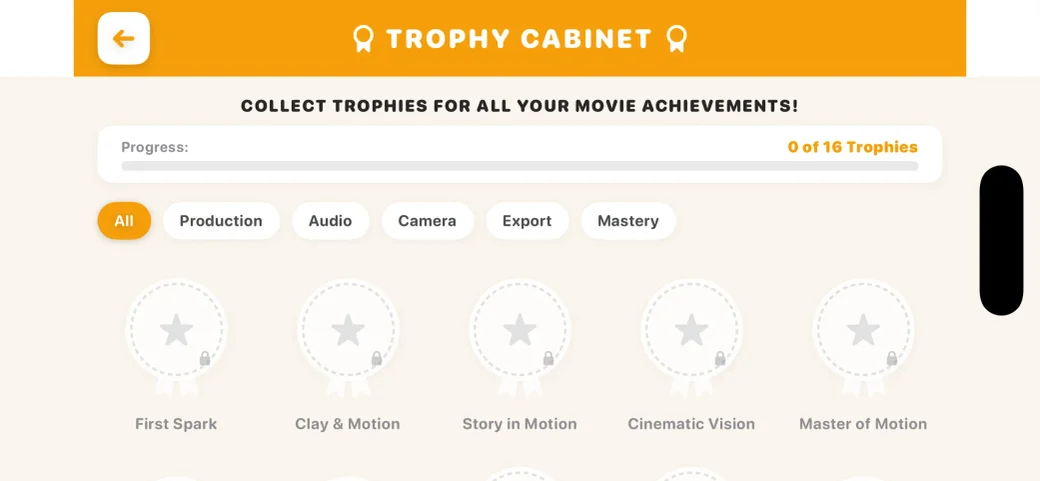
• Decorate your animations with curated vector art stamps: BOOM!, ZAP!, Crown, Fire, Trophies, Magic Sparkles, Hearts, and more.
• Drag, pinch to scale, and twist stamps directly on the cinema stage.
• Control stamp duration across frames with visual span bars right in your timeline.
DIRECT ON-CANVAS TEXT AND TITLES
• Add dialogue, comic sound effects, and cinema credits with child-friendly curated fonts (Comic Pop, Marker Fun, Action Hero, and more).
• Double-tap to type, pick custom colors, add comic-book box outlines, or quick-tilt your text with a single tap.
• Effortless editing: tap anywhere outside the box to immediately commit and return to directing.
DRAGGABLE TIMELINE AUDIO TRACKS
• Total sound control: easily slide voiceovers, sound effects, and music clips along the timeline to sync with exact frames.
• Visual audio pills let young creators align dialogue and Foley chimes with zero guesswork.
MASSIVE PERFORMANCE AND STABILITY BOOST
• Ground-up rendering overhaul designed for butter-smooth animation playback.
• Timeline engine built to prevent freezing and lag on classroom iPads and 100+ frame projects.
• Rock-solid stability improvements so kids can focus on creating without interruption.
アプリのプライバシー
このアプリのデータの取り扱いについて、Sethi De ClercqがApp Storeで申告している内容です。
-
データの収集なし
開発元はこのアプリからデータを収集しません。
プライバシーの取り扱いは、ご利用の機能やお客様の年齢などに応じて異なる場合があります。
情報
- 販売元
- Sethi De Clercq
- カテゴリ
- 教育
- バージョン
- 1.4.3
- 更新日
- 2026/11/25
- リリース
- 2026/9/16
- サイズ
- 4.0 MB
- 必要条件
- iOS 16.0以降
- 対象年齢
- 4+
- 価格
- 無料
- アプリ内課金
- あり
- 言語
- 英語
- 著作権
- © 2026 Sethi De Clercq