- 対象年齢4+
- カテゴリユーティリティ
- 開発元Bin Hua
- 言語英語ほか1言語
- サイズ6.6 MB
App Storeの公式ページにリンクしています
Download.orgはAppmanCCのファイルを一切ホストしていません。ボタンを押すと、Bin Huaが公開しているApp Storeのアプリページが開きます。ページの最終確認:2026/11/18。
スクリーンショット

概要
開発元はこのテキストをお使いの言語で提供していません。
AppmanCC is the developer toolkit that lives next to your clipboard. Paste anything — a hash, a token, a blob of JSON, a URL — and AppmanCC recognizes it and shows the result instantly. No accounts, no tracking.
ONE PASTE, THE RIGHT TOOL
• Copy something, open AppmanCC and tap Paste. JSON, JWTs, hashes, UUIDs, timestamps, URLs and Base64 are detected automatically.
• Results slide up from the bottom while your input stays on screen. Edit the input and the result updates as you type.
• Switch tools in place, drag the panel up for more room, or down to get it out of the way.
HASH & VERIFY
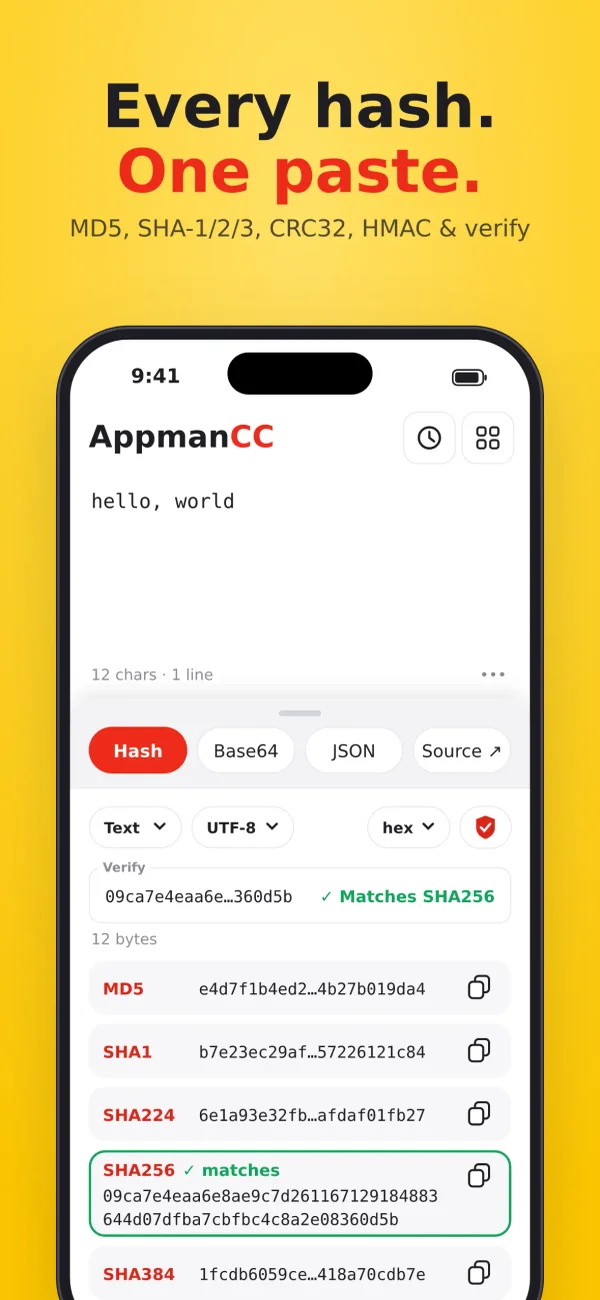
• MD5, SHA1, SHA224, SHA256, SHA384, SHA512 side by side, plus SHA3-256, SHA3-512 and CRC32.
• Paste an expected hash and AppmanCC tells you which algorithm matches — hex or Base64, any case.
• HMAC with a text or hex key, UTF-8 / UTF-16LE / ASCII input, and a warning when a trailing newline would change your hash.
• Hash files of any size from Files, with progress and cancel.
ENCODE & DECODE
• Base64 encode and decode with automatic direction, URL-safe variant, padding, MIME line breaks and data URIs. Decoded images and files can be saved.
• URL encode and decode (component or full URL, %20 or +), with every part of a URL and its query parameters listed separately.
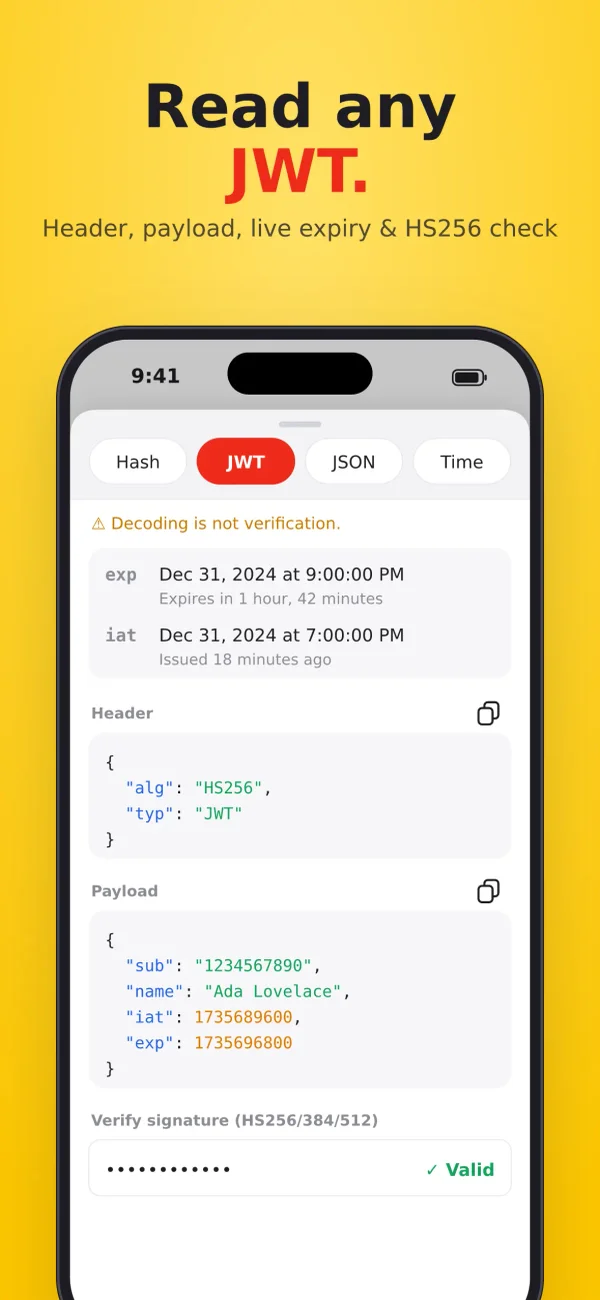
• JWT decoder: formatted header and payload, issued / expiry times with a live countdown, and an on-device HS256/384/512 signature check.
FORMAT & VIEW
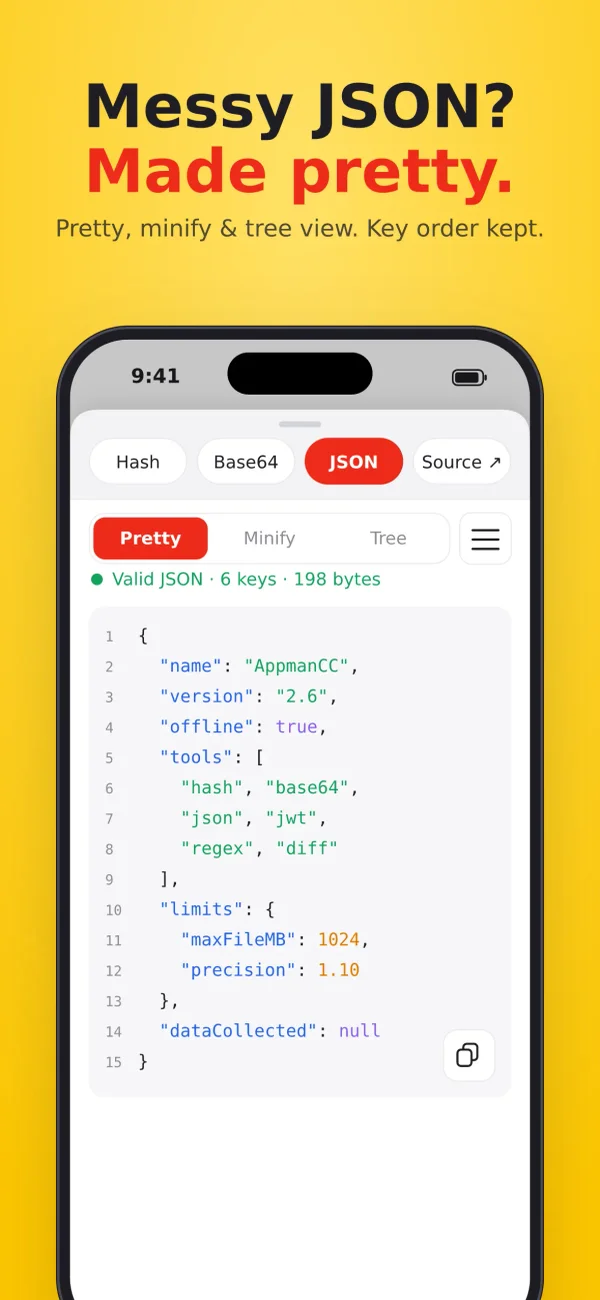
• JSON Pretty, Minify and a collapsible Tree view with search and copy-path. Your key order and number literals are kept exactly as written.
• Errors point to the exact line and column, with a one-tap lenient fix for trailing commas and single quotes.
• View the source of any web page with syntax highlighting, search and redirects shown.
• Compare two texts by line or character, side by side or inline.
CONVERT & GENERATE
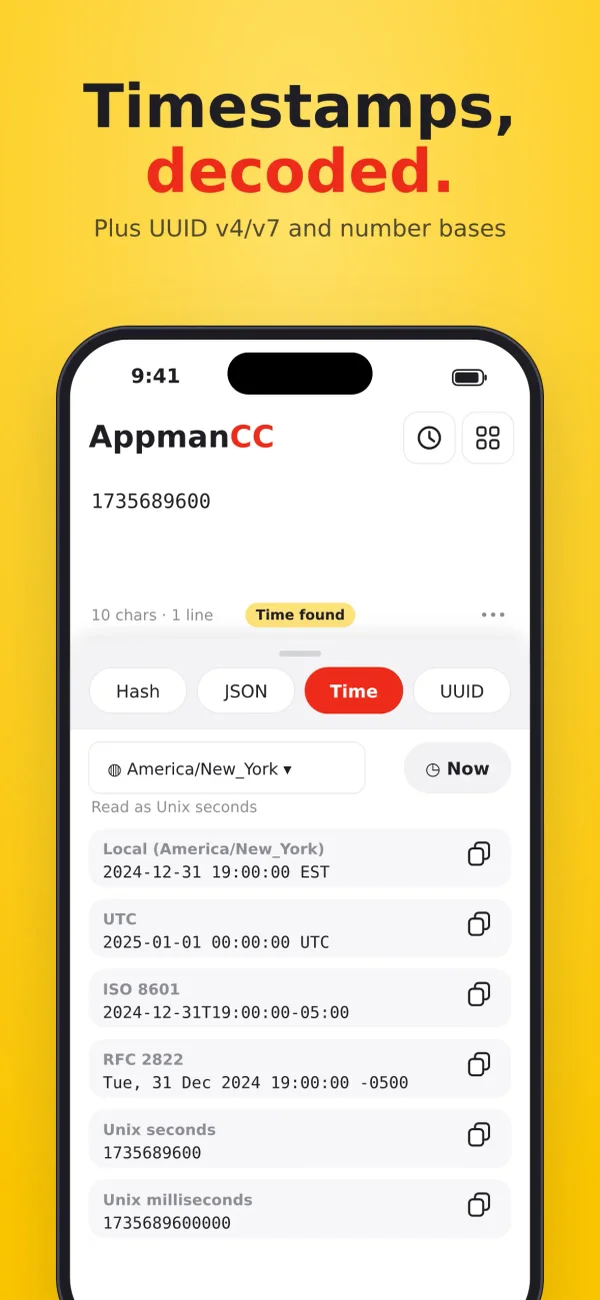
• Unix timestamps (seconds or milliseconds) to dates and back: local time, UTC, ISO 8601 and RFC 2822, in any time zone.
• Generate UUID v4 or v7 in batches, or inspect a UUID's version, variant and creation time.
• Binary, octal, decimal and hex side by side, with numbers of any size and two's complement.
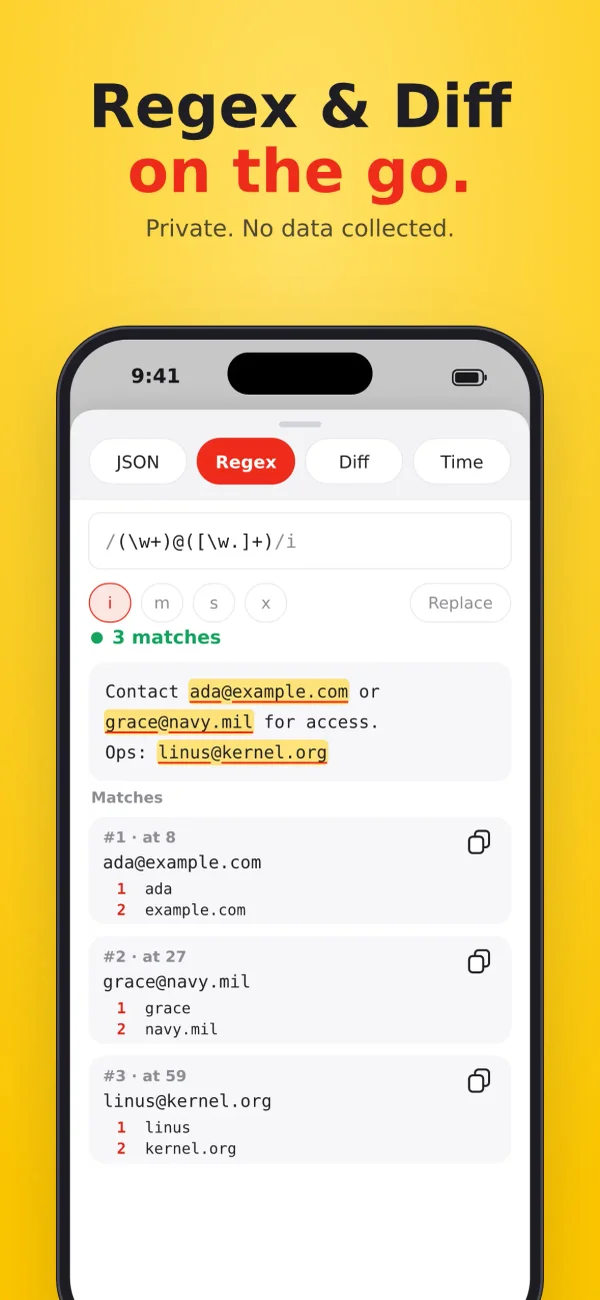
• Test regular expressions with live highlighting, capture groups, flags and replace preview.
NETWORK TOOLS
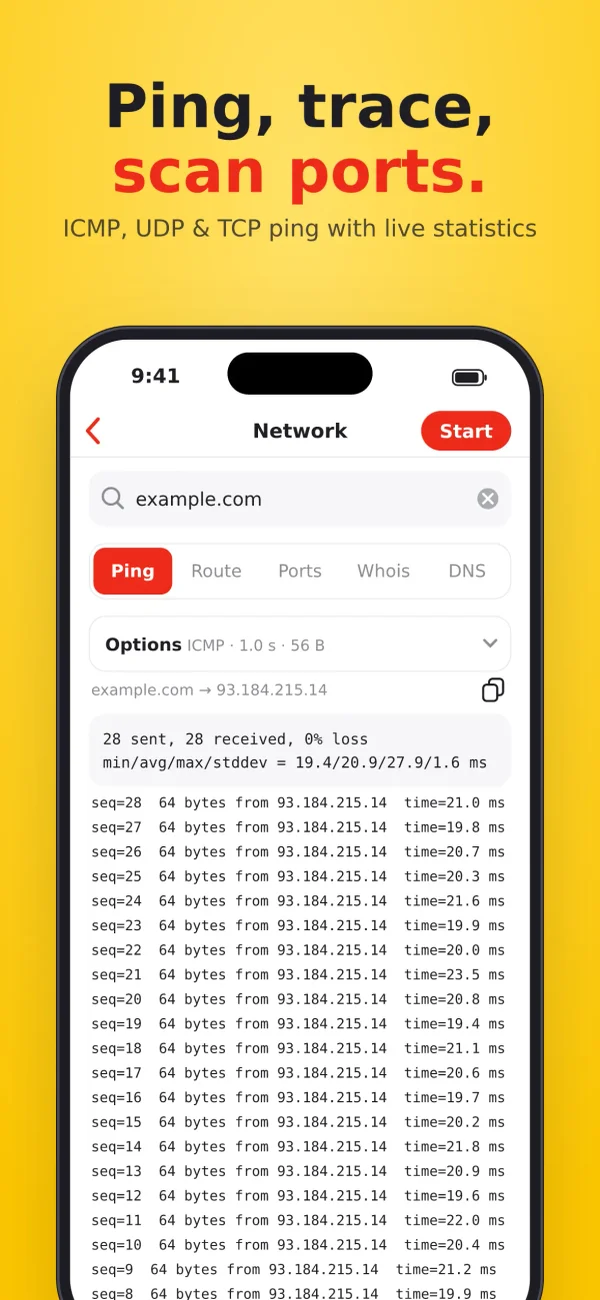
• Ping over ICMP, UDP or TCP with live statistics, payload size, don't-fragment and an audible mode.
• Traceroute with per-hop times and reverse DNS names.
• Port scan of common ports or any range, with service names.
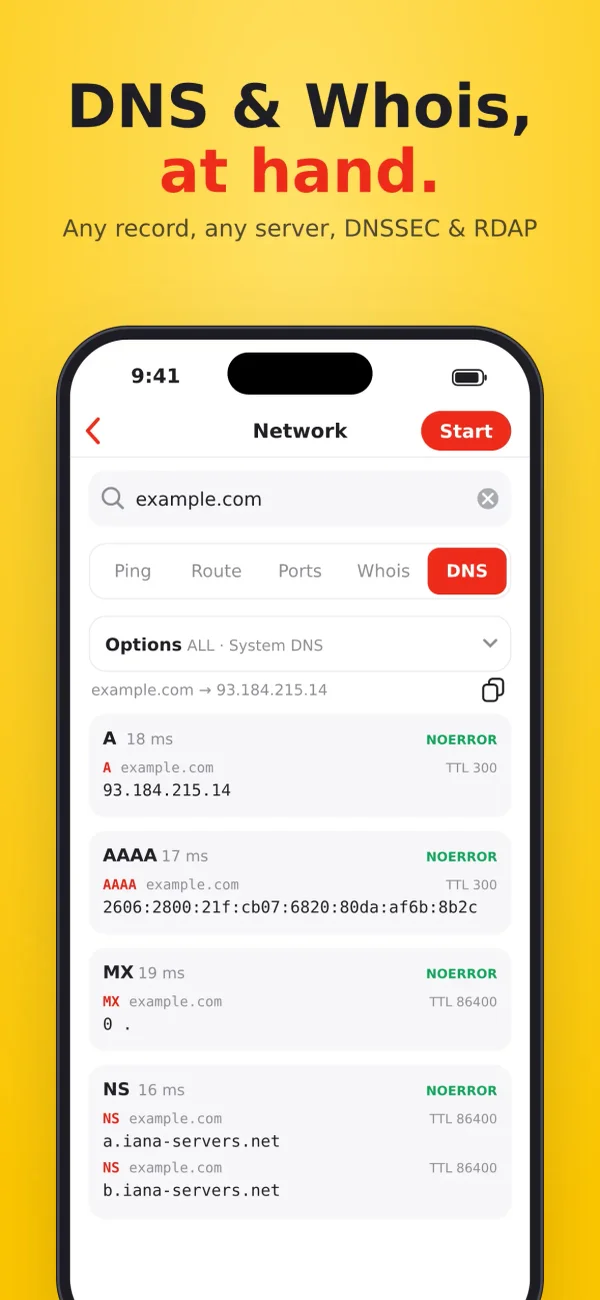
• Whois that follows registry referrals, or RDAP.
• DNS lookups of A, AAAA, CAA, CNAME, MX, NAPTR, NS, PTR, SOA, SRV and TXT against the system or any server, with DNSSEC records, all sections and no-recursion queries.
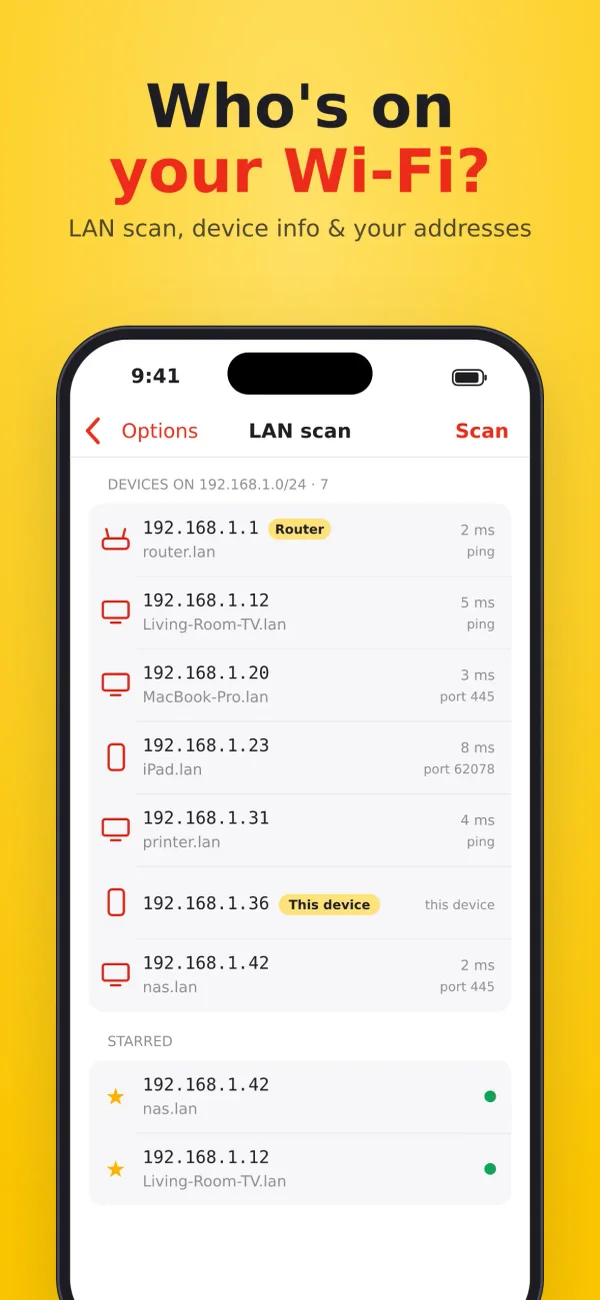
• Device info: gateway, DNS servers, external IPv4 and IPv6, proxy, and the addresses and traffic of Wi-Fi, VPN and cellular.
• LAN scan: find the devices on your Wi-Fi, star the ones you care about, and keep past scans.
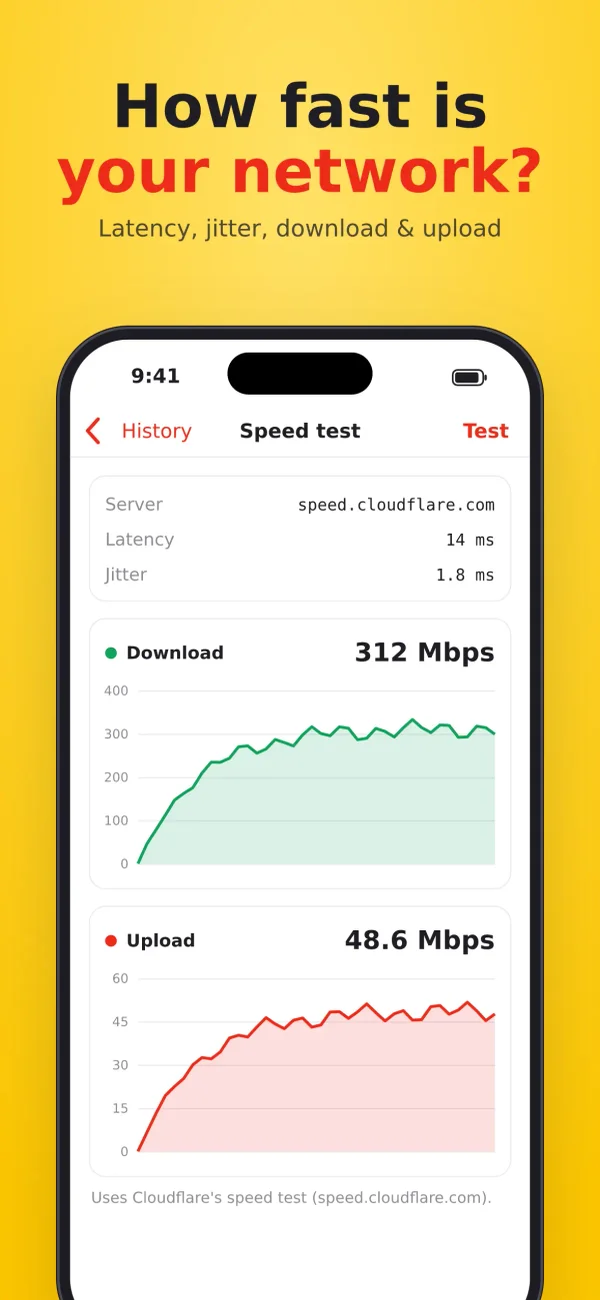
• Speed test: latency, jitter, download and upload with live charts and a history.
WORKS EVERYWHERE YOU DO
• Share Extension and Action Extension: run any tool on text or files from other apps without leaving them.
• Shortcuts and Spotlight actions for hashing, Base64, URL coding, JSON, JWT, timestamps and UUIDs.
• Home Screen and Lock Screen widgets, and a Control Center button on iOS 18.
• Pin your favorite tools and reorder them. History keeps what you copied, on this device only.
• iPad keyboard shortcuts: ⌘1–⌘9 to switch tools, ⌘⇧C to copy the result, and more.
PRIVATE BY DESIGN
• Text tools run entirely on your device. Network tools only contact the hosts you enter. AppmanCC never reads your clipboard until you tap Paste.
• No analytics, no third-party SDKs, no data collected. Secrets such as HMAC keys and JWT secrets are never saved.
Questions or ideas? Write to feedback@binhua.org.
新機能
バージョン 2.7 · 2026/11/17
UI Color
アプリのプライバシー
このアプリのデータの取り扱いについて、Bin HuaがApp Storeで申告している内容です。
-
データの収集なし
開発元はこのアプリからデータを収集しません。
プライバシーの取り扱いは、ご利用の機能やお客様の年齢などに応じて異なる場合があります。
情報
- 販売元
- Bin Hua
- カテゴリ
- ユーティリティ
- バージョン
- 2.7
- 更新日
- 2026/11/17
- リリース
- 2019/4/19
- サイズ
- 6.6 MB
- 必要条件
- iOS 16.0以降
- 対象年齢
- 4+
- 価格
- ¥150
- 言語
- 英語, 簡体字中国語
- 著作権
- © Bin Hua