- 対象年齢4+
- カテゴリミュージック
- 開発元Daniel Noethen
- 言語英語
- サイズ2.9 MB
App Storeの公式ページにリンクしています
Download.orgはAudio Looper+のファイルを一切ホストしていません。ボタンを押すと、Daniel Noethenが公開しているApp Storeのアプリページが開きます。ページの最終確認:2026/11/18。
スクリーンショット


概要
開発元はこのテキストをお使いの言語で提供していません。
Audio Looper+ is the precise practice tool for anyone who needs to replay, study or play along with specific sections of an audio track. Drop in a song, a lesson, a podcast or a language recording, set as many markers as you like and loop seamlessly between them, then export the looped section as its own file.
Features
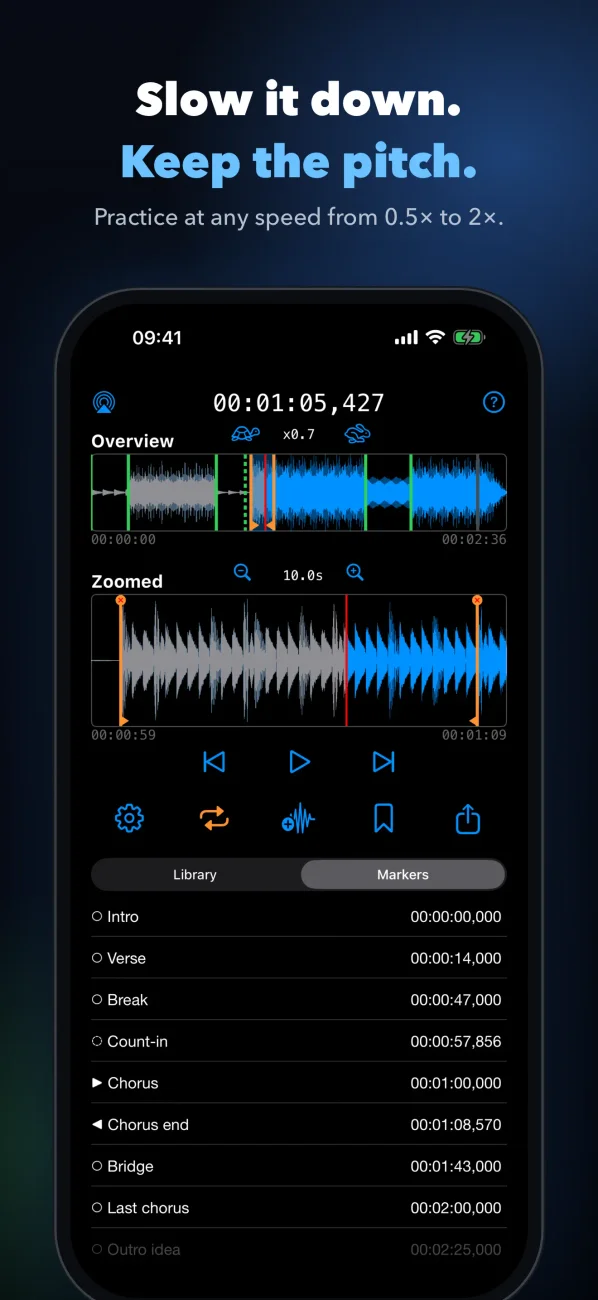
• Place an unlimited number of markers on the waveform and name them
• Loop seamlessly between any two markers
• Marker types: regular, loop start, loop end and neutral, so you can play an intro once and then repeat a section
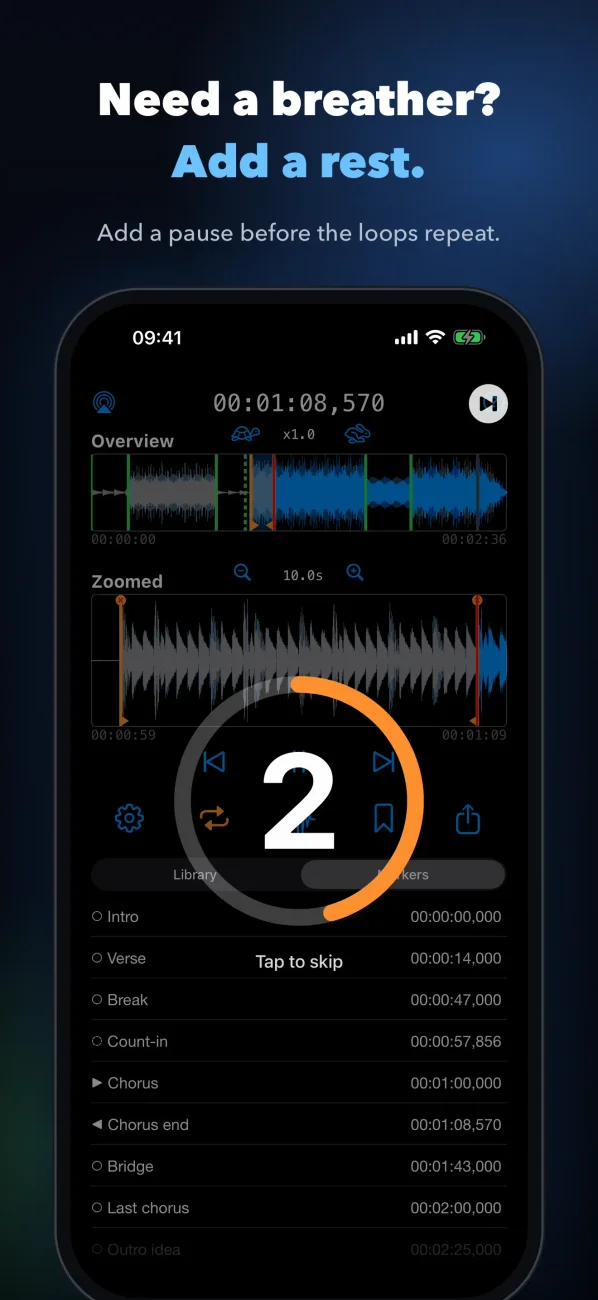
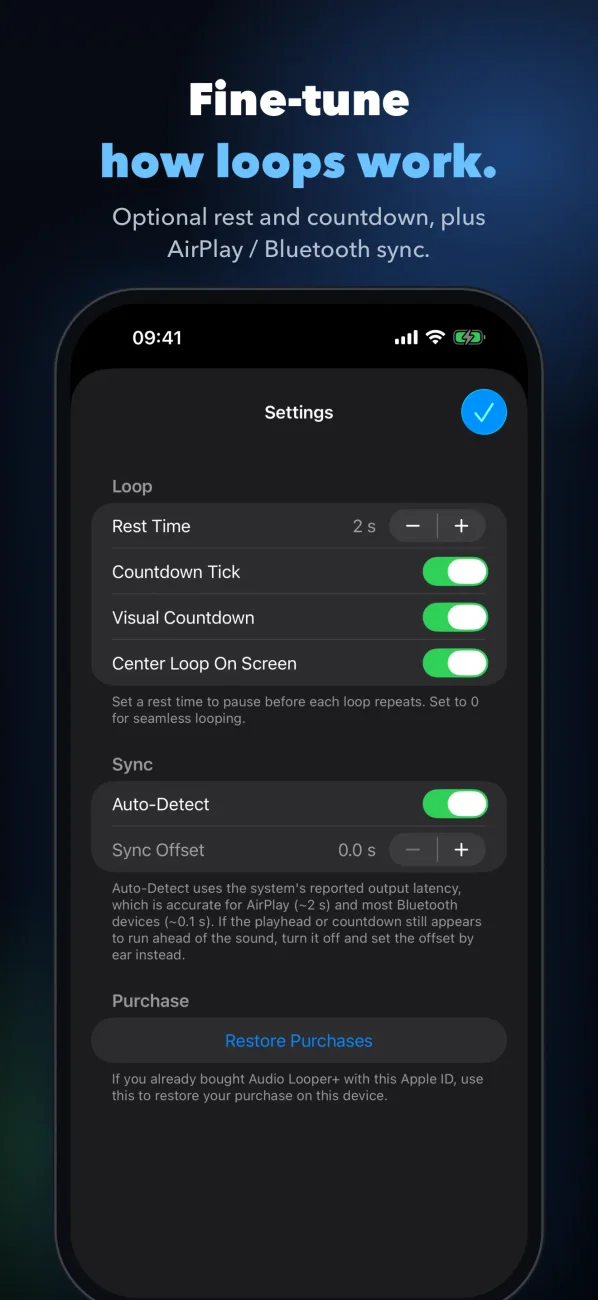
• Optional rest time before the loops repeat, with an optional countdown tick and visual countdown
• Slow down or speed up from 0.5× to 2× without changing the pitch
• Two waveforms: an overview of the whole track and a zoomed view with pinch-to-zoom
• Precise dragging: slide your finger up or down while dragging a marker or the playhead for fine adjustment
• Move, rename, disable and re-enable markers without losing your place
• Tap anywhere on the waveform to jump there, or tap near a marker to snap to it
• Markers, loop state and play position are saved per track across your whole library
• Rearrange your library by touch and hold or with the Edit button
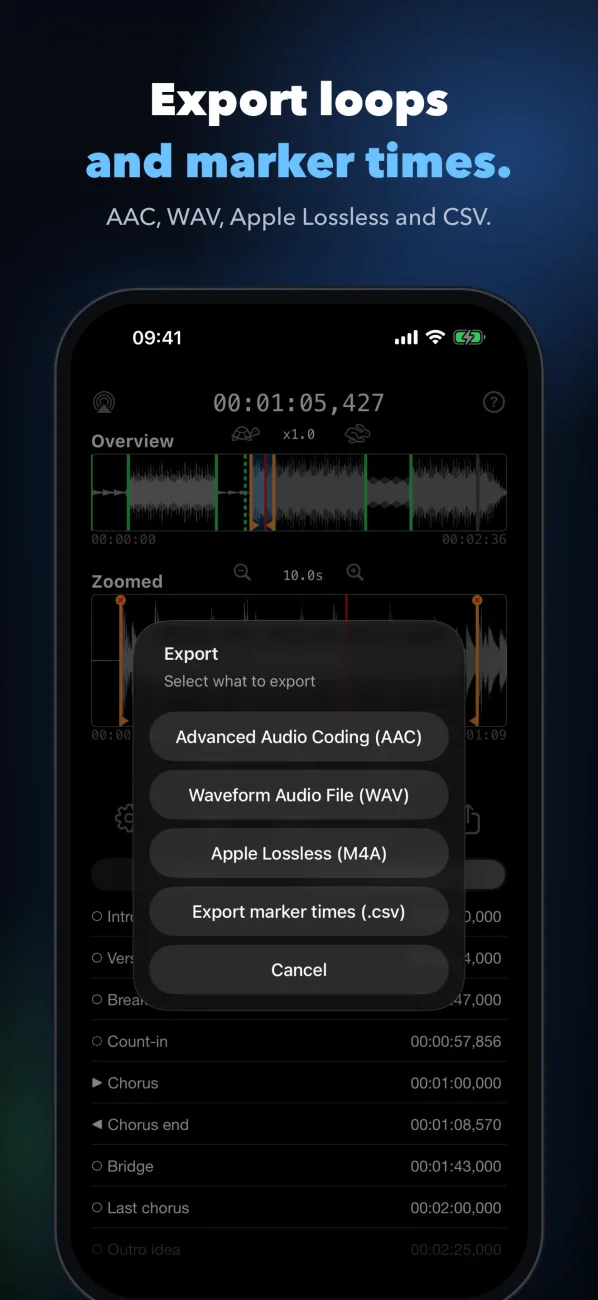
• Export loops as AAC, WAV or Apple Lossless, and marker times as a CSV file
• Automatic sync for AirPlay and Bluetooth speakers, or set the offset by hand
• Import audio from the Files app or your Music library
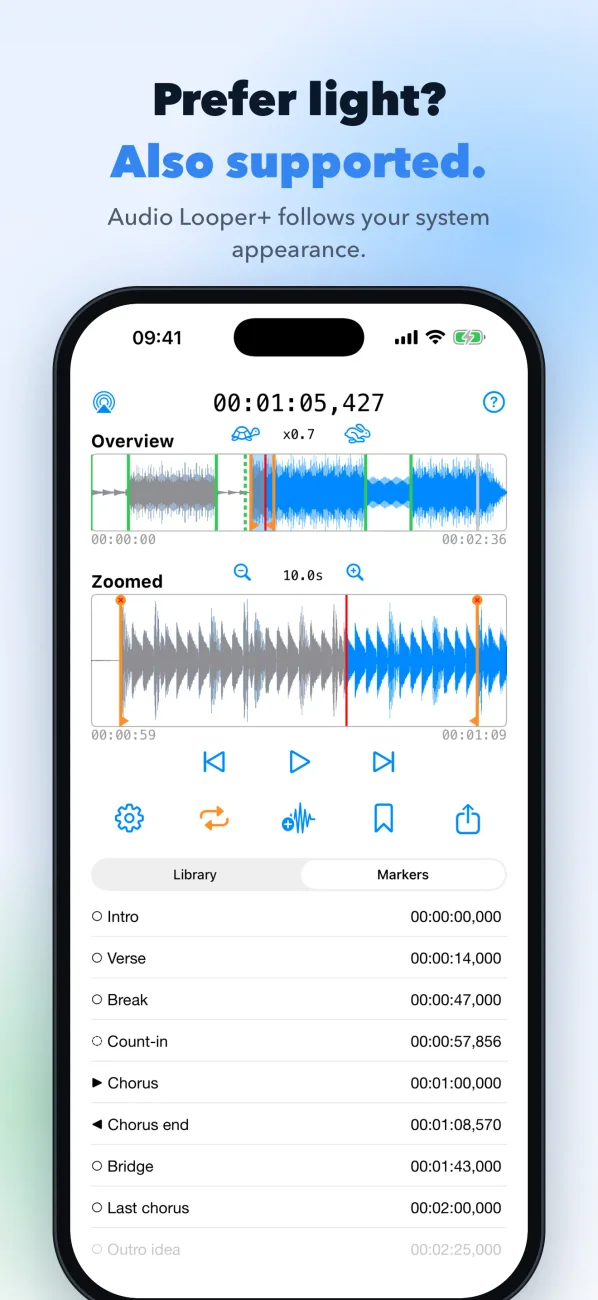
• Dark and light mode, on iPhone and iPad
Who is it for?
• Musicians learning or transcribing a part, by ear or with their instrument
• Singers rehearsing a verse, a run or a single line
• Dancers and choreographers drilling a section on repeat
• Producers and DJs isolating a loop, a break or a sample to export
• Language learners shadowing a sentence or a dialogue
• Students transcribing lectures, interviews or field recordings
• Anyone who needs to repeat, mark or export a specific moment in an audio file
Try every feature free for 3 days, then unlock the full version with a single in-app purchase. No subscription.
If you have any questions or feedback, contact me at audiolooper@danielnoethen.de
新機能
バージョン 3.3 · 2026/11/8
Pick up where you left off: every track now remembers whether looping was on and where the playhead was, so it opens just as you left it.
Arrange your library: touch and hold a track and drag it to a new place, or tap the new Edit button next to Library/Markers to rearrange and remove files.
Also new:
• Removing the track that is loaded, even while it plays, now stops playback and clears the player
• The loaded track stays highlighted in the library while editing, after swiping a row and after removing other tracks
• Fixed a crash when holding on the empty zoomed waveform
アプリのプライバシー
このアプリのデータの取り扱いについて、Daniel NoethenがApp Storeで申告している内容です。
-
データの収集なし
開発元はこのアプリからデータを収集しません。
プライバシーの取り扱いは、ご利用の機能やお客様の年齢などに応じて異なる場合があります。
情報
- 販売元
- Daniel Noethen
- カテゴリ
- ミュージック
- バージョン
- 3.3
- 更新日
- 2026/11/8
- リリース
- 2021/1/3
- サイズ
- 2.9 MB
- 必要条件
- iOS 18.6以降
- 対象年齢
- 4+
- 価格
- 無料
- アプリ内課金
- あり
- 言語
- 英語
- 著作権
- © 2026 Daniel Nöthen