
- 対象年齢4+
- カテゴリミュージック
- 開発元JUHYEON CHO
- 言語英語ほか1言語
- サイズ120.7 MB
App Storeの公式ページにリンクしています
Download.orgはBEAN MUSEのファイルを一切ホストしていません。ボタンを押すと、JUHYEON CHOが公開しているApp Storeのアプリページが開きます。ページの最終確認:2026/11/23。
スクリーンショット
概要
開発元はこのテキストをお使いの言語で提供していません。
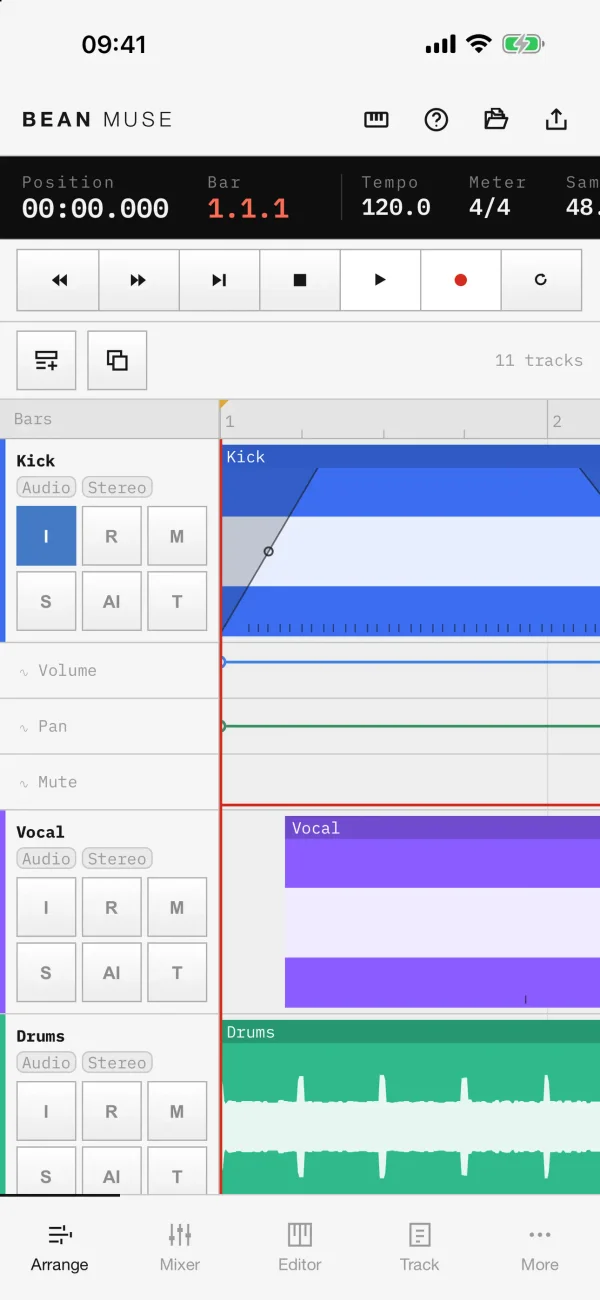
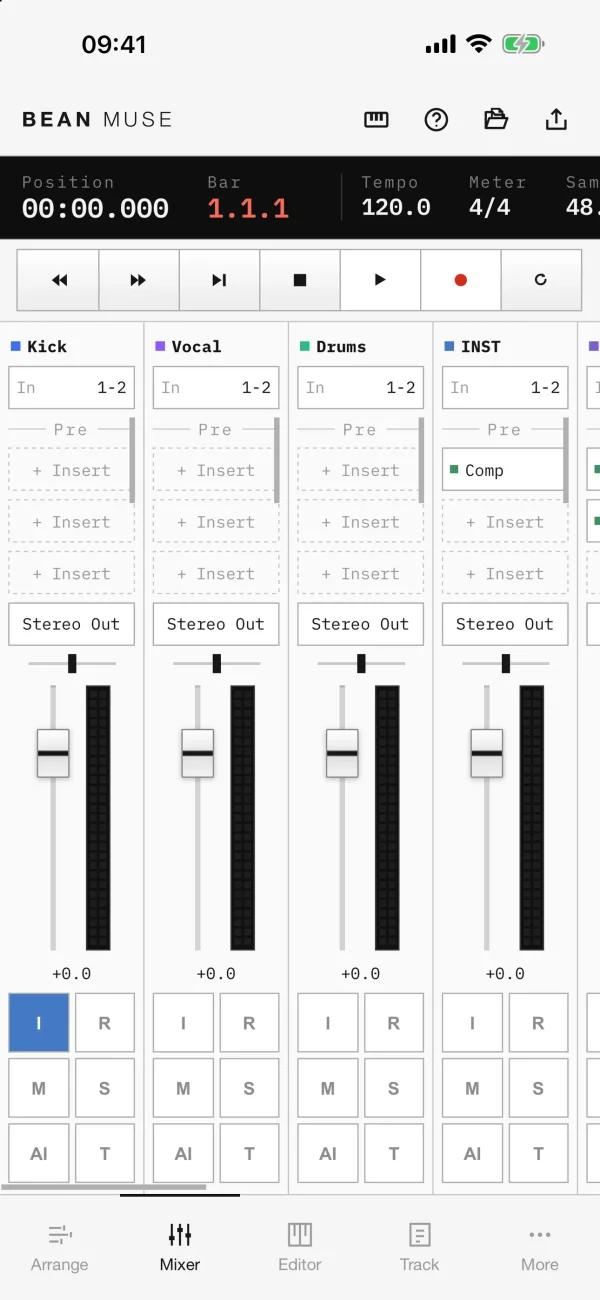
BEAN MUSE is a music studio for recording vocals and instruments, shaping each track, mixing them into one song and exporting the result.
Record straight from the iPhone or iPad microphone, or from an audio interface you connect. You can also bring in audio and MIDI files from the Files app and place them on tracks. WAV, AIFF, MP3, M4A, FLAC and OGG all open, and when you add a video file its sound goes onto a track while the picture plays in its own window so you can line things up.
Cut, join, move and fade regions, and set the level and position of every track. Draw in volume and pan moves that follow the song. Send several tracks to a shared effect such as a reverb, and group similar tracks to adjust them together.
More than 60 effects are built in, including EQ, compressor, reverb, delay, de-esser and limiter. Play MIDI tracks with the built-in synthesizer and fix notes in the piano roll or the notation view. Analyze the chords of a region and see their names, and turn an audio region into MIDI. A tuner, BEAN Sampler and BEAN Arpeggiator are built in too.
Split a finished song into vocals and backing track, or into instruments such as drums, bass, guitar and piano, each on its own new track. The separation models are downloaded once, the first time you use it.
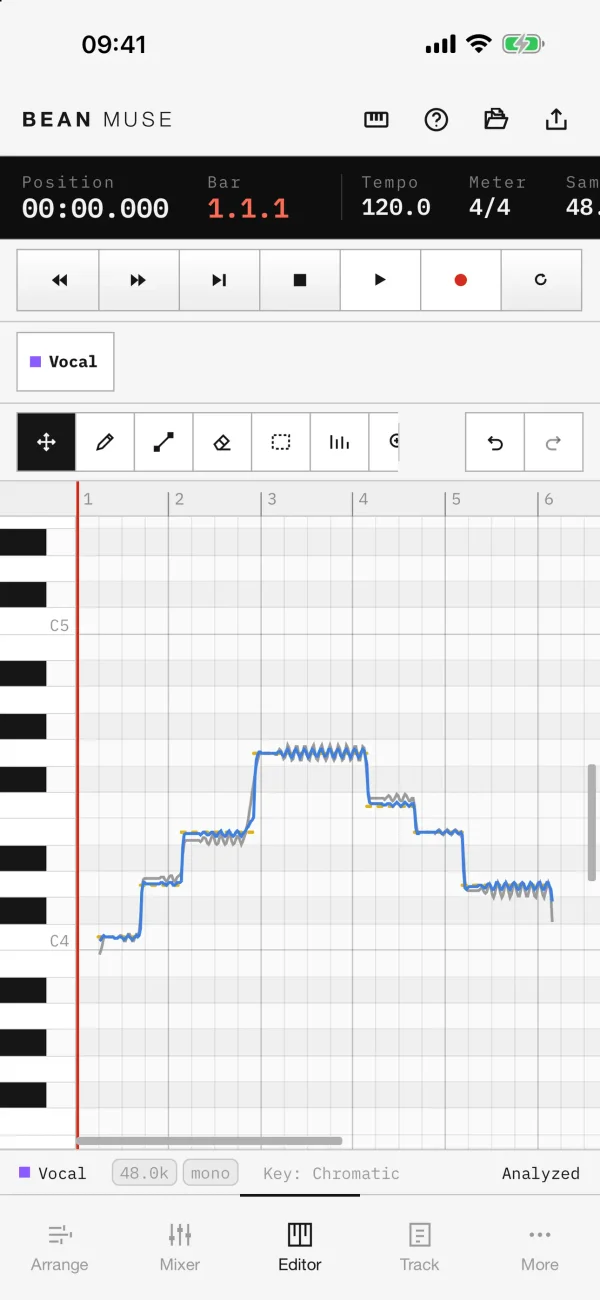
Fix vocal notes that drift slightly with pitch correction. Not sure how to start a mix? Tap AI mix. It analyses each track, decides which effects to use and how to set them, and if you type the feel you want, such as "bring the vocal forward", it mixes in that direction. AI mix needs the AI service you use to be connected in Settings > AI. Audio files are never sent; only the measured numbers and your request are. Community on the dashboard lets you read the users' board and post.
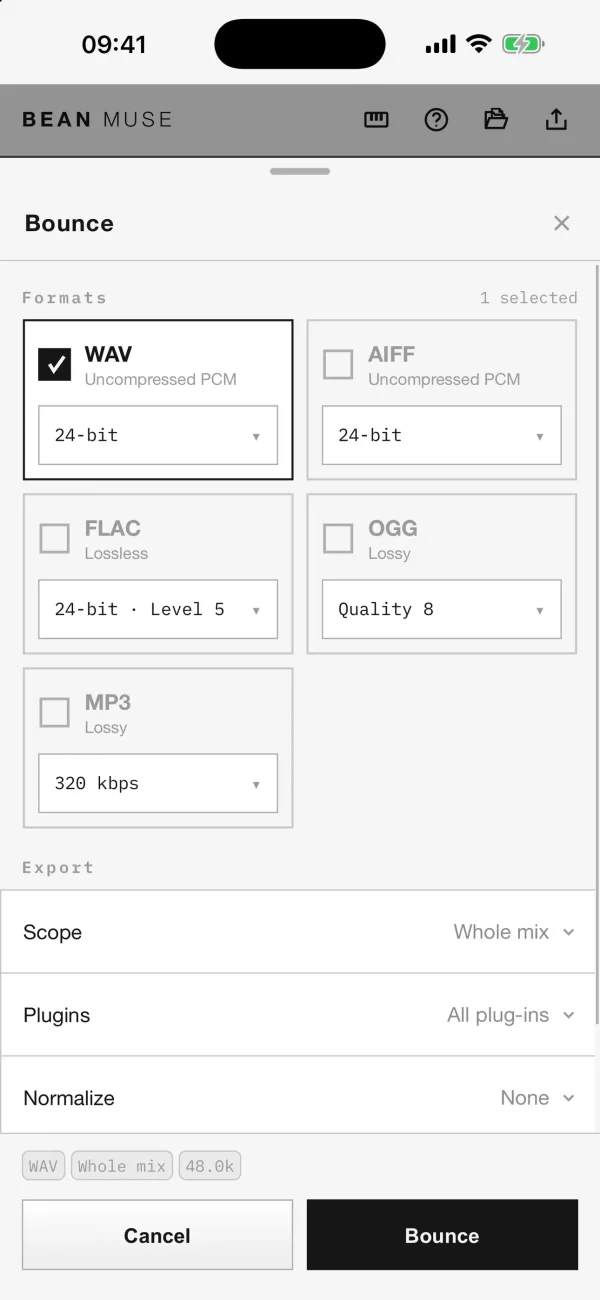
Export the finished song as MP3 or OGG, keep it in the Files app or send it to another app. Playback and recording keep going when the screen locks or you switch apps.
About the license
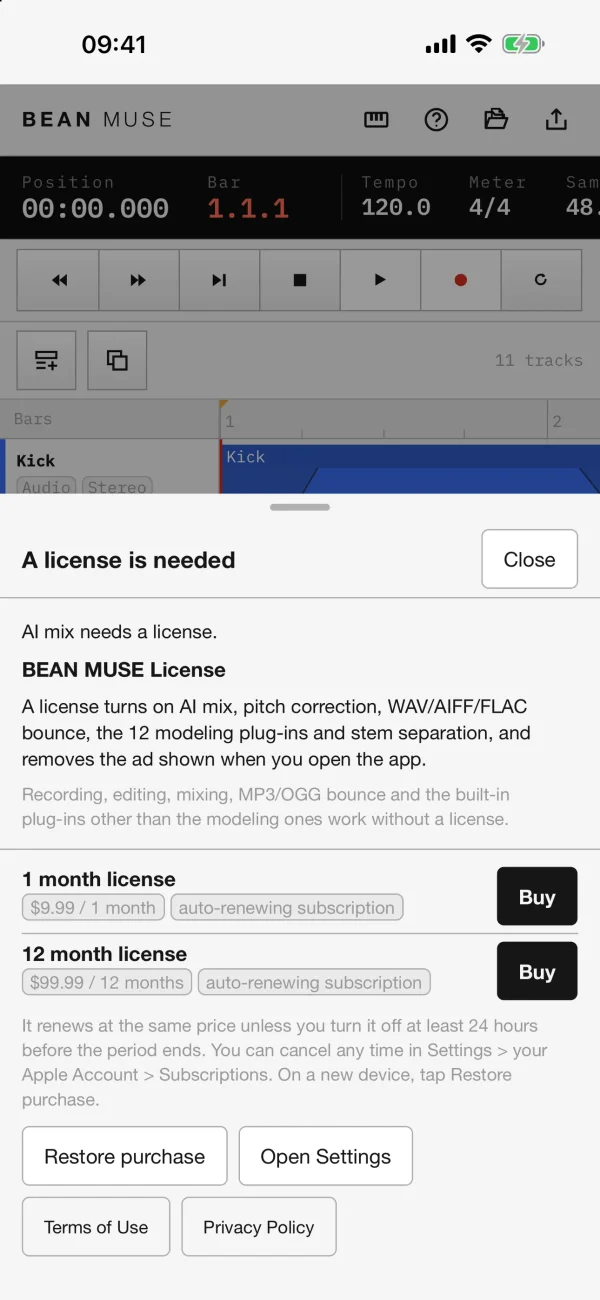
The app works without a license: recording, editing, mixing, MP3 and OGG export, the BEAN free plug-ins and the synthesizer are all free. Without a license, an ad is shown once when you open the app.
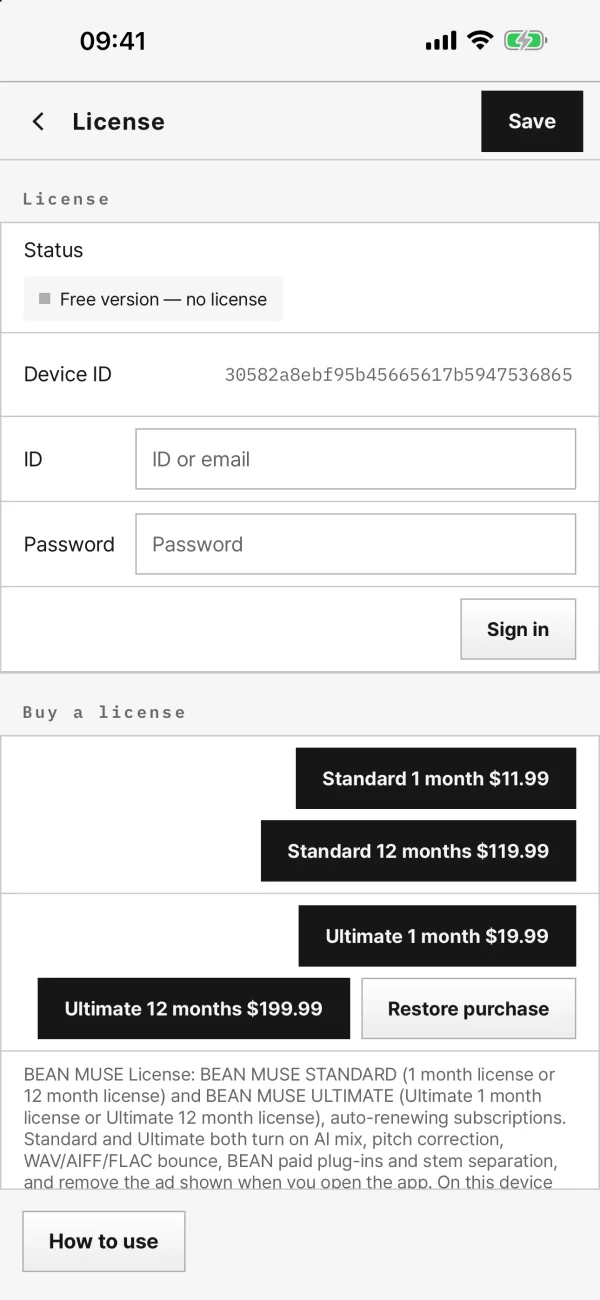
A license removes the ad and turns on AI mix, vocal pitch correction, WAV, AIFF and FLAC export, the BEAN paid plug-ins and stem separation. There are Standard and Ultimate licenses with the same features on this device. Link the subscription to your BEAN account in Settings > License to use it in BEAN MUSE for Mac and Windows as well; Ultimate adds BEAN plug-ins in other DAWs and mastering on a computer.
BEAN MUSE Standard 1 month and 12 month licenses — auto-renewing
BEAN MUSE Ultimate 1 month and 12 month licenses — auto-renewing
The price for your country is shown on the purchase screen and in the App Store before you subscribe. It renews at the same price unless you turn it off at least 24 hours before the period ends. You can turn it off any time in Settings > your Apple Account > Subscriptions.
Terms of Use: https://www.apple.com/legal/internet-services/itunes/dev/stdeula/
Privacy Policy: https://beanent.com/privacy
新機能
バージョン 1.0.47 · 2026/11/16
- When you buy a subscription while signed in to your Bean Entertainment account, you can link it to the account right there, so the same subscription also works in BEAN MUSE on a computer. If you're not signed in, you can sign in or sign up before buying, or simply buy without signing in.
- Settings > License now has "Manage account", where you can see your account details or delete the account.
- Sign-in data is stored more securely. You don't need to sign in again after updating.
- Fixed: a subscription bought in the app while an account license was active was not checked with our server.
- Settings > AI: the Model row now fits on one line, and the Server URL and Server key fields line up. On the AI and subscription screens, text that showed in English in Japanese, Spanish and French is now translated.
アプリのプライバシー
このアプリのデータの取り扱いについて、JUHYEON CHOがApp Storeで申告している内容です。
-
ユーザーのトラッキングに使用されるデータ
他社のアプリやウェブサイトを横断してユーザーをトラッキングする目的で使用される場合があります。
- ID
- 使用状況データ
-
ユーザーに関連付けられたデータ
収集され、ユーザーの識別情報に関連付けられる場合があります。
- 購入
- 位置情報
- 連絡先情報
- ID
- 使用状況データ
-
ユーザーに関連付けられないデータ
収集される場合がありますが、ユーザーの識別情報には関連付けられません。
- ユーザーコンテンツ
- 診断
プライバシーの取り扱いは、ご利用の機能やお客様の年齢などに応じて異なる場合があります。
情報
- 販売元
- JUHYEON CHO
- カテゴリ
- ミュージック
- バージョン
- 1.0.47
- 更新日
- 2026/11/16
- リリース
- 2026/10/5
- サイズ
- 120.7 MB
- 必要条件
- iOS 15.0以降
- 対象年齢
- 4+
- 価格
- 無料
- アプリ内課金
- あり
- 言語
- 英語, 韓国語
- 著作権
- © 2026 Bean Entertainment
こちらもおすすめ
-
 KeyBeeBPM・キー・曲名をその場で表示
-
 VLENDING for artistミュージック
-
 HandComposeミュージック
-
 TonePilot: Guitar Tone Setupミュージック
-
 더하모니 theHarmony - 화음 만들기ミュージック
-
 Songwriter: Pocket Studioミュージック
-
 マイボーカル: 毎日のボーカル基礎トレーニングボイトレ・発声練習・音程
-
 Leadbook - 악보 뷰어 & 그리기ミュージック
-
 Original Piano - Personalizeミュージック
-
 immerscoreImmersive Sheet Music Reader