
BEAN MUSE
Record and mix your songs
iPhone, iPad, iPod touch için tasarlandı
Ücretsiz · Uygulama içi satın alma
- Yaş sınırı4+
- KategoriMüzik
- GeliştiriciJUHYEON CHO
- Dillerİngilizce+ 1 dil daha
- Boyut120,7 MB
Resmi App Store sayfasına bağlanır
Download.org, BEAN MUSE için hiçbir dosya barındırmaz. Düğme, uygulamanın App Store üzerindeki sayfasını açar; uygulamayı orada JUHYEON CHO yayınlar. Sayfanın son kontrolü: 23.11.2026.
Ekran görüntüleri
Hakkında
Geliştirici bu metni dilinizde sunmamış.
BEAN MUSE is a music studio for recording vocals and instruments, shaping each track, mixing them into one song and exporting the result.
Record straight from the iPhone or iPad microphone, or from an audio interface you connect. You can also bring in audio and MIDI files from the Files app and place them on tracks. WAV, AIFF, MP3, M4A, FLAC and OGG all open, and when you add a video file its sound goes onto a track while the picture plays in its own window so you can line things up.
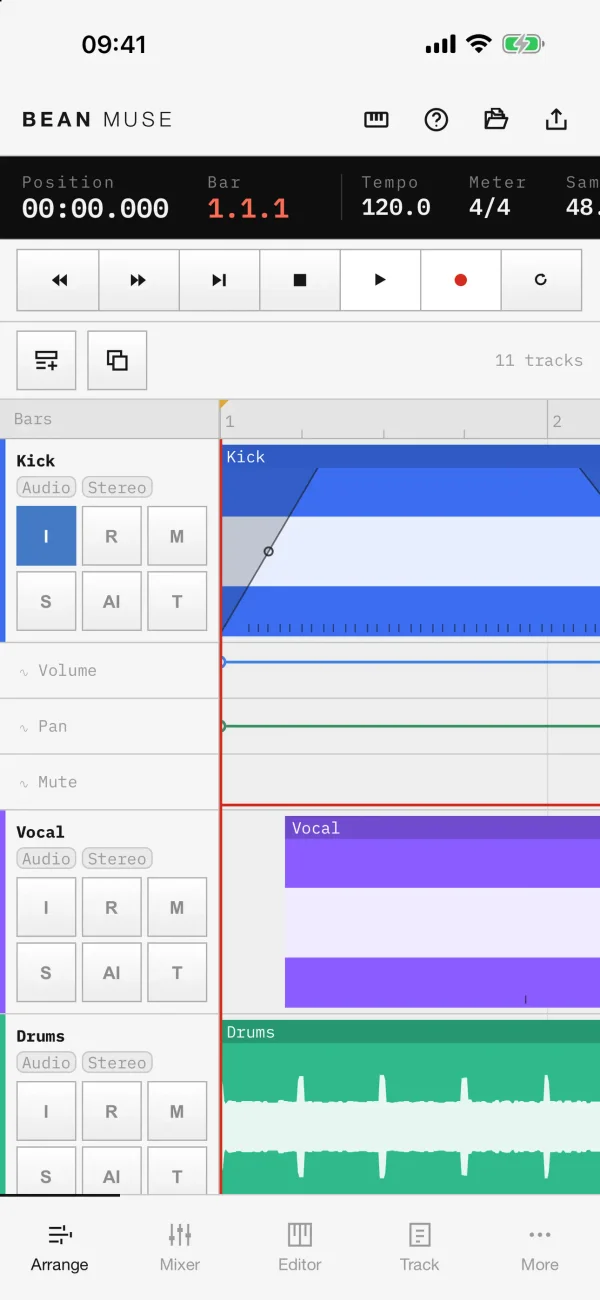
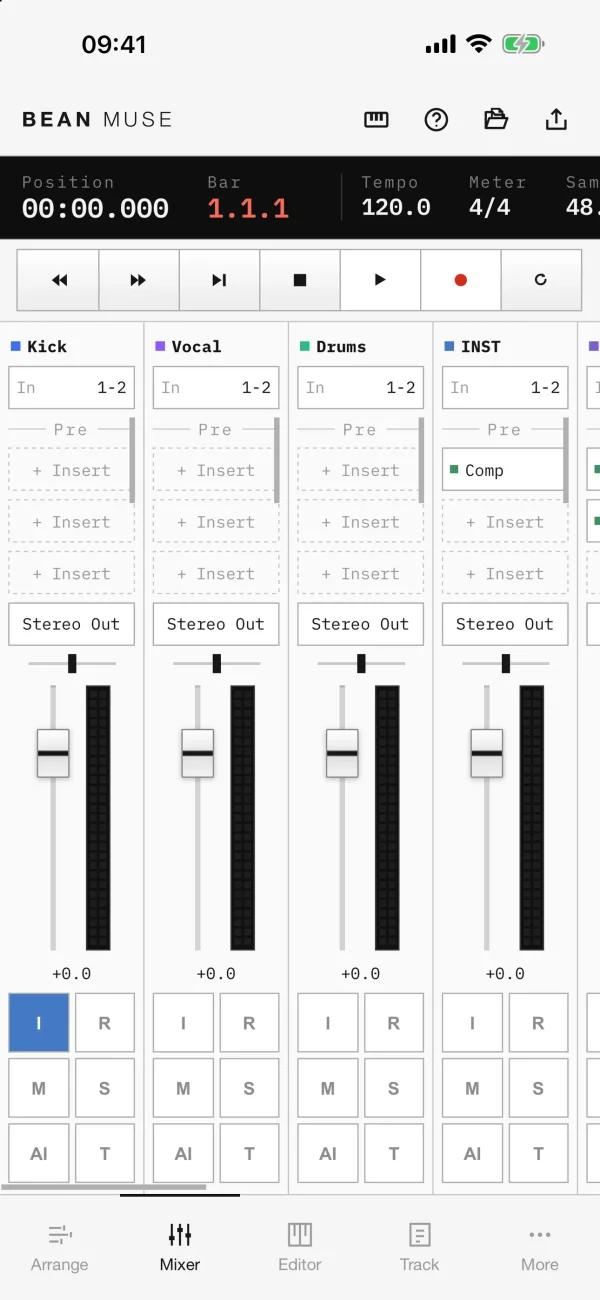
Cut, join, move and fade regions, and set the level and position of every track. Draw in volume and pan moves that follow the song. Send several tracks to a shared effect such as a reverb, and group similar tracks to adjust them together.
More than 60 effects are built in, including EQ, compressor, reverb, delay, de-esser and limiter. Play MIDI tracks with the built-in synthesizer and fix notes in the piano roll or the notation view. Analyze the chords of a region and see their names, and turn an audio region into MIDI. A tuner, BEAN Sampler and BEAN Arpeggiator are built in too.
Split a finished song into vocals and backing track, or into instruments such as drums, bass, guitar and piano, each on its own new track. The separation models are downloaded once, the first time you use it.
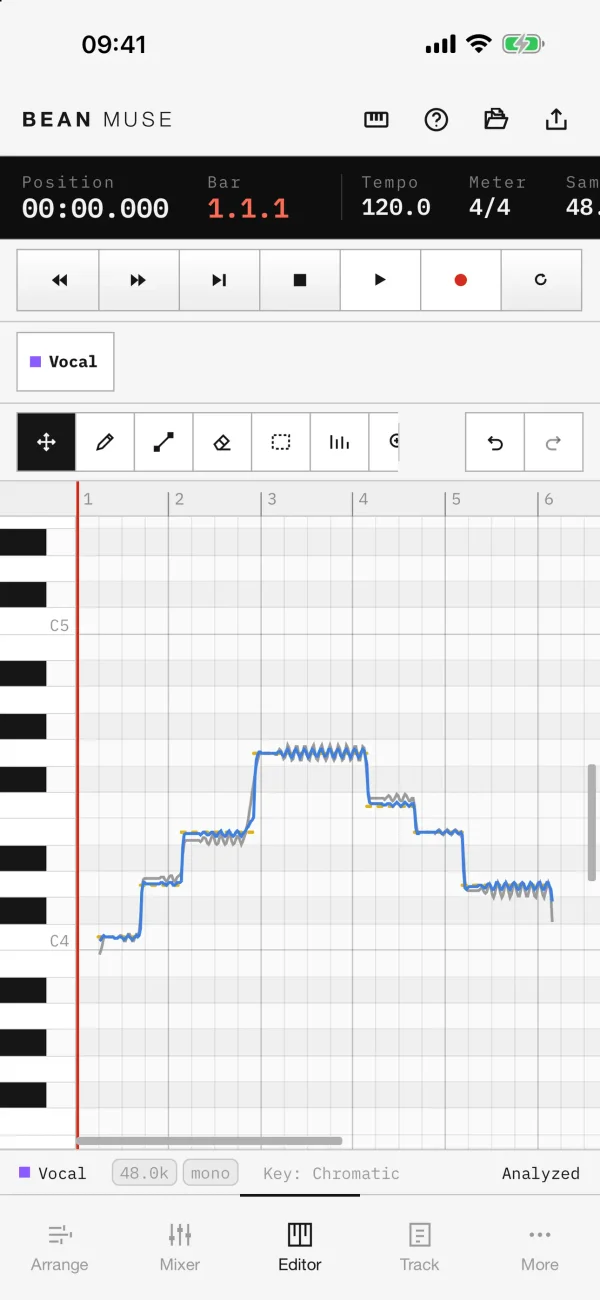
Fix vocal notes that drift slightly with pitch correction. Not sure how to start a mix? Tap AI mix. It analyses each track, decides which effects to use and how to set them, and if you type the feel you want, such as "bring the vocal forward", it mixes in that direction. AI mix needs the AI service you use to be connected in Settings > AI. Audio files are never sent; only the measured numbers and your request are. Community on the dashboard lets you read the users' board and post.
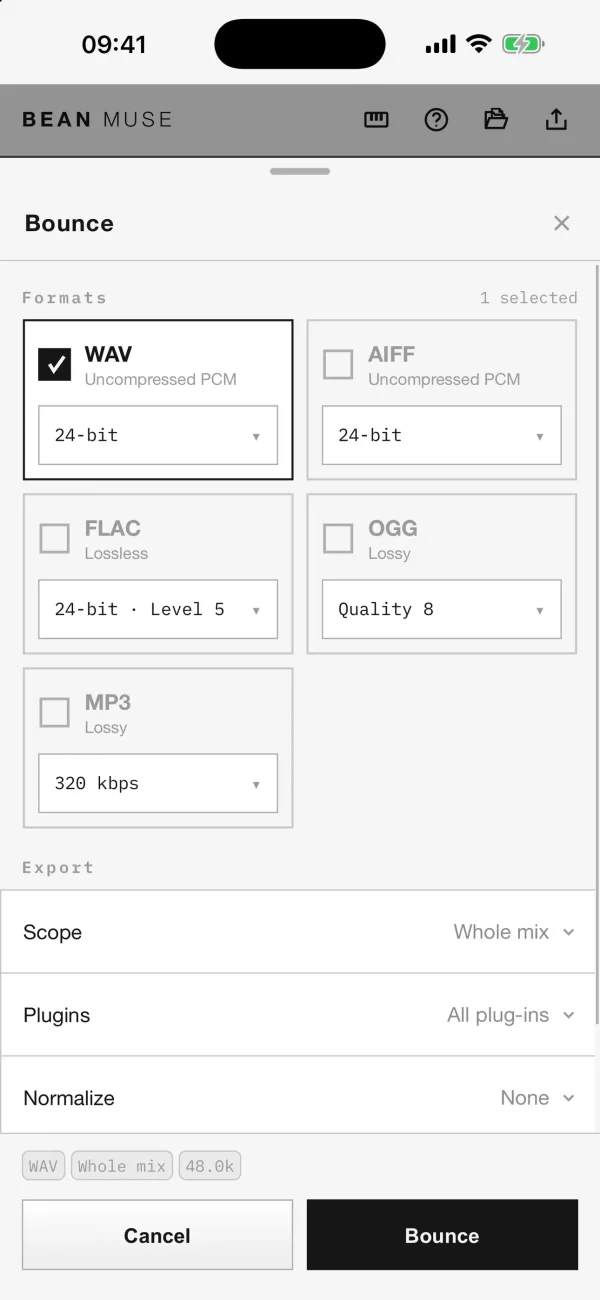
Export the finished song as MP3 or OGG, keep it in the Files app or send it to another app. Playback and recording keep going when the screen locks or you switch apps.
About the license
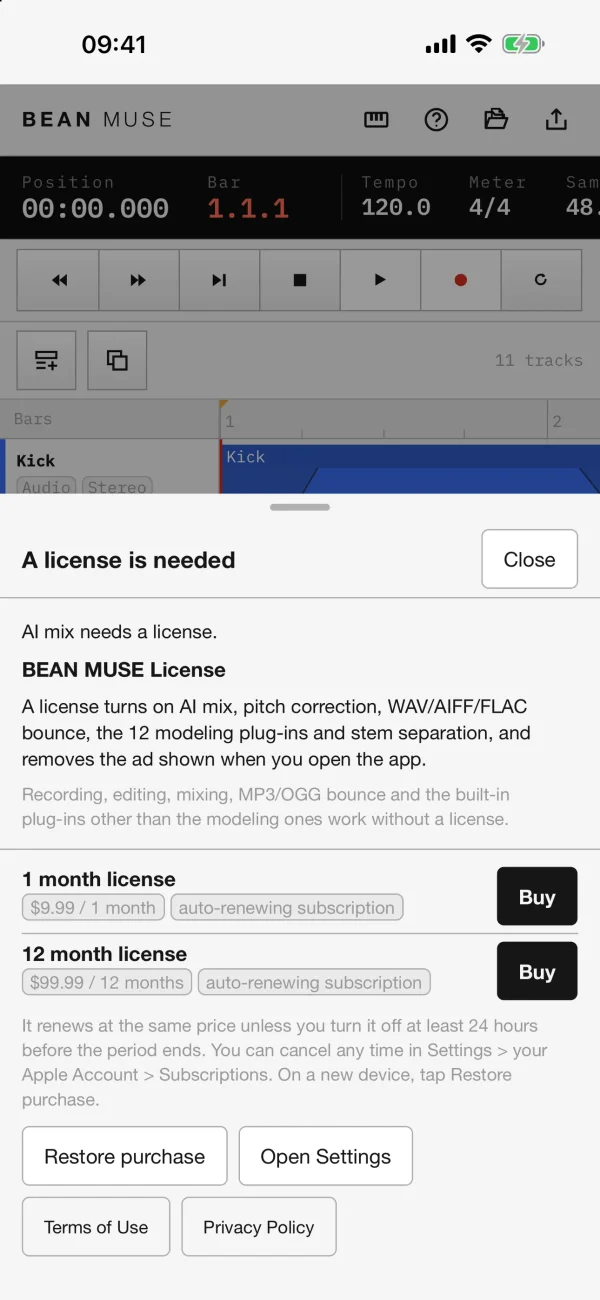
The app works without a license: recording, editing, mixing, MP3 and OGG export, the BEAN free plug-ins and the synthesizer are all free. Without a license, an ad is shown once when you open the app.
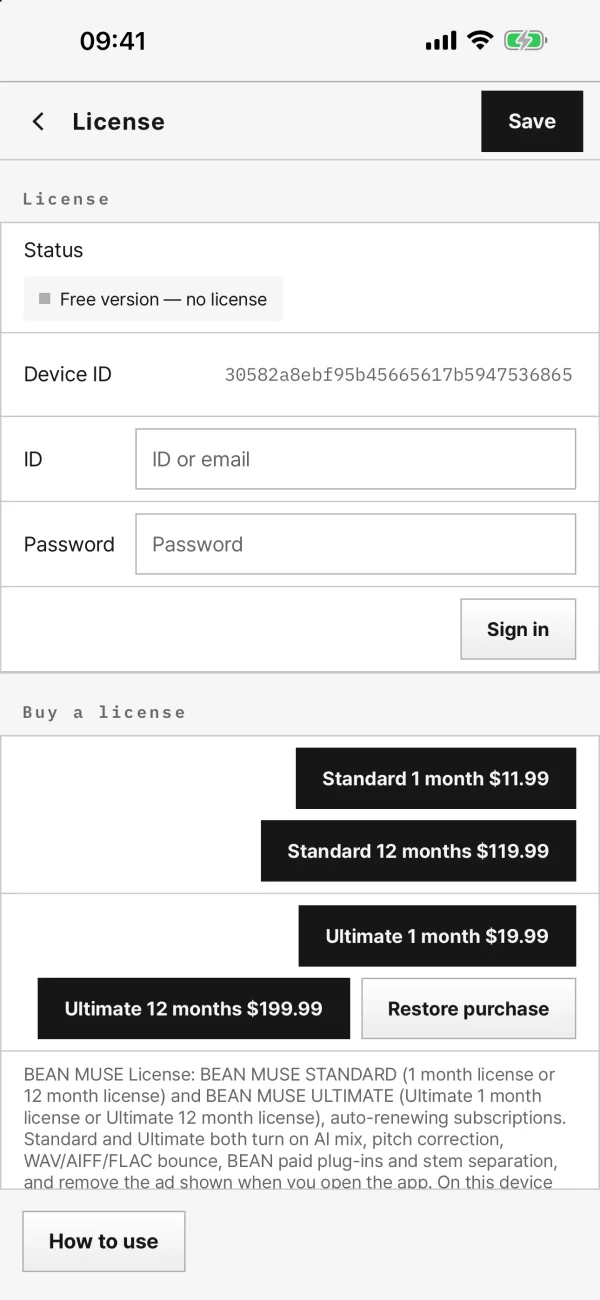
A license removes the ad and turns on AI mix, vocal pitch correction, WAV, AIFF and FLAC export, the BEAN paid plug-ins and stem separation. There are Standard and Ultimate licenses with the same features on this device. Link the subscription to your BEAN account in Settings > License to use it in BEAN MUSE for Mac and Windows as well; Ultimate adds BEAN plug-ins in other DAWs and mastering on a computer.
BEAN MUSE Standard 1 month and 12 month licenses — auto-renewing
BEAN MUSE Ultimate 1 month and 12 month licenses — auto-renewing
The price for your country is shown on the purchase screen and in the App Store before you subscribe. It renews at the same price unless you turn it off at least 24 hours before the period ends. You can turn it off any time in Settings > your Apple Account > Subscriptions.
Terms of Use: https://www.apple.com/legal/internet-services/itunes/dev/stdeula/
Privacy Policy: https://beanent.com/privacy
Yenilikler
Sürüm 1.0.47 · 16.11.2026
- When you buy a subscription while signed in to your Bean Entertainment account, you can link it to the account right there, so the same subscription also works in BEAN MUSE on a computer. If you're not signed in, you can sign in or sign up before buying, or simply buy without signing in.
- Settings > License now has "Manage account", where you can see your account details or delete the account.
- Sign-in data is stored more securely. You don't need to sign in again after updating.
- Fixed: a subscription bought in the app while an account license was active was not checked with our server.
- Settings > AI: the Model row now fits on one line, and the Server URL and Server key fields line up. On the AI and subscription screens, text that showed in English in Japanese, Spanish and French is now translated.
Uygulama gizliliği
Bu uygulamanın verileri nasıl işlediği hakkında JUHYEON CHO tarafından App Store üzerinde yapılan beyan.
-
Sizi izlemek için kullanılan veriler
Başka şirketlere ait uygulamalarda ve web sitelerinde sizi izlemek için kullanılabilir.
- Tanımlayıcılar
- Kullanım verileri
-
Sizinle ilişkilendirilen veriler
Toplanabilir ve kimliğinizle ilişkilendirilebilir.
- Satın alımlar
- Konum
- İletişim bilgileri
- Tanımlayıcılar
- Kullanım verileri
-
Sizinle ilişkilendirilmeyen veriler
Toplanabilir ancak kimliğinizle ilişkilendirilmez.
- Kullanıcı içeriği
- Tanılama
Gizlilik uygulamaları, örneğin kullandığınız özelliklere veya yaşınıza göre değişiklik gösterebilir.
Bilgiler
- Satıcı
- JUHYEON CHO
- Kategori
- Müzik
- Sürüm
- 1.0.47
- Güncellendi
- 16.11.2026
- Yayın tarihi
- 05.10.2026
- Boyut
- 120,7 MB
- Gereksinim
- iOS 15.0 veya sonrası
- Yaş sınırı
- 4+
- Fiyat
- Ücretsiz
- Uygulama içi satın alma
- Evet
- Diller
- İngilizce, Korece
- Telif hakkı
- © 2026 Bean Entertainment