- 対象年齢4+
- カテゴリフード/ドリンク
- 開発元Appsipaja Oy
- 言語英語
- サイズ9.5 MB
App Storeの公式ページにリンクしています
Download.orgはBFIDGETのファイルを一切ホストしていません。ボタンを押すと、Appsipaja Oyが公開しているApp Storeのアプリページが開きます。ページの最終確認:2026/11/15。
スクリーンショット
概要
開発元はこのテキストをお使いの言語で提供していません。
Tired of constantly opening the Brewfather app to check on your fermentation? Meet Bfidget, your solution!
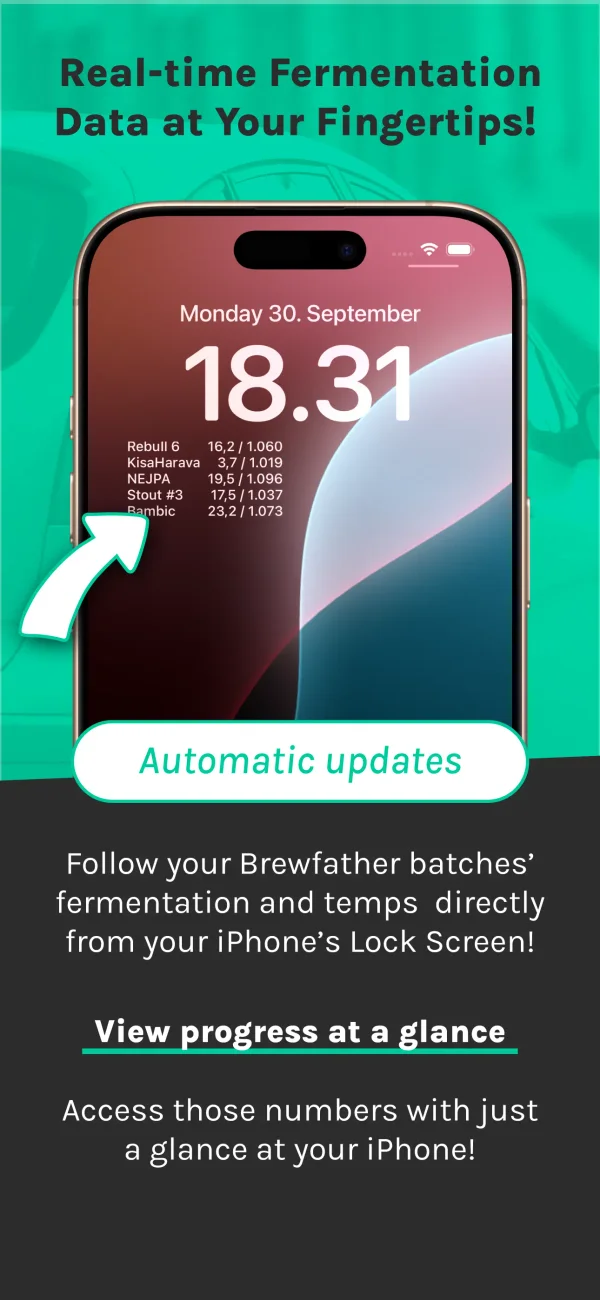
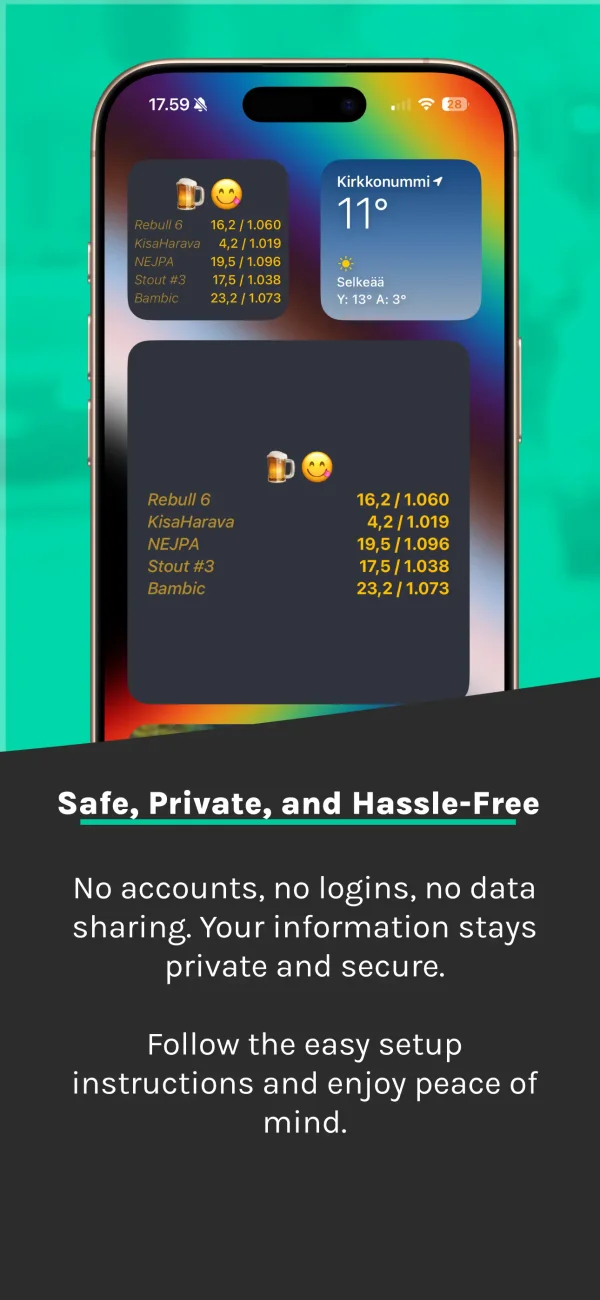
Bfidget is an iOS app that displays your Brewfather batches' fermentation status directly in a widget on your device. It automatically updates through iOS’s widget system, allowing you to monitor your batches right from your Home or Lock Screen—no need to manually check the Brewfather app. It’s compatible with automatic gravity measuring devices like Rapt Pill, Tilt, iSpindel, or even manual batch readings entered via the Brewfather app.
KEY FEATURES
- Automatic updates through iOS’s widget update system.
- Home Screen widgets in various sizes, and Lock Screen widgets.
- Privacy-focused: No account required, and your data never leaves your device.
STEP-BY-STEP SETUP INSTRUCTIONS:
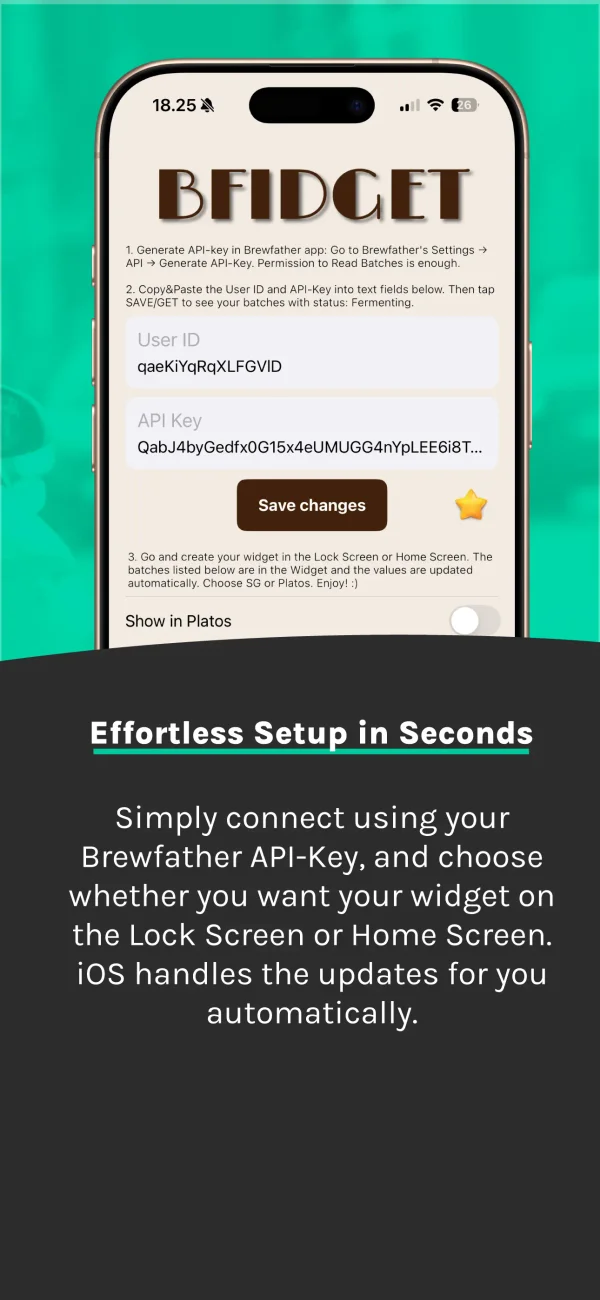
1. Open the Brewfather app, go to Settings, scroll down to the API section, and tap “Generate API-Key.”
2. When asked for Key Access Scope, select Read Batches.
3. Copy and paste your User ID and API Key into the BFIDGET app.
4. Tap GET/SAVE.
5. Create a widget of your choice for the Lock Screen or Home Screen (refer to generic iOS instructions on how to set up widgets).
6. Your widget will automatically update, so you won’t need to open the Brewfather app to check your batch gravities.
7. If your batch name is "Batch," go to Brewfather, open the batch, open the Planning tab, and give the batch a name.
8. Note: If you can't find the BFIDGET app in the widget list, try using the search field or restarting your phone. This issue is related to iOS, not the BFIDGET app.
TIPS:
* Do not enter your Brewfather username and password anywhere—they’re not required. The API is a secure way to exchange specific data between apps. You’ll only need to create an API key to allow read-only access to your batch data. Simple and safe.
* Once set up correctly, you won’t need to use the BFIDGET app again—everything is automatic. New batches are added to the widget automatically.
* BFIDGET only fetches the latest readings for batches that are in Fermenting status.
* The latest reading can come from devices like Tilt, iSpindel, Pill, or from a manually entered reading.
* Be sure to give your batches proper names in the Planning view in Brewfather.
* Widgets are best displayed on the Lock Screen for quick access.
* Automatic updates are fully managed by iOS. Keep in mind, there is an update “budget,” so it doesn’t refresh every second. If the widget sometimes shows "Data fetch failed," just wait—it will soon update again.
FREE VS. PAID:
The free version of Bfidget displays only one batch per widget. To display multiple batches, upgrade to the Heavy Brewer subscription for expanded functionality at a low cost. No hidden fees—just more features!
Terms of use, standard Apple Terms of Use (EULA): https://www.apple.com/legal/internet-services/itunes/dev/stdeula/
新機能
バージョン 1.26 · 2025/11/11
iOS 26 support
アプリのプライバシー
このアプリのデータの取り扱いについて、Appsipaja OyがApp Storeで申告している内容です。
-
ユーザーに関連付けられないデータ
収集される場合がありますが、ユーザーの識別情報には関連付けられません。
- 使用状況データ
- 診断
プライバシーの取り扱いは、ご利用の機能やお客様の年齢などに応じて異なる場合があります。
情報
- 販売元
- Appsipaja Oy
- カテゴリ
- フード/ドリンク
- バージョン
- 1.26
- 更新日
- 2025/11/11
- リリース
- 2023/12/7
- サイズ
- 9.5 MB
- 必要条件
- iOS 16.1以降
- 対象年齢
- 4+
- 価格
- 無料
- アプリ内課金
- あり
- 言語
- 英語
- 著作権
- © Appsipaja Oy