- 対象年齢17+
- カテゴリ仕事効率化
- 開発元博 吴
- 言語英語ほか1言語
- サイズ26.9 MB
App Storeの公式ページにリンクしています
Download.orgはBriefFeedのファイルを一切ホストしていません。ボタンを押すと、博 吴が公開しているApp Storeのアプリページが開きます。ページの最終確認:2026/11/21。
スクリーンショット



概要
開発元はこのテキストをお使いの言語で提供していません。
See the key points, then decide what to read in depth. BriefFeed uses AI to summarize supported articles, posts, and web content, keeping source links close so you can return to the original.
Explore all features, real examples, and the demo video: https://brieffeed.app
Share a link to see an AI summary
Share a link from another app or paste a URL into BriefFeed. For supported content, BriefFeed generates a summary after fetching or opening the page. Some pages need to load and have their text expanded in the reader first.
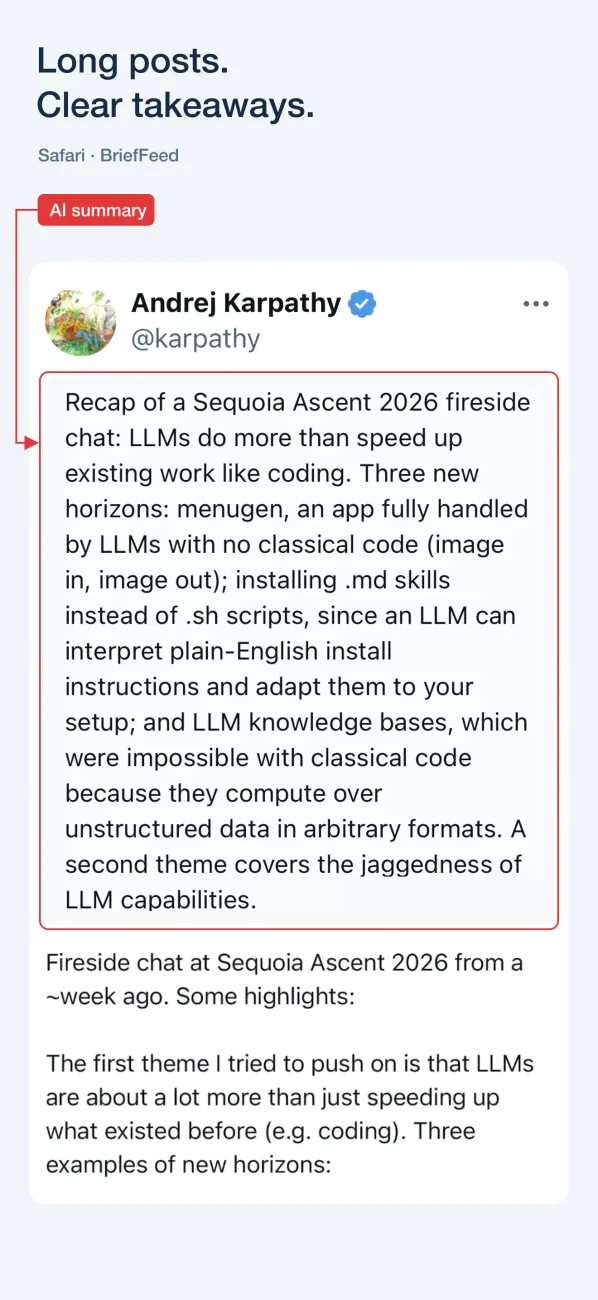
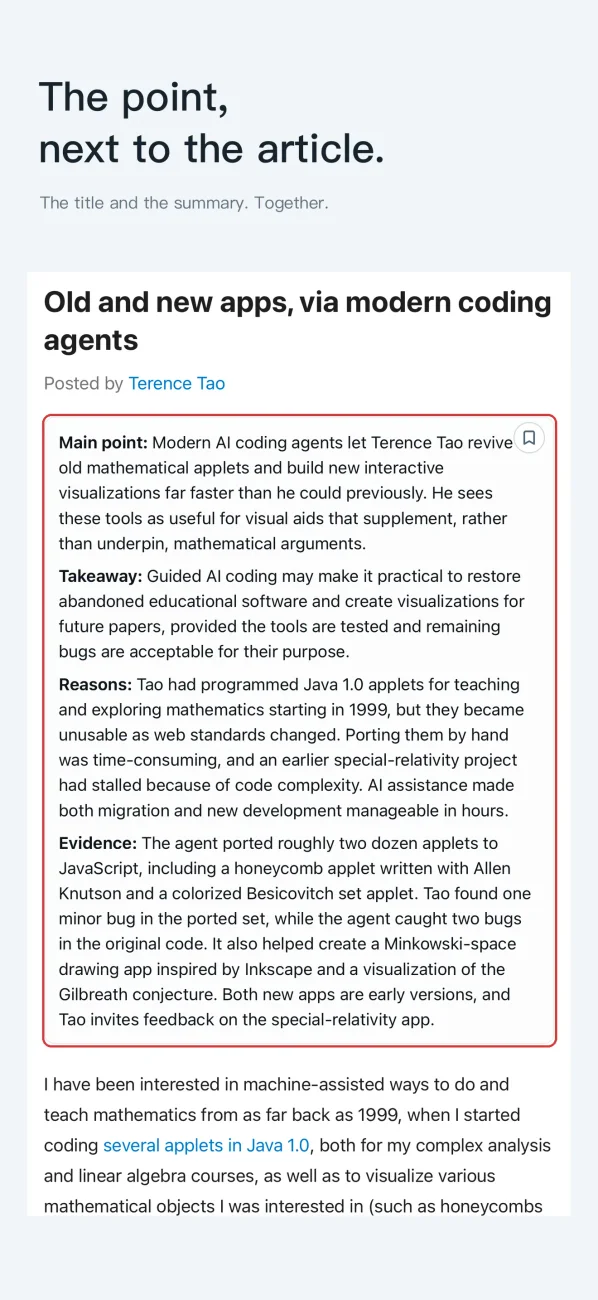
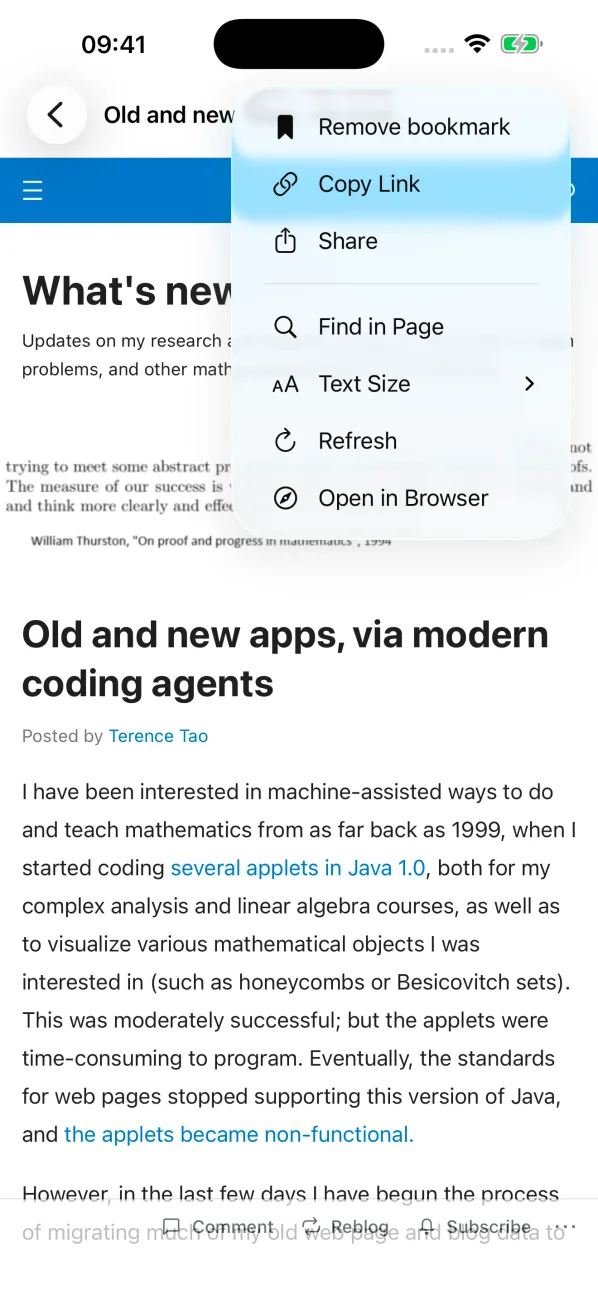
See key points while browsing Safari
Enable the included Safari extension on iPhone and iPad to see AI summaries beside supported posts, discussions, and pages. The extension summarizes supported content already loaded on the page, helping you choose what to read in depth.
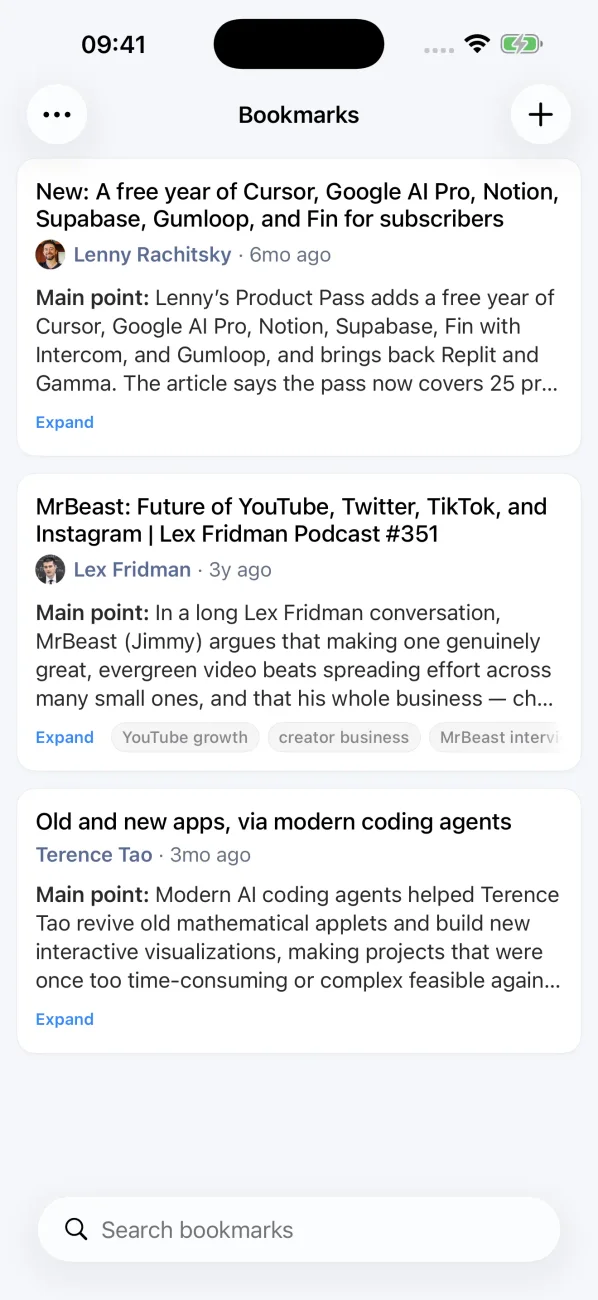
Keep what is worth returning to
Save summaries with their source links and browse your saved items by author. Sync your library across iPhone, iPad, and Mac through your Apple iCloud account, without creating a separate BriefFeed account.
Organize saved sources with custom tags
Create, rename, and delete your own tags. Add tags to one saved item or several at once, then filter your collection to find the sources you need. Your saved items keep their original links and summaries.
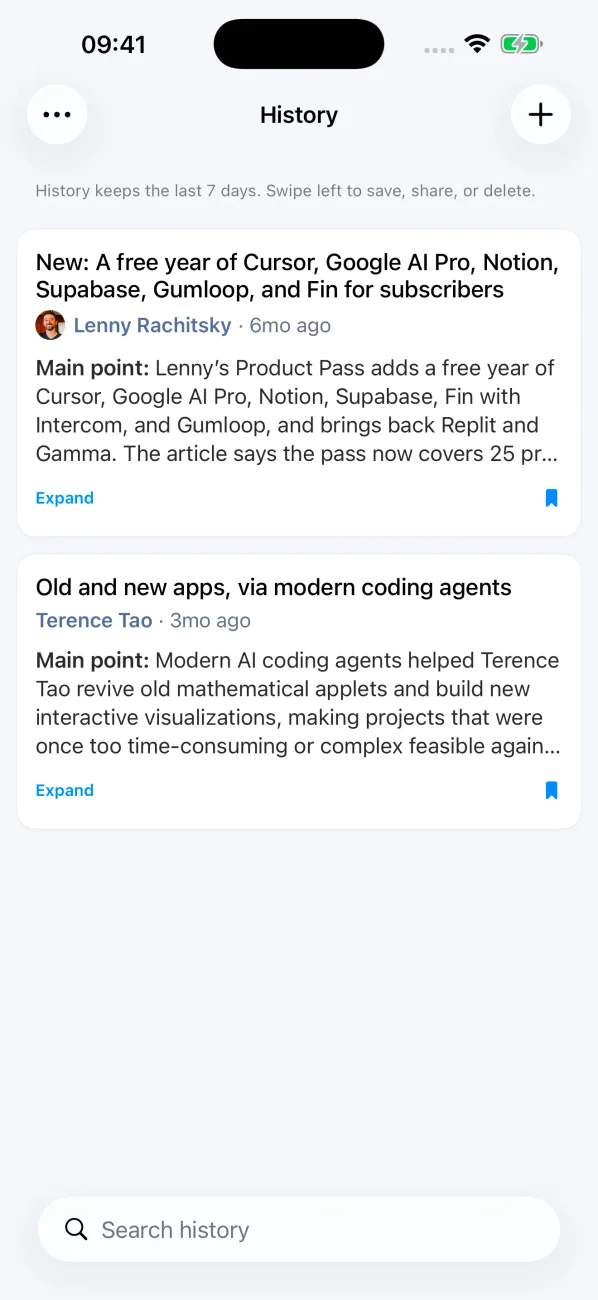
Find what you read
Search recent reading by words you remember, open the original source, or save a useful item from history. Revisit retained content by author, with portraits and biographies when available. History contains only supported content encountered by BriefFeed within the selected retention period.
Continue from the browser extension
Connect a compatible BriefFeed browser extension on your Mac to sync saved items and browsing history within your selected retention period while the Mac app is running. Synced items continue through your Apple iCloud account to iPhone, iPad, and Mac, so you can find a source from your computer when you need it on your phone.
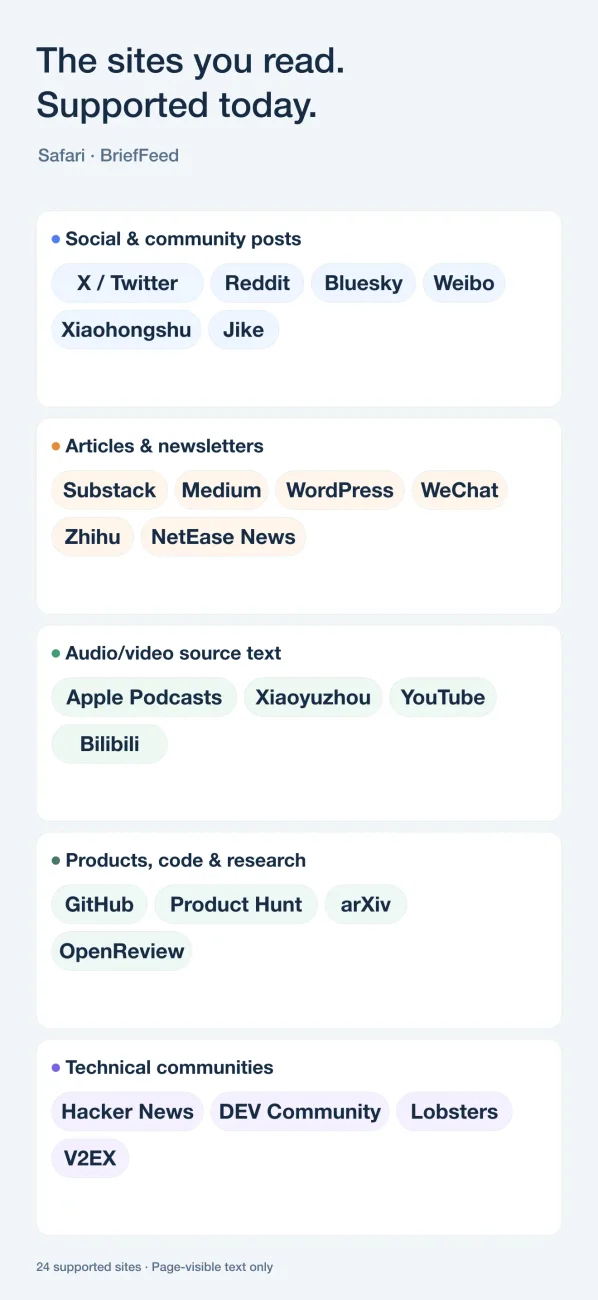
Supported content
NetEase News articles are supported on recognized article pages, using the rendered title, byline, and visible article text. Hidden content, comments, and account data are excluded.
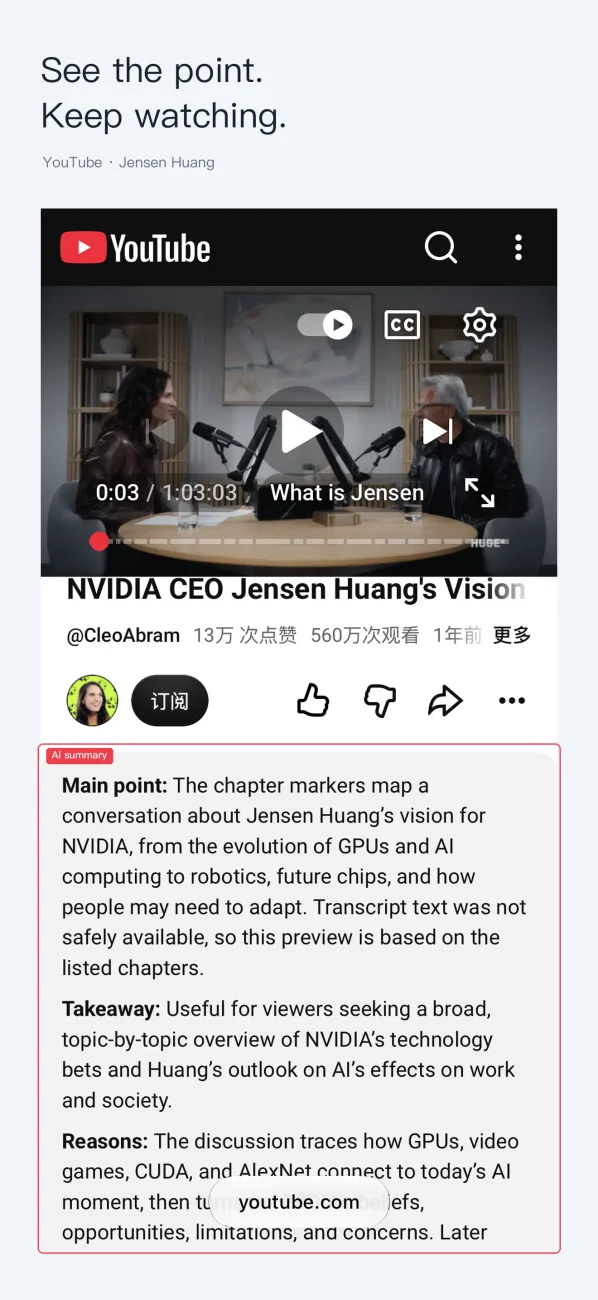
On selected websites, the Safari extension supports social posts, discussions, articles, repositories, paper pages, podcast show notes, and available video text. Support depends on the site, page type, and accessible content. Video summaries use only the current video's available transcript, subtitles, timeline text, or chapters. Podcast summaries use show notes. BriefFeed does not directly analyze audio or video frames. Links that cannot be summarized can still be saved for later.
Optional Notion sync
Connect your own Notion integration to sync items you explicitly save in the Safari extension. The Notion token stays in that extension's local storage. Synced content goes directly from Safari to Notion, without passing through BriefFeed servers.
Stay connected to the source
Summary requests use the source text and limited source information needed for the summary. The extension does not send cookies or account sessions to BriefFeed. Original links remain available so you can check details and read in context.
新機能
バージョン 1.0.53 · 2026/11/18
Improved link selection when sharing or pasting Xiaohongshu notes. In Safari, Zhihu article text stays visible when summaries appear. Refined summary and sharing guidance.
アプリのプライバシー
このアプリのデータの取り扱いについて、博 吴がApp Storeで申告している内容です。
-
ユーザーに関連付けられないデータ
収集される場合がありますが、ユーザーの識別情報には関連付けられません。
- ユーザーコンテンツ
- 閲覧履歴
プライバシーの取り扱いは、ご利用の機能やお客様の年齢などに応じて異なる場合があります。
情報
- 販売元
- 博 吴
- カテゴリ
- 仕事効率化
- バージョン
- 1.0.53
- 更新日
- 2026/11/18
- リリース
- 2026/9/3
- サイズ
- 26.9 MB
- 必要条件
- iOS 17.0以降
- 対象年齢
- 17+
- 価格
- 無料
- 言語
- 英語, 簡体字中国語
- 著作権
- © 2026 BriefFeed