
- Độ tuổi17+
- Danh mụcHiệu Suất
- Nhà phát triển博 吴
- Ngôn ngữTiếng Anh+ 1 ngôn ngữ khác
- Kích thước26,9 MB
Liên kết đến trang App Store chính thức
Download.org không lưu trữ tệp nào của BriefFeed. Nút này mở trang ứng dụng trên App Store, nơi 博 吴 phát hành ứng dụng. Trang được kiểm tra lần cuối: 21/11/2026.
Ảnh chụp màn hình
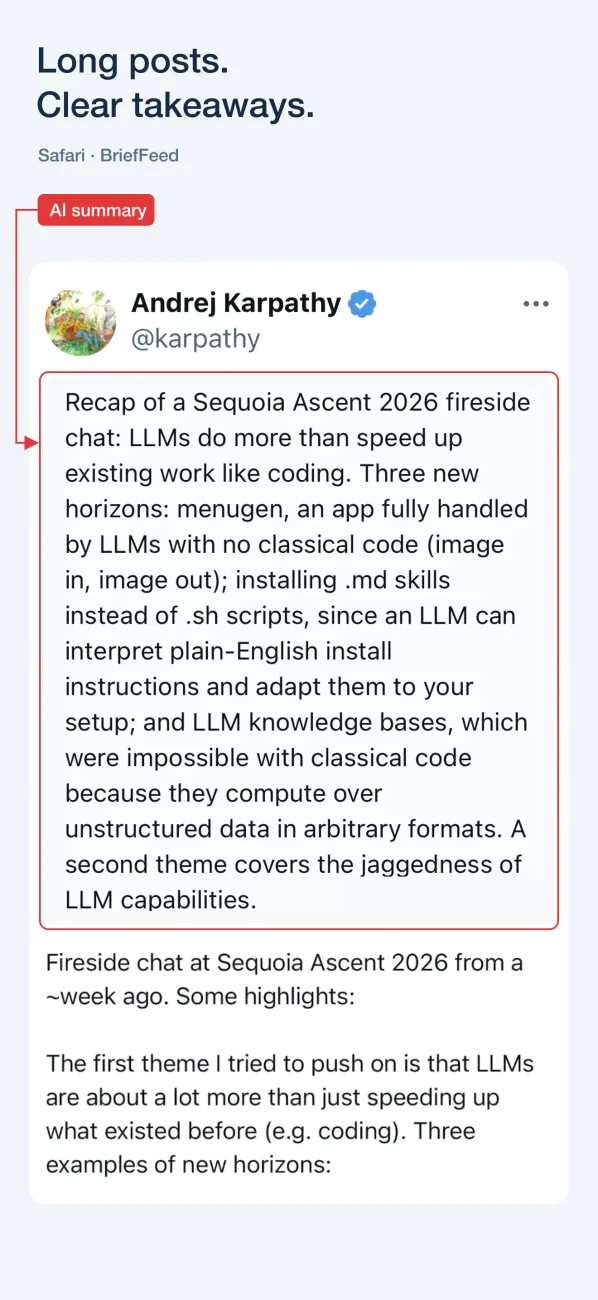
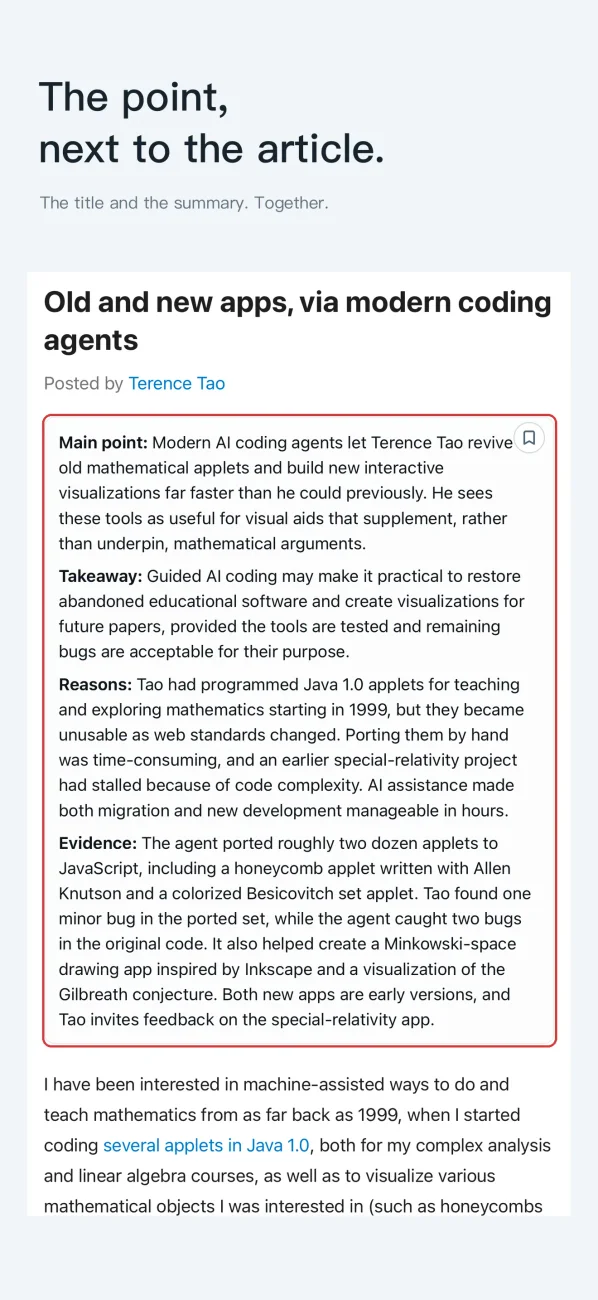
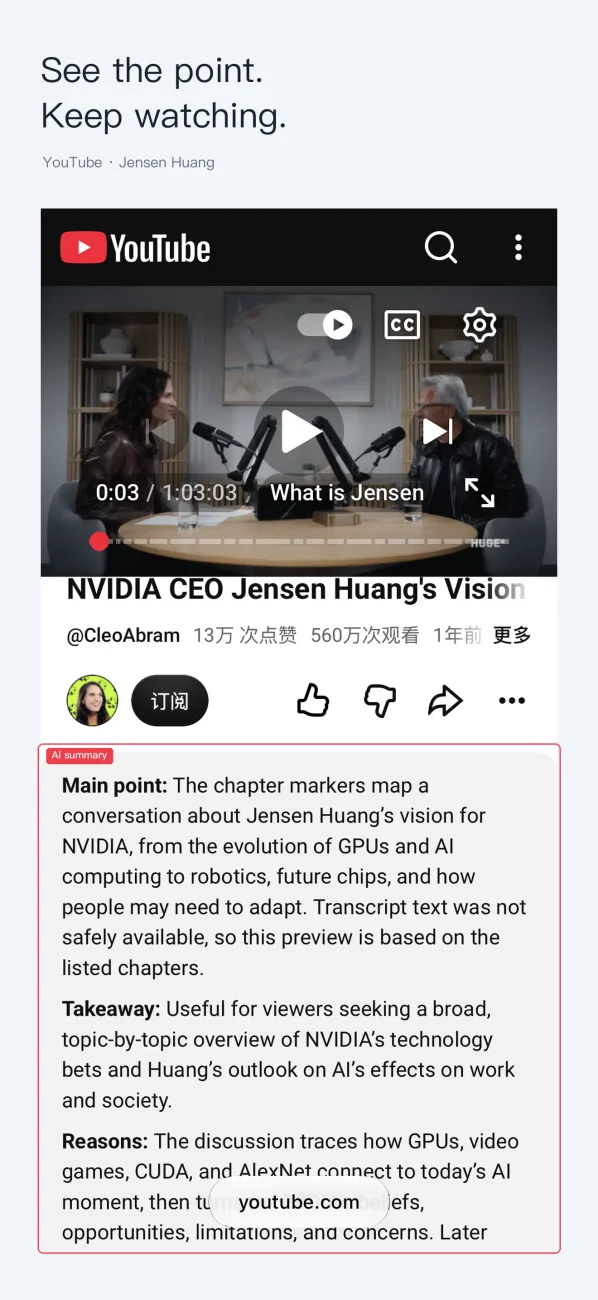
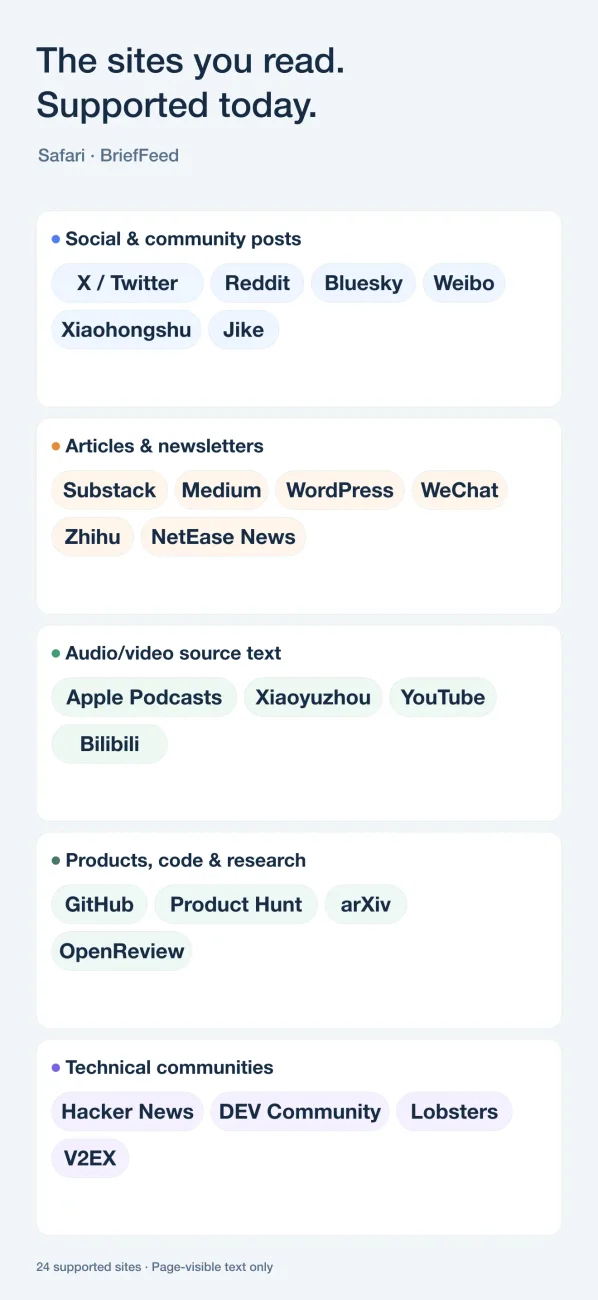
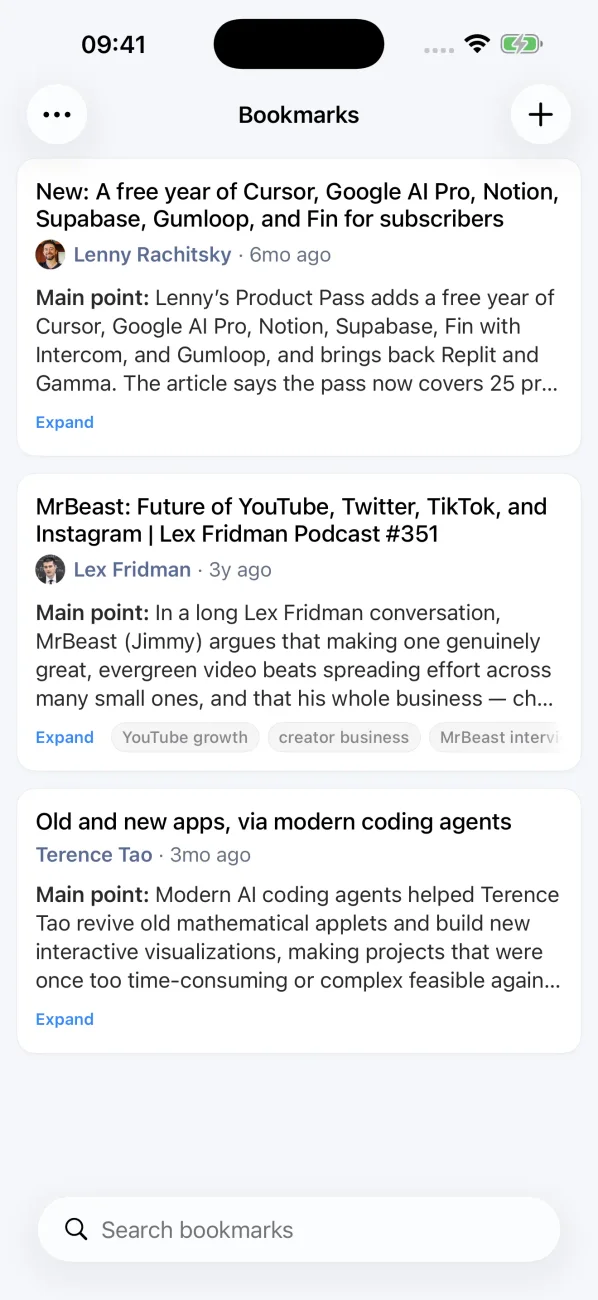


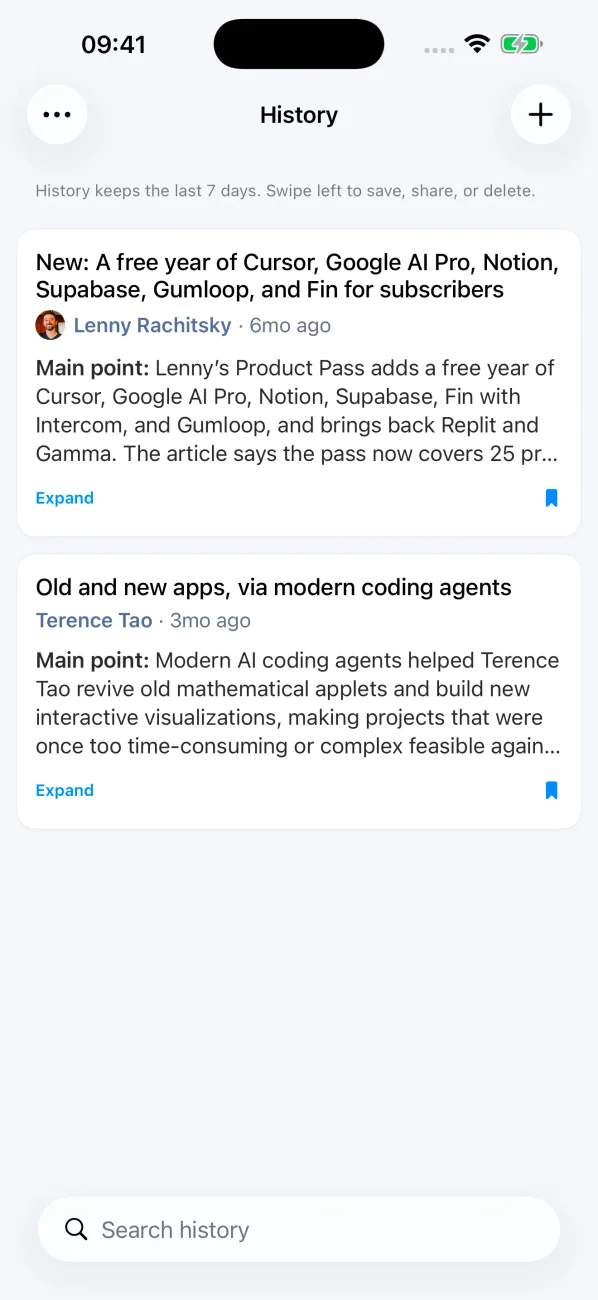

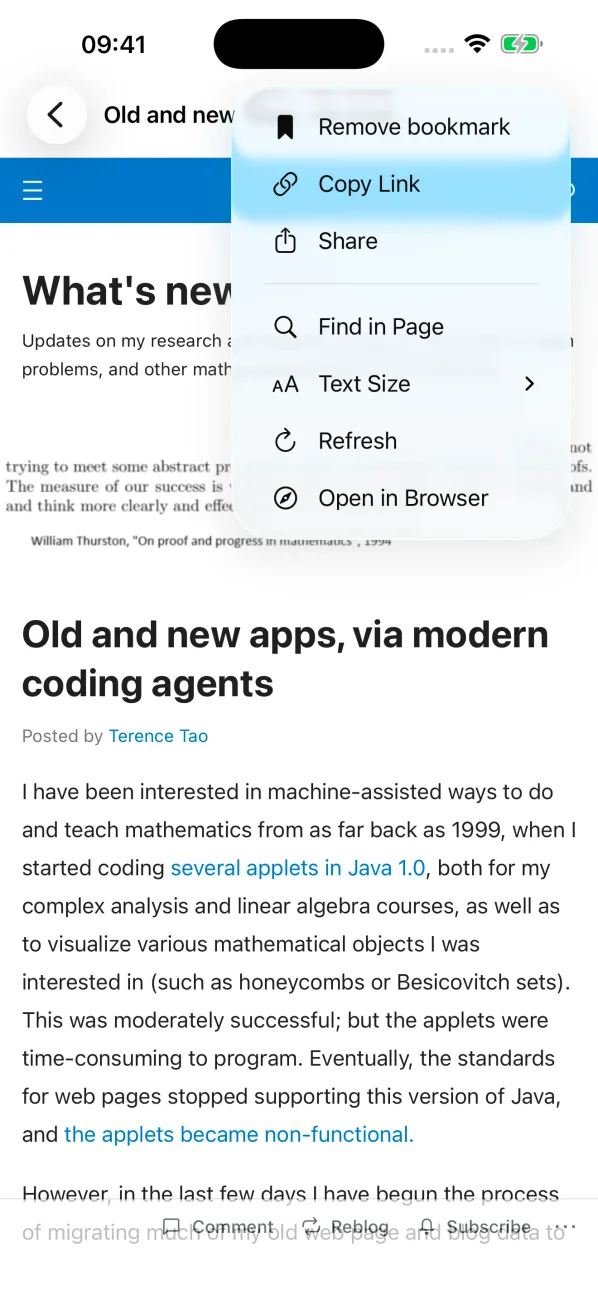
Giới thiệu
Nhà phát triển chưa cung cấp nội dung này bằng ngôn ngữ của bạn.
See the key points, then decide what to read in depth. BriefFeed uses AI to summarize supported articles, posts, and web content, keeping source links close so you can return to the original.
Explore all features, real examples, and the demo video: https://brieffeed.app
Share a link to see an AI summary
Share a link from another app or paste a URL into BriefFeed. For supported content, BriefFeed generates a summary after fetching or opening the page. Some pages need to load and have their text expanded in the reader first.
See key points while browsing Safari
Enable the included Safari extension on iPhone and iPad to see AI summaries beside supported posts, discussions, and pages. The extension summarizes supported content already loaded on the page, helping you choose what to read in depth.
Keep what is worth returning to
Save summaries with their source links and browse your saved items by author. Sync your library across iPhone, iPad, and Mac through your Apple iCloud account, without creating a separate BriefFeed account.
Organize saved sources with custom tags
Create, rename, and delete your own tags. Add tags to one saved item or several at once, then filter your collection to find the sources you need. Your saved items keep their original links and summaries.
Find what you read
Search recent reading by words you remember, open the original source, or save a useful item from history. Revisit retained content by author, with portraits and biographies when available. History contains only supported content encountered by BriefFeed within the selected retention period.
Continue from the browser extension
Connect a compatible BriefFeed browser extension on your Mac to sync saved items and browsing history within your selected retention period while the Mac app is running. Synced items continue through your Apple iCloud account to iPhone, iPad, and Mac, so you can find a source from your computer when you need it on your phone.
Supported content
NetEase News articles are supported on recognized article pages, using the rendered title, byline, and visible article text. Hidden content, comments, and account data are excluded.
On selected websites, the Safari extension supports social posts, discussions, articles, repositories, paper pages, podcast show notes, and available video text. Support depends on the site, page type, and accessible content. Video summaries use only the current video's available transcript, subtitles, timeline text, or chapters. Podcast summaries use show notes. BriefFeed does not directly analyze audio or video frames. Links that cannot be summarized can still be saved for later.
Optional Notion sync
Connect your own Notion integration to sync items you explicitly save in the Safari extension. The Notion token stays in that extension's local storage. Synced content goes directly from Safari to Notion, without passing through BriefFeed servers.
Stay connected to the source
Summary requests use the source text and limited source information needed for the summary. The extension does not send cookies or account sessions to BriefFeed. Original links remain available so you can check details and read in context.
Có gì mới
Phiên bản 1.0.53 · 18/11/2026
Improved link selection when sharing or pasting Xiaohongshu notes. In Safari, Zhihu article text stays visible when summaries appear. Refined summary and sharing guidance.
Quyền riêng tư của ứng dụng
Những gì 博 吴 khai báo trên App Store về cách ứng dụng này xử lý dữ liệu.
-
Dữ liệu không liên kết với bạn
Có thể được thu thập nhưng không liên kết với danh tính của bạn.
- Nội dung của người dùng
- Lịch sử duyệt web
Phương thức đảm bảo quyền riêng tư có thể khác nhau, chẳng hạn như tuỳ theo các tính năng bạn sử dụng hoặc độ tuổi của bạn.
Thông tin
- Người bán
- 博 吴
- Danh mục
- Hiệu Suất
- Phiên bản
- 1.0.53
- Cập nhật
- 18/11/2026
- Phát hành
- 03/09/2026
- Kích thước
- 26,9 MB
- Yêu cầu
- iOS 17.0 trở lên
- Độ tuổi
- 17+
- Giá
- Miễn phí
- Ngôn ngữ
- Tiếng Anh, Tiếng Trung Giản thể
- Bản quyền
- © 2026 BriefFeed
Có thể bạn cũng thích
-
 Event Days Timer: CountdownHiệu Suất
-
 EverPass: Expiry ReminderHiệu Suất
-
 Sticky NoteaGhi nhanh, sắp xếp dễ dàng
-
 1LensHiệu Suất
-
 WorkplaceLogHiệu Suất
-
 返航Hiệu Suất
-
 OneVoice: Offline RecorderHiệu Suất
-
 Lyt WorkShiftHiệu Suất
-
 OneDay: Focus on today’s todoHiệu Suất
-
 OneOpen: Trình xem tệpHTML, Markdown, CAD và 3D