- 対象年齢4+
- カテゴリユーティリティ
- 開発元Mario Sombria
- 言語英語ほか5言語
- サイズ4.1 MB
App Storeの公式ページにリンクしています
Download.orgはBubble Level: Tilt & Angleのファイルを一切ホストしていません。ボタンを押すと、Mario Sombriaが公開しているApp Storeのアプリページが開きます。ページの最終確認:2026/11/18。
スクリーンショット

概要
開発元はこのテキストをお使いの言語で提供していません。
Level turns your iPhone or iPad into a bubble level and an angle finder (clinometer). It is made for when one hand is busy and the phone is resting on the surface: put it down, read the slope and carry on.
No ads, no account, no connection and no permissions to accept.
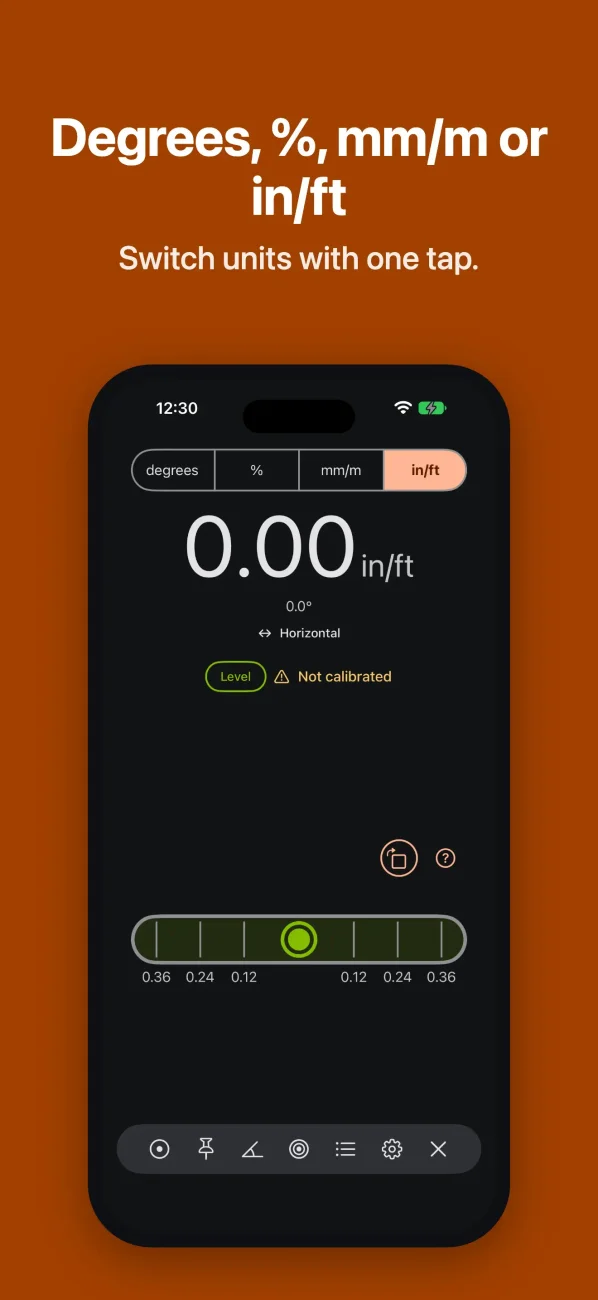
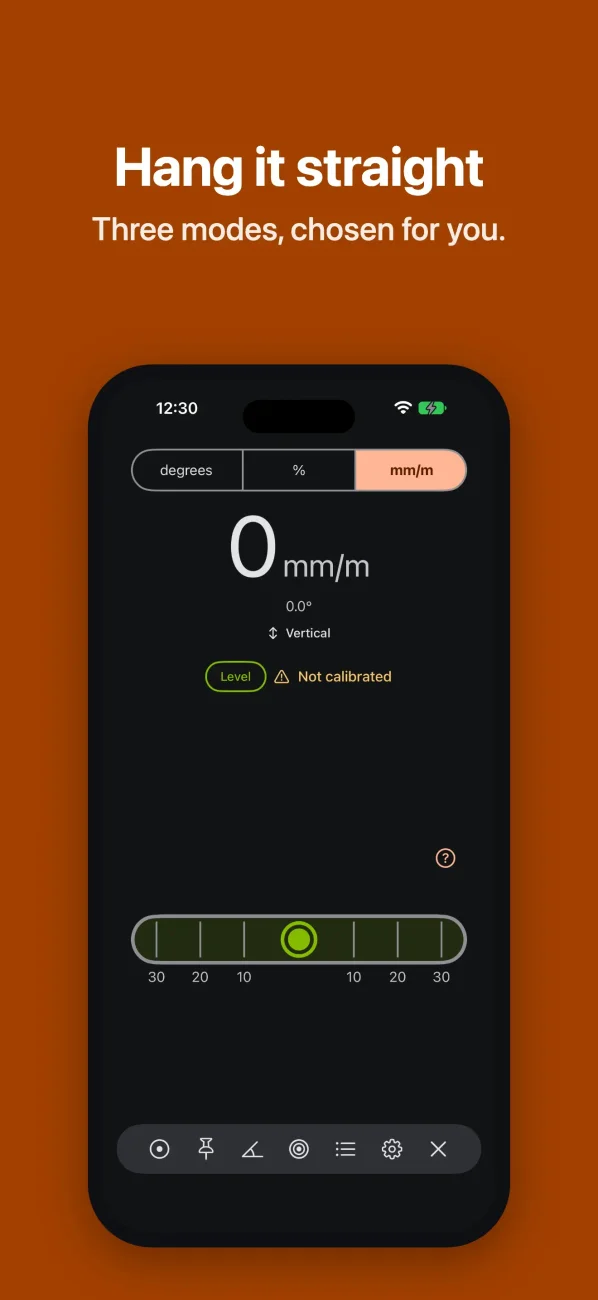
Measure in the unit you need:
• Degrees, with one decimal.
• Percent slope (%), for ramps, drains and gutters.
• Millimeters per meter (mm/m), for leveling against a building reference.
• Inches per foot (in/ft), with two decimals.
Switch units with one tap, choose which ones to show in Settings; the app remembers your choice.
Three modes, chosen automatically:
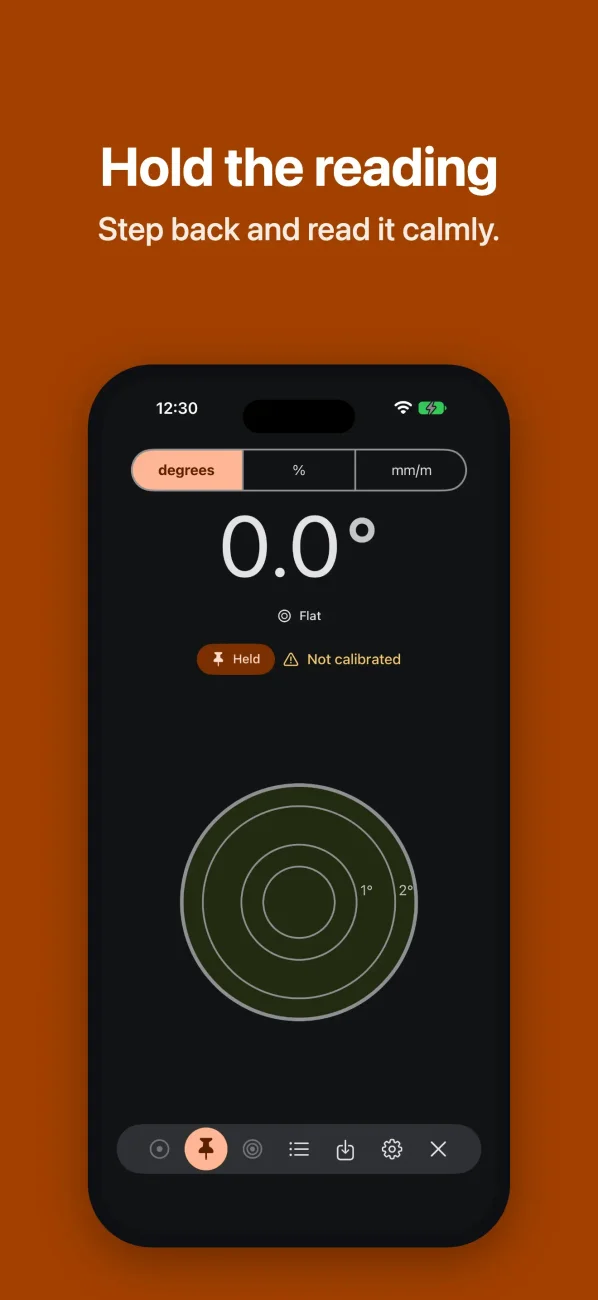
• Flat: a 360° bubble for tables, countertops, washing machines or the floor.
• Horizontal and Vertical: a tube along the measured axis, for shelves, picture frames and walls.
The name of the mode is always shown as text on screen.
Set a target and save it:
• Set a target angle and the phone guides you with vibration or beeps, closer together as you approach, until you reach it.
• Save measurements with a name, set one as your target with a tap, and reorder or delete them.
Calibrate your phone in two steps:
• Corrects the sensor error of each resting side, without needing a level surface.
• Rest the phone against a stop and turn it half a turn on the table: a beep and a vibration tell you when, without looking at the screen.
• You can remove the calibration of a side and undo it.
• The app shows "Not calibrated" when the side it is resting on hasn't been calibrated.
Hold the reading and step back:
• One button holds the reading; "Hold when steady" does it by itself once the phone stops moving, with a beep and a vibration.
• While held, the bubble (or tube) turns gray, so it is not mistaken for a live reading.
Level without looking at the screen:
• When it gets level, the phone vibrates with two short pulses, and can beep if you turn that on; both are set in Settings.
• Choose the level margin: 0.2° for long shelves, 0.5° for general use or 1° for outdoors.
Designed to be accessible:
• Designed for VoiceOver: it tells you the slope with its value and its unit and, while you measure, which side is lower; every button and switch has a name.
• Vibration and beeps to calibrate, hold the reading and level without looking at the screen.
• Status in words, not just color: "Measuring…", "Stabilizing…", "Almost level" and "Level".
• Follows the system text size (Dynamic Type), even very large text, with good contrast in light and dark theme.
A tutorial the first time you open it:
• Short steps on top of the level, which keeps measuring. Replay it any time from Settings.
Built to read at a glance:
• Large digits.
• The screen stays on while you measure.
• A button to rotate the screen with your phone even if system rotation is locked.
Private by design:
• No ads.
• No account or sign-up.
• Works without Internet: the app sends nothing anywhere.
• Your settings, calibration and saved measurements stay on your phone, and you can delete them from Settings.
What it's for:
Hanging a picture or a shelf, assembling furniture, leveling a washing machine, a tripod or a camper van, checking the slope of a ramp, a drain or a gutter.
An honest note:
Level uses your phone's sensor, not a certified instrument, and accuracy depends on that sensor (calibrating helps). For work with strict tolerances use a professional level. If your device doesn't have the required sensor, the app tells you so.
Questions or ideas? Write to hola@crankgrid.app.
新機能
バージョン 0.5.0 · 2026/11/15
• Now in French, German, Italian and Portuguese (Brazil and Portugal), as well as English and Spanish.
• Tidier Settings: the theme moves to “Appearance”, with its own screen.
• Other improvements and fixes.
アプリのプライバシー
このアプリのデータの取り扱いについて、Mario SombriaがApp Storeで申告している内容です。
-
データの収集なし
開発元はこのアプリからデータを収集しません。
プライバシーの取り扱いは、ご利用の機能やお客様の年齢などに応じて異なる場合があります。
情報
- 販売元
- Mario Sombria
- カテゴリ
- ユーティリティ
- バージョン
- 0.5.0
- 更新日
- 2026/11/15
- リリース
- 2026/11/6
- サイズ
- 4.1 MB
- 必要条件
- iOS 17.0以降
- 対象年齢
- 4+
- 価格
- 無料
- 言語
- 英語, フランス語, ドイツ語, イタリア語, ポルトガル語, スペイン語
- 著作権
- © 2026 Mario Sombria