Bubble Level: Tilt & Angle
Slope, tilt & inclinometer
Được thiết kế cho iPhone, iPad
Miễn phí
- Độ tuổi4+
- Danh mụcTiện Ích
- Nhà phát triểnMario Sombria
- Ngôn ngữTiếng Anh+ 5 ngôn ngữ khác
- Kích thước4,1 MB
Liên kết đến trang App Store chính thức
Download.org không lưu trữ tệp nào của Bubble Level: Tilt & Angle. Nút này mở trang ứng dụng trên App Store, nơi Mario Sombria phát hành ứng dụng. Trang được kiểm tra lần cuối: 18/11/2026.
Ảnh chụp màn hình

Giới thiệu
Nhà phát triển chưa cung cấp nội dung này bằng ngôn ngữ của bạn.
Level turns your iPhone or iPad into a bubble level and an angle finder (clinometer). It is made for when one hand is busy and the phone is resting on the surface: put it down, read the slope and carry on.
No ads, no account, no connection and no permissions to accept.
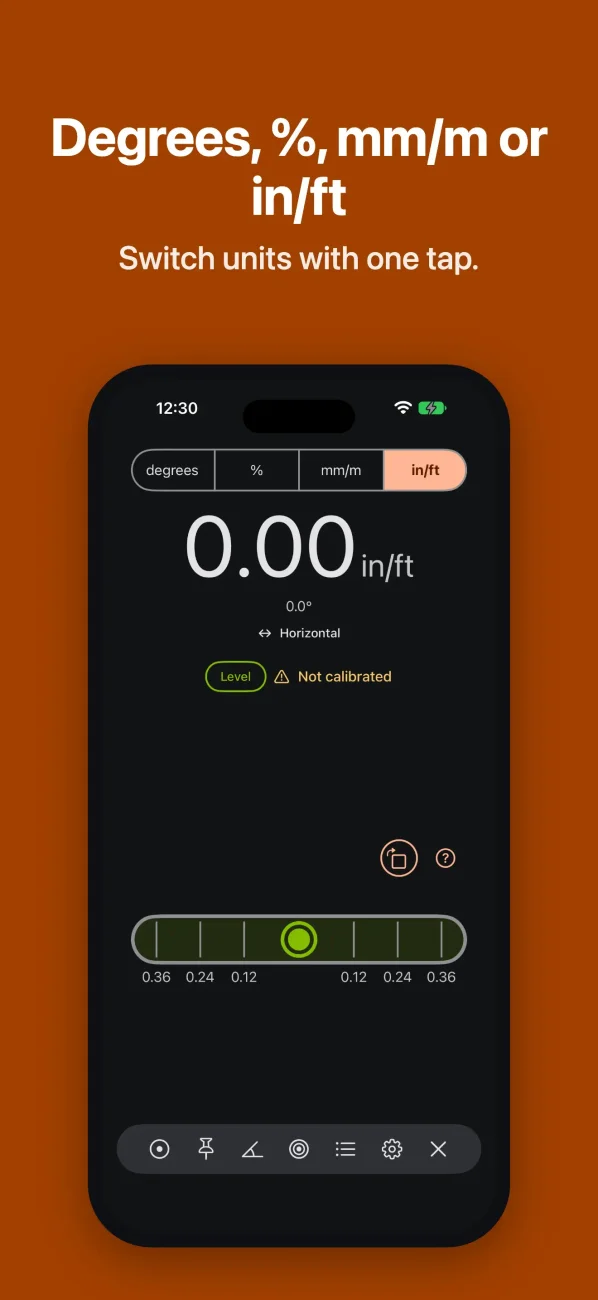
Measure in the unit you need:
• Degrees, with one decimal.
• Percent slope (%), for ramps, drains and gutters.
• Millimeters per meter (mm/m), for leveling against a building reference.
• Inches per foot (in/ft), with two decimals.
Switch units with one tap, choose which ones to show in Settings; the app remembers your choice.
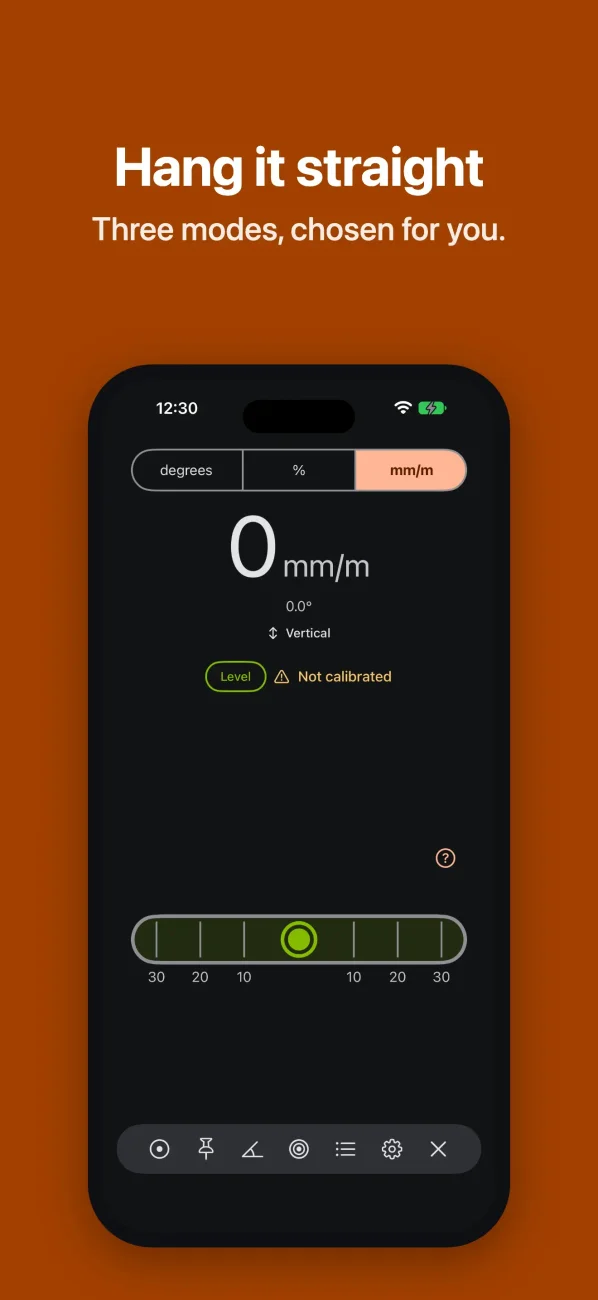
Three modes, chosen automatically:
• Flat: a 360° bubble for tables, countertops, washing machines or the floor.
• Horizontal and Vertical: a tube along the measured axis, for shelves, picture frames and walls.
The name of the mode is always shown as text on screen.
Set a target and save it:
• Set a target angle and the phone guides you with vibration or beeps, closer together as you approach, until you reach it.
• Save measurements with a name, set one as your target with a tap, and reorder or delete them.
Calibrate your phone in two steps:
• Corrects the sensor error of each resting side, without needing a level surface.
• Rest the phone against a stop and turn it half a turn on the table: a beep and a vibration tell you when, without looking at the screen.
• You can remove the calibration of a side and undo it.
• The app shows "Not calibrated" when the side it is resting on hasn't been calibrated.
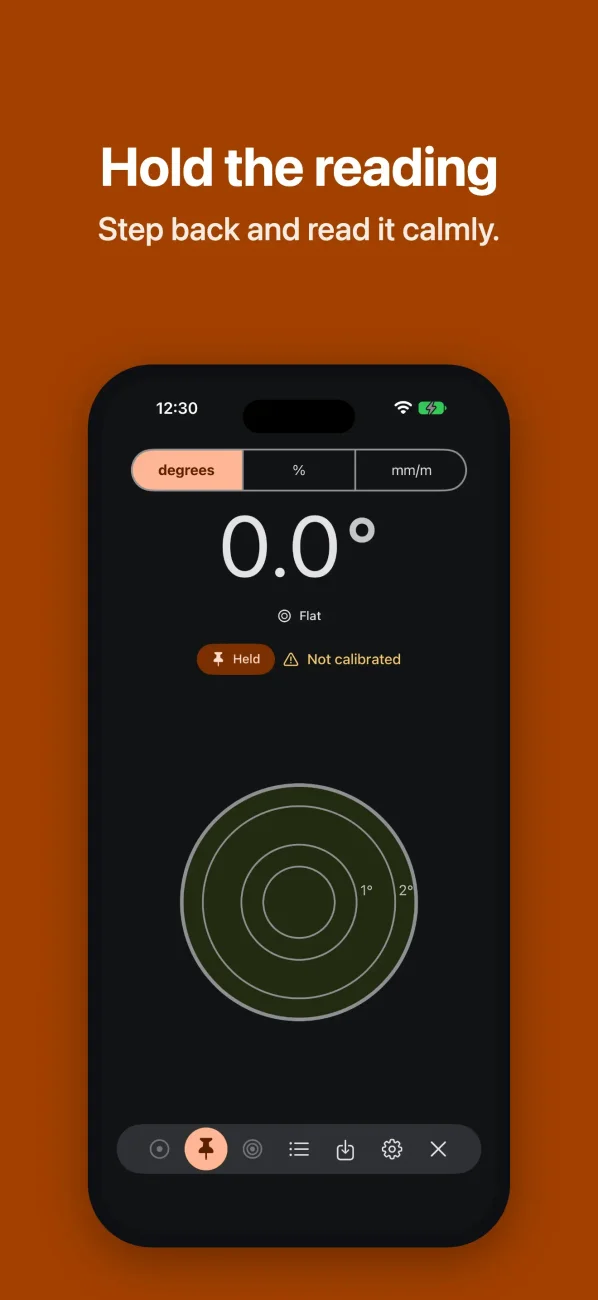
Hold the reading and step back:
• One button holds the reading; "Hold when steady" does it by itself once the phone stops moving, with a beep and a vibration.
• While held, the bubble (or tube) turns gray, so it is not mistaken for a live reading.
Level without looking at the screen:
• When it gets level, the phone vibrates with two short pulses, and can beep if you turn that on; both are set in Settings.
• Choose the level margin: 0.2° for long shelves, 0.5° for general use or 1° for outdoors.
Designed to be accessible:
• Designed for VoiceOver: it tells you the slope with its value and its unit and, while you measure, which side is lower; every button and switch has a name.
• Vibration and beeps to calibrate, hold the reading and level without looking at the screen.
• Status in words, not just color: "Measuring…", "Stabilizing…", "Almost level" and "Level".
• Follows the system text size (Dynamic Type), even very large text, with good contrast in light and dark theme.
A tutorial the first time you open it:
• Short steps on top of the level, which keeps measuring. Replay it any time from Settings.
Built to read at a glance:
• Large digits.
• The screen stays on while you measure.
• A button to rotate the screen with your phone even if system rotation is locked.
Private by design:
• No ads.
• No account or sign-up.
• Works without Internet: the app sends nothing anywhere.
• Your settings, calibration and saved measurements stay on your phone, and you can delete them from Settings.
What it's for:
Hanging a picture or a shelf, assembling furniture, leveling a washing machine, a tripod or a camper van, checking the slope of a ramp, a drain or a gutter.
An honest note:
Level uses your phone's sensor, not a certified instrument, and accuracy depends on that sensor (calibrating helps). For work with strict tolerances use a professional level. If your device doesn't have the required sensor, the app tells you so.
Questions or ideas? Write to hola@crankgrid.app.
Có gì mới
Phiên bản 0.5.0 · 15/11/2026
• Now in French, German, Italian and Portuguese (Brazil and Portugal), as well as English and Spanish.
• Tidier Settings: the theme moves to “Appearance”, with its own screen.
• Other improvements and fixes.
Quyền riêng tư của ứng dụng
Những gì Mario Sombria khai báo trên App Store về cách ứng dụng này xử lý dữ liệu.
-
Dữ liệu không được thu thập
Nhà phát triển không thu thập bất kỳ dữ liệu nào từ ứng dụng này.
Phương thức đảm bảo quyền riêng tư có thể khác nhau, chẳng hạn như tuỳ theo các tính năng bạn sử dụng hoặc độ tuổi của bạn.
Thông tin
- Người bán
- Mario Sombria
- Danh mục
- Tiện Ích
- Phiên bản
- 0.5.0
- Cập nhật
- 15/11/2026
- Phát hành
- 06/11/2026
- Kích thước
- 4,1 MB
- Yêu cầu
- iOS 17.0 trở lên
- Độ tuổi
- 4+
- Giá
- Miễn phí
- Ngôn ngữ
- Tiếng Anh, Tiếng Pháp, Tiếng Đức, Tiếng Ý, Tiếng Bồ Đào Nha, Tiếng Tây Ban Nha
- Bản quyền
- © 2026 Mario Sombria