- 対象年齢4+
- カテゴリユーティリティ
- 開発元Brian Kenneth Vogel
- 言語英語
- サイズ1.4 MB
App Storeの公式ページにリンクしています
Download.orgはBVCalcのファイルを一切ホストしていません。ボタンを押すと、Brian Kenneth Vogelが公開しているApp Storeのアプリページが開きます。ページの最終確認:2026/11/23。
スクリーンショット



概要
開発元はこのテキストをお使いの言語で提供していません。
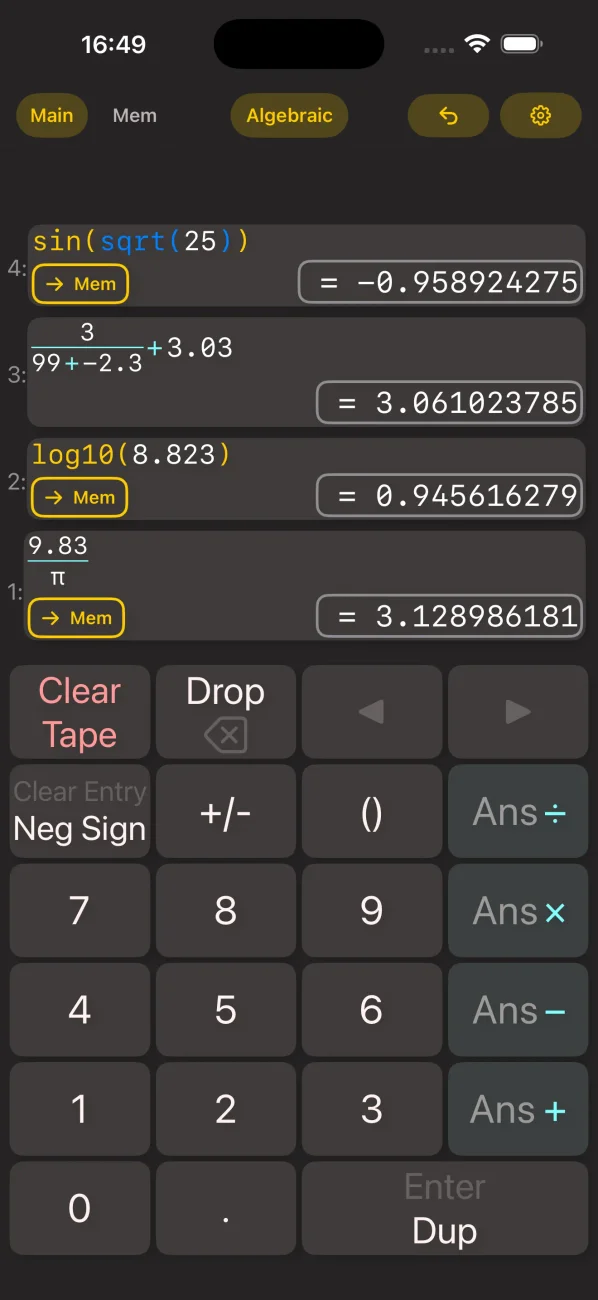
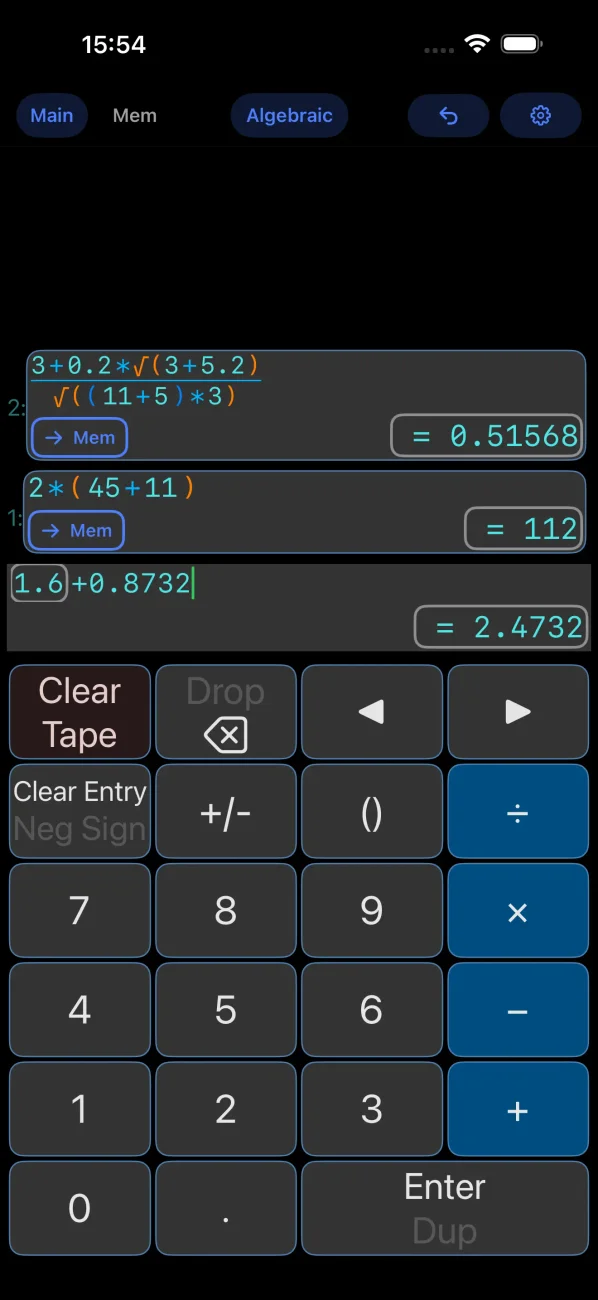
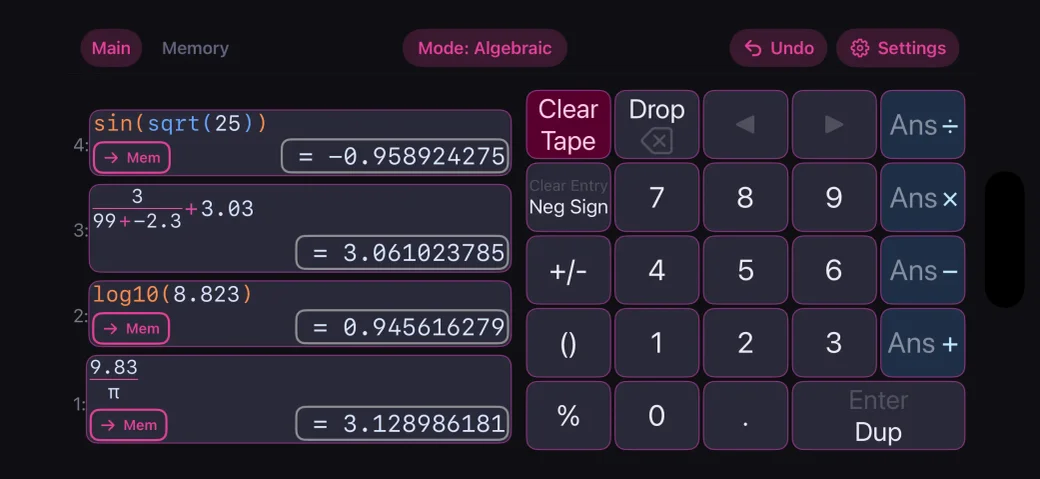
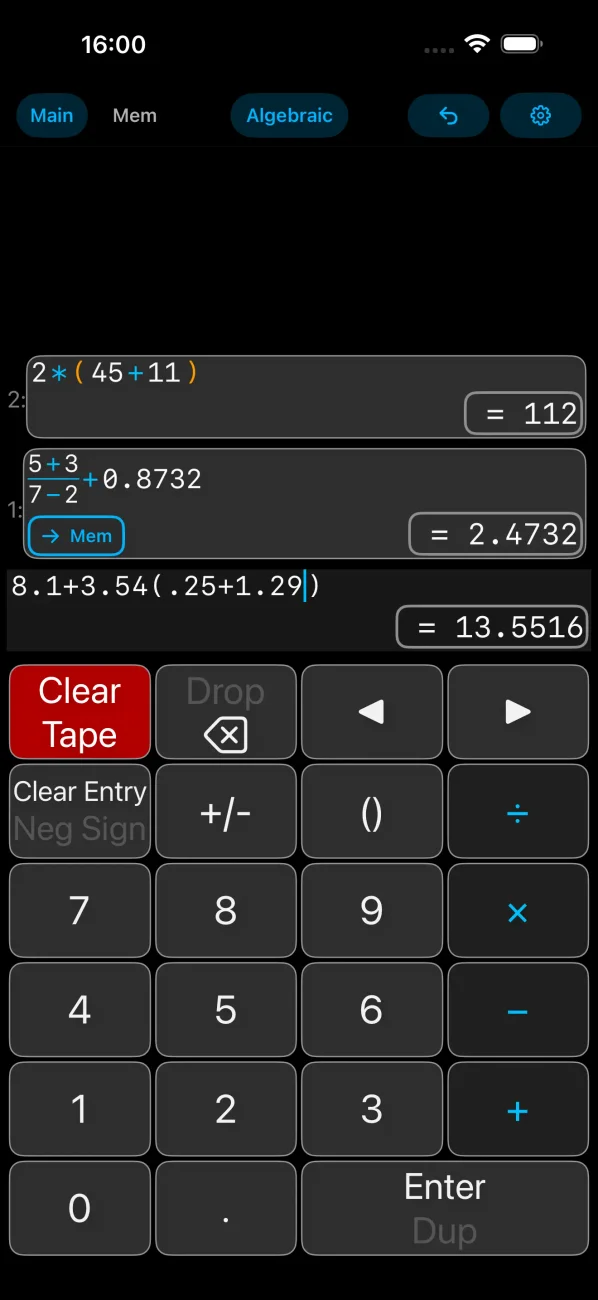
Calculate with confidence. Traditional calculators leave you staring at bare numbers with no easy way to verify how you got there. BVCalc pairs live-updating Algebraic entry with a readable RPN stack, displaying the full textbook-style expression behind every result so you can catch mistakes instantly and build complex calculations in partial steps.
CORE WORKFLOW
• Live results as you type, with no “=” key required
• Textbook-style formatting for fractions, roots, exponents, and color-coded nested parentheses
• Tap any past result to reuse its full expression, not just its numeric value
• Shared history tape and RPN stack, always shown in clear algebraic notation
• Switch between Algebraic and RPN anytime, even mid-calculation
• Unlimited history tape, RPN stack, and persistent Memory for saving expressions you reuse often
FAST & FORGIVING
• Touch-friendly RPN gestures (tap to swap or roll, press Enter to duplicate)
• Long-press (or right-click) any past entry to edit it; copy and paste expressions or results
• Undo nearly any action, including accidentally clearing the tape or memory
• Basic and Scientific keyboards, plus full external keyboard and shortcut support
• Built-in Usage Guide with worked examples
MADE TO FIT YOUR STYLE
• Wide selection of light, dark, and high-contrast themes
• Adjustable decimal precision (2 to 12 decimal places), font sizing, calculation depth, and auto-hiding input area
• No ads, no subscriptions, no clutter
BVCalc makes multi-step math fast and reliable: what you see is the math you actually entered.
新機能
バージョン 1.0.4 · 2026/11/22
Updated for iOS 27, iPadOS 27, and macOS 27 with a refreshed Liquid Glass toolbar, adaptive layouts for iPhone Duo, 4 new color themes, menu bar shortcuts, and core reliability improvements.
WHAT'S NEW
• Refreshed Liquid Glass toolbar with a native Main / Mem switcher, Algebraic / RPN mode toggle, Undo, and Settings that adapts across themes and window sizes
• 4 new color themes: Warm Paper and Nordic Slate (light), plus Nordic Night and Obsidian Gold (dark)
• Adaptive layouts for portrait, landscape, iPadOS Split View / Stage Manager, macOS window resizing, and iPhone Duo outer and unfolded displays
• Expanded implicit multiplication after parentheses, functions, and reused history or memory items (for example, (6-2)8 and sin(π/2)2)
• Quick jump-to-latest button when scrolling through long history tapes or memory lists
• Improved accessibility and performance, including VoiceOver labels, better Dynamic Type scaling, and background autosave
• Expanded built-in Usage Guide covering keyboard shortcuts, menu bar commands, auto-hiding input area, and memory/RPN tips
BUG FIXES
• Prevented swiping down from scrolling the history tape or memory list completely out of view
• Fixed saving and restoring expressions using root(n, x) across app launches
• Improved handling of undefined/non-finite results (NaN / Infinity), RPN error edge cases, external keyboard comma entry in Algebraic mode, and fraction bar sizing
アプリのプライバシー
このアプリのデータの取り扱いについて、Brian Kenneth VogelがApp Storeで申告している内容です。
-
データの収集なし
開発元はこのアプリからデータを収集しません。
プライバシーの取り扱いは、ご利用の機能やお客様の年齢などに応じて異なる場合があります。
情報
- 販売元
- Brian Kenneth Vogel
- カテゴリ
- ユーティリティ
- バージョン
- 1.0.4
- 更新日
- 2026/11/22
- リリース
- 2024/7/21
- サイズ
- 1.4 MB
- 必要条件
- iOS 27.0以降
- 対象年齢
- 4+
- 価格
- ¥800
- 言語
- 英語
- 著作権
- © 2024 Brian Vogel