
- 対象年齢4+
- カテゴリ仕事効率化
- 開発元Mijndert Stuij
- 言語英語ほか3言語
- サイズ37.4 MB
App Storeの公式ページにリンクしています
Download.orgはCalActionのファイルを一切ホストしていません。ボタンを押すと、Mijndert Stuijが公開しているApp Storeのアプリページが開きます。ページの最終確認:2026/11/22。
スクリーンショット


概要
開発元はこのテキストをお使いの言語で提供していません。
CalAction makes importing, creating, and managing calendar events effortless. Open any ICS file, create events from scratch, and keep your calendars organized — all in one app. No subscription. Privacy first.
IMPORT FROM ANYWHERE
Open ICS files from Mail, Safari, WhatsApp, or any app using the Share Sheet. Browse with the file picker, paste from clipboard, enter a URL, scan a QR code, or drag and drop. Six ways to import — CalAction handles them all.
CREATE ICS FILES
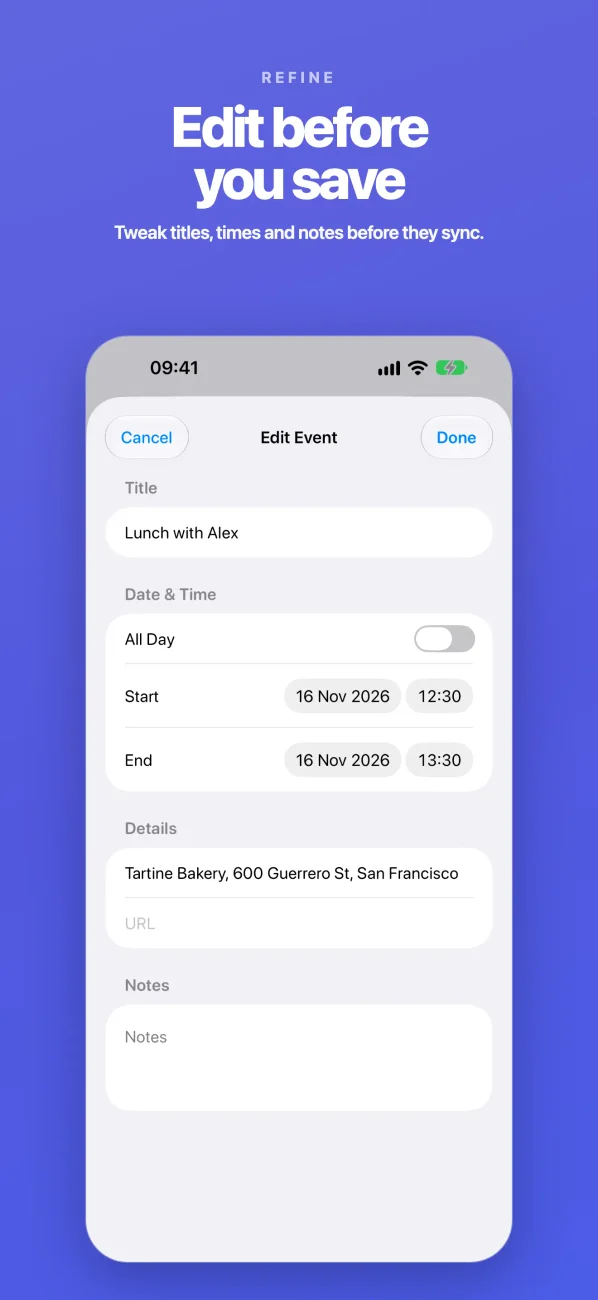
Build calendar events from scratch. Set the title, date, time, location, notes, URL, and alarms. Export as an ICS file, share via QR code, or add directly to your calendar.
SMART IMPORT
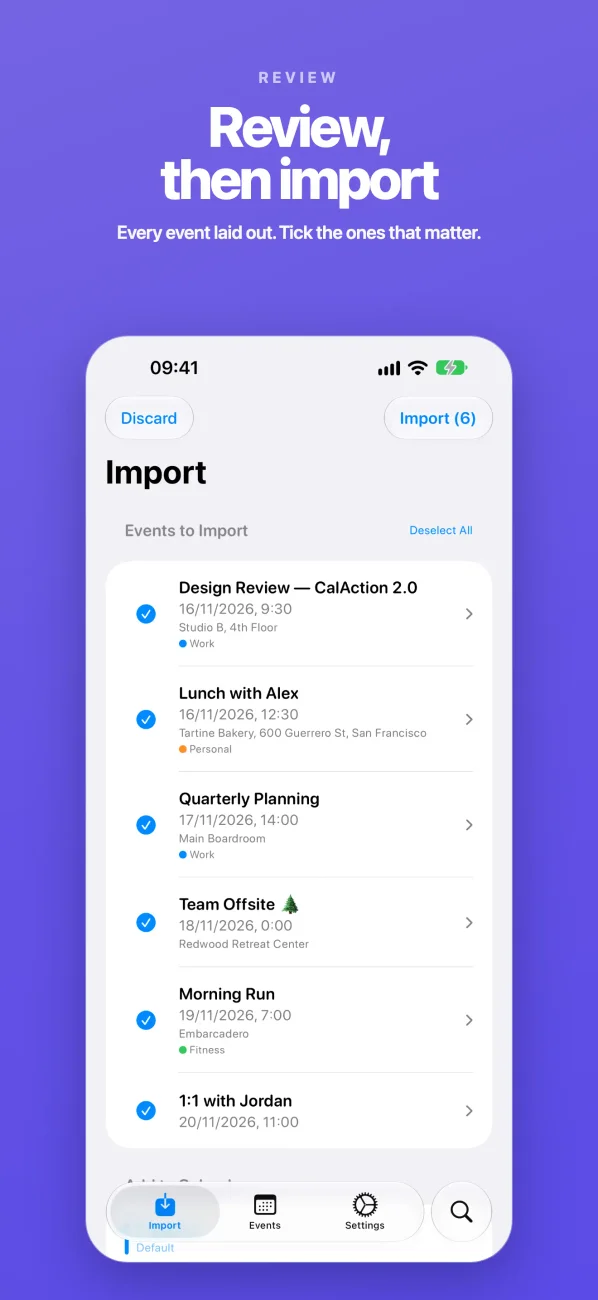
Preview every event before importing. Choose which calendar to add them to. See duplicate warnings so you never import the same event twice. CalAction detects Zoom, Teams, Google Meet, Webex, and FaceTime links and shows a "Join Call" button in your calendar.
PRIVATE BY DESIGN
Your data never leaves your device. No accounts, no tracking, no analytics. Just a tool that respects your privacy.
SEARCH YOUR CALENDAR
Find any event by title, location, or notes — across the past and next year.
FIND DUPLICATES
Scan your calendars for duplicate events. Review grouped results and clean them up in one tap.
BULK OPERATIONS
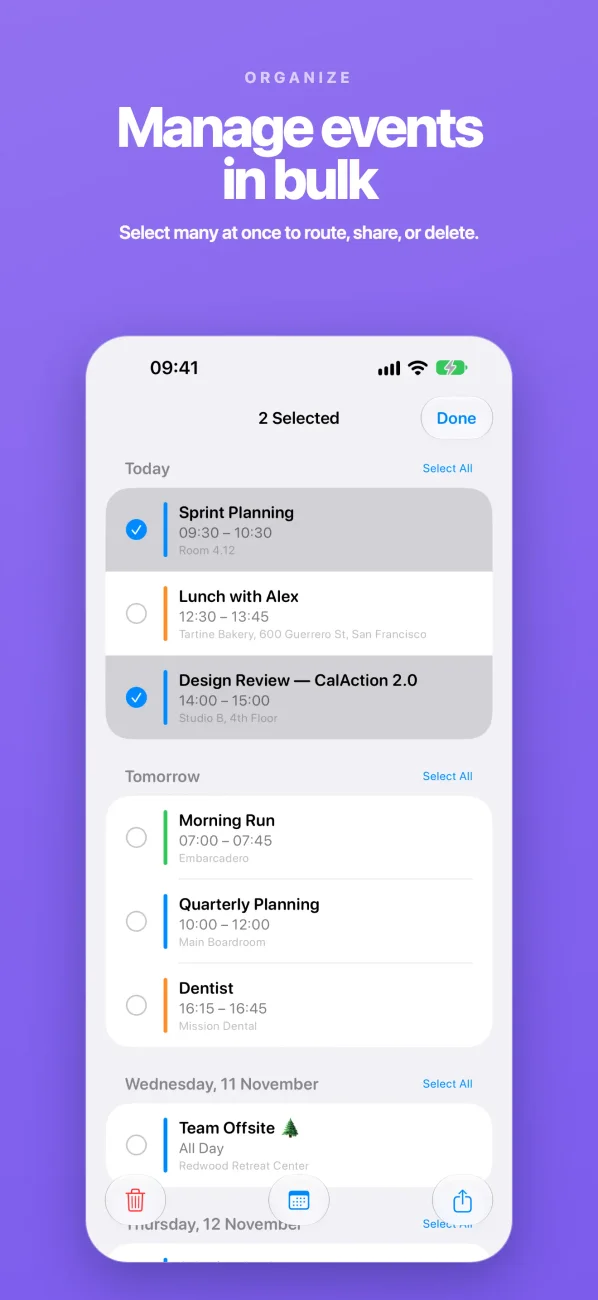
Select multiple events to delete, move to another calendar, or export as a single ICS file.
SMART CONFLICT RESOLUTION
Importing duplicates? See a side-by-side diff and choose to skip, replace, or keep both — per event.
AUTO-ROUTING RULES
Automatically assign events to the right calendar based on keywords in the title or location. Set it once, import effortlessly.
CALENDAR EXPORT
Export an entire calendar as a single ICS file. Perfect for backups or migrating between calendar services.
MORE FEATURES
- Import history with undo — roll back any import
- QR code generation for sharing events
- 7 accent color themes
- 7 colorful icons
- Haptic feedback
- Choose your preferred maps app (Apple Maps, Google Maps, Waze)
- Works with iCloud, Google, Outlook, and Exchange calendars
- Share extension for importing from any app
- Your data never leaves your device
Completely free to use. No subscriptions. No accounts. No tracking.
新機能
バージョン 1.8.1 · 2026/11/17
Fixed calendar export: "All Events" and custom ranges longer than four years now export everything, instead of coming back empty or incomplete.
アプリのプライバシー
このアプリのデータの取り扱いについて、Mijndert StuijがApp Storeで申告している内容です。
-
データの収集なし
開発元はこのアプリからデータを収集しません。
プライバシーの取り扱いは、ご利用の機能やお客様の年齢などに応じて異なる場合があります。
情報
- 販売元
- Mijndert Stuij
- カテゴリ
- 仕事効率化
- バージョン
- 1.8.1
- 更新日
- 2026/11/17
- リリース
- 2026/3/23
- サイズ
- 37.4 MB
- 必要条件
- iOS 26.0以降
- 対象年齢
- 4+
- 価格
- 無料
- 言語
- 英語, オランダ語, フランス語, ドイツ語
- 著作権
- © 2026 - Mijndert Stuij
こちらもおすすめ
-
 Cal Import - CSV/ICS Schedule仕事効率化
-
 Cal2CSV—カレンダーをCSV/ICSへ予定のバックアップと移行
-
 Catendar: ICSのインポート.ics をカレンダーにクイック送信する
-
 minical カレンダー・スケジュール帳&カレンダーの共有ウィジェットで予定やシフト管理!シンプルが人気かわいい手帳
-
 Locally AI by LM StudioローカルでプライベートなAI
-
 Axon仕事効率化
-
 Calendars – カレンダー & スケジュール管理チェックリスト、予定、リマインダー、ToDoのタスクリスト
-
 Any.do: todoリストとタスク管理とカレンダーカレンダー、リマインダー,リマインダー。計画。スケジュール
-
 集中 | 勉强 計時器 - FocusPomo仕事と学習のための効率化アプリ
-
 Wispr Flow仕事効率化