
- Age rating4+
- CategoryProductivity
- DeveloperMijndert Stuij
- LanguagesEnglish+ 3 more
- Size37.4 MB
Links to the official App Store page
Download.org hosts no file of CalAction. The button opens its official App Store page, published by Mijndert Stuij. Listing last checked on Nov 22, 2026.
Screenshots


About
CalAction makes importing, creating, and managing calendar events effortless. Open any ICS file, create events from scratch, and keep your calendars organized — all in one app. No subscription. Privacy first.
IMPORT FROM ANYWHERE
Open ICS files from Mail, Safari, WhatsApp, or any app using the Share Sheet. Browse with the file picker, paste from clipboard, enter a URL, scan a QR code, or drag and drop. Six ways to import — CalAction handles them all.
CREATE ICS FILES
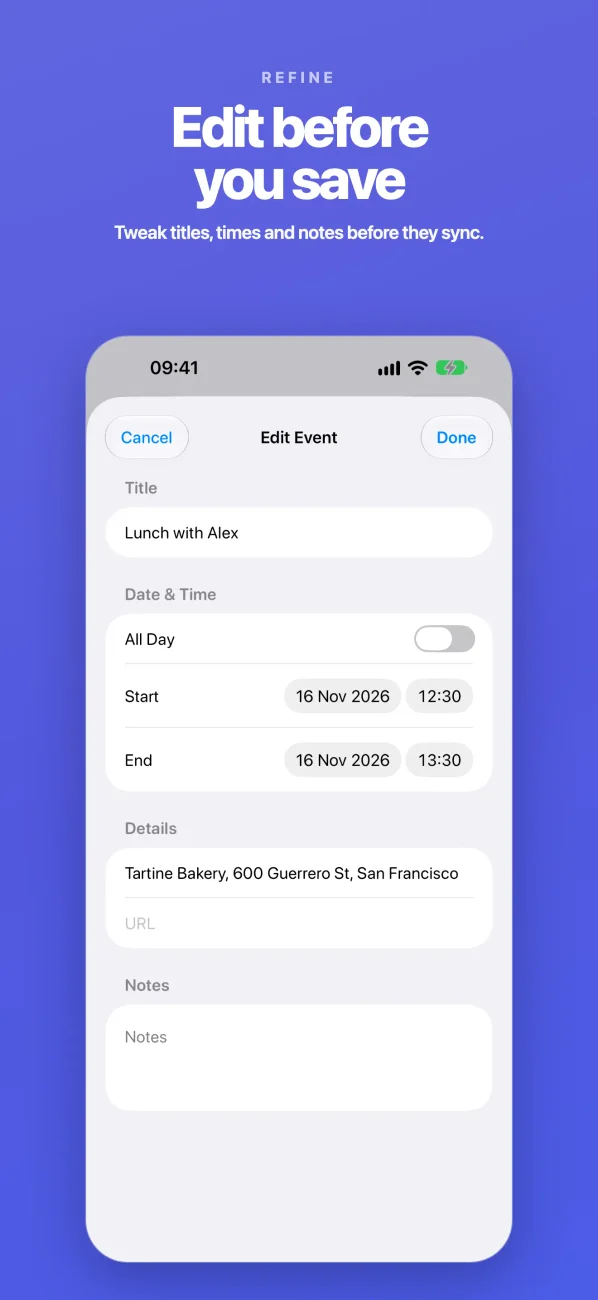
Build calendar events from scratch. Set the title, date, time, location, notes, URL, and alarms. Export as an ICS file, share via QR code, or add directly to your calendar.
SMART IMPORT
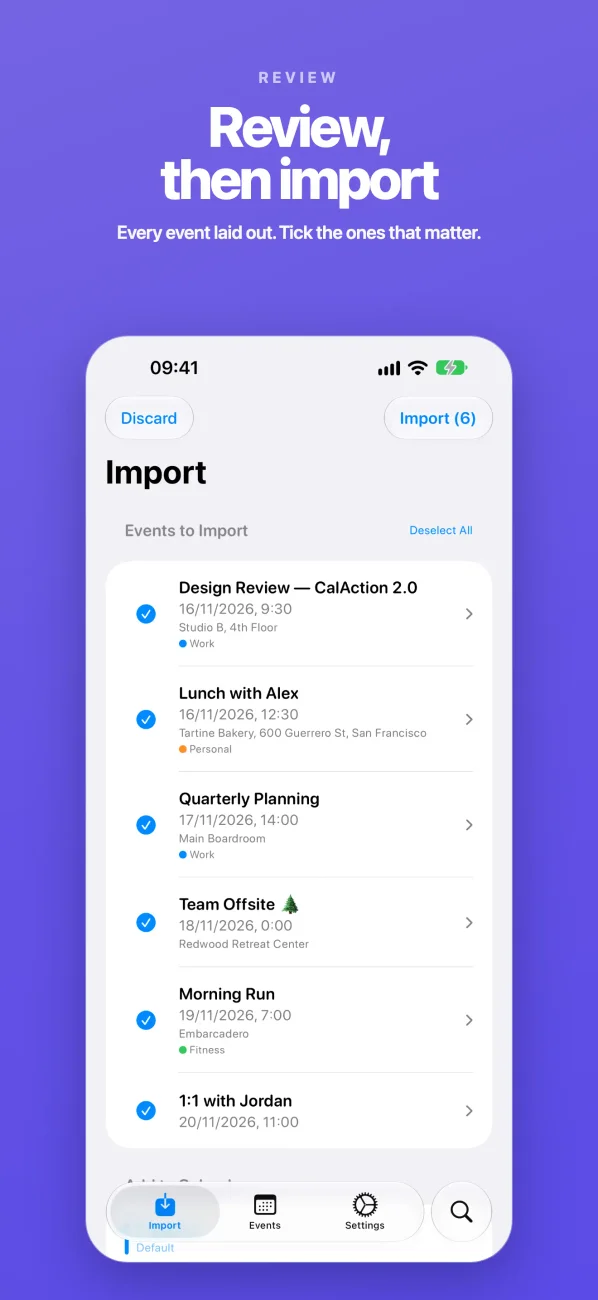
Preview every event before importing. Choose which calendar to add them to. See duplicate warnings so you never import the same event twice. CalAction detects Zoom, Teams, Google Meet, Webex, and FaceTime links and shows a "Join Call" button in your calendar.
PRIVATE BY DESIGN
Your data never leaves your device. No accounts, no tracking, no analytics. Just a tool that respects your privacy.
SEARCH YOUR CALENDAR
Find any event by title, location, or notes — across the past and next year.
FIND DUPLICATES
Scan your calendars for duplicate events. Review grouped results and clean them up in one tap.
BULK OPERATIONS
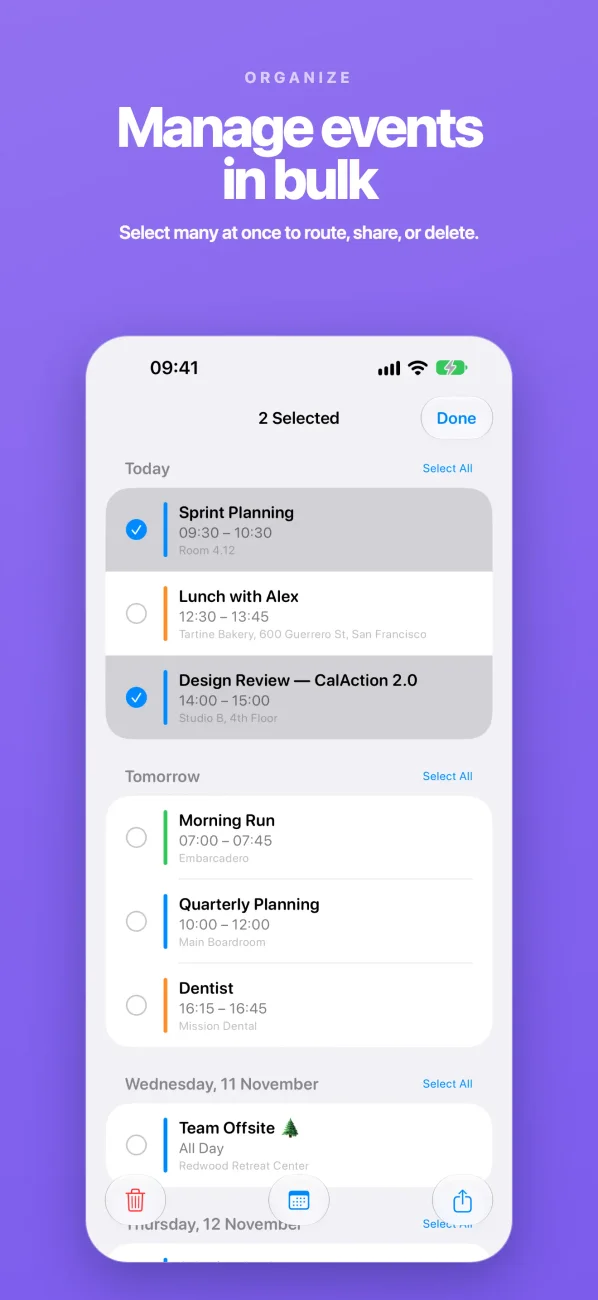
Select multiple events to delete, move to another calendar, or export as a single ICS file.
SMART CONFLICT RESOLUTION
Importing duplicates? See a side-by-side diff and choose to skip, replace, or keep both — per event.
AUTO-ROUTING RULES
Automatically assign events to the right calendar based on keywords in the title or location. Set it once, import effortlessly.
CALENDAR EXPORT
Export an entire calendar as a single ICS file. Perfect for backups or migrating between calendar services.
MORE FEATURES
- Import history with undo — roll back any import
- QR code generation for sharing events
- 7 accent color themes
- 7 colorful icons
- Haptic feedback
- Choose your preferred maps app (Apple Maps, Google Maps, Waze)
- Works with iCloud, Google, Outlook, and Exchange calendars
- Share extension for importing from any app
- Your data never leaves your device
Completely free to use. No subscriptions. No accounts. No tracking.
What’s new
Version 1.8.1 · Nov 17, 2026
Fixed calendar export: "All Events" and custom ranges longer than four years now export everything, instead of coming back empty or incomplete.
App privacy
What Mijndert Stuij declares on the App Store about how this app handles data.
-
Data not collected
The developer does not collect any data from this app.
Privacy practices may vary, for example with the features you use or your age.
Information
- Seller
- Mijndert Stuij
- Category
- Productivity
- Version
- 1.8.1
- Updated
- Nov 17, 2026
- Released
- Mar 23, 2026
- Size
- 37.4 MB
- Requires
- iOS 26.0 or later
- Age rating
- 4+
- Price
- Free
- Languages
- English, Dutch, French, German
- Copyright
- © 2026 - Mijndert Stuij
You might also like
-
 Cal Import - CSV/ICS ScheduleImport CSV & ICS to Calendar
-
 Cal2CSV — Calendar to CSV/ICSExport Calendar Events Quickly
-
 Catendar: Import ICSQuick .ics to Calendar
-
 minical - Planner & CalendarSchedule Organizer with Widget
-
 Locally AI by LM StudioLocal & Private AI Assistant
-
 AxonProductivity
-
 Calendars: Schedule Planner2026 Daily Organizer・Reminder
-
 Any.do: To do list & PlannerReminders, Calendar & Tasks
-
 FocusPomo · Pomodoro TimerProductivity|for Work & Study
-
 Wispr FlowAI Voice Keyboard & Notetaker