
- 対象年齢4+
- カテゴリ仕事効率化
- 開発元Fahid Digital Ventures LLC
- 言語英語ほか4言語
- サイズ65.1 MB
App Storeの公式ページにリンクしています
Download.orgはCitesvueのファイルを一切ホストしていません。ボタンを押すと、Fahid Digital Ventures LLCが公開しているApp Storeのアプリページが開きます。ページの最終確認:2026/11/25。
スクリーンショット

概要
開発元はこのテキストをお使いの言語で提供していません。
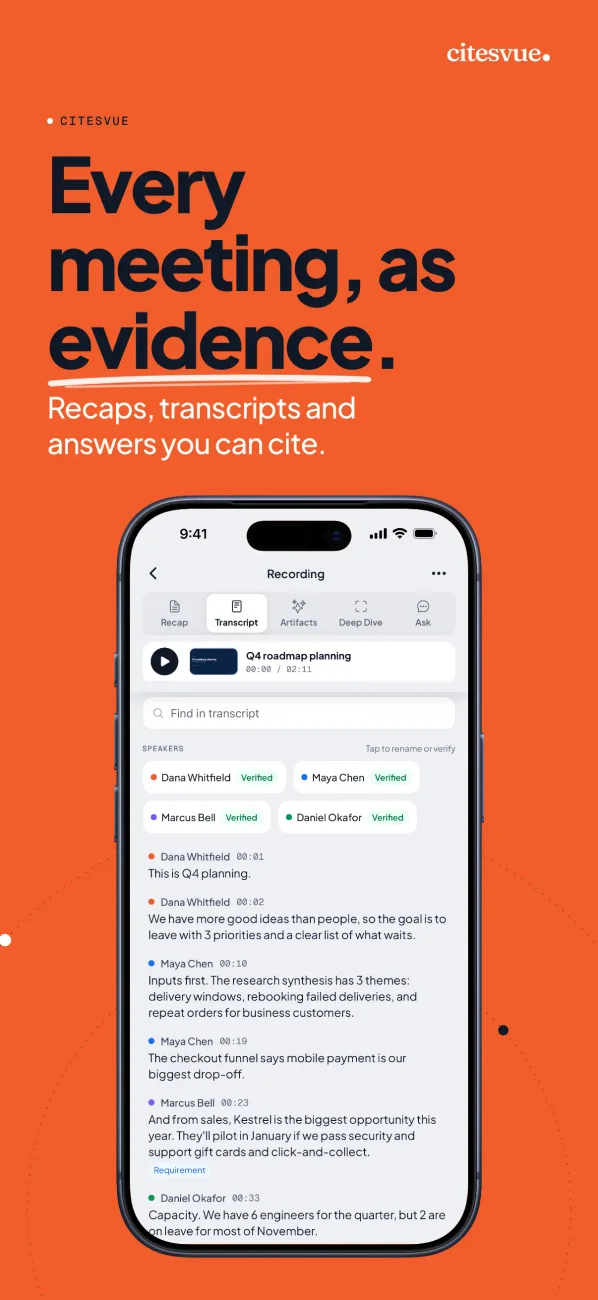
Citesvue turns the conversations your team has into evidence you can verify and act on. Record in the room, import a file, or send the Citesvue assistant to a Google Meet, Zoom or Microsoft Teams call. When it is done you get a recap, a transcript with named speakers, and the decisions, action items, bugs and risks that came up, each one linked to the moment it was said.
RECORD ANYWHERE
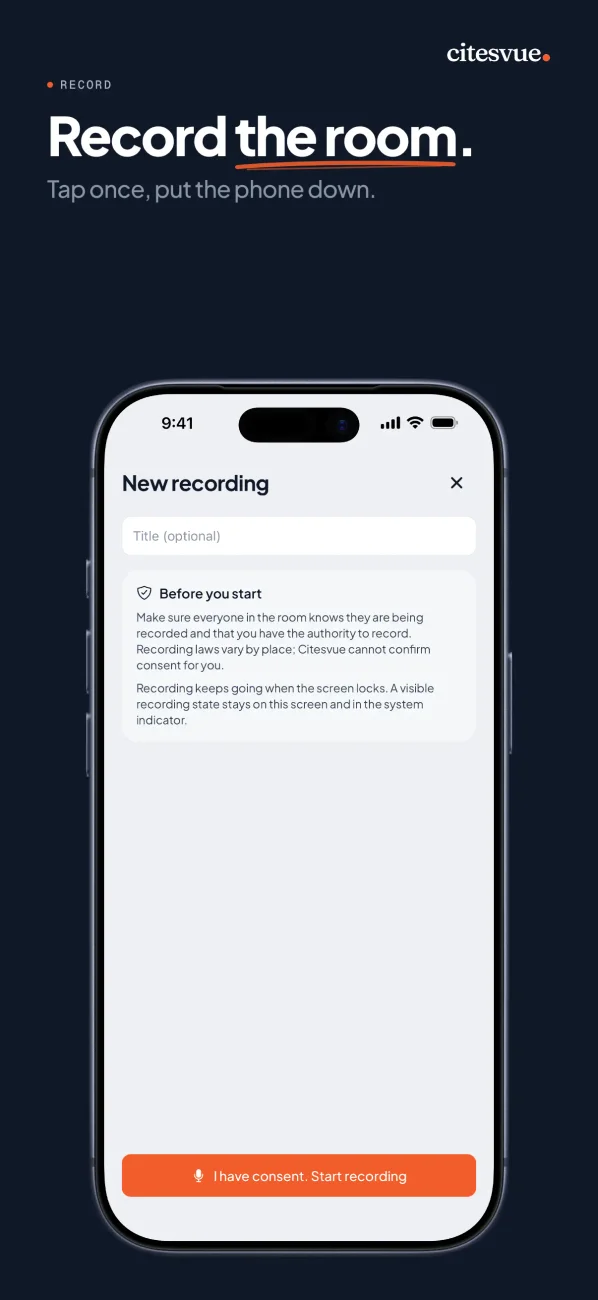
• Tap record for meetings, interviews, workshops and site visits. Recording keeps going with the screen locked.
• Drop a marker when something matters and find it again in seconds.
• Import audio or video, or share a file into Citesvue from another app.
• Uploads resume on their own after an interruption.
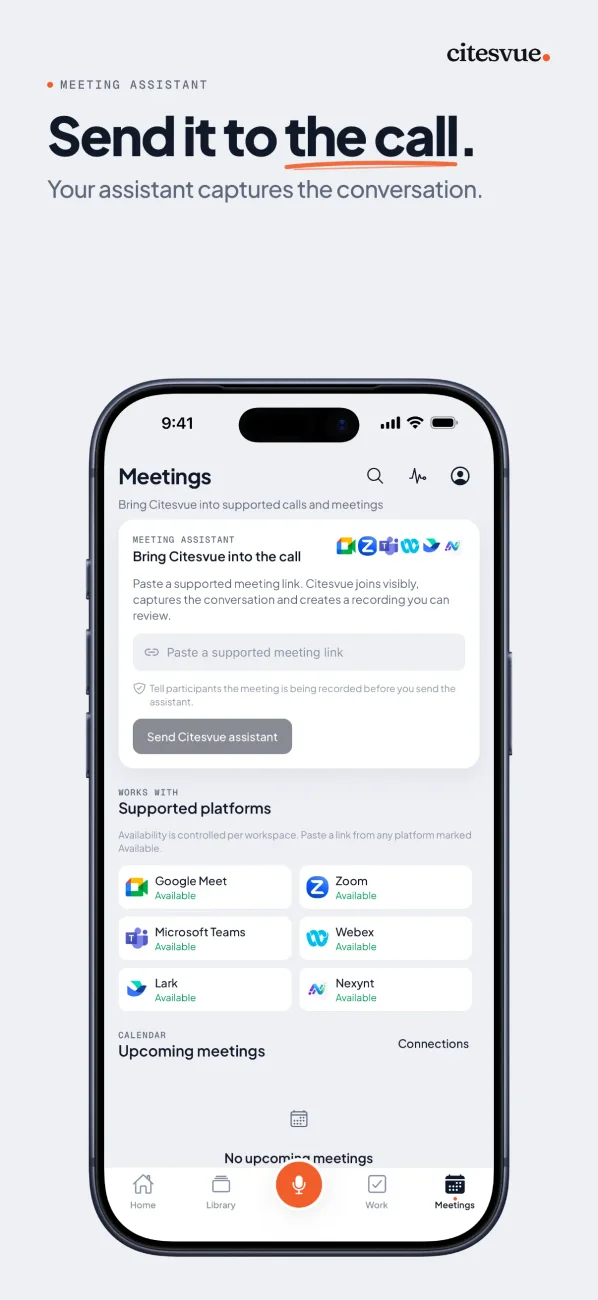
MEETING ASSISTANT
• Paste a Google Meet, Zoom or Microsoft Teams link. The assistant joins visibly, captures the call and files the recording in your workspace.
• Get a notification when the recap is ready.
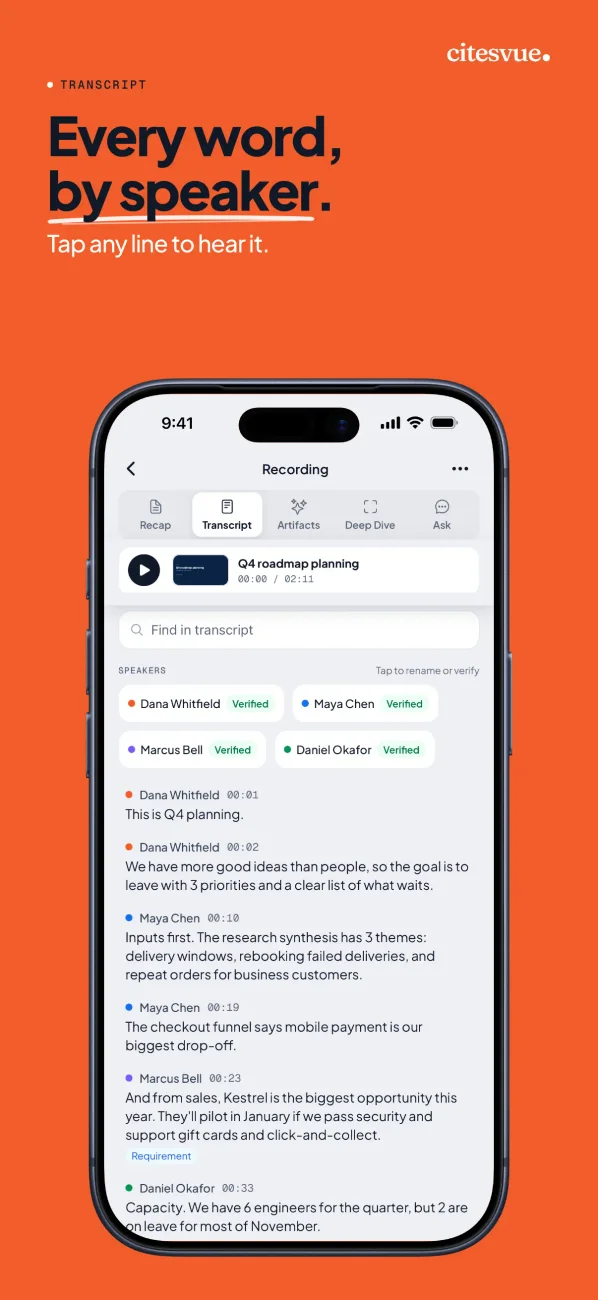
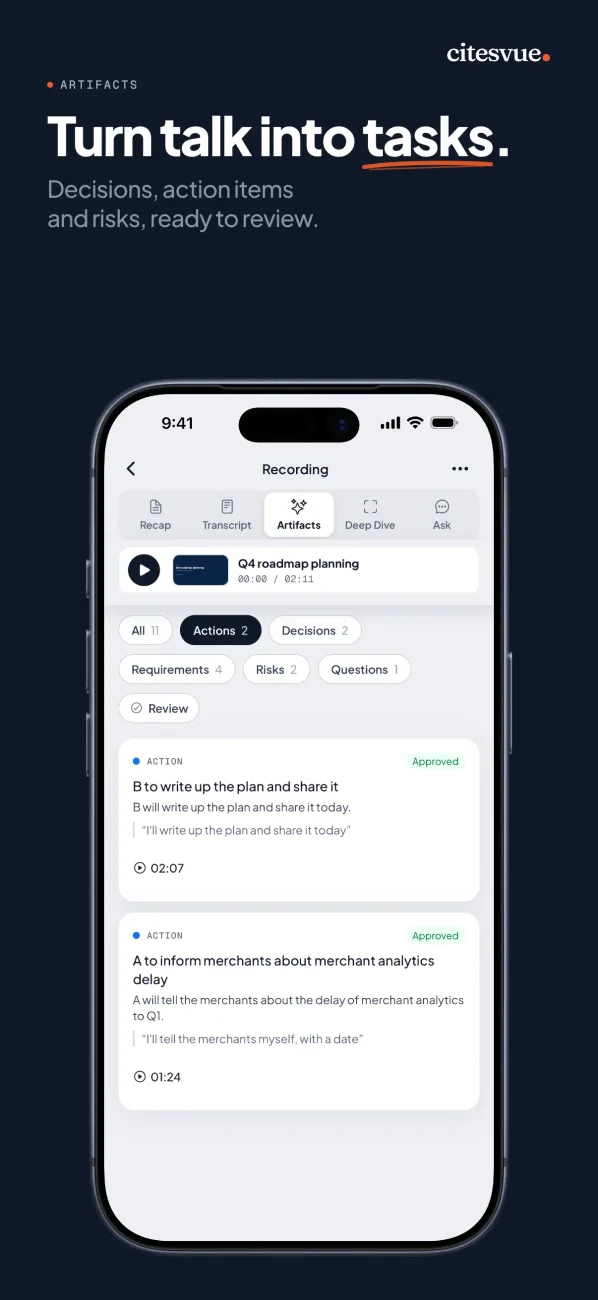
RECAP, TRANSCRIPT, ARTIFACTS
• A summary, key topics, decisions and action items written from the transcript.
• Tap any line of the transcript to hear it. Name a speaker once and see who said what.
• Decisions, action items, bugs, risks, requirements and open questions become items you can review, approve or dismiss, and send to your team's connected tools.
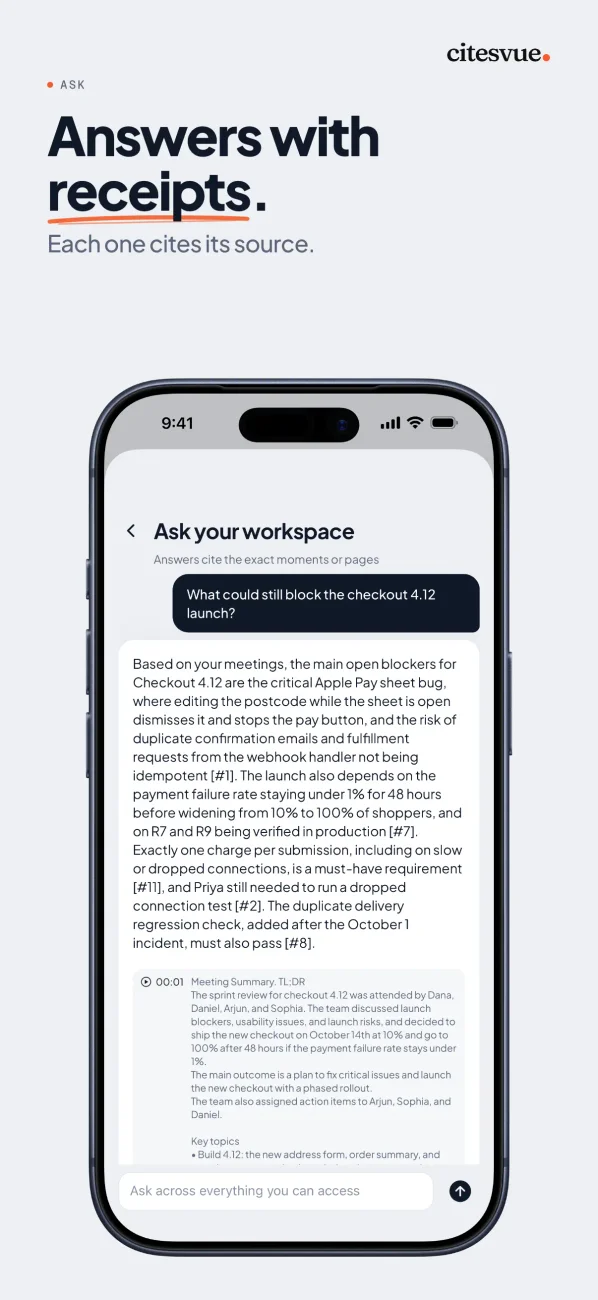
ASK WITH CITATIONS
• Ask a question about one recording, a document, a project or your whole workspace.
• Every answer points to the exact moment or page it came from. Tap a citation to check it.
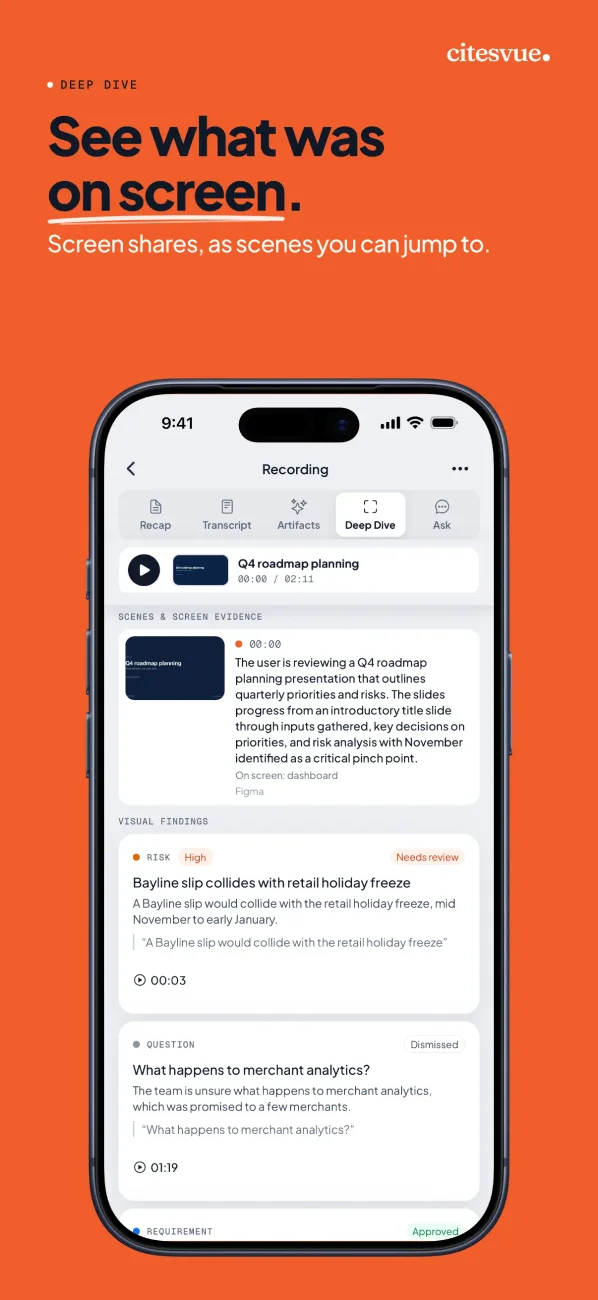
SEE WHAT WAS ON SCREEN
• For screen-share and video recordings, optional visual evidence turns the video into scenes, on-screen text and visual findings you can jump to.
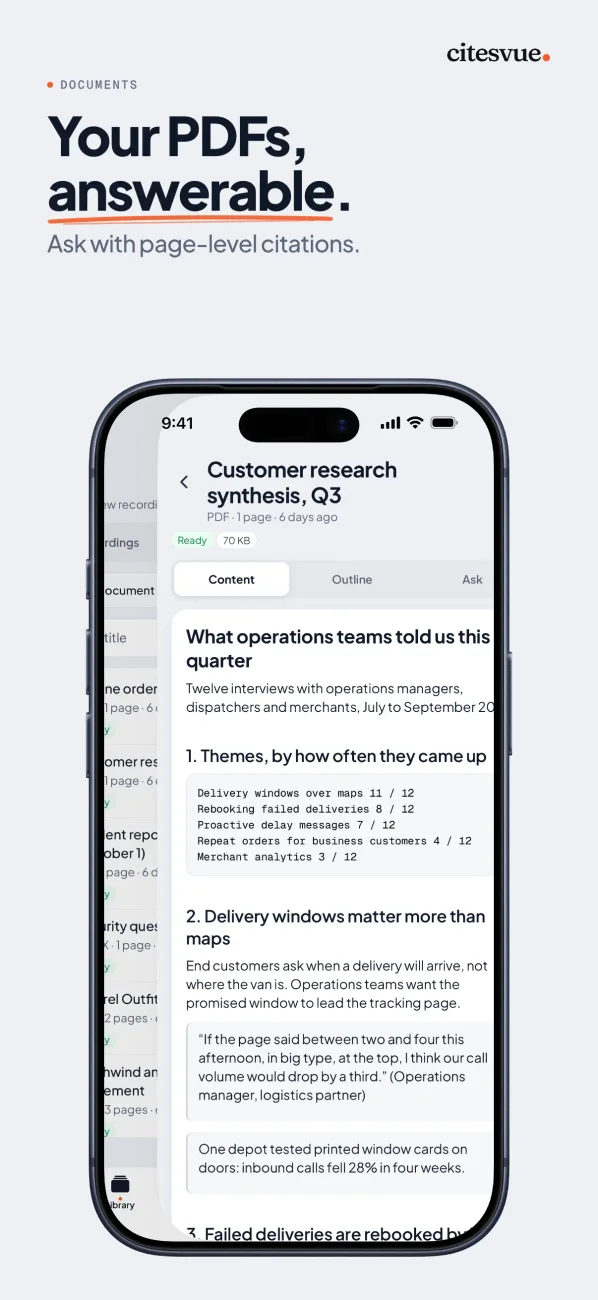
DOCUMENTS
• Upload PDFs, read them on your phone, move through the outline and ask questions with page-level citations.
SEARCH AND ORGANISE
• Search across recordings and documents and land on the exact second or page.
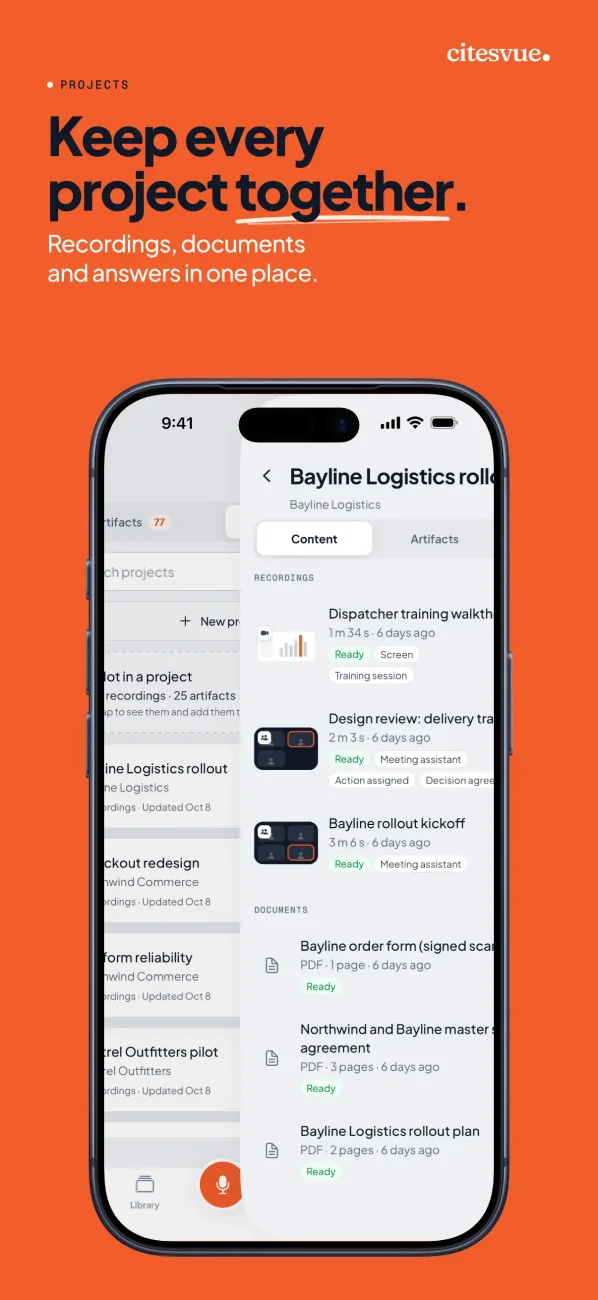
• Group work into projects and ask questions across everything in a project.
BUILT FOR TEAMS
• One workspace on phone and web. Roles for owners, admins, members and viewers.
• Your recordings and documents stay in your workspace. Delete them, or your account, whenever you choose.
On iPhone, workspace owners and admins can subscribe to Pro monthly through Apple In-App Purchase. Find subscriptions and Restore purchases in Settings > Plan & usage. Apple handles payment and subscription management.
Available workspace features and usage allowances appear after sign-in.
Citesvue uses the microphone only when you tap record. See citesvue.com/privacy for how your data is handled.
Terms of Use (EULA): https://www.apple.com/legal/internet-services/itunes/dev/stdeula/
Citesvue Terms of Service: https://citesvue.com/terms
Privacy Policy: https://citesvue.com/privacy
新機能
バージョン 1.3 · 2026/11/24
Performance improvements and bug fixes.
アプリのプライバシー
このアプリのデータの取り扱いについて、Fahid Digital Ventures LLCがApp Storeで申告している内容です。
-
ユーザーのトラッキングに使用されるデータ
他社のアプリやウェブサイトを横断してユーザーをトラッキングする目的で使用される場合があります。
- ID
-
ユーザーに関連付けられたデータ
収集され、ユーザーの識別情報に関連付けられる場合があります。
- 連絡先情報
- ID
-
ユーザーに関連付けられないデータ
収集される場合がありますが、ユーザーの識別情報には関連付けられません。
- ユーザーコンテンツ
- ID
プライバシーの取り扱いは、ご利用の機能やお客様の年齢などに応じて異なる場合があります。
情報
- 販売元
- Fahid Digital Ventures LLC
- カテゴリ
- 仕事効率化
- バージョン
- 1.3
- 更新日
- 2026/11/24
- リリース
- 2026/10/30
- サイズ
- 65.1 MB
- 必要条件
- iOS 16.4以降
- 対象年齢
- 4+
- 価格
- 無料
- アプリ内課金
- あり
- 言語
- 英語, フランス語, ドイツ語, ヒンディー語, スペイン語
- 著作権
- © 2026
こちらもおすすめ
-
 Stacy: AI Notes & Whiteboard仕事効率化
-
 DynamicTask進捗をいつも画面に、目標も計画も一目で
-
 Talkdown仕事効率化
-
 Lawyer Diary Pro仕事効率化
-
 AiReminder: Task Reminder App仕事効率化
-
 LofiポモドーロタイマーLofiポモドーロ勉強タイマー
-
 AI Minute: Voice Transcription仕事効率化
-
 メモ帳-シンプルなめも 無料のーと·文字数カウント memo簡単付箋ノート-即メモ·検索付フォルダ·ウィジェットアプリ
-
 AIノートテイカー:トランスクリプション & 要約会議文字起こし - 日本語の音声をテキスト変換
-
 NoteSwift : AI Note Taker仕事効率化