
- 対象年齢4+
- カテゴリ仕事効率化
- 開発元IOANNIS PARASKEVAS VENIERIS
- 言語英語
- サイズ106.3 MB
App Storeの公式ページにリンクしています
Download.orgはClarityClock: Focus Timerのファイルを一切ホストしていません。ボタンを押すと、IOANNIS PARASKEVAS VENIERISが公開しているApp Storeのアプリページが開きます。ページの最終確認:2026/11/22。
スクリーンショット

概要
開発元はこのテキストをお使いの言語で提供していません。
ClarityClock helps you beat procrastination and do the work that matters.
Start a focus session, block the apps that pull you away, and watch your
concentration turn into real progress on a gamified journey.
Most "focus apps" are just timers you ignore. ClarityClock adds gentle friction
at the exact moment you reach for a distraction - so you actually stay on task.
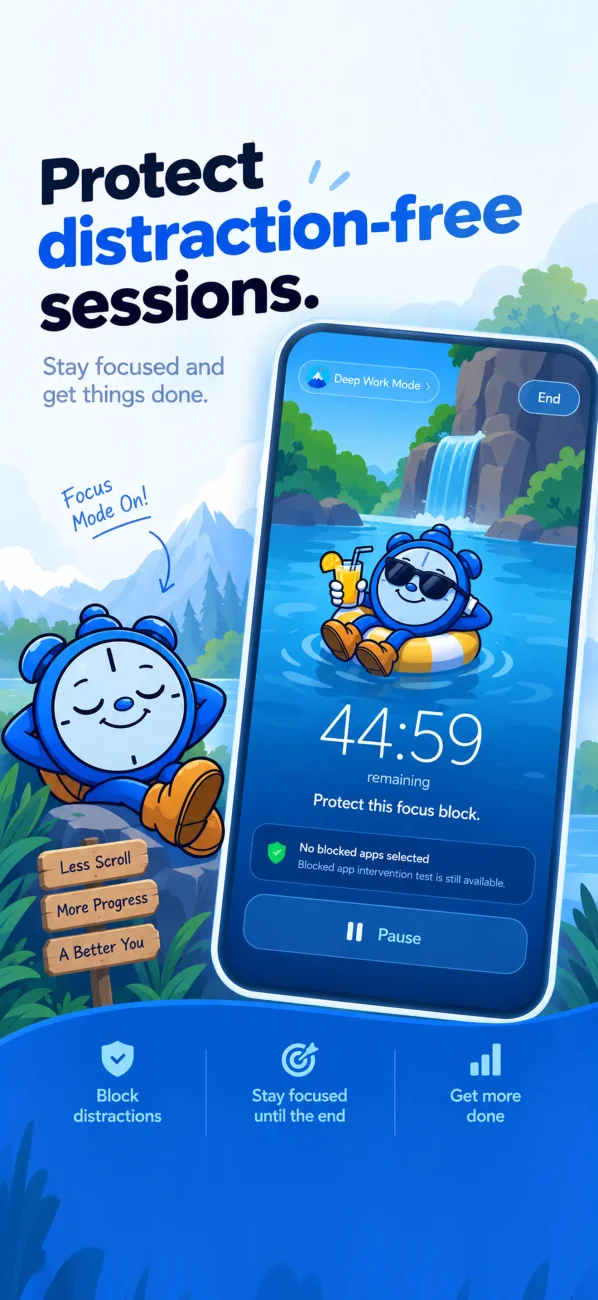
DEEP WORK SESSIONS
Set a timer, pick the apps to block, and focus. If you reach for a blocked app
mid-session, ClarityClock steps in and reminds you of the commitment you made
to yourself.
RESCUE ME
Already spiraling in a distracting app? Trigger Rescue Me and ClarityClock
steps in after a few minutes to pull you back out of the doomscroll.
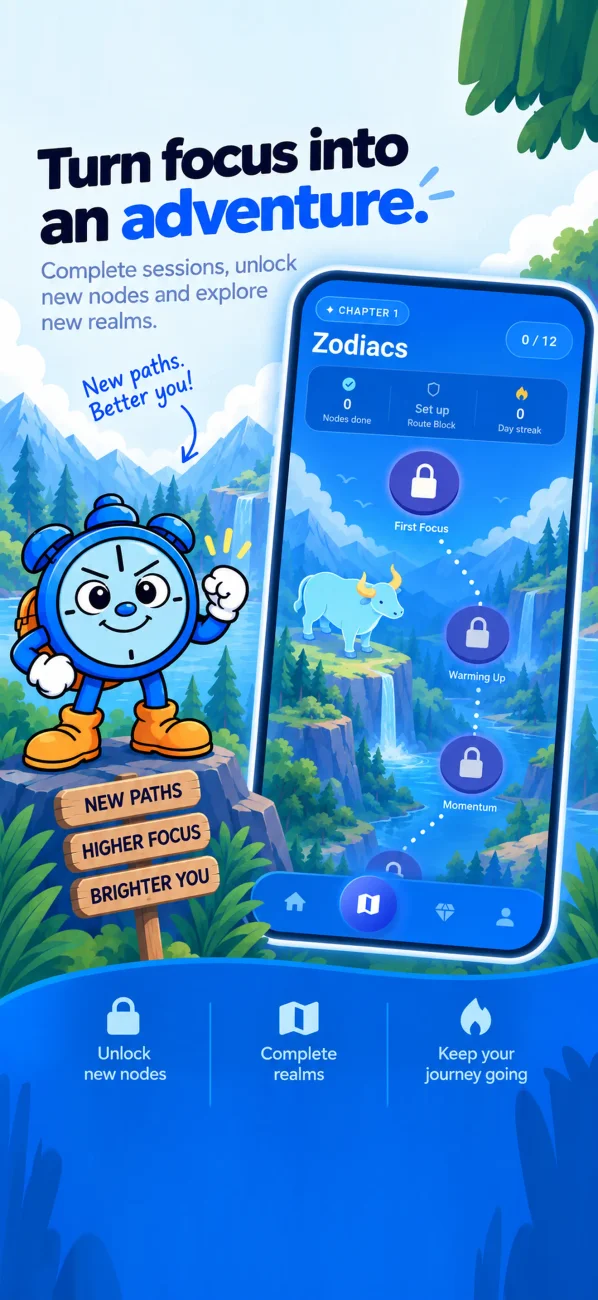
THE FOCUS MAP
Every session moves you forward on a journey of themed chapters. Progress is
earned by real focus minutes - a reason to come back tomorrow.
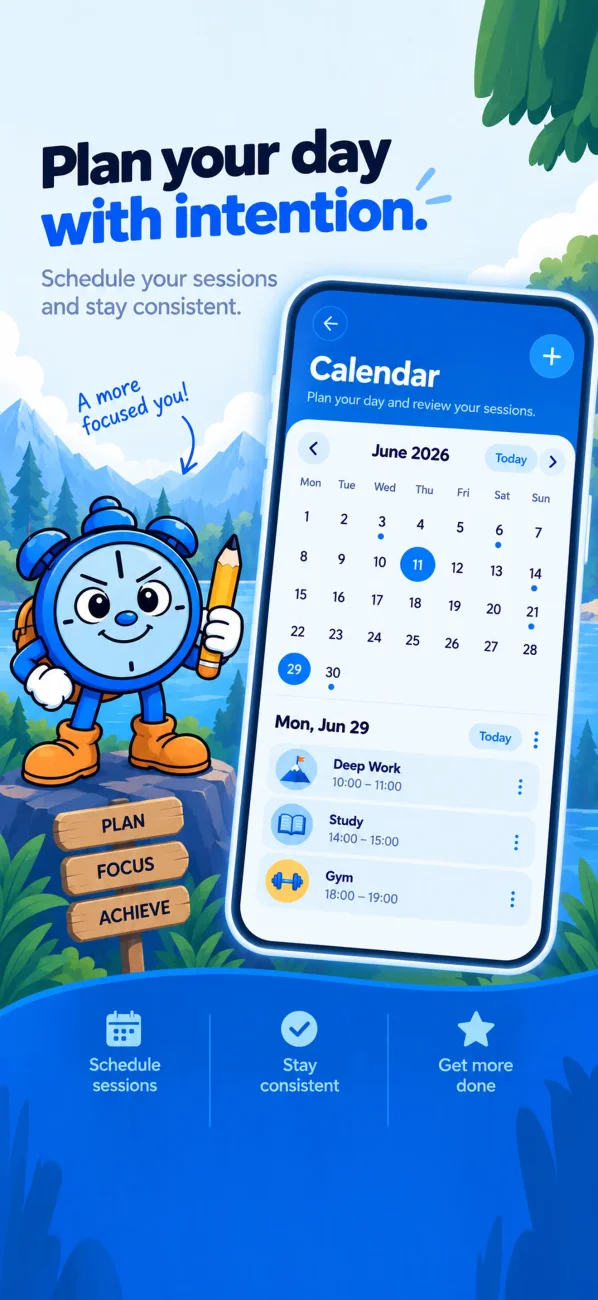
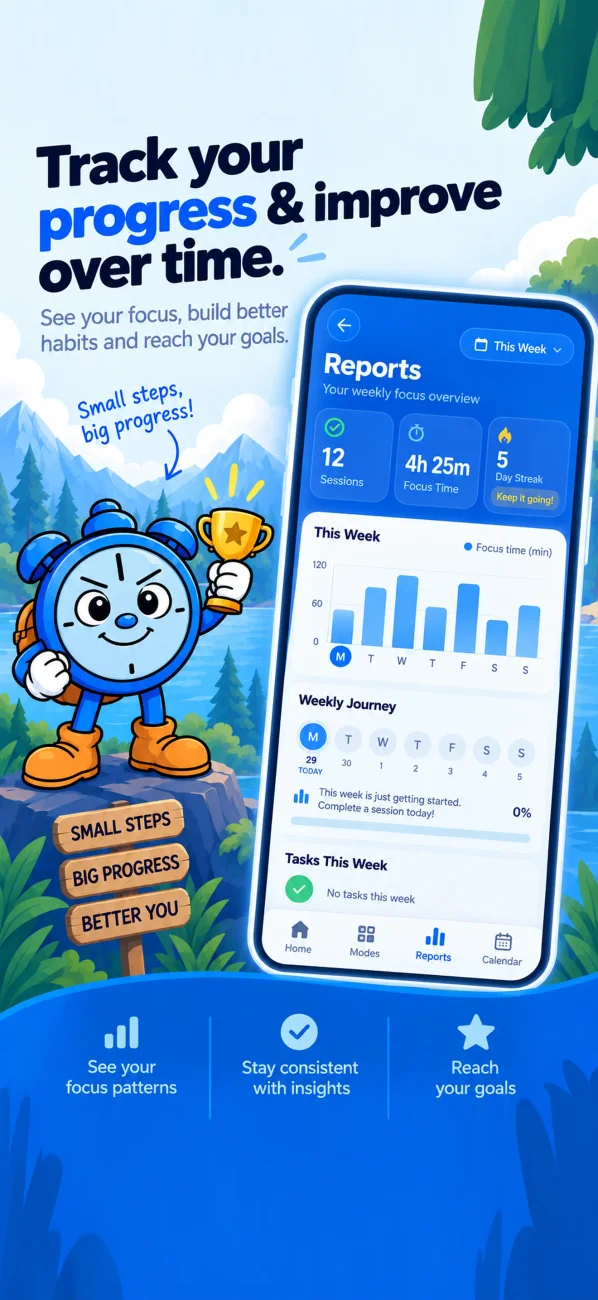
SEE YOUR PROGRESS
Reports and a calendar show your focus streaks, total deep-work time, and the
habit taking shape over days and weeks.
CHOOSE YOUR BLOCK STRENGTH
From a gentle reminder you can dismiss to a firm block that holds you to your
word.
FREE
Everything in ClarityClock is free. No ads, ever.
YOUR PRIVACY
ClarityClock is built to respect you:
- App blocking uses Apple's Screen Time technology. Your app choices are
handled by iOS itself - ClarityClock can never see, store, or share which
apps you pick.
- It never reads your screen content, messages, or what you type.
- Your task names stay on your device. Only basic session stats (type, length,
time) sync to your account so your progress follows you.
- You can delete your account and data anytime from inside the app.
Stop fighting your phone with willpower alone. Make focus the default.
Download ClarityClock and start your first session today.
新機能
バージョン 1.3.1 · 2026/10/17
Rescue and focus sessions now work better together: going into an app that only Rescue was watching no longer ends your focus session.
The Rescue screen now says exactly what happens if you go in anyway.
Reliability fixes for sessions, and small cleanups in Reports and Profile.
アプリのプライバシー
このアプリのデータの取り扱いについて、IOANNIS PARASKEVAS VENIERISがApp Storeで申告している内容です。
-
ユーザーに関連付けられたデータ
収集され、ユーザーの識別情報に関連付けられる場合があります。
- 連絡先情報
- ユーザーコンテンツ
- ID
- 使用状況データ
-
ユーザーに関連付けられないデータ
収集される場合がありますが、ユーザーの識別情報には関連付けられません。
- 診断
プライバシーの取り扱いは、ご利用の機能やお客様の年齢などに応じて異なる場合があります。
情報
- 販売元
- IOANNIS PARASKEVAS VENIERIS
- カテゴリ
- 仕事効率化
- バージョン
- 1.3.1
- 更新日
- 2026/10/17
- リリース
- 2026/9/9
- サイズ
- 106.3 MB
- 必要条件
- iOS 15.0以降
- 対象年齢
- 4+
- 価格
- 無料
- 言語
- 英語
- 著作権
- © 2026 VRS LABS
こちらもおすすめ
-
 Kedge: Screen Time & Focus仕事効率化
-
 Scrini仕事効率化
-
 Dailer仕事効率化
-
 Twilock: スクリーンタイム・アプリ制限寝る前と朝のスマホ断ちを、毎日の習慣に
-
 Takeback: Daily Habit Tracker仕事効率化
-
 ボイスメモ・リマインダー・ADHD: Blurto文字起こし・やることリスト・アイデア・思考整理
-
 myAIChat: AI Chat Assistant仕事効率化
-
 忘れ物防止リマインダー・持ち物チェック|Memora外出時に傘や定期券を通知。消音モードでも鳴らせる
-
 Downtime: アプリブロック集中とスクリーンタイム管理
-
 Qleany: Cleaning Checklist仕事効率化