
- 対象年齢4+
- カテゴリ仕事効率化
- 開発元SPAKLABS AI INC.
- 言語英語ほか1言語
- サイズ59.3 MB
App Storeの公式ページにリンクしています
Download.orgはCleverNote: Notes & Remindersのファイルを一切ホストしていません。ボタンを押すと、SPAKLABS AI INC.が公開しているApp Storeのアプリページが開きます。ページの最終確認:2026/11/22。
スクリーンショット
概要
開発元はこのテキストをお使いの言語で提供していません。
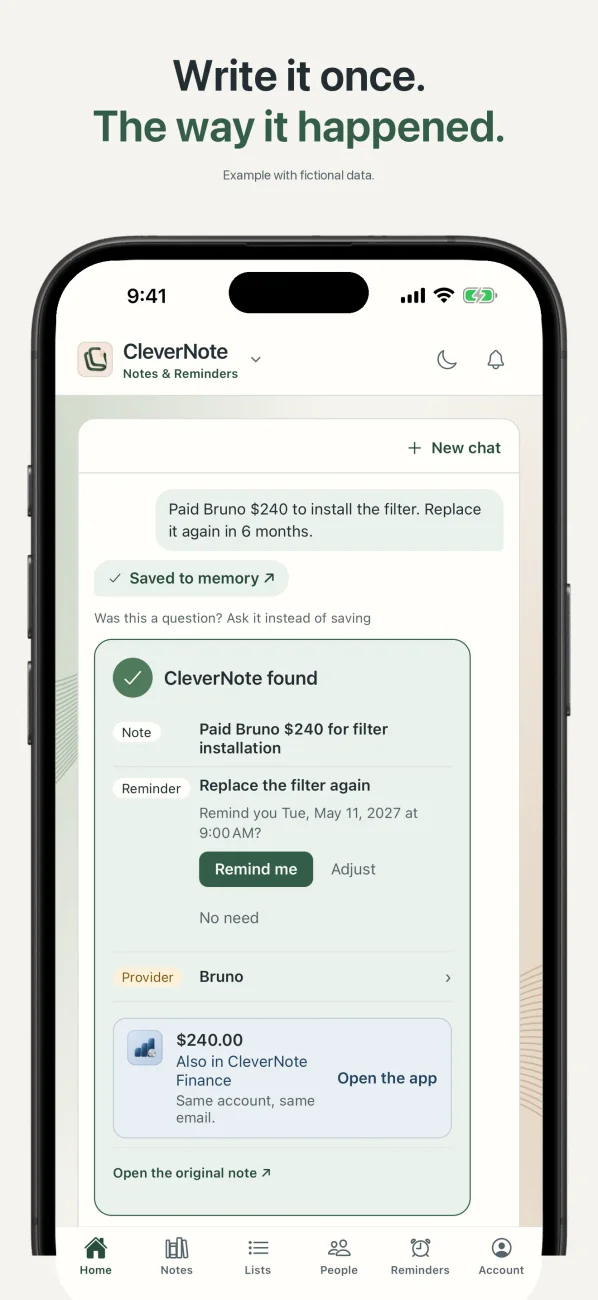
Write it once, the way it happened: “Paid $240 to Lucas the locksmith for a new lock. Check the lock again in 6 months.”
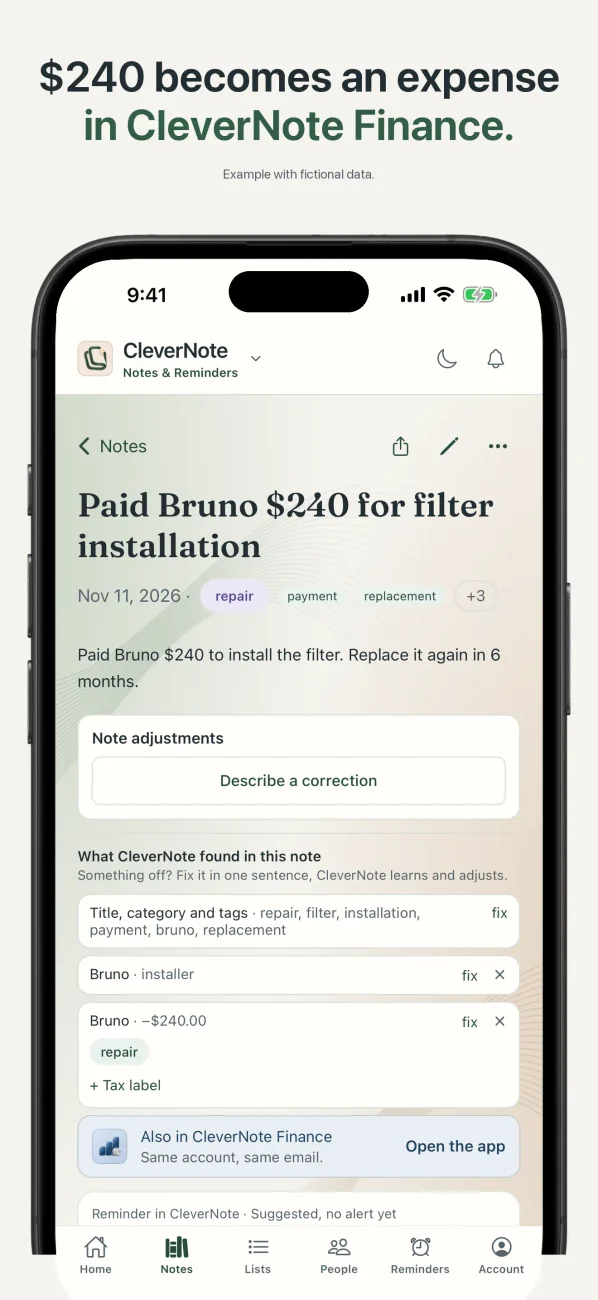
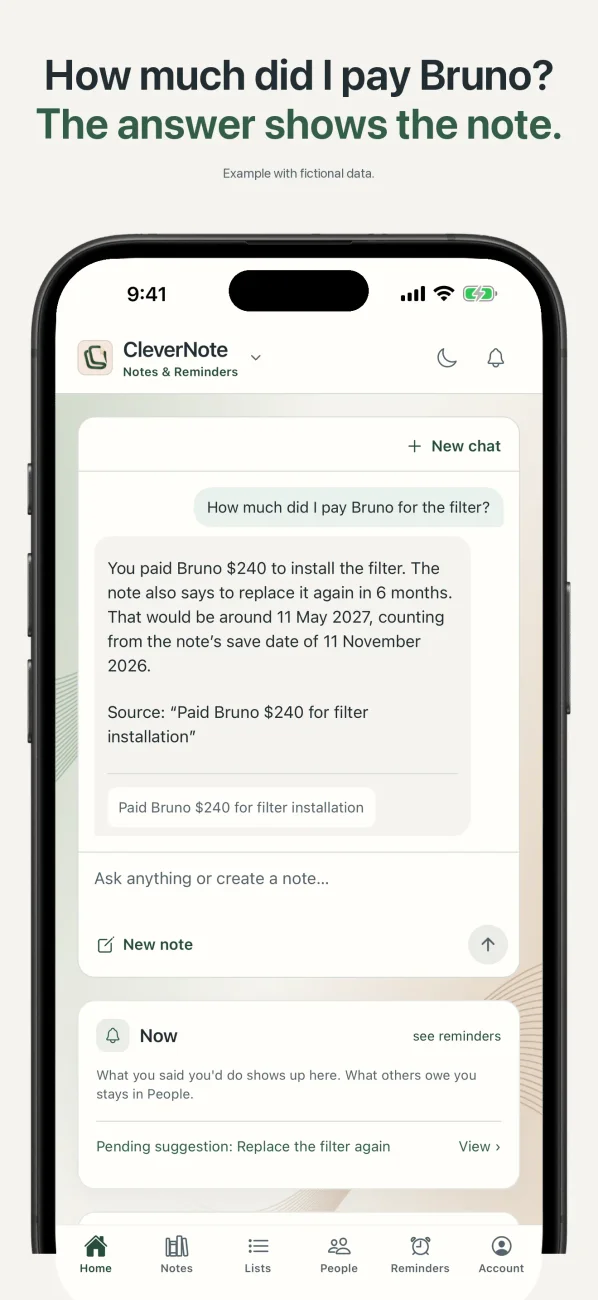
CleverNote saves the note, links it to Lucas, suggests a reminder for 6 months from now, and sends the $240 to CleverNote Finance, in the same account. Later, ask “how much did I pay Lucas?” and see the answer with the source note.
You don't have to remember everything.
Save notes, photos, voice recordings, and documents in CleverNote. When you need the detail, ask in your own words and get an answer with a source you can check.
Save without losing your flow
Text, photo, voice, or PDF. The note is saved immediately and CleverNote organizes it afterwards. From your phone, tap Share and choose CleverNote: a photo, a link, or a PDF goes straight into your library, with no copying between apps.
What you will find inside
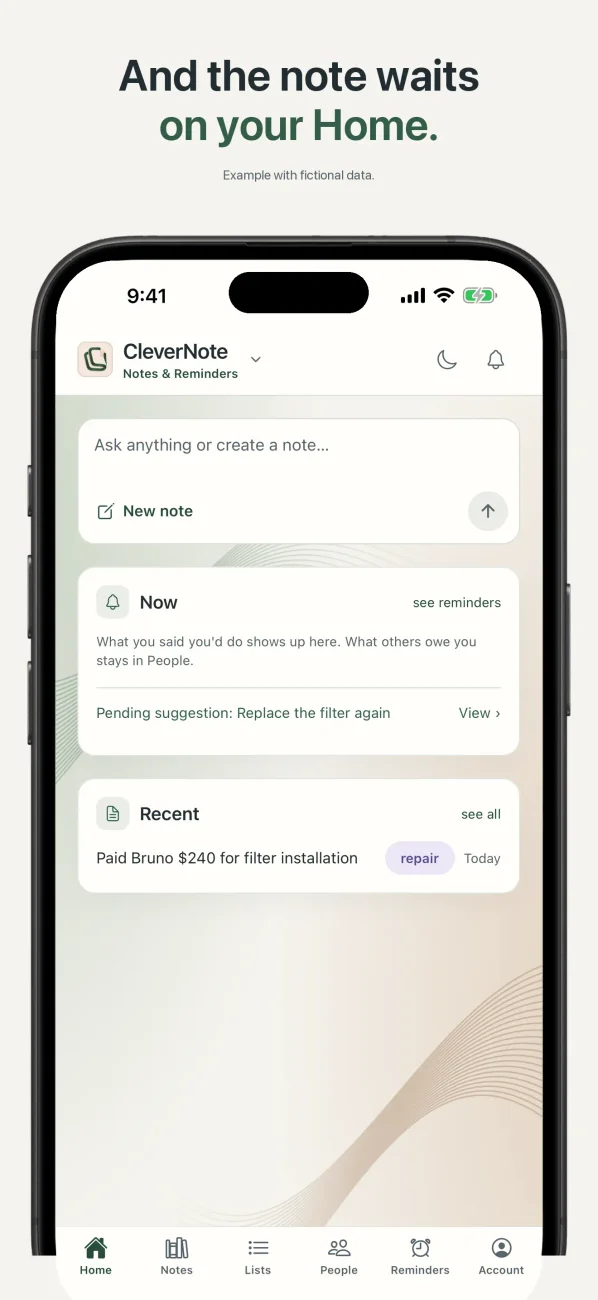
Home: one place to save and to ask.
Notes: your library, with search and stacks to group what belongs together.
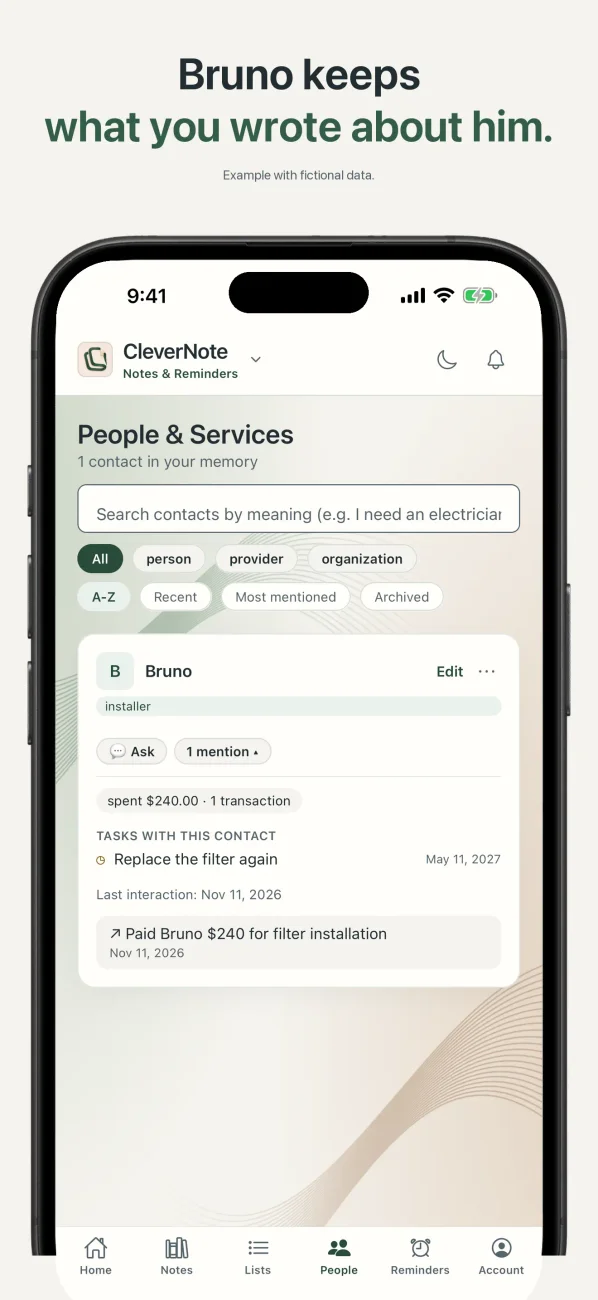
People: who shows up in what you saved, with their context close by.
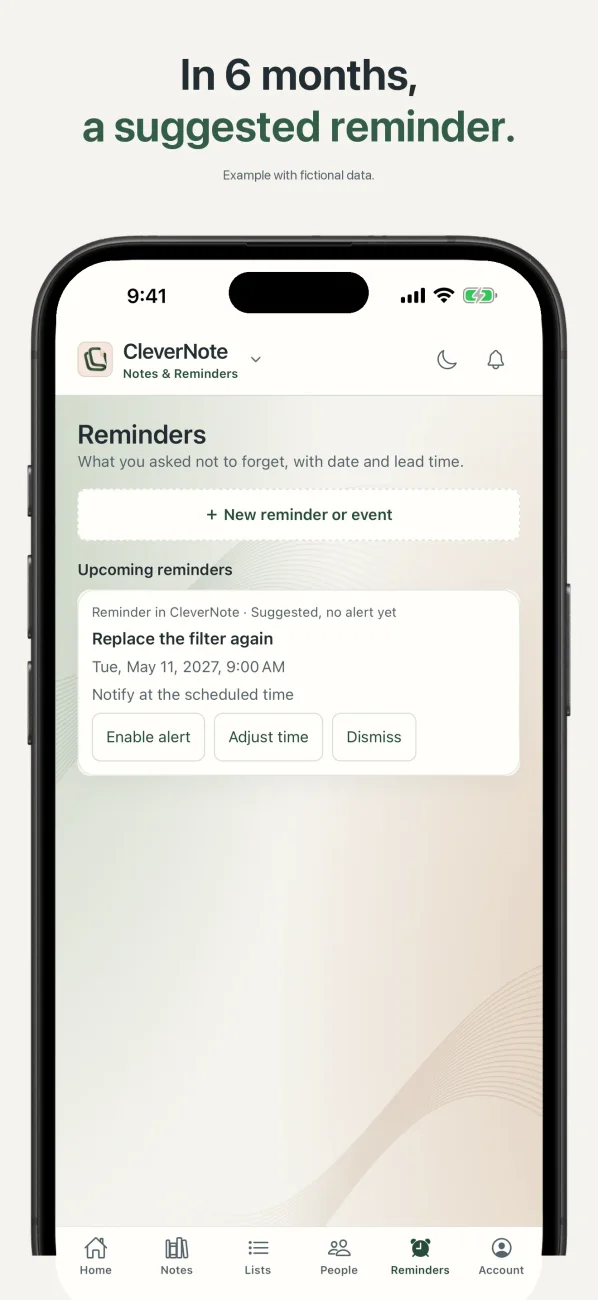
Reminders: what you agreed to, with the note it came from.
Ask when you need it
"When is Ana sending the proposal?" "What do I need to send before Tuesday?" The answer points to the passage that supports it and opens the original note, so you can check.
Reminders that come from a note
Write "remind me to send Ana the brief on the 15th at 9 am". CleverNote identifies the date and creates the reminder. If the date is unclear, you confirm it first. Reminders arrive as push on your phone and by email, with the original note close by.
The interpretation is yours to review
CleverNote suggests the title, the category, and what it understood from the note. Correcting takes one sentence, and the original stays available: you can always tell what the source said apart from your own correction.
Beyond the app
A Chrome and Edge extension saves web pages and excerpts with the original link. A personal capture address receives messages and attachments you forward. It all lands in the same library.
Right from your Home Screen
CleverNote's widgets live on your Home Screen and Lock Screen, and its controls in Control Center (iOS 18 or later): one tap to jot down, record, or take a photo. When a reminder arrives, you handle it right in the notification, with Done, Snooze 1h, or Tomorrow.
For people whose head is always full
If ideas show up in the middle of something else and vanish before you write them down, CleverNote was built with you in mind, including people with ADHD. Talk, type, or snap a photo however it comes out, no organizing required. CleverNote saves it instantly and finds the deadlines with money on the line, like free trials, return windows, and warranties, plus the promises between you and other people. On a paid plan, it warns you before those deadlines. When you ask, the answer comes with the note it came from.
Your data
Export everything or delete everything whenever you want, in Privacy and data.
You can start without creating an account: 5 notes and 10 questions to try it. The free plan has monthly limits, and your account is the same across every CleverNote app.
To follow spending, goals, and net worth, CleverNote Finance is a separate app.
Terms of Use: https://clevernote.net/terms
Privacy Policy: https://clevernote.net/privacy
CleverNote is not a medical device and does not diagnose, treat, cure, or prevent any condition.
新機能
バージョン 1.3.15 · 2026/11/19
Fixes and stability improvements.
アプリのプライバシー
このアプリのデータの取り扱いについて、SPAKLABS AI INC.がApp Storeで申告している内容です。
-
ユーザーのトラッキングに使用されるデータ
他社のアプリやウェブサイトを横断してユーザーをトラッキングする目的で使用される場合があります。
- ID
- 使用状況データ
-
ユーザーに関連付けられたデータ
収集され、ユーザーの識別情報に関連付けられる場合があります。
- 購入
- 連絡先情報
- 連絡先
- ユーザーコンテンツ
- ID
- 使用状況データ
-
ユーザーに関連付けられないデータ
収集される場合がありますが、ユーザーの識別情報には関連付けられません。
- ID
- 使用状況データ
- 診断
プライバシーの取り扱いは、ご利用の機能やお客様の年齢などに応じて異なる場合があります。
情報
- 販売元
- SPAKLABS AI INC.
- カテゴリ
- 仕事効率化
- バージョン
- 1.3.15
- 更新日
- 2026/11/19
- リリース
- 2026/9/24
- サイズ
- 59.3 MB
- 必要条件
- iOS 16.4以降
- 対象年齢
- 4+
- 価格
- 無料
- アプリ内課金
- あり
- 言語
- 英語, ポルトガル語
- 著作権
- © 2026 SPAKLABS AI INC.
こちらもおすすめ
-
 Color Smart Notes AiNotes organised by colour
-
 Toqi仕事効率化
-
 Cockatoo: AI Note Taker仕事効率化
-
 Daily Planner: Tasks & Agenda仕事効率化
-
 WeNote メモ、ノート、メモ帳、カレンダー、リマインダー使いやすいメモアプリ。ノート、メモ、カレンダー、リマインダ作
-
 Prit: Professional Scheduler仕事効率化
-
 Toki:タスク・日程調整・仕事大切なことを任せられるAIエージェント
-
 Tua Agenda: Para Profissionais仕事効率化
-
 Easy Notes - 付箋 メモ · めも · Noteシンプルなノート・メモアプリ、ホーム画面に貼れる付箋メモ 帳
-
 UniTV Player: Browse Movies仕事効率化