
CleverNote: Notes & Reminders
One note, a reminder, a spend
Designed for iPhone
Free · In-app purchases
- Age rating4+
- CategoryProductivity
- DeveloperSPAKLABS AI INC.
- LanguagesEnglish+ 1 more
- Size59.3 MB
Links to the official App Store page
Download.org hosts no file of CleverNote: Notes & Reminders. The button opens its official App Store page, published by SPAKLABS AI INC. Listing last checked on Nov 22, 2026.
Screenshots
About
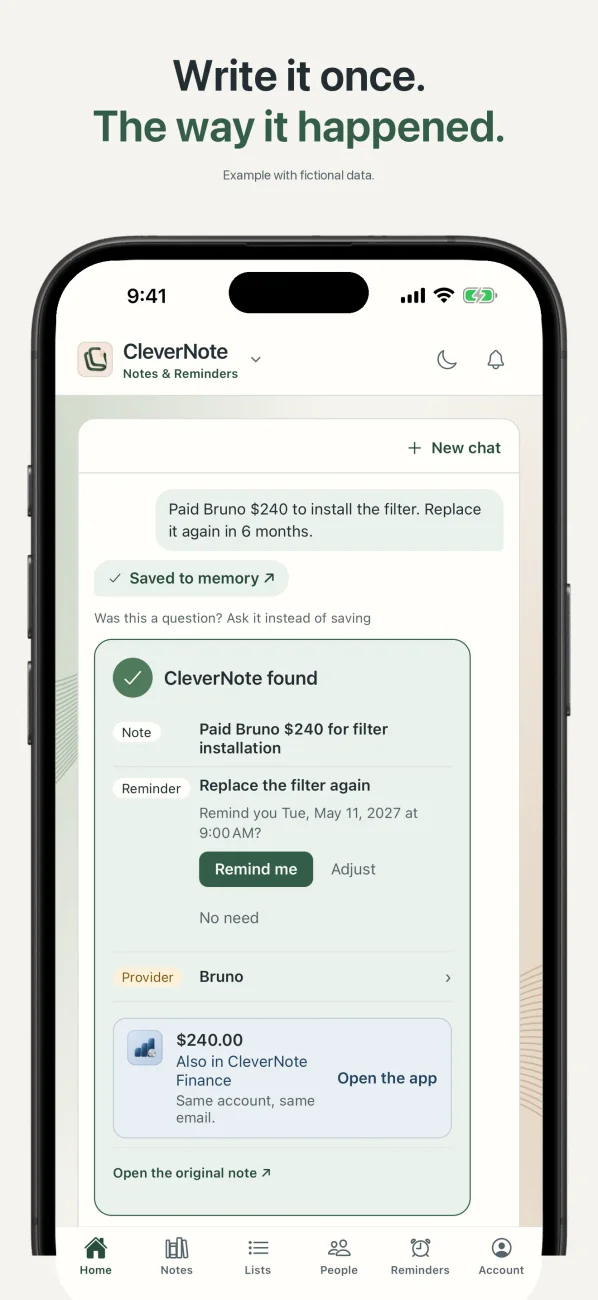
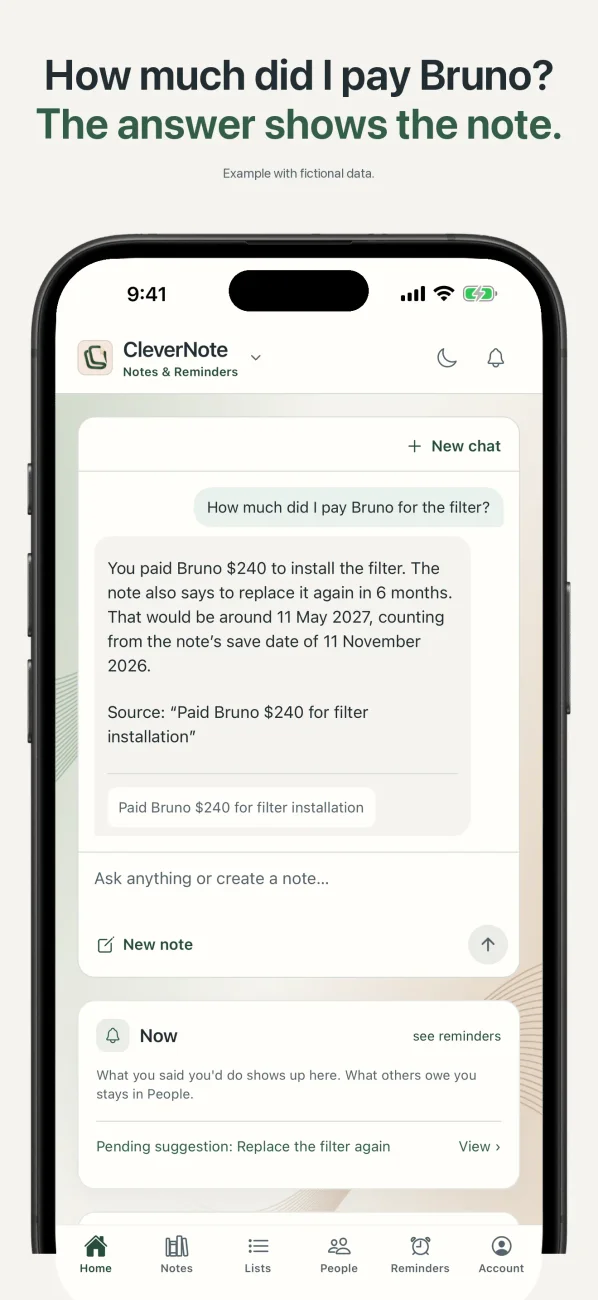
Write it once, the way it happened: “Paid $240 to Lucas the locksmith for a new lock. Check the lock again in 6 months.”
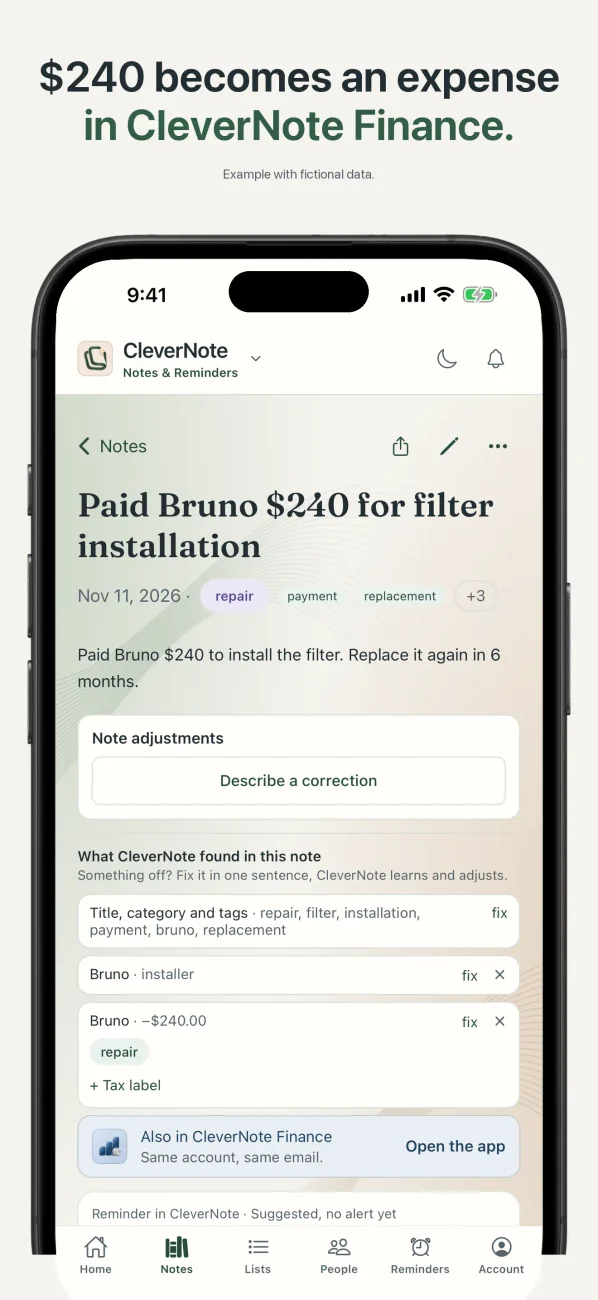
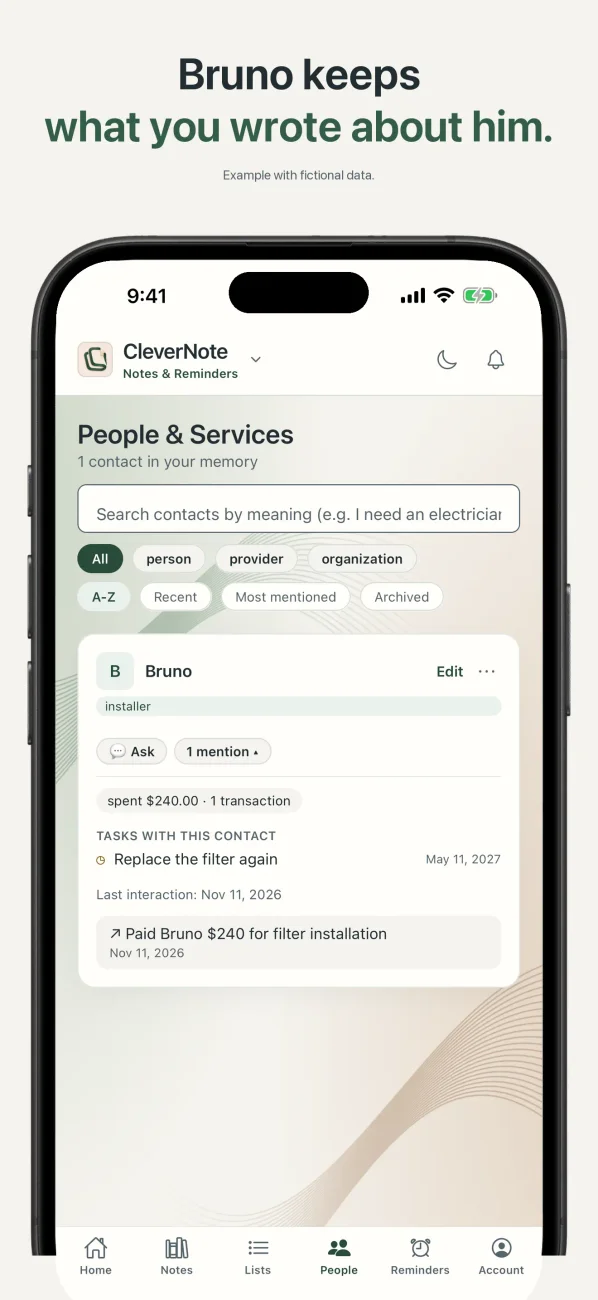
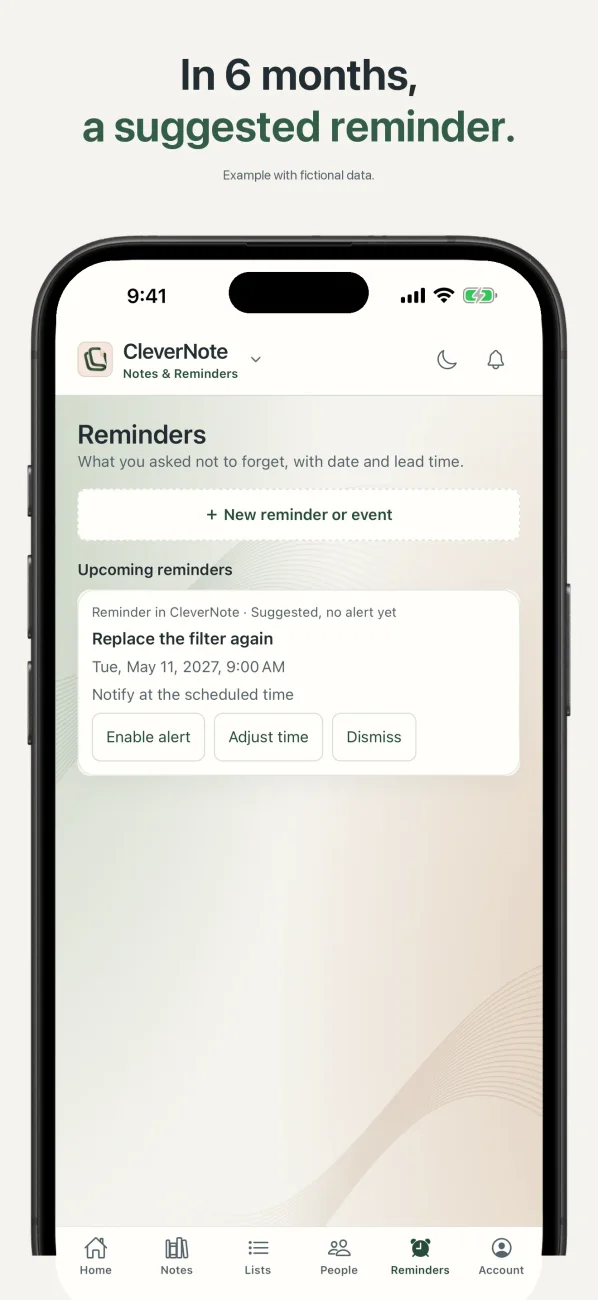
CleverNote saves the note, links it to Lucas, suggests a reminder for 6 months from now, and sends the $240 to CleverNote Finance, in the same account. Later, ask “how much did I pay Lucas?” and see the answer with the source note.
You don't have to remember everything.
Save notes, photos, voice recordings, and documents in CleverNote. When you need the detail, ask in your own words and get an answer with a source you can check.
Save without losing your flow
Text, photo, voice, or PDF. The note is saved immediately and CleverNote organizes it afterwards. From your phone, tap Share and choose CleverNote: a photo, a link, or a PDF goes straight into your library, with no copying between apps.
What you will find inside
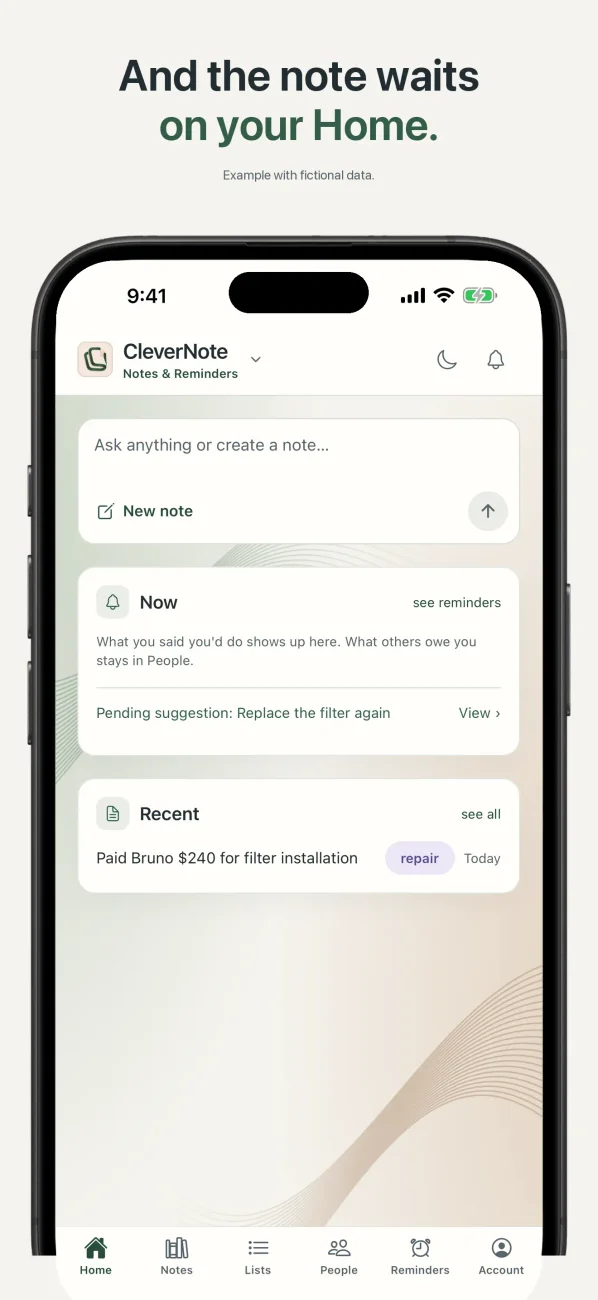
Home: one place to save and to ask.
Notes: your library, with search and stacks to group what belongs together.
People: who shows up in what you saved, with their context close by.
Reminders: what you agreed to, with the note it came from.
Ask when you need it
"When is Ana sending the proposal?" "What do I need to send before Tuesday?" The answer points to the passage that supports it and opens the original note, so you can check.
Reminders that come from a note
Write "remind me to send Ana the brief on the 15th at 9 am". CleverNote identifies the date and creates the reminder. If the date is unclear, you confirm it first. Reminders arrive as push on your phone and by email, with the original note close by.
The interpretation is yours to review
CleverNote suggests the title, the category, and what it understood from the note. Correcting takes one sentence, and the original stays available: you can always tell what the source said apart from your own correction.
Beyond the app
A Chrome and Edge extension saves web pages and excerpts with the original link. A personal capture address receives messages and attachments you forward. It all lands in the same library.
Right from your Home Screen
CleverNote's widgets live on your Home Screen and Lock Screen, and its controls in Control Center (iOS 18 or later): one tap to jot down, record, or take a photo. When a reminder arrives, you handle it right in the notification, with Done, Snooze 1h, or Tomorrow.
For people whose head is always full
If ideas show up in the middle of something else and vanish before you write them down, CleverNote was built with you in mind, including people with ADHD. Talk, type, or snap a photo however it comes out, no organizing required. CleverNote saves it instantly and finds the deadlines with money on the line, like free trials, return windows, and warranties, plus the promises between you and other people. On a paid plan, it warns you before those deadlines. When you ask, the answer comes with the note it came from.
Your data
Export everything or delete everything whenever you want, in Privacy and data.
You can start without creating an account: 5 notes and 10 questions to try it. The free plan has monthly limits, and your account is the same across every CleverNote app.
To follow spending, goals, and net worth, CleverNote Finance is a separate app.
Terms of Use: https://clevernote.net/terms
Privacy Policy: https://clevernote.net/privacy
CleverNote is not a medical device and does not diagnose, treat, cure, or prevent any condition.
What’s new
Version 1.3.15 · Nov 19, 2026
Fixes and stability improvements.
App privacy
What SPAKLABS AI INC. declares on the App Store about how this app handles data.
-
Data used to track you
May be used to track you across apps and websites owned by other companies.
- Identifiers
- Usage data
-
Data linked to you
May be collected and linked to your identity.
- Purchases
- Contact info
- Contacts
- User content
- Identifiers
- Usage data
-
Data not linked to you
May be collected but is not linked to your identity.
- Identifiers
- Usage data
- Diagnostics
Privacy practices may vary, for example with the features you use or your age.
Information
- Seller
- SPAKLABS AI INC.
- Category
- Productivity
- Version
- 1.3.15
- Updated
- Nov 19, 2026
- Released
- Sep 24, 2026
- Size
- 59.3 MB
- Requires
- iOS 16.4 or later
- Age rating
- 4+
- Price
- Free
- In-app purchases
- Yes
- Languages
- English, Portuguese
- Copyright
- © 2026 SPAKLABS AI INC.
You might also like
-
 Color Smart Notes AiNotes organised by colour
-
 ToqiAI assistant for daily life
-
 Cockatoo: AI Note TakerMeeting Recorder, Lectures
-
 Daily Planner: Tasks & AgendaTo Do List: Routine, Reminders
-
 WeNote - Notes, Notepad, To doColor Notebook & Calendar
-
 Prit: Professional SchedulerOnline Scheduling & Payment
-
 Toki: Tasks, Scheduling & WorkAI agent for what matters
-
 Tua Agenda: Para ProfissionaisProductivity
-
 EasyNotes: Notes, Memo & ListsSticky Notes, Color Notepad
-
 UniTV Player: Browse MoviesWatch Browser Shows & Sports