
- 対象年齢4+
- カテゴリ仕事効率化
- 開発元MARCIAL JULIAN NAVARRO
- 言語英語
- サイズ4.8 MB
App Storeの公式ページにリンクしています
Download.orgはCompBook: Notes & Sketchesのファイルを一切ホストしていません。ボタンを押すと、MARCIAL JULIAN NAVARROが公開しているApp Storeのアプリページが開きます。ページの最終確認:2026/11/20。
スクリーンショット
概要
開発元はこのテキストをお使いの言語で提供していません。
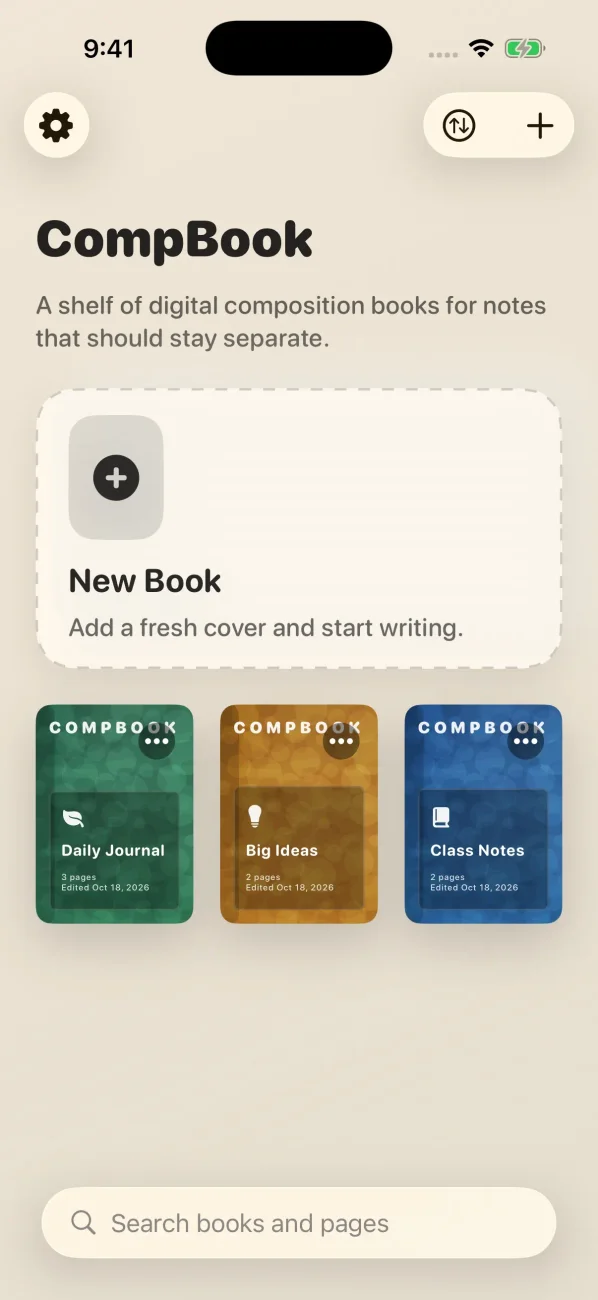
CompBook turns the classic composition notebook into a personal digital library for iPhone and iPad.
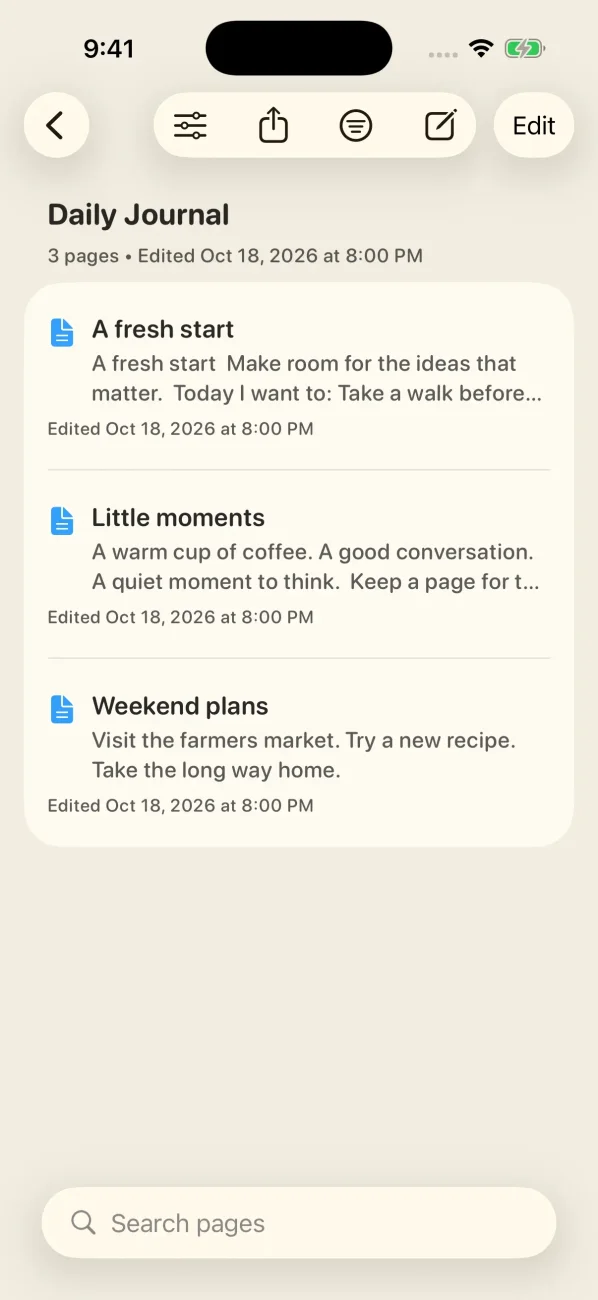
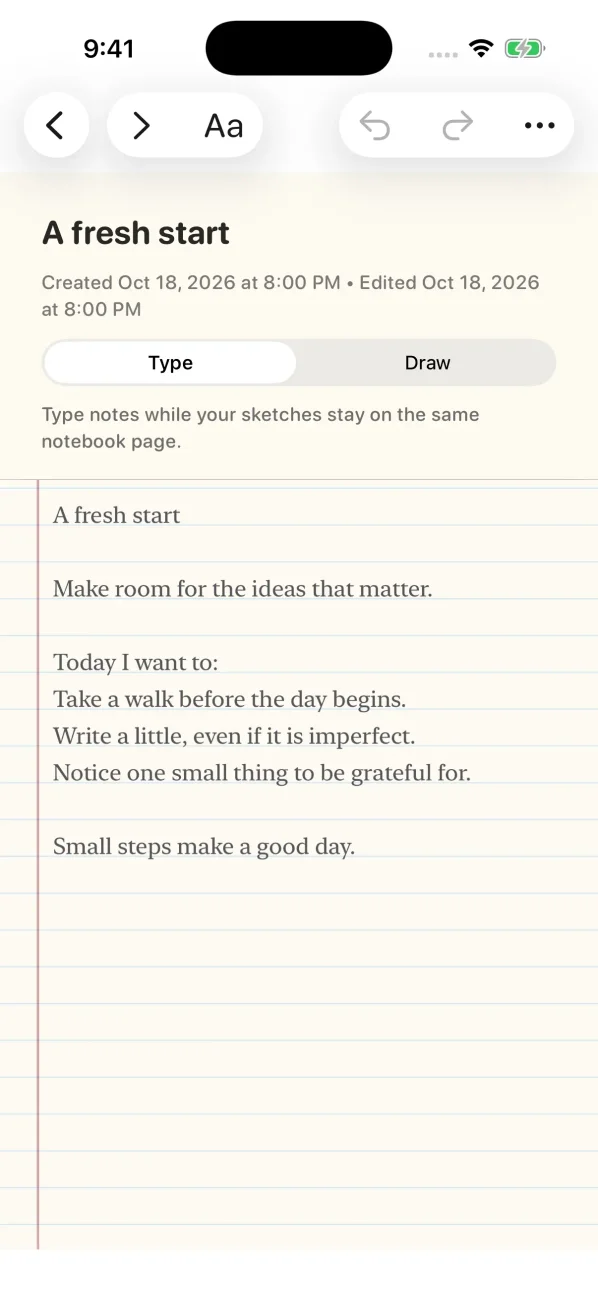
Create a separate book for each part of your life: class notes, journals, lyrics, business ideas, sketches, and more. Choose a cover, add pages, and switch between typing and drawing on the same notebook page.
MAKE EACH BOOK YOUR OWN
Customize covers with colors, icons, or a photo you choose. Pick lined, dotted, or graph paper, and set your preferred writing and drawing tools.
WRITE, COLOR, AND SKETCH
Type and format notes, choose your preferred typing ink, and give selected words their own colors. Paste images directly into your notes. Draw with touch or use a compatible Apple Pencil on iPad. Undo and redo as you work.
KEEP YOUR IDEAS ORGANIZED
Search across your library or within a book. Sort and reorder pages, duplicate a page, and copy or move pages between notebooks.
TAKE A COPY WITH YOU
Export pages and books to PDF, including text colors and pasted images. Save local library backups and import books on another device using Files or AirDrop. The current version does not include automatic cloud sync.
YOUR NOTEBOOKS STAY ON YOUR DEVICE
No account, ads, analytics SDKs, subscriptions, or in-app purchases. CompBook stores your notebook content locally and shares files only when you choose to export them.
Requires iOS 17 or iPadOS 17 or later. Apple Pencil support requires a compatible iPad and Apple Pencil.
新機能
バージョン 1.1 · 2026/11/17
Make your notebook your own with text colors and images.
• Set your preferred typing ink with Format > Typing Color.
• Highlight individual words with Selected Text Color while continuing to type in your preferred ink.
• Copy an image and paste it directly into a notebook page.
• Keep colors and images in saved notes, notebook backups, and exported PDFs.
• Undo and redo text color changes and pasted images.
• Find support and privacy information on Original Kai.
アプリのプライバシー
このアプリのデータの取り扱いについて、MARCIAL JULIAN NAVARROがApp Storeで申告している内容です。
-
データの収集なし
開発元はこのアプリからデータを収集しません。
プライバシーの取り扱いは、ご利用の機能やお客様の年齢などに応じて異なる場合があります。
情報
- 販売元
- MARCIAL JULIAN NAVARRO
- カテゴリ
- 仕事効率化
- バージョン
- 1.1
- 更新日
- 2026/11/17
- リリース
- 2026/11/5
- サイズ
- 4.8 MB
- 必要条件
- iOS 17.0以降
- 対象年齢
- 4+
- 価格
- ¥150
- 言語
- 英語
- 著作権
- © 2026 Original Kai
こちらもおすすめ
-
 BillSubmit仕事効率化
-
 EZ Time Tracker仕事効率化
-
 Focus Duck - Pomodoro Timer仕事効率化
-
 Almighty Notebook仕事効率化
-
 Bill Keeper: Bill Reminders仕事効率化
-
 Pomodoro Focus Study Timer仕事効率化
-
 Notepad – Private Notes仕事効率化
-
 GQueues: To Do List & Tasks仕事効率化
-
 PowerBoost: バッテリーセーバーProバッテリー最適化&エネルギー節約
-
 ToDoリスト - ウィジェット リマインダー メモアプリライブアクティビティ ホーム画面 ロック画面 ウィジェット