- 対象年齢4+
- カテゴリユーティリティ
- 開発元Radddio
- 言語英語ほか4言語
- サイズ16.8 MB
App Storeの公式ページにリンクしています
Download.orgはCopy My Data – Smart Switchのファイルを一切ホストしていません。ボタンを押すと、Radddioが公開しているApp Storeのアプリページが開きます。ページの最終確認:2026/11/24。
スクリーンショット

概要
開発元はこのテキストをお使いの言語で提供していません。
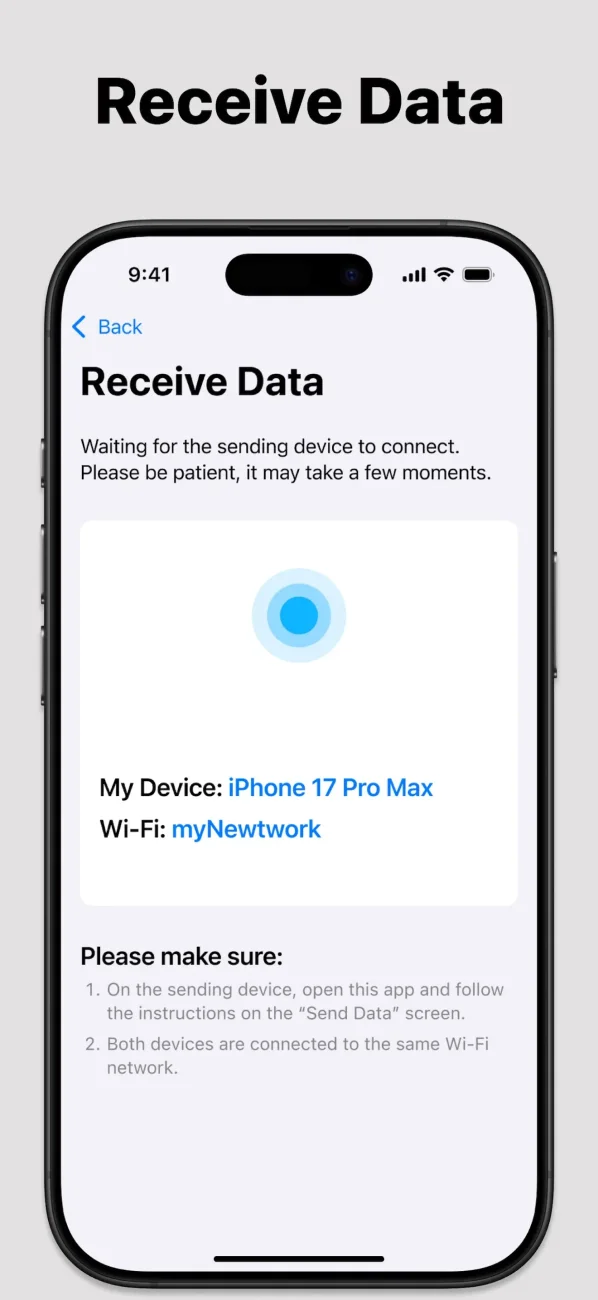
Copy My Data makes mobile transfer effortless.
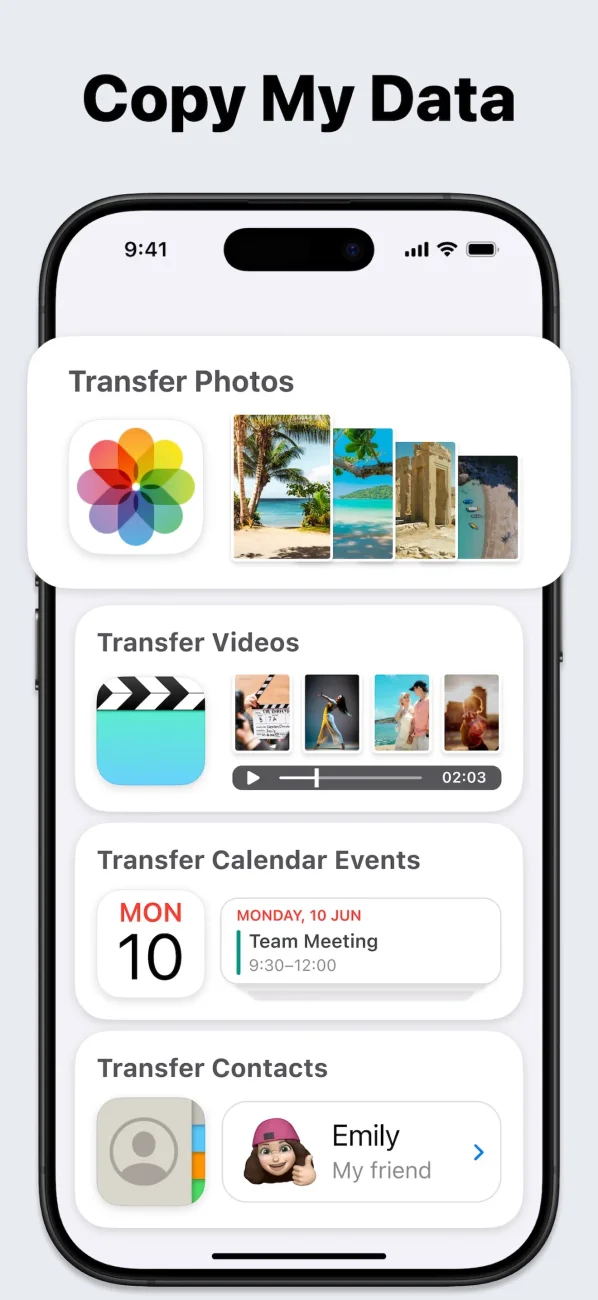
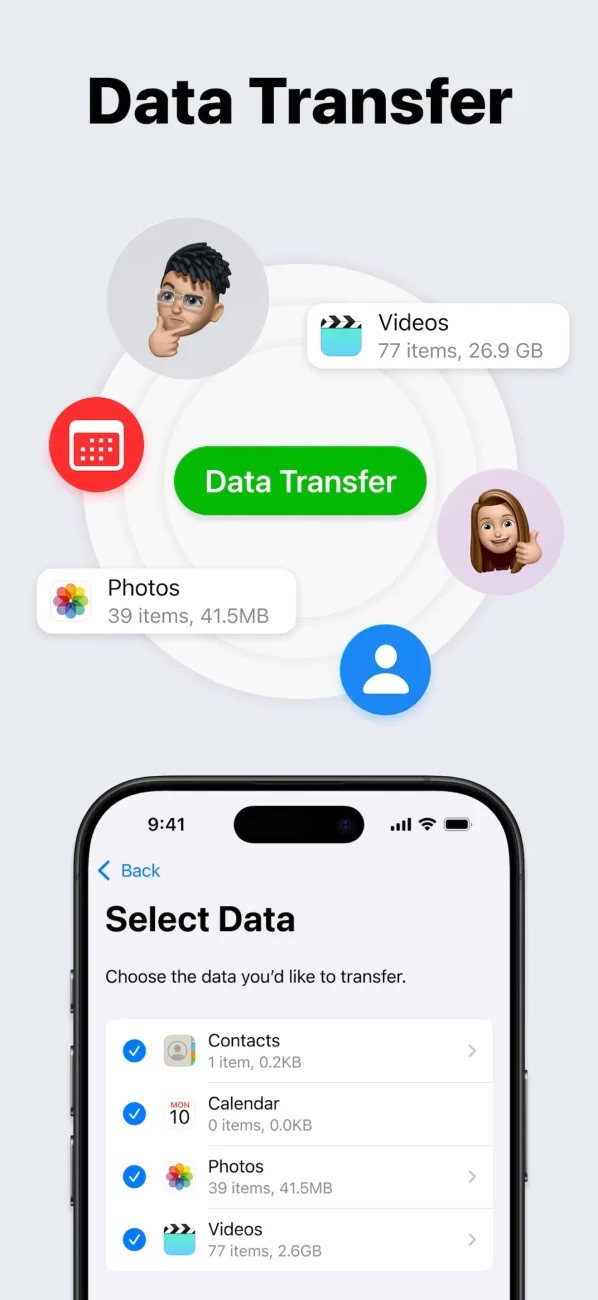
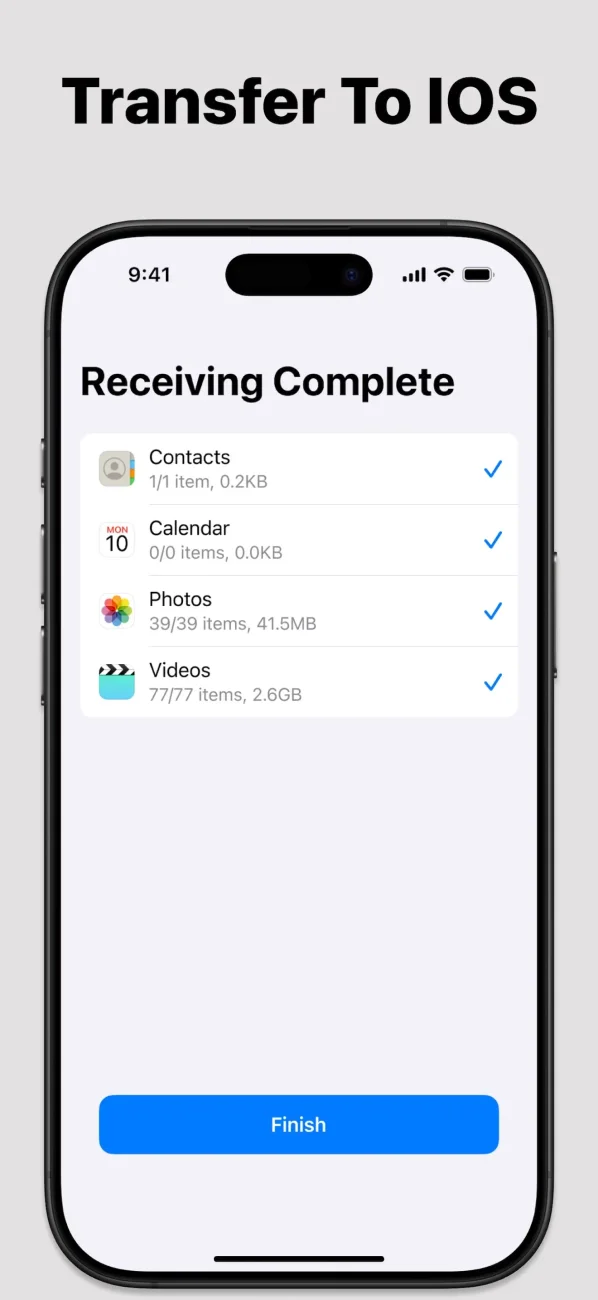
Whether you’re upgrading to a new iPhone or want to sync two devices, this app lets you securely transfer your contacts, photos, videos, and calendar events using just your local network, the smart transfer solution for quick and easy content transfer.
No accounts. No cloud. Just fast, private, and intuitive phone transfer between iPhones.
How it works:
1. Install the app on both iPhones
2. Connect both devices to the same local network
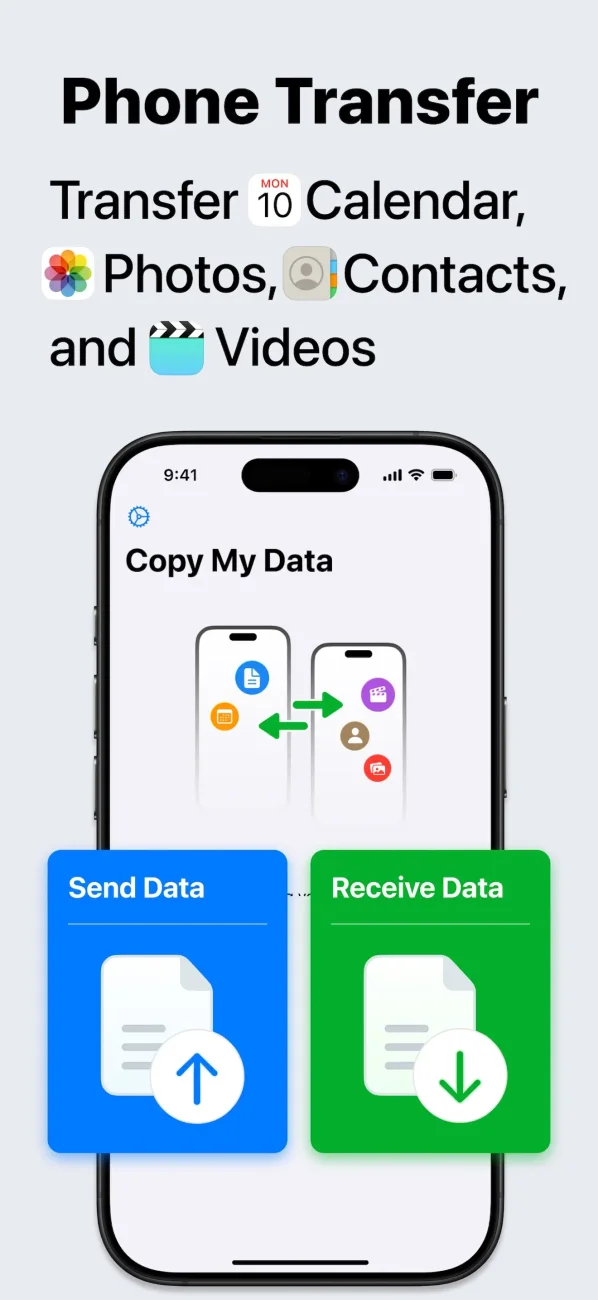
3. Select Send Data on one device and Receive Data on the other
4. Follow the on-screen steps to complete your data transfer
It’s that simple. Skip cables and complicated backups, use Copy My Data for reliable phone cloning and secure sharing.
Key features:
• Transfer contacts, photos, videos, and calendar events
• Send and receive data between iPhones
• Complete data transfer using only your local network, no internet required
• We do not collect or store any user data
• Fast, secure, and private mobile transfer experience
• Simple setup and guided smart transfer process
Whether you’re performing a phone transfer, content transfer, or just want to transfer videos, transfer photos, or transfer contacts, Copy My Data gets it done — hassle-free.
Common Questions:
• How do I transfer data from iphone to iphone?
Just install Copy My Data on both devices, connect them to the same network, and follow the steps to send data from your old phone and receive data on your new one.
• Can I transfer photos and videos without using iCloud?
Yes! This app enables full content transfer, including transfer videos and transfer photos, directly over your local Wi-Fi, no internet or iCloud needed.
• Is my data secure during transfer?
Absolutely. Your data transfer never leaves your local network, and we do not collect or store any user data.
A subscription is required for Copy My Data Premium. Manage or cancel your subscription anytime in your Apple ID settings.
----
Privacy Policy: https://ios2web.com/copy-my-data/privacy-policy/
Terms of Service: https://ios2web.com/copy-my-data/terms-of-service/
新機能
バージョン 1.0.5 · 2026/2/9
• Enhanced contact transfer with a more intuitive and easier flow
• Minor performance improvements and bug fixes
Thank you for using Copy My Data. We’re continuously working to make file transfers faster, simpler, and more reliable.
アプリのプライバシー
このアプリのデータの取り扱いについて、RadddioがApp Storeで申告している内容です。
-
データの収集なし
開発元はこのアプリからデータを収集しません。
プライバシーの取り扱いは、ご利用の機能やお客様の年齢などに応じて異なる場合があります。
情報
- 販売元
- Radddio Ltd
- カテゴリ
- ユーティリティ
- バージョン
- 1.0.5
- 更新日
- 2026/2/9
- リリース
- 2025/9/29
- サイズ
- 16.8 MB
- 必要条件
- iOS 17.6以降
- 対象年齢
- 4+
- 価格
- 無料
- アプリ内課金
- あり
- 言語
- 英語, フランス語, 簡体字中国語, スペイン語, 繁体字中国語
- 著作権
- © Radddio
こちらもおすすめ
-
 MP3変換: VoxCutVideo to Audio, MP3 Converter
-
 PDF署名:電子サイン・書類記入契約書に手書きサイン・電子署名
-
 Song Recorderユーティリティ
-
 Printer App: AirPrint & Scan.ユーティリティ
-
 MP4 to MP3 Converter ™ユーティリティ
-
 Remove BG・Background Removerユーティリティ
-
 Null AI - Detect AI Mediaユーティリティ
-
 Device Detector: Find & Detectユーティリティ
-
 Air Share: Backup or Copy Dataユーティリティ
-
 Scan QR Code - QRCode Scannerユーティリティ