- 対象年齢4+
- カテゴリユーティリティ
- 開発元Yaniv van der Stigchel
- 言語英語ほか4言語
- サイズ7.4 MB
App Storeの公式ページにリンクしています
Download.orgはCut List Optimizer & Plannerのファイルを一切ホストしていません。ボタンを押すと、Yaniv van der Stigchelが公開しているApp Storeのアプリページが開きます。ページの最終確認:2026/11/28。
スクリーンショット

概要
開発元はこのテキストをお使いの言語で提供していません。
A full sheet of plywood costs real money. This tells you how to cut it before you waste any.
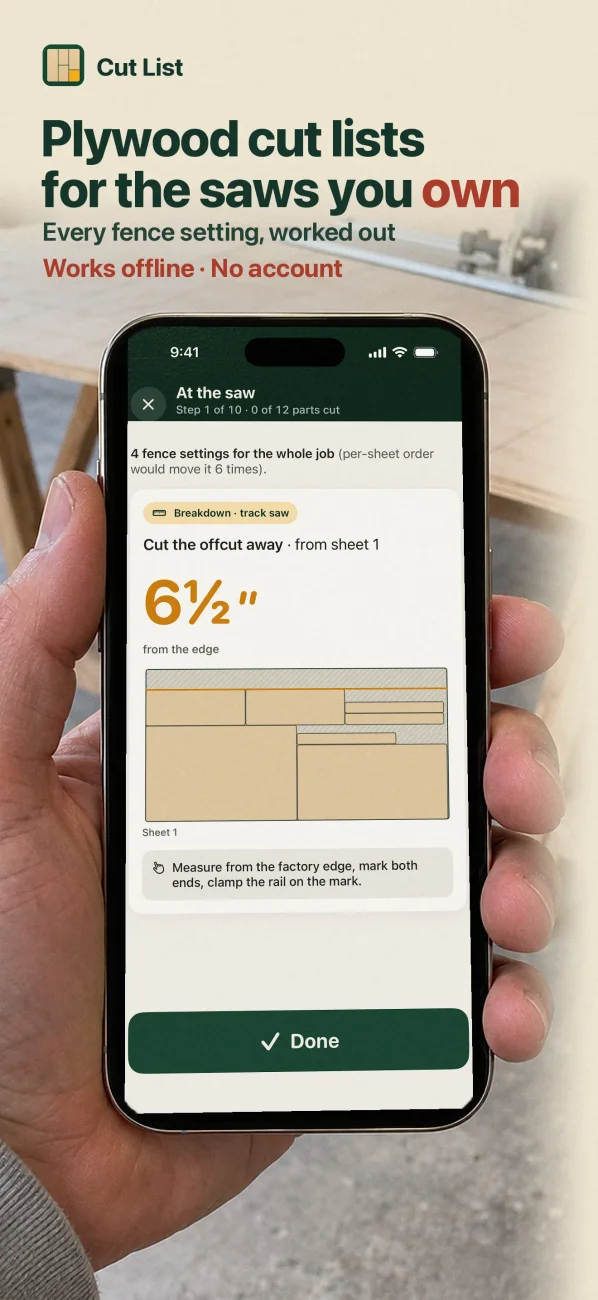
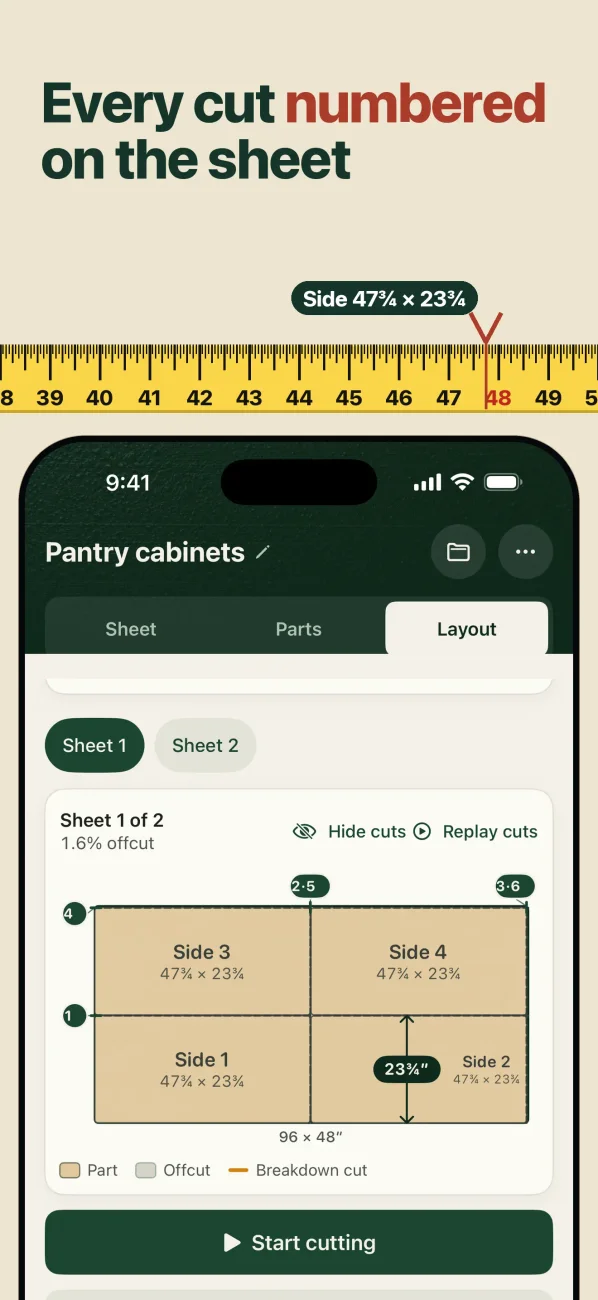
Type in the pieces you need and Cut List Optimizer lays them out on the sheet for you, kerf and grain included, then hands you a numbered order to cut them in. No sketching on the offcut. No discovering at piece eleven that the last one does not fit.
WHAT YOU GET
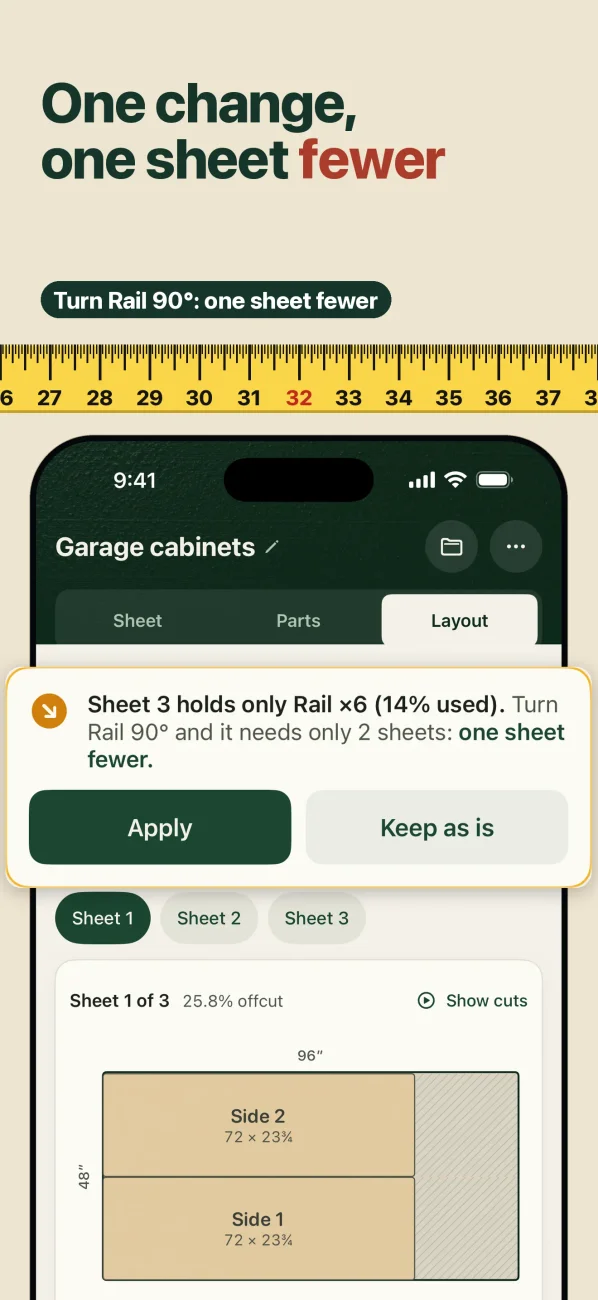
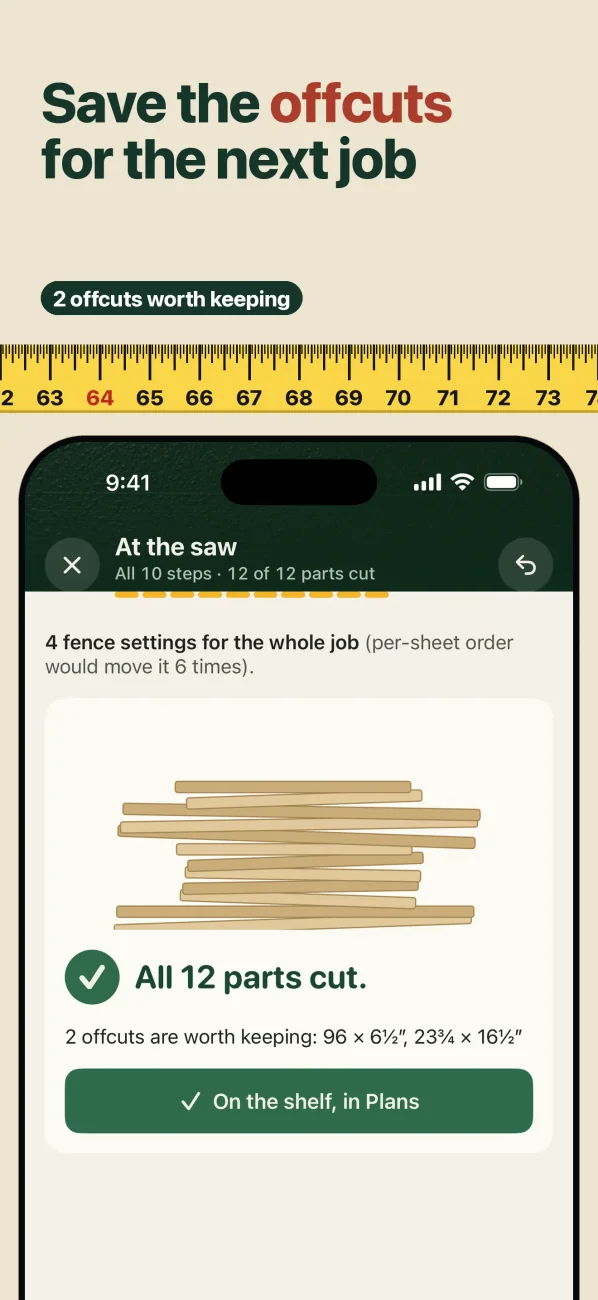
A layout with the waste worked out. Every part nested, the yield as a percentage, and the offcut shown against each sheet — before the blade touches anything.
The kerf, accounted for. Your blade turns a few millimeters of plywood into sawdust on every single cut. Twelve cuts across a sheet and that is a piece you no longer have. Set your kerf once and it is in every calculation from then on.
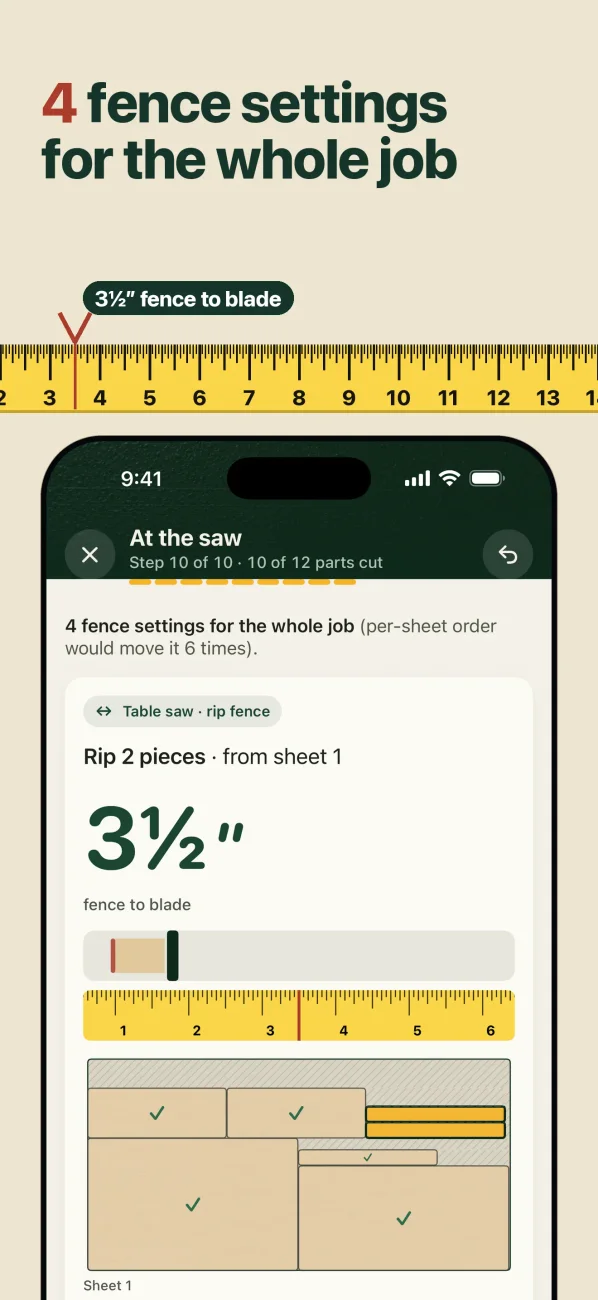
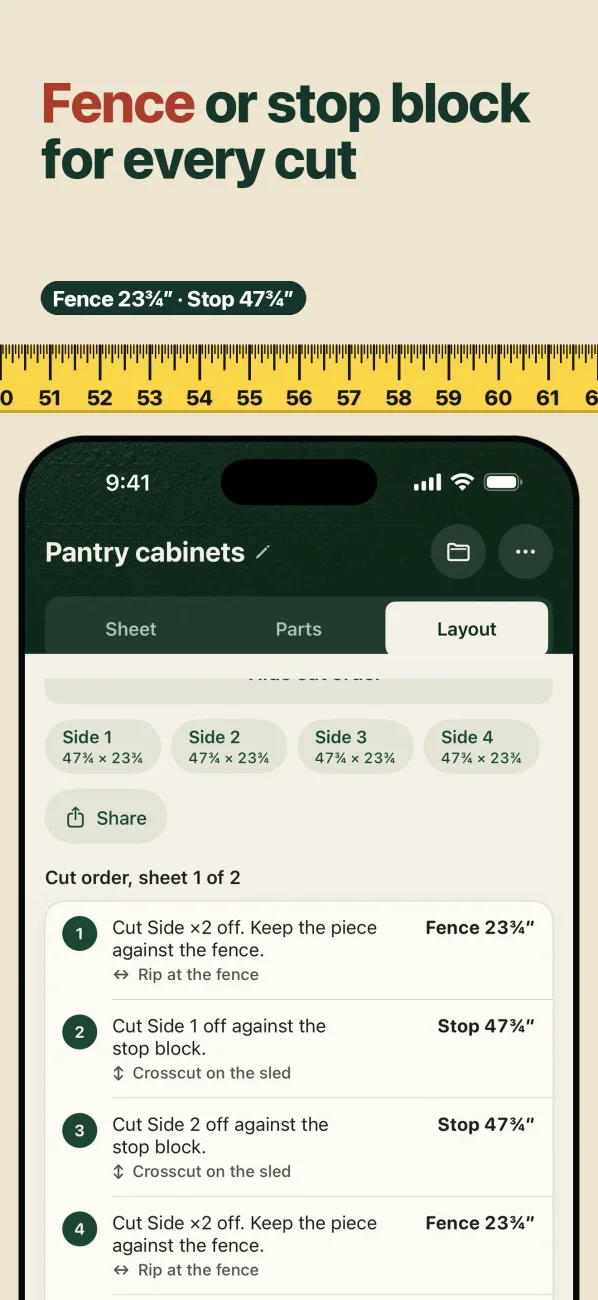
A cut order, not a puzzle. Rip first, then crosscut, numbered down the screen with the measurement for each one. Follow it and the offcuts stay square and usable.
Grain direction, where it matters (Pro). Lock a part to the grain and the optimizer will not quietly rotate it to save a few millimeters.
Inches or millimeters. Standard sheet presets for 8x4, 5x5 and 4x4, or type your own.
Share the layout. Send the diagram to your phone, your printer or whoever is helping you cut.
WHAT IS FREE, AND WHAT IS PRO
Free, and staying free: unlimited parts, the optimizer, the sheet count and yield for the whole job, the full diagram and cut order for the first sheet, saved plans, and sharing a sheet as an image. If your job fits on one sheet, it is free from start to finish.
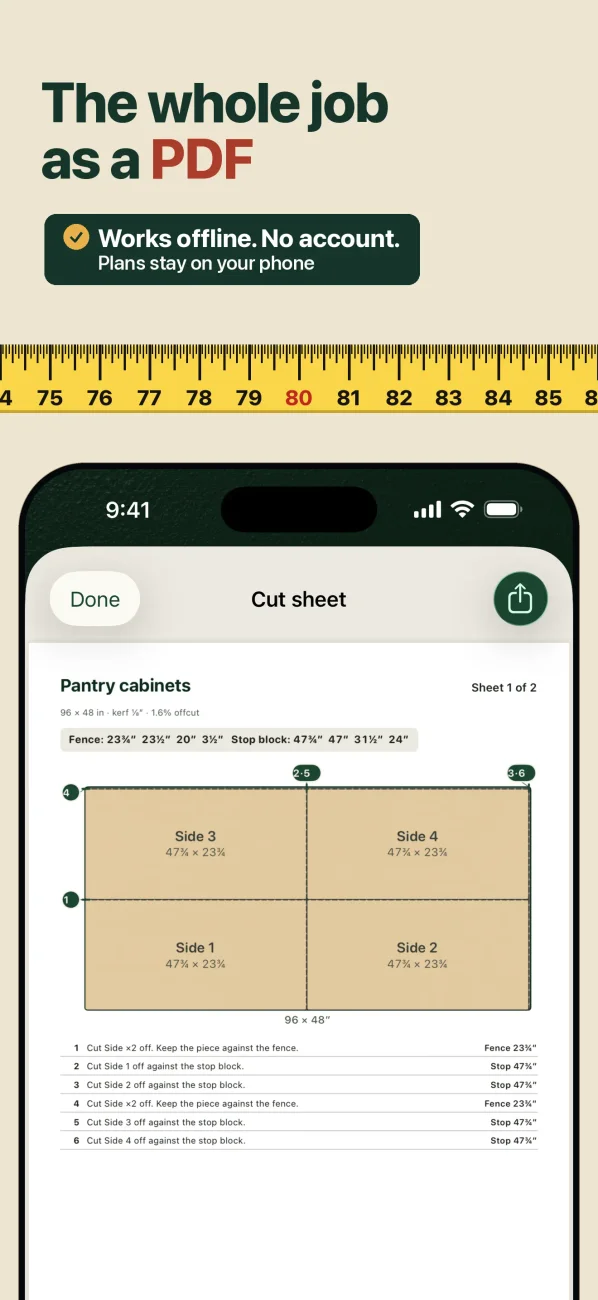
Cut Planner Pro is a single payment for bigger jobs: every sheet of a multi-sheet job, each with its own cut order, the grain lock, and the whole job as one printable PDF.
No subscription. No account. No ads. No network connection needed, which matters in a workshop where the signal does not reach.
新機能
バージョン 1.2.1 · 2026/11/27
Small improvements and fixes.
アプリのプライバシー
このアプリのデータの取り扱いについて、Yaniv van der StigchelがApp Storeで申告している内容です。
-
ユーザーに関連付けられないデータ
収集される場合がありますが、ユーザーの識別情報には関連付けられません。
- 使用状況データ
プライバシーの取り扱いは、ご利用の機能やお客様の年齢などに応じて異なる場合があります。
情報
- 販売元
- Yaniv van der Stigchel
- カテゴリ
- ユーティリティ
- バージョン
- 1.2.1
- 更新日
- 2026/11/27
- リリース
- 2026/10/9
- サイズ
- 7.4 MB
- 必要条件
- iOS 17.0以降
- 対象年齢
- 4+
- 価格
- 無料
- アプリ内課金
- あり
- 言語
- 英語, オランダ語, ドイツ語, ポルトガル語, スペイン語
- 著作権
- © 2026 Yaniv Vanderstigchel
こちらもおすすめ
-
 XyloKerf: Cut List Optimizerユーティリティ
-
 Kerfly: Cut List Optimizerユーティリティ
-
 CutSmart - Cut List Optimizerユーティリティ
-
 Benchwise: Cutlist Optimizerユーティリティ
-
 Offcut - Cut Layout Optimizerユーティリティ
-
 FramerCalc: Carpentry Toolsユーティリティ
-
 Plank: Cut List Optimizerユーティリティ
-
 材料カット最適化ツール鉄筋・木材・カットリスト
-
 木工 木取り図・材積計算: Cutlist木材のカット計画と端材・ノコ刃の厚みを一目で
-
 Cutlist:切断を最適化木取り表で時間もお金も節約