- 対象年齢4+
- カテゴリ仕事効率化
- 開発元Valters Grisans
- 言語英語
- サイズ2.3 MB
App Storeの公式ページにリンクしています
Download.orgはDaily Markdownのファイルを一切ホストしていません。ボタンを押すと、Valters Grisansが公開しているApp Storeのアプリページが開きます。ページの最終確認:2026/11/15。
スクリーンショット
概要
開発元はこのテキストをお使いの言語で提供していません。
Daily Markdown is a minimalist journaling app designed for one simple purpose: write every day.
SIMPLE BY DESIGN
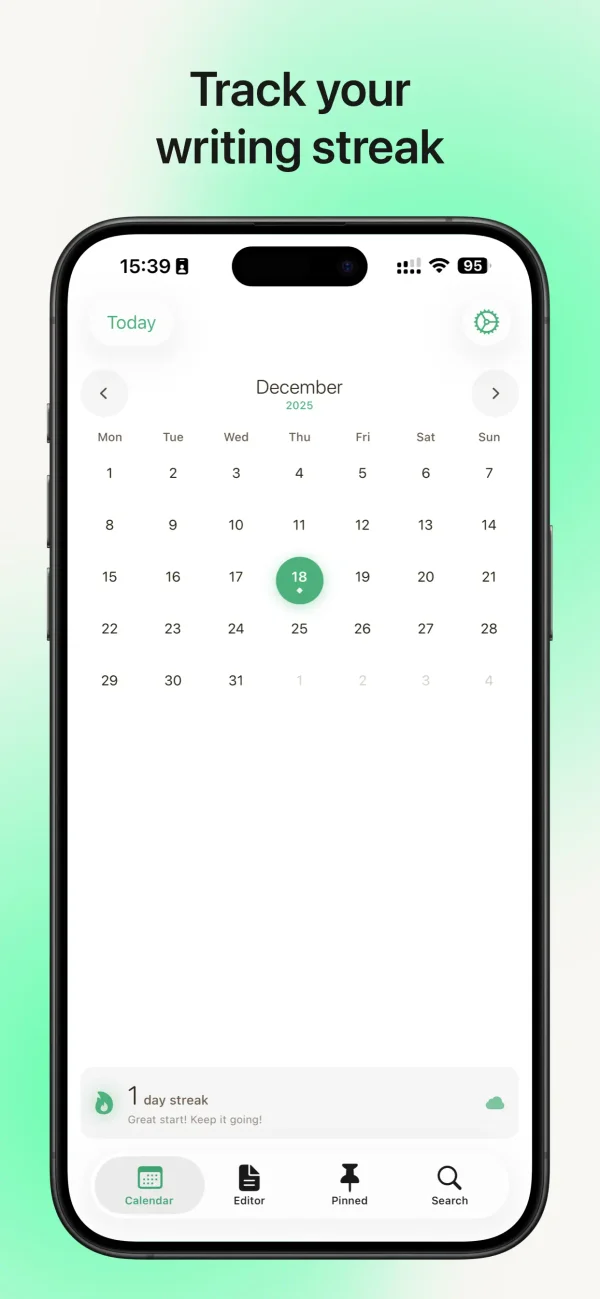
One note per day. No folders, no tags, no complexity. Just open the app and start writing. Yesterday's notes become read-only, keeping you focused on today.
MULTIPLE TABS
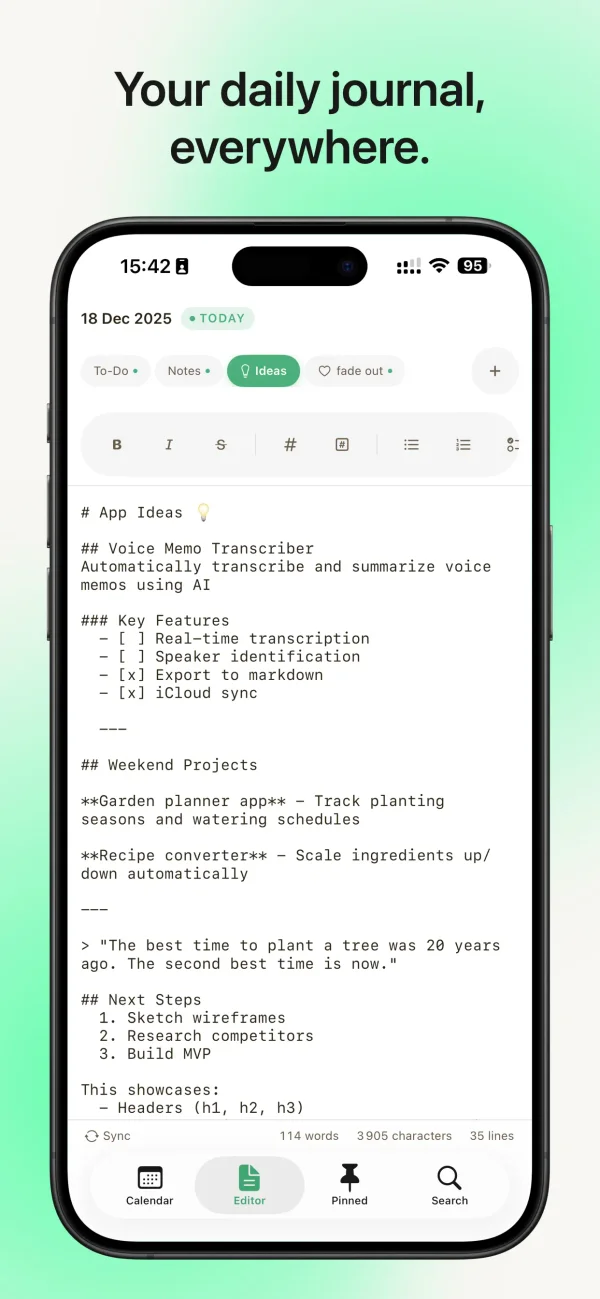
Organize each day with separate tabs - To-Do, Notes, Ideas. Create custom tabs on-the-fly to structure your thoughts however you like.
MARKDOWN, YOUR WAY
Write in familiar Markdown – bold, italic, headers, lists, checkboxes, and code blocks. Switch between Rich and Plain mode with a single click: Rich renders headings, emphasis, and lists as you type for distraction-free reading; Plain shows every Markdown character for precise editing. Your files stay plain .md either way.
FOCUS MODE
Hide distractions and enter a clean, minimal writing environment. Just you and your words.
EVERYWHERE YOU ARE
Available on Mac, iPhone, and iPad. Your notes sync automatically via iCloud across all your devices. Start on your Mac, continue on your iPhone, finish on your iPad.
FEATURES
• One note per day format
• Multiple tabs per day
• Rich and Plain Markdown modes with live syntax highlighting
• Distraction-free focus mode
• Pin important notes for quick access
• Full-text search across all notes
• iCloud sync across Mac, iPhone, and iPad
• Light, dark, and auto themes
• Multiple accent colors
• Daily task templates
• Word and character count
• Keyboard shortcuts
Daily Markdown respects your privacy. Your notes stay on your devices and in your personal iCloud. We never see your data.
Start your daily writing habit today.
新機能
バージョン 1.4 · 2026/5/7
Rich text view
A new Rich mode renders your notes as you write — proportional font, scaled headings, and softened formatting markers – while the underlying file stays plain Markdown. Switch back to Plain anytime with the new toggle next to the focus button. No conversion, no lost cursor.
Live syntax highlighting
Headings, code blocks, inline code, quotes, lists, bold and italic are now styled directly in the editor. Code blocks read like code; prose reads like prose.
Refined editor header
The TODAY/READ ONLY badge now leads the header, with the date set in a smaller, lighter weight. The tab bar and controls share a single row, so there's more room for your writing.
Bug fix
Fixed a rare issue where switching tabs while typing could save the previous tab's content into the newly selected tab.
アプリのプライバシー
このアプリのデータの取り扱いについて、Valters GrisansがApp Storeで申告している内容です。
-
データの収集なし
開発元はこのアプリからデータを収集しません。
プライバシーの取り扱いは、ご利用の機能やお客様の年齢などに応じて異なる場合があります。
情報
- 販売元
- Valters Grisans
- カテゴリ
- 仕事効率化
- バージョン
- 1.4
- 更新日
- 2026/5/7
- リリース
- 2025/12/17
- サイズ
- 2.3 MB
- 必要条件
- iOS 17.6以降
- 対象年齢
- 4+
- 価格
- 無料
- 言語
- 英語
- 著作権
- © 2026 Valters Grisans