DanceCopilot: 8-Count Practice
Beat Detection, Loop & Compare
iPhone, iPad向けに設計
無料 · アプリ内課金
- 対象年齢4+
- カテゴリユーティリティ
- 開発元吁 朴
- 言語英語ほか1言語
- サイズ291.8 MB
App Storeの公式ページにリンクしています
Download.orgはDanceCopilot: 8-Count Practiceのファイルを一切ホストしていません。ボタンを押すと、吁 朴が公開しているApp Storeのアプリページが開きます。ページの最終確認:2026/11/16。
スクリーンショット

概要
開発元はこのテキストをお使いの言語で提供していません。
Learn choreography from your own videos, one 8-count at a time.
Import a dance video from Photos and turn it into a practice session on your iPhone or iPad. See how each move fits the music, slow down the details, repeat a tricky section, and compare your practice side by side.
SEE THE MOVES, COUNT BY COUNT
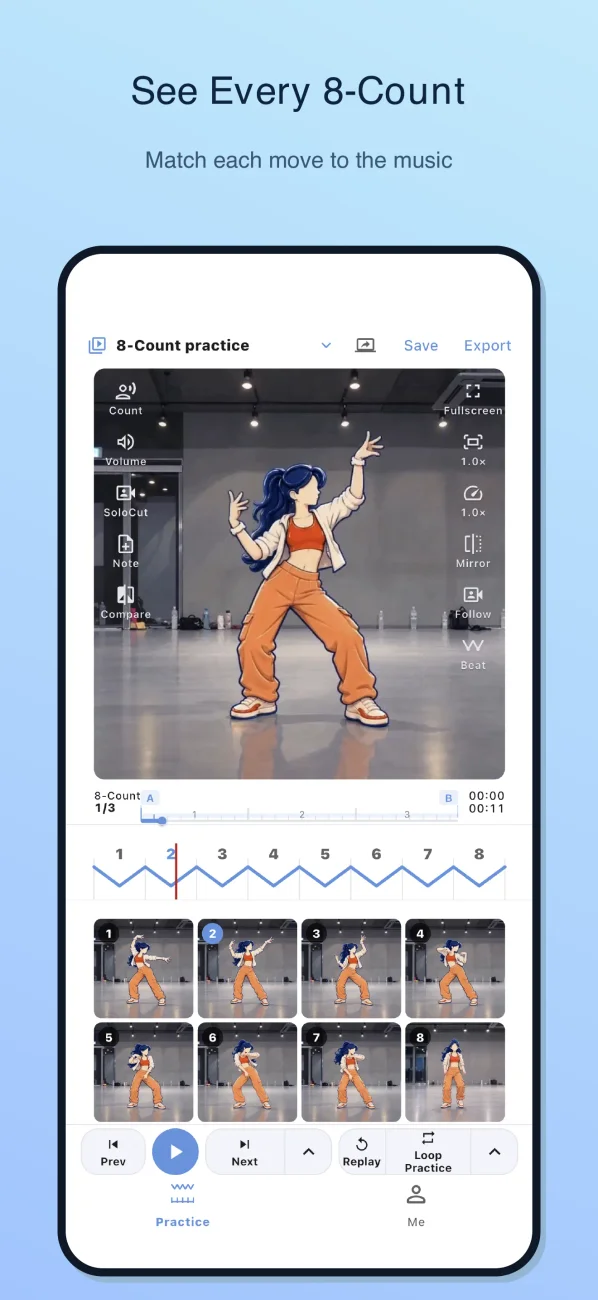
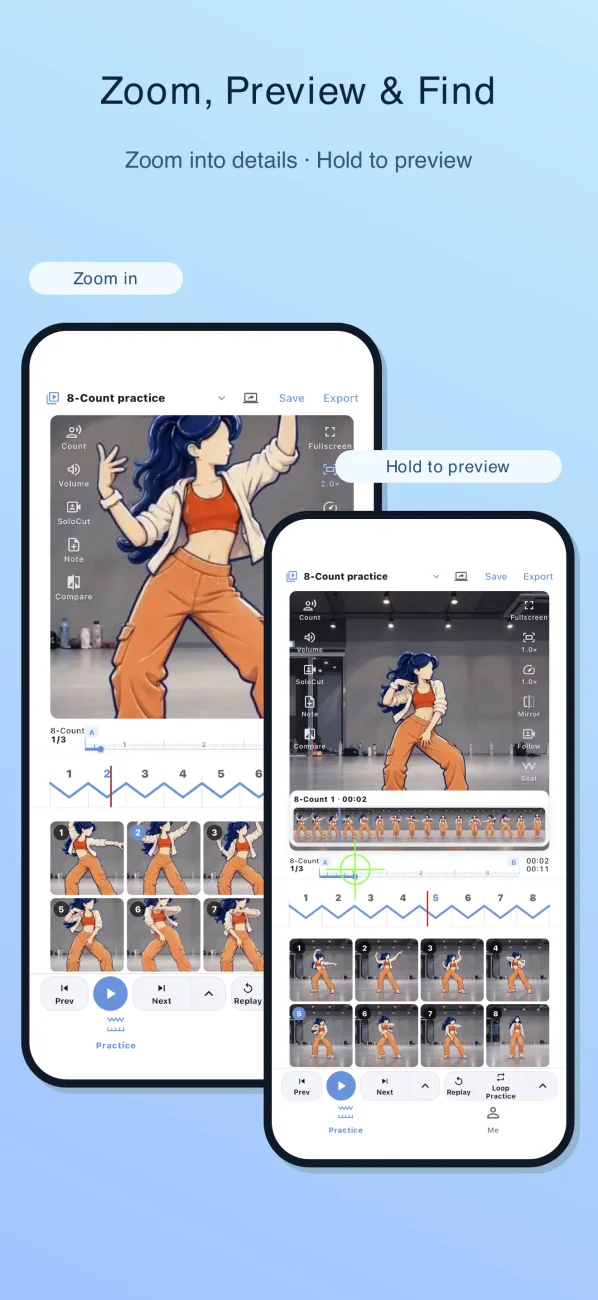
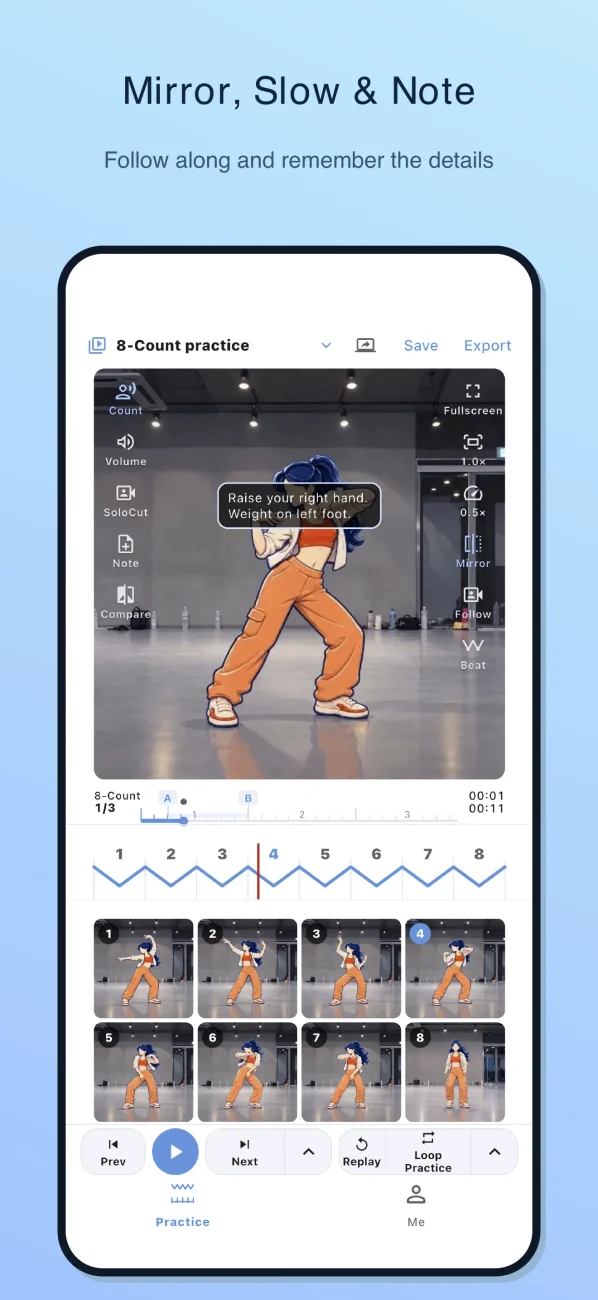
Explore an interactive 8-count ruler with a move preview for each count. Drag through the sequence or tap a preview to revisit a moment. Zoom in to study hand and foot details. The count previews follow your zoom and pan. Press and hold the progress bar to preview nearby moments before choosing where to resume. Use Next Beat to watch the movement between two beats, then pause and continue at your pace.
MIRROR, SLOW DOWN, AND LOOP
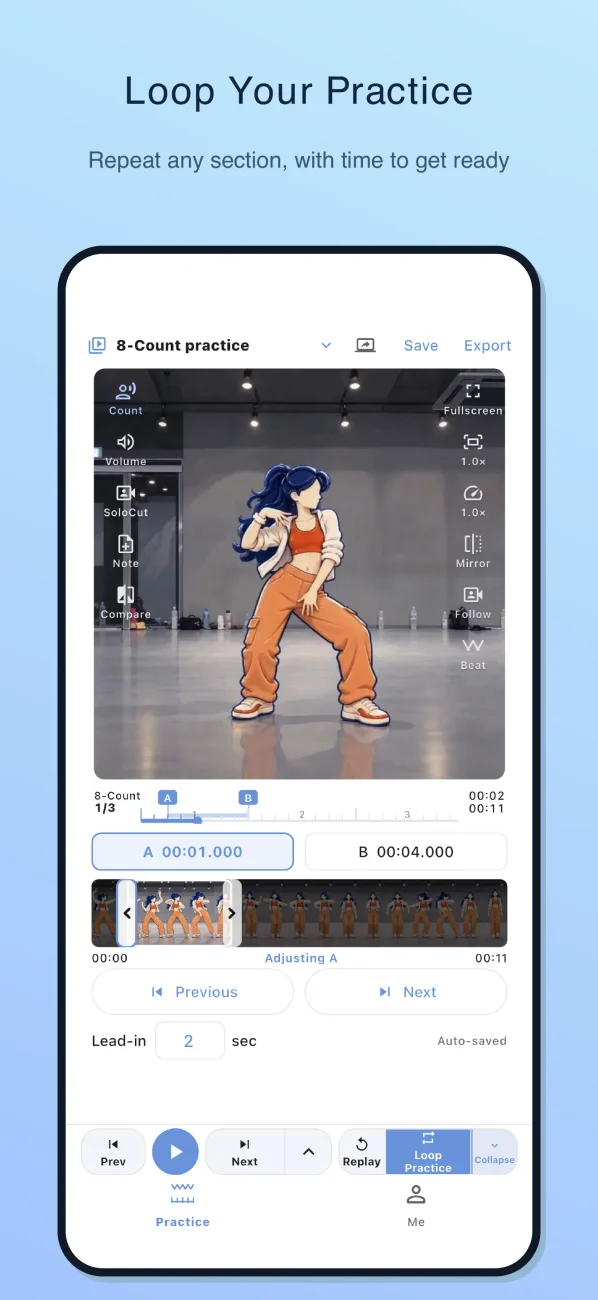
Mirror the video to follow the choreography. Adjust playback speed, choose any A–B section, and repeat it while you practice. Set a lead-in so you have time to get ready. Add notes to remember details you want to work on.
FOLLOW THE MUSIC
Analyze musical beats on your device and adjust their alignment when needed. Turn on audio beat cues to hear the rhythm while you practice.
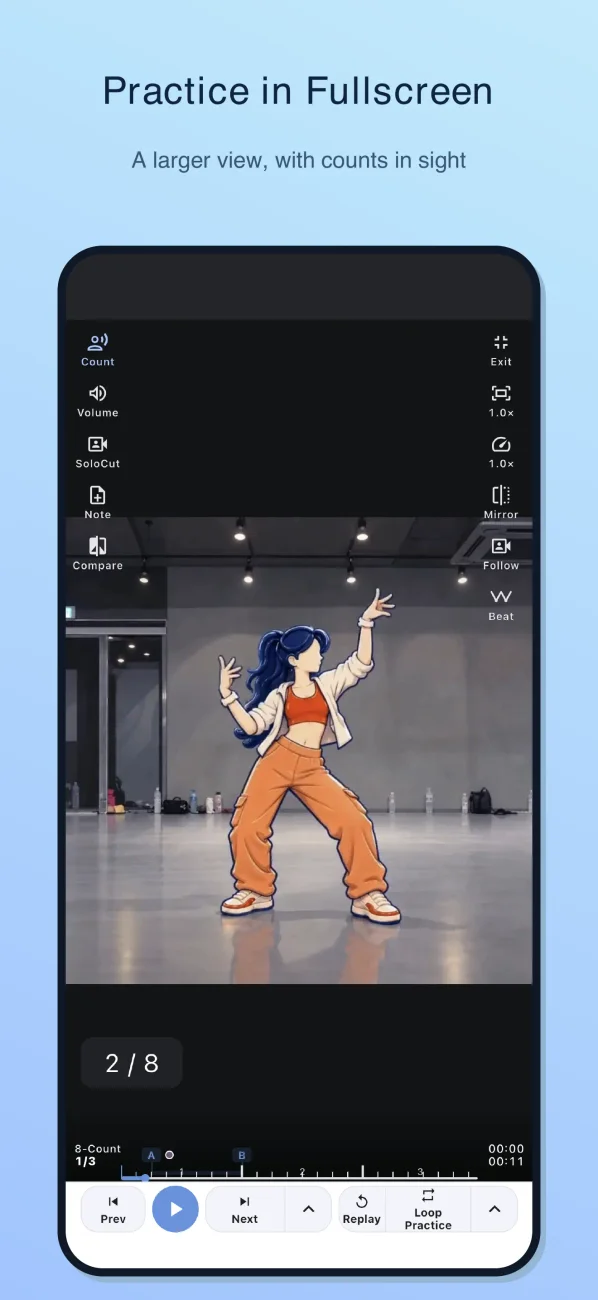
PRACTICE IN FULLSCREEN
Open a larger practice view with an on-screen 8-count indicator. On iPad, practice in portrait or landscape.
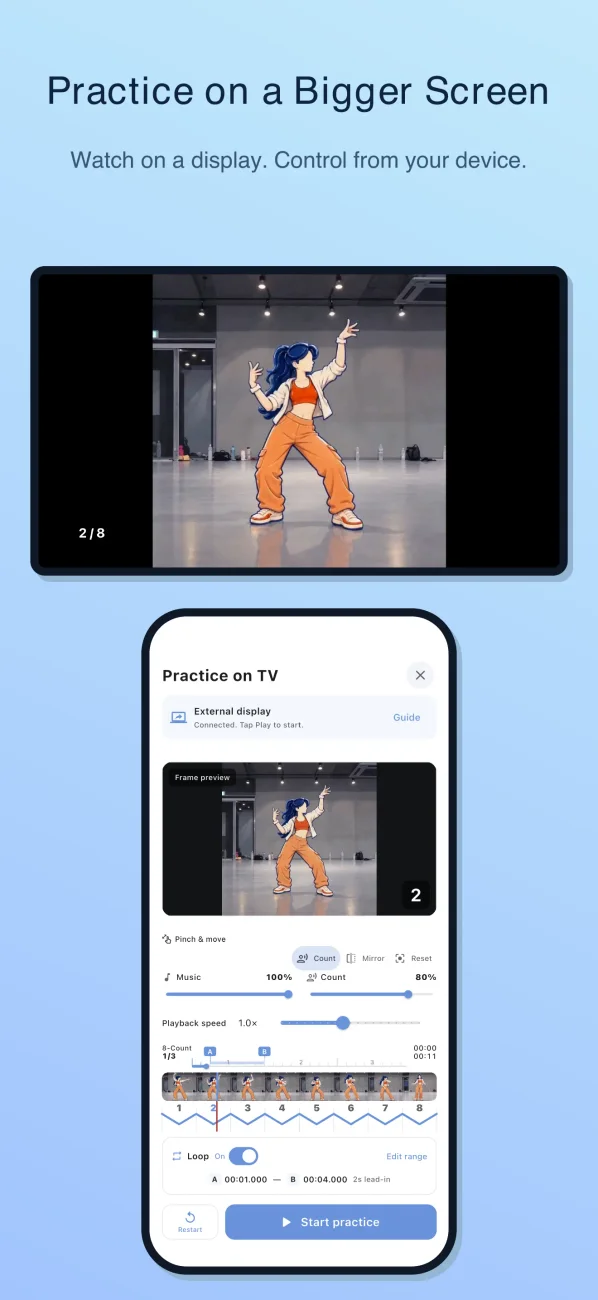
PRACTICE ON A BIGGER SCREEN
Use Screen Mirroring in Control Center to connect to a compatible AirPlay display, Apple TV, or Mac. Watch the practice video and counts on the external display while controlling playback, speed, mirror, and loops from your iPhone or iPad. A compatible receiver and network setup are required.
RECORD AND COMPARE
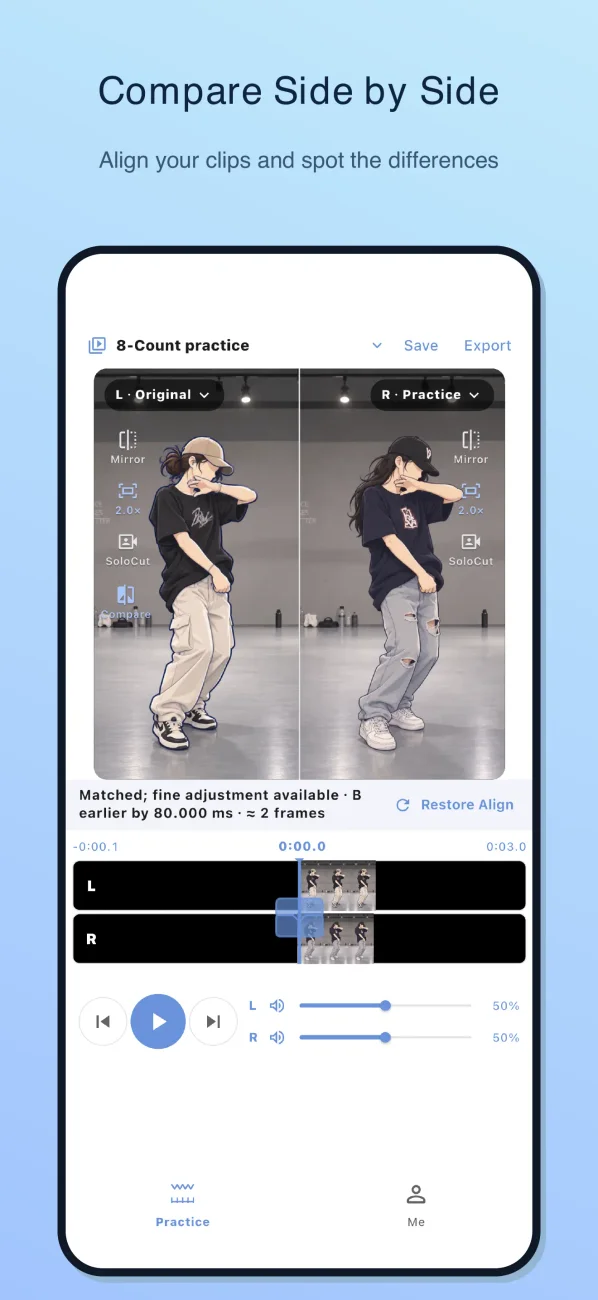
Record your practice and view it beside a reference video. Align the clips by their audio and fine-tune the timing to review movement and rhythm. Export breakdown or comparison videos.
KEEP ONE DANCER IN VIEW
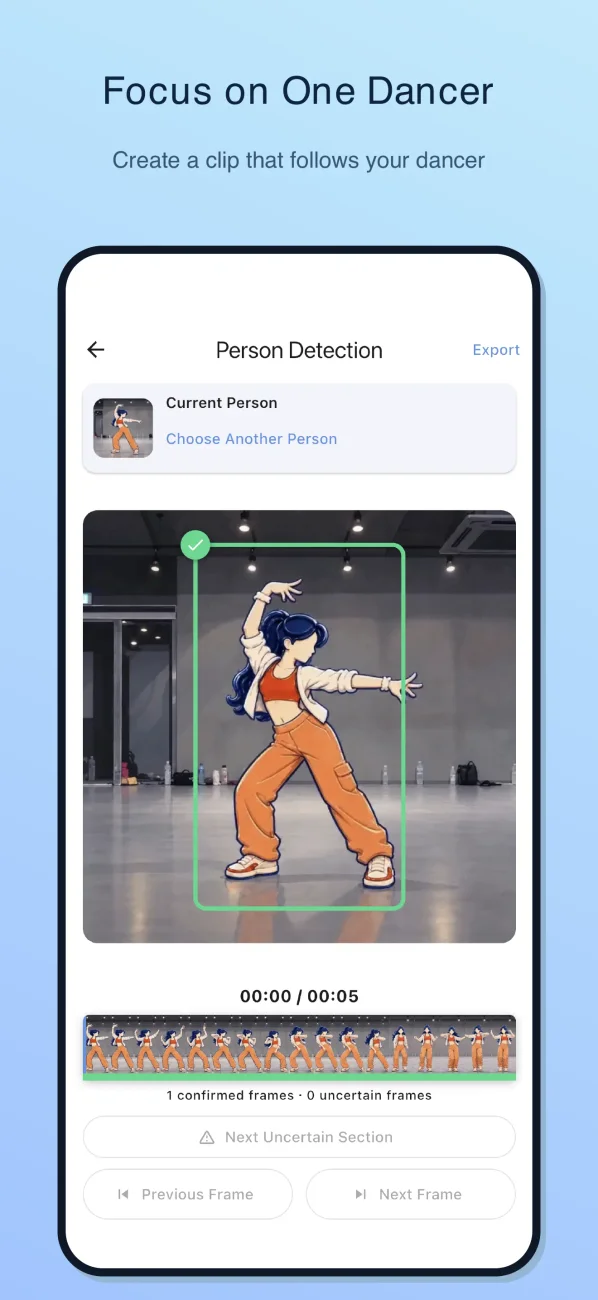
Select a dancer and create a clip that tracks them as they move. Focus on the person you want to learn from, then use the clip for practice or comparison.
ON-DEVICE VIDEO PROCESSING, NO SIGN-UP
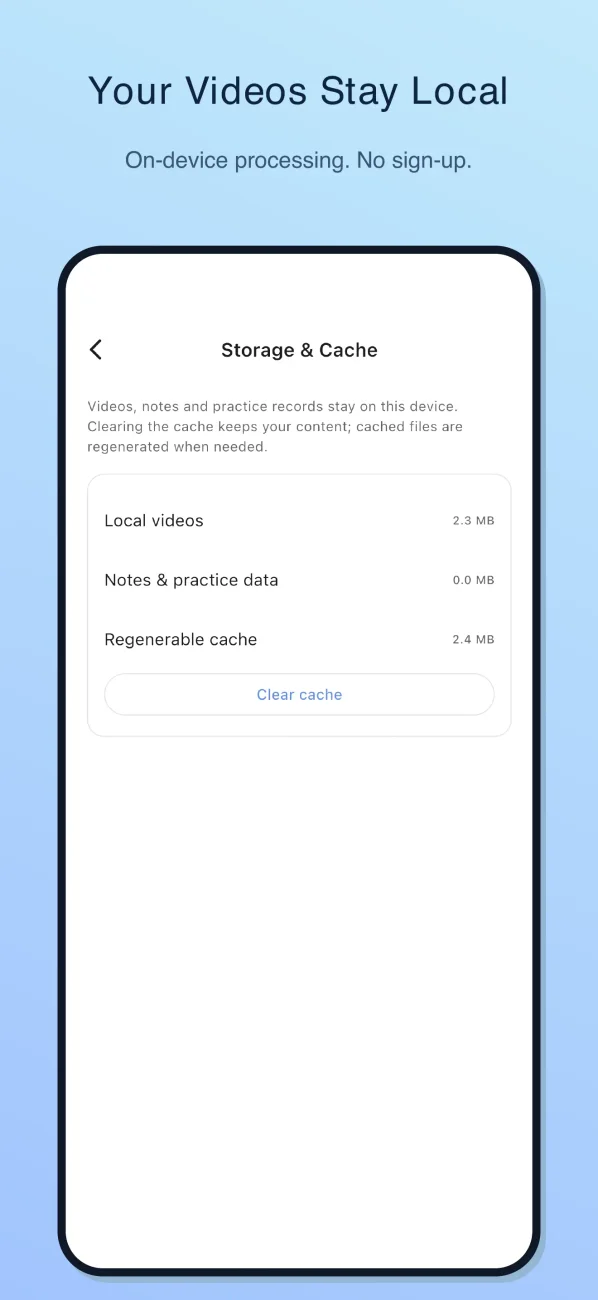
Video processing, beat analysis, and project data stay on your device. Your media is not uploaded to developer servers. Purchases, restoring purchases, and external links require an internet connection.
TRY IT, THEN UNLOCK FOREVER
Includes 10 successful external video imports with 8-count practice on this device. The built-in 12-second sample does not use the allowance. Reimporting a video counts as another import; opening an existing video does not. Deleting videos or reinstalling the app does not restore used imports. After the allowance is used, a one-time purchase unlocks further external video imports. Existing videos remain available with the advanced practice tools. Lifetime Membership is a non-consumable purchase with no automatic renewal. Restore it using the Apple Account used to purchase.
This video is imported from your photo library. DanceCopilot only processes local videos, and video-related content in the app is never uploaded to the cloud. All processing takes place locally, helping protect your privacy. DanceCopilot does not include a dance course library or online video downloader.
Support: https://dancecopilot.cn/support/
Privacy: https://dancecopilot.cn/privacy
Terms of Use: https://www.apple.com/legal/internet-services/itunes/dev/stdeula/
新機能
バージョン 1.0.5 · 2026/10/24
Practice on a bigger screen: use Screen Mirroring to connect to a compatible AirPlay display, with playback, speed, mirror, and loop controls on your iPhone or iPad.
Improved video trimming and thumbnail loading.
Improved screen-mirroring transitions, end-of-video playback, and replay.
アプリのプライバシー
このアプリのデータの取り扱いについて、吁 朴がApp Storeで申告している内容です。
-
ユーザーに関連付けられたデータ
収集され、ユーザーの識別情報に関連付けられる場合があります。
- 購入
- ID
- 使用状況データ
- その他のデータ
プライバシーの取り扱いは、ご利用の機能やお客様の年齢などに応じて異なる場合があります。
情報
- 販売元
- 吁 朴
- カテゴリ
- ユーティリティ
- バージョン
- 1.0.5
- 更新日
- 2026/10/24
- リリース
- 2026/10/9
- サイズ
- 291.8 MB
- 必要条件
- iOS 16.0以降
- 対象年齢
- 4+
- 価格
- 無料
- アプリ内課金
- あり
- 言語
- 英語, 簡体字中国語
- 著作権
- © 2026 Piao Yu