- 対象年齢4+
- カテゴリグラフィック/デザイン
- 開発元DartSide
- 言語英語ほか1言語
- サイズ22.6 MB
App Storeの公式ページにリンクしています
Download.orgはDartSide Pattern Draftingのファイルを一切ホストしていません。ボタンを押すと、DartSideが公開しているApp Storeのアプリページが開きます。ページの最終確認:2026/11/16。
スクリーンショット
概要
開発元はこのテキストをお使いの言語で提供していません。
Scan your sewing patterns with your iPhone or iPad! DartSide is a sewing pattern editor that helps creators with the entire creation process: scanning, construction, industrializing, and exporting.
SCAN
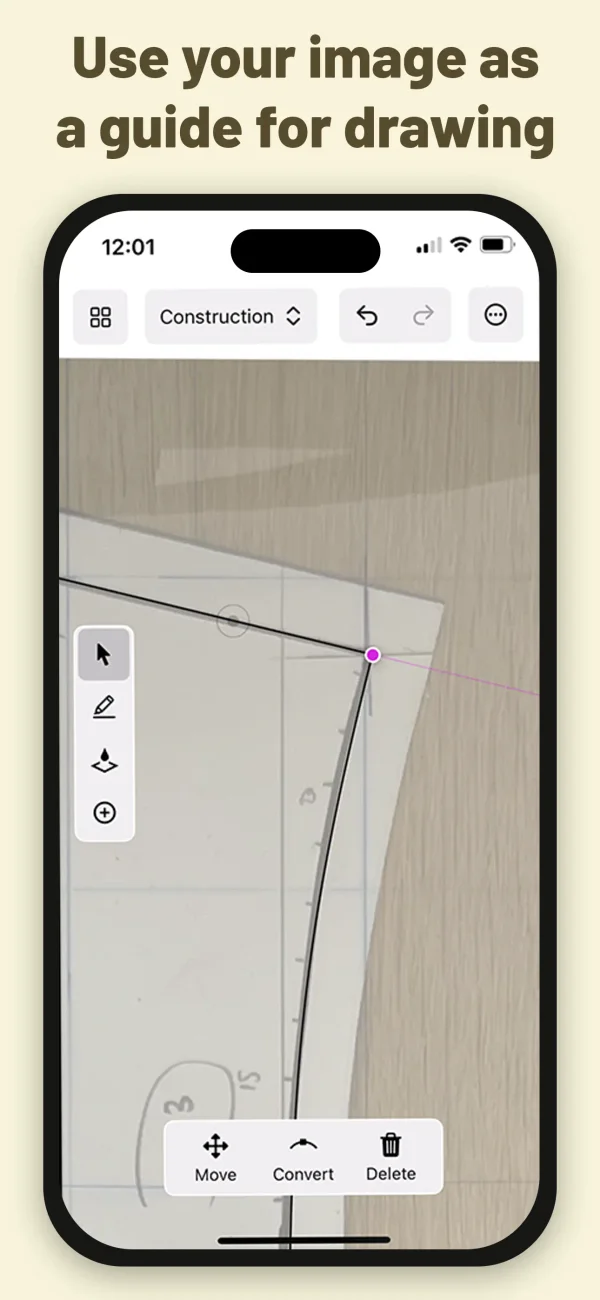
Scan a paper pattern or a toiling fabric from an image:
• Take a photo of a piece of the pattern
• Correct the inevitable perspective distortions that come from taking a photo with a camera that isn’t exactly parallel with the pattern
• Define the scale of your image
• Add the photo to the background of your construction canvas
• Lock the image, and use it as a guide to draw the vector contours of your pattern
• Hide the image, so that it can be accessed later if you ever want to refer back to it
CONSTRUCTION
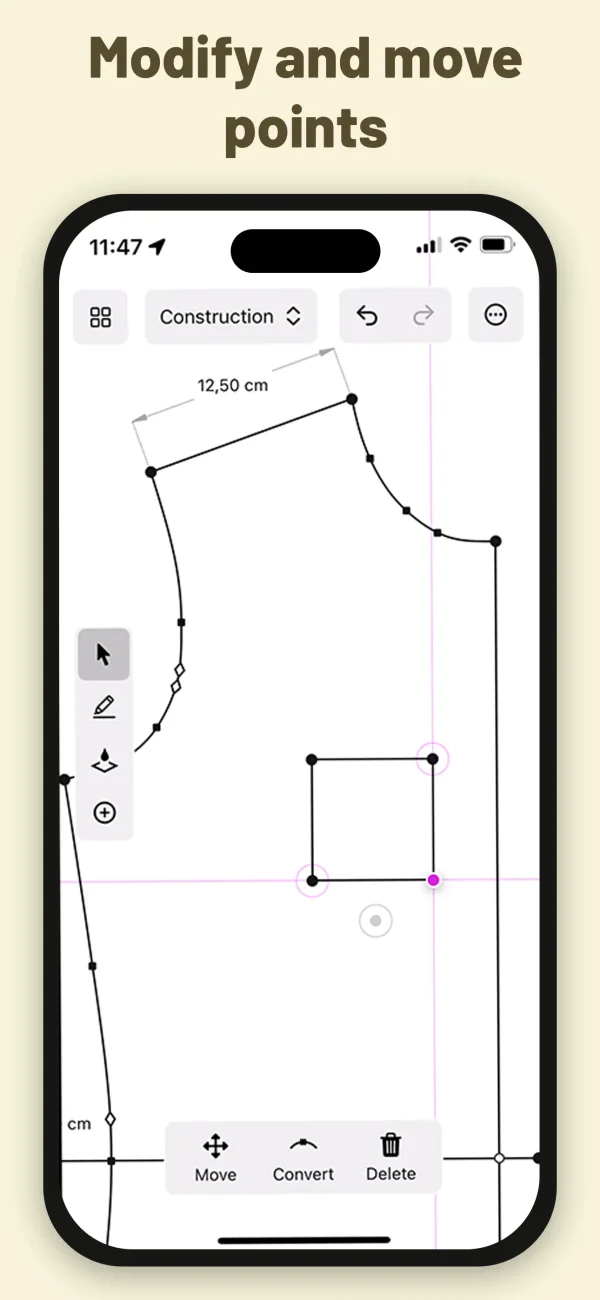
Draw the lines and curves of your patterns using your preferred method:
• Draft your pattern from scratch within the app
• Adjust a pattern that you’ve scanned from an image
• Transform an existing pattern from your project list
Key functionality:
• Draw and modify lines and curves freely on the screen with your finger or Apple Pencil
• Move any point by a specified direction and/or distance
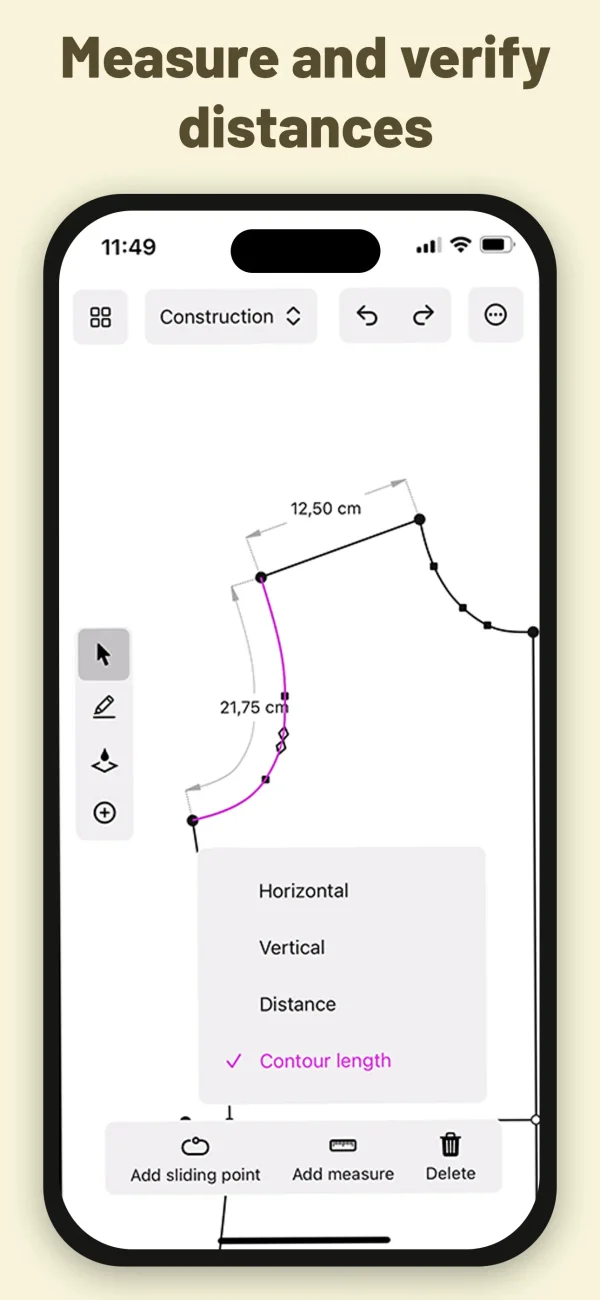
• Measure the length between any two points that are linked by a line or curve
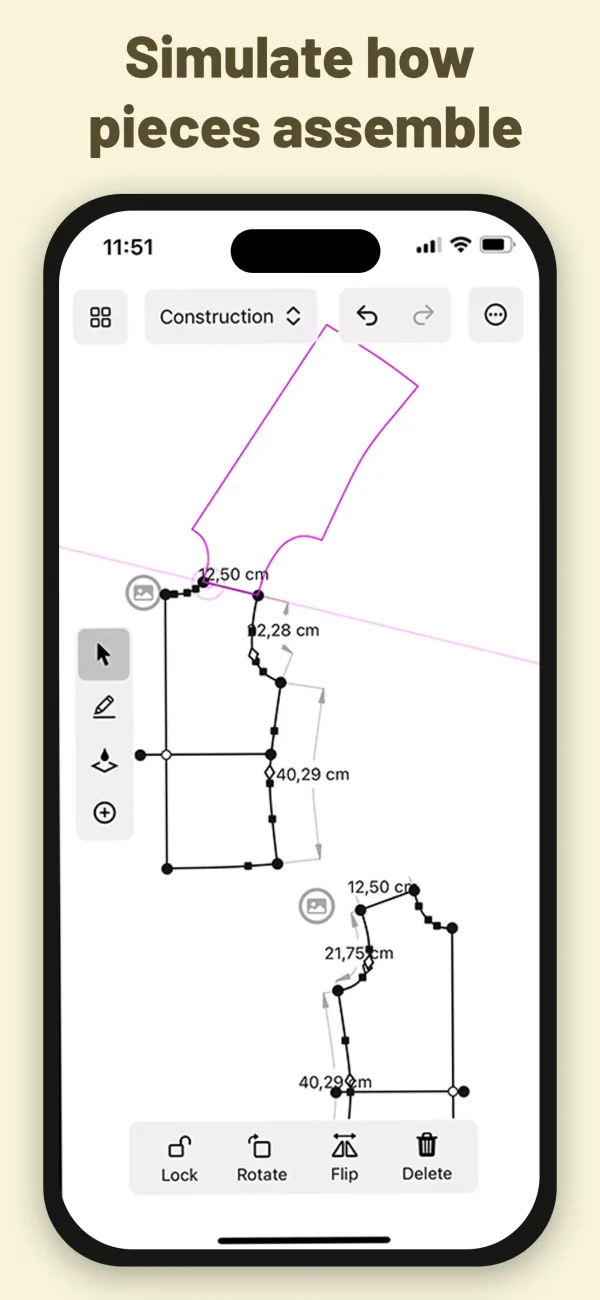
• Create a trace that can be used to simulate how it mounts with another part of the pattern
PIECES
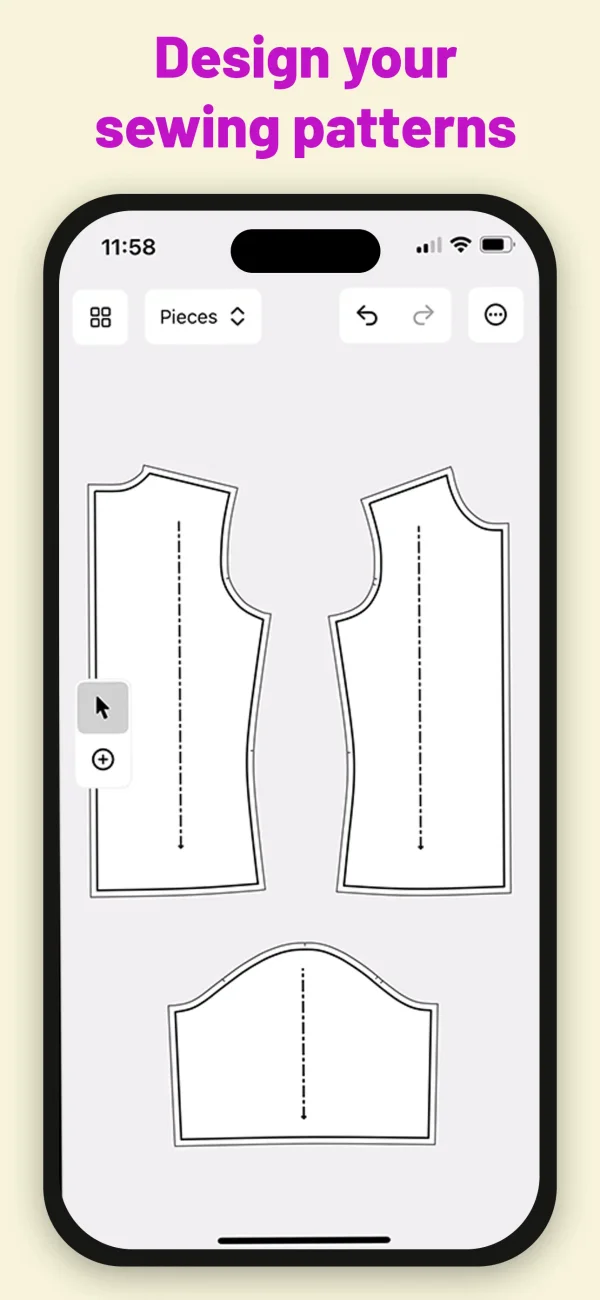
You can industrialize all the pieces of your pattern to specify the cutting and the mounting of your model.
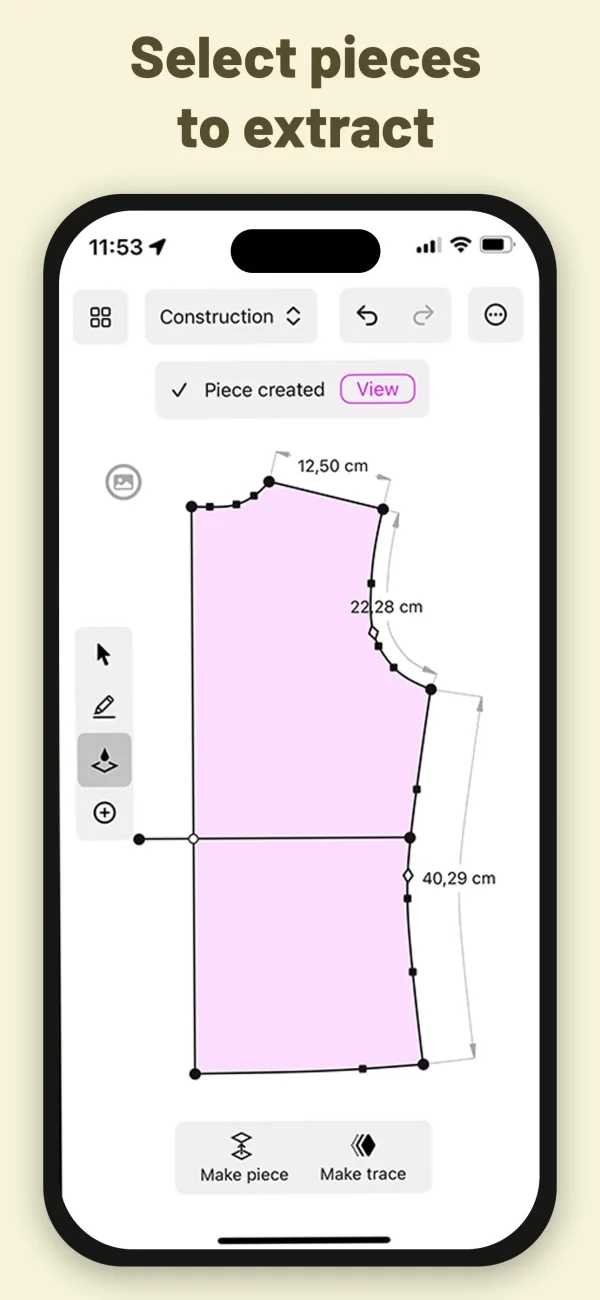
• Create a new piece by selecting a form you’d like to extract from your construction
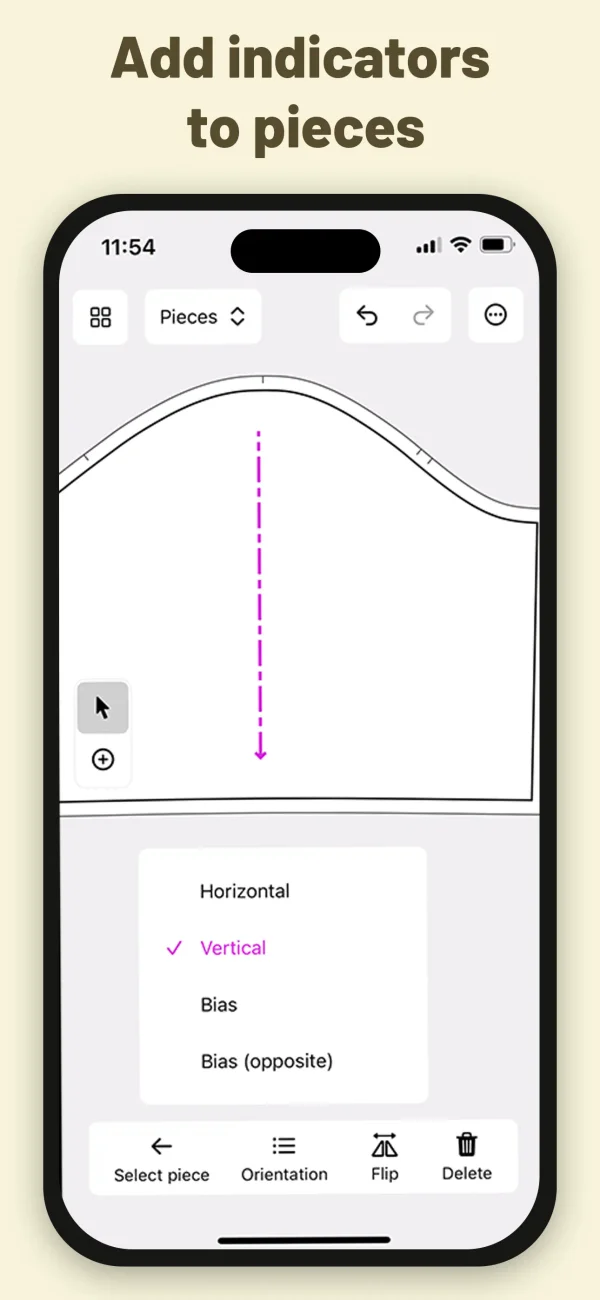
• Add indicators (notches, markers, fabric grain lines) to each piece
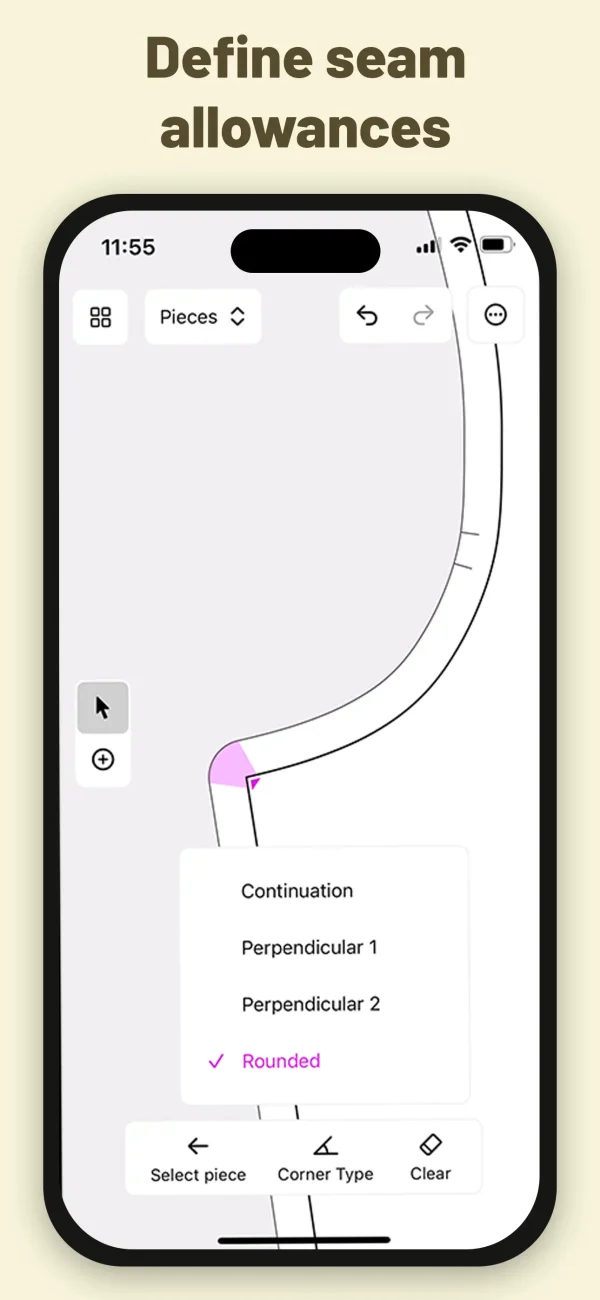
• Define seam allowance sizes and corner types
EXPORT
You can export your patterns in PDF or SVG format. The exported pattern is the exact vector representation you see in Pieces Mode in the app. The exported pattern is compatible with vector drawing apps like Adobe Illustrator or Inkscape. Once exported, you can use one of these tools to finalize the layout and style of your pattern.
Project Syncing
All your projects are automatically synced to the cloud, no need to remember to manually save to avoid losing your work.
The projects are linked to your user account, and can be accessed from multiple devices (iPhone or iPad).
Exporting your pattern from DartSide opens up a number of possibilities depending on what other apps you use:
• Customize the layout of your pattern
• Create a cutting layout to print your pattern on your desired paper size
• Make your pattern downloadable on your website or online store
-----
Terms of service: https://dartside.app/p/terms/
Privacy policy: https://dartside.app/p/privacy/
We want DartSide to be the best possible partner for all of your pattern drafting needs. If you run into any problems, or have ideas for how things could be improved, we'd love to hear from you at contact@dartside.app !
新機能
バージョン 1.1.2 · 2026/9/24
Bug fixes and improvements.
アプリのプライバシー
このアプリのデータの取り扱いについて、DartSideがApp Storeで申告している内容です。
-
ユーザーに関連付けられたデータ
収集され、ユーザーの識別情報に関連付けられる場合があります。
- 連絡先情報
- ユーザーコンテンツ
- ID
プライバシーの取り扱いは、ご利用の機能やお客様の年齢などに応じて異なる場合があります。
情報
- 販売元
- DartSide
- カテゴリ
- グラフィック/デザイン
- バージョン
- 1.1.2
- 更新日
- 2026/9/24
- リリース
- 2023/12/18
- サイズ
- 22.6 MB
- 必要条件
- iOS 17.0以降
- 対象年齢
- 4+
- 価格
- 無料
- 言語
- 英語, フランス語
- 著作権
- © 2026 DartSide SARL
こちらもおすすめ
-
 Ditto Patternsグラフィック/デザイン
-
 Motaz Pattern Designグラフィック/デザイン
-
 PatternDraw by Fashionaryグラフィック/デザイン
-
 Fashion Design Sketch Toolsグラフィック/デザイン
-
 FashionDraw by Fashionaryファッションデザイン画・テンプレート・生地
-
 ファッションデザインの絵練習:服作るのイラストとアートセット洋服スタイリストイラスト:デザイナースタイルのアートスクール
-
 Quilt Pattern Creatorグラフィック/デザイン
-
 ファッションフデザイン & 服スケッチスタイル描くコーディネートドレス & メイクアップ
-
 Fashion Design AIグラフィック/デザイン
-
 Fashion Design Sketchesグラフィック/デザイン