
- Altersfreigabe4+
- KategorieGrafik und Design
- EntwicklerDartSide
- SprachenEnglisch+ 1 weitere
- Größe22,6 MB
Verlinkt auf die offizielle App Store-Seite
Download.org hostet keine Datei von DartSide Pattern Drafting. Die Schaltfläche öffnet die App-Seite bei App Store, wo DartSide die App veröffentlicht. Eintrag zuletzt geprüft am 16.11.2026.
Screenshots
Info
Der Entwickler hat diesen Text nicht in Ihrer Sprache bereitgestellt.
Scan your sewing patterns with your iPhone or iPad! DartSide is a sewing pattern editor that helps creators with the entire creation process: scanning, construction, industrializing, and exporting.
SCAN
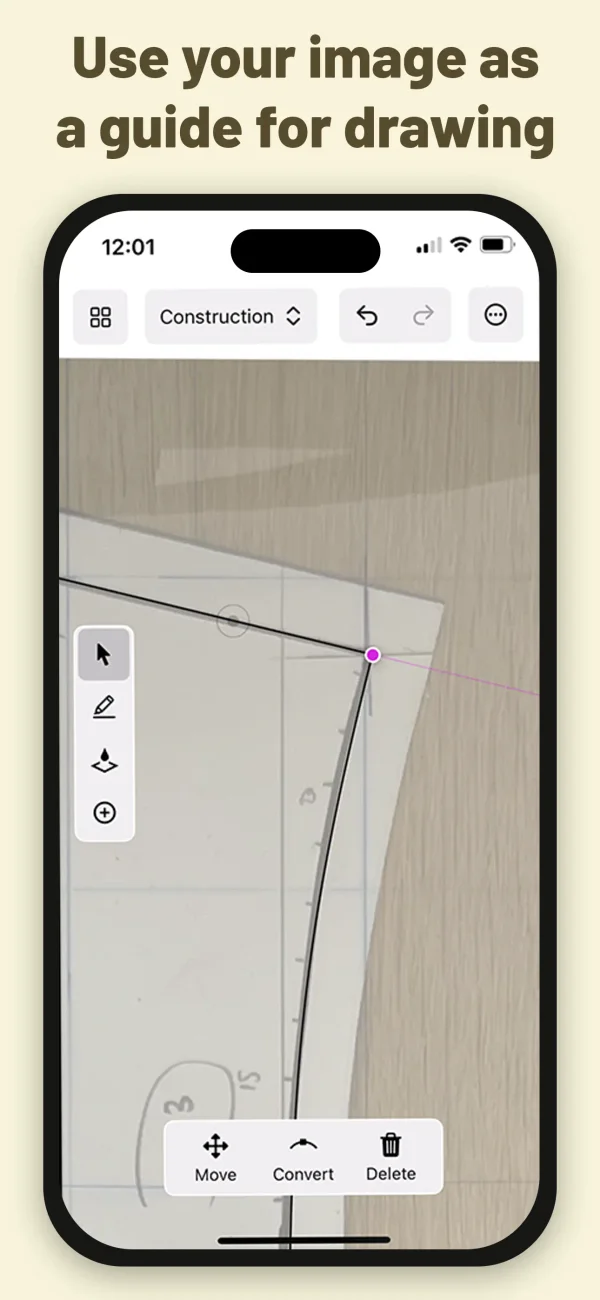
Scan a paper pattern or a toiling fabric from an image:
• Take a photo of a piece of the pattern
• Correct the inevitable perspective distortions that come from taking a photo with a camera that isn’t exactly parallel with the pattern
• Define the scale of your image
• Add the photo to the background of your construction canvas
• Lock the image, and use it as a guide to draw the vector contours of your pattern
• Hide the image, so that it can be accessed later if you ever want to refer back to it
CONSTRUCTION
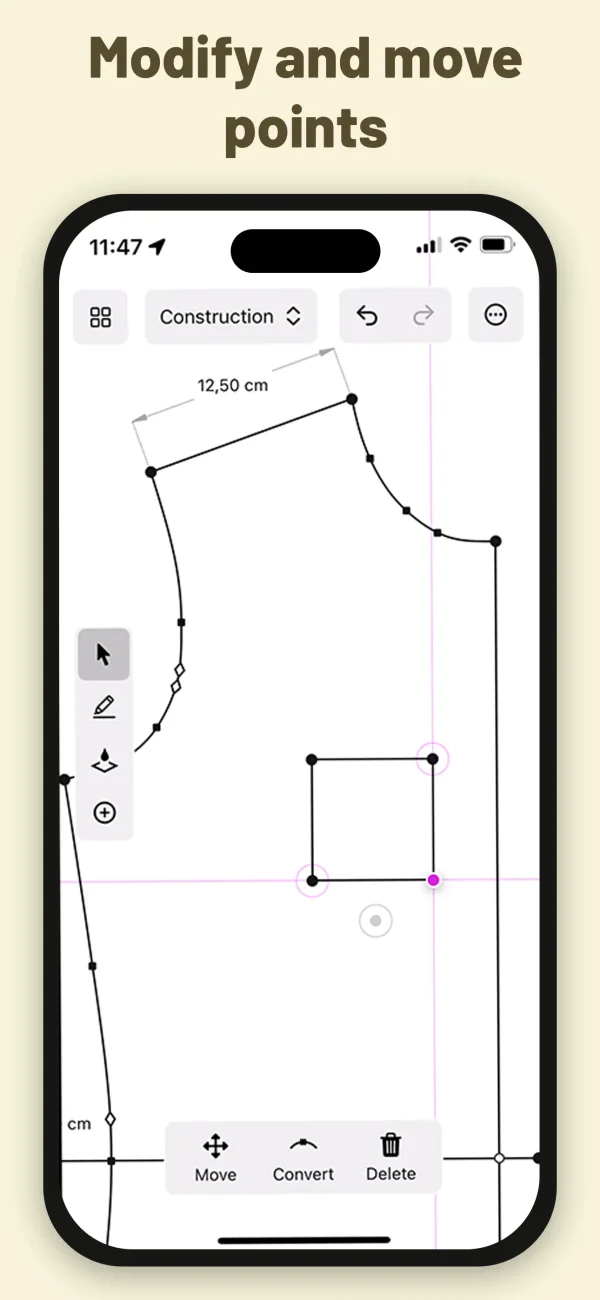
Draw the lines and curves of your patterns using your preferred method:
• Draft your pattern from scratch within the app
• Adjust a pattern that you’ve scanned from an image
• Transform an existing pattern from your project list
Key functionality:
• Draw and modify lines and curves freely on the screen with your finger or Apple Pencil
• Move any point by a specified direction and/or distance
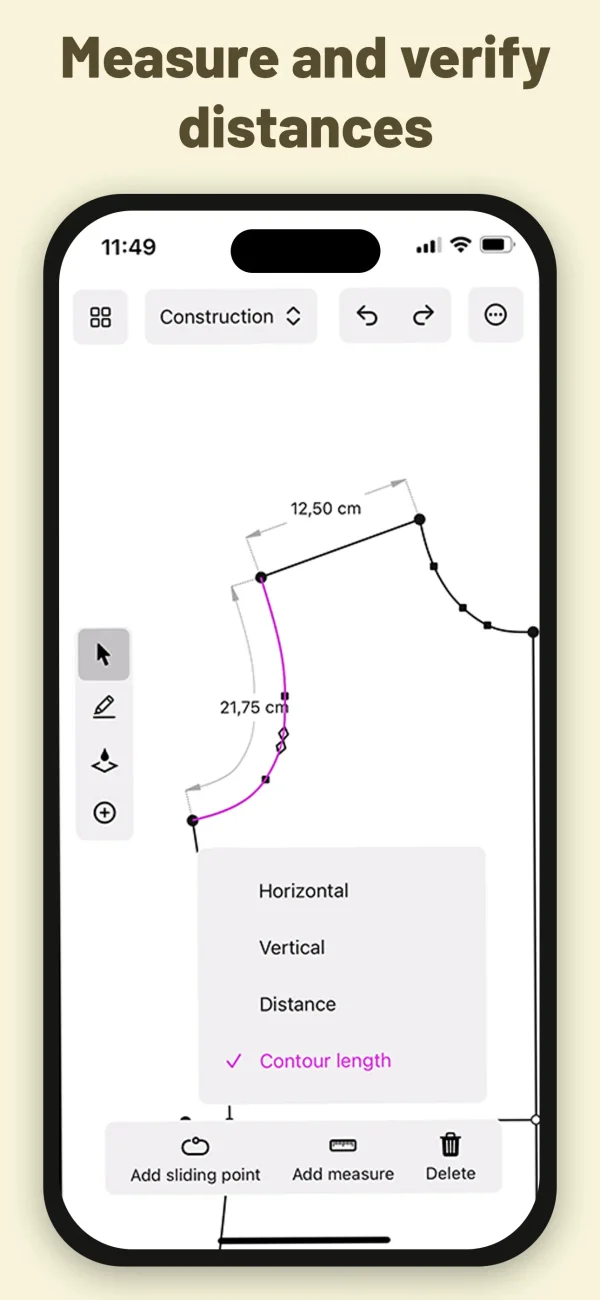
• Measure the length between any two points that are linked by a line or curve
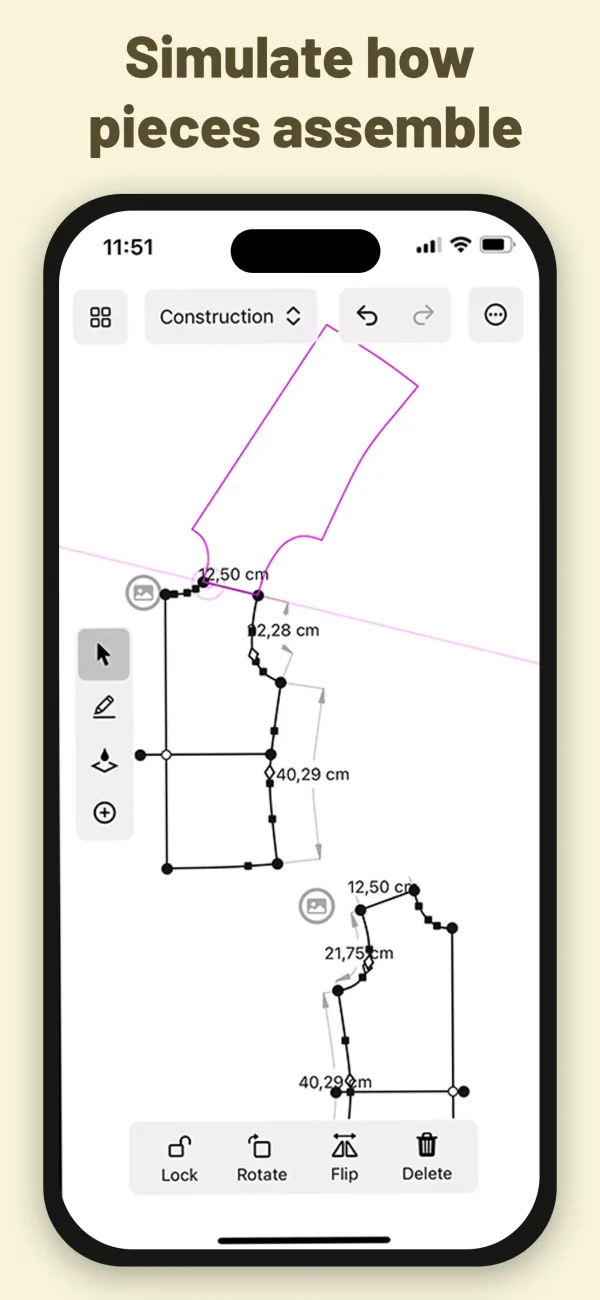
• Create a trace that can be used to simulate how it mounts with another part of the pattern
PIECES
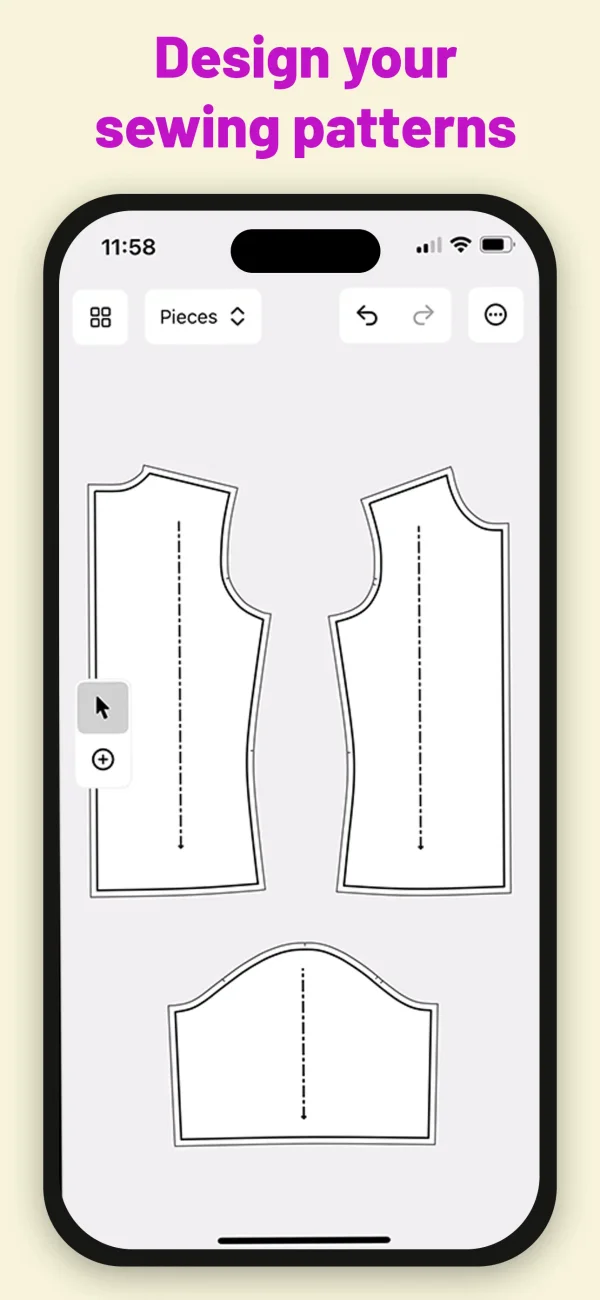
You can industrialize all the pieces of your pattern to specify the cutting and the mounting of your model.
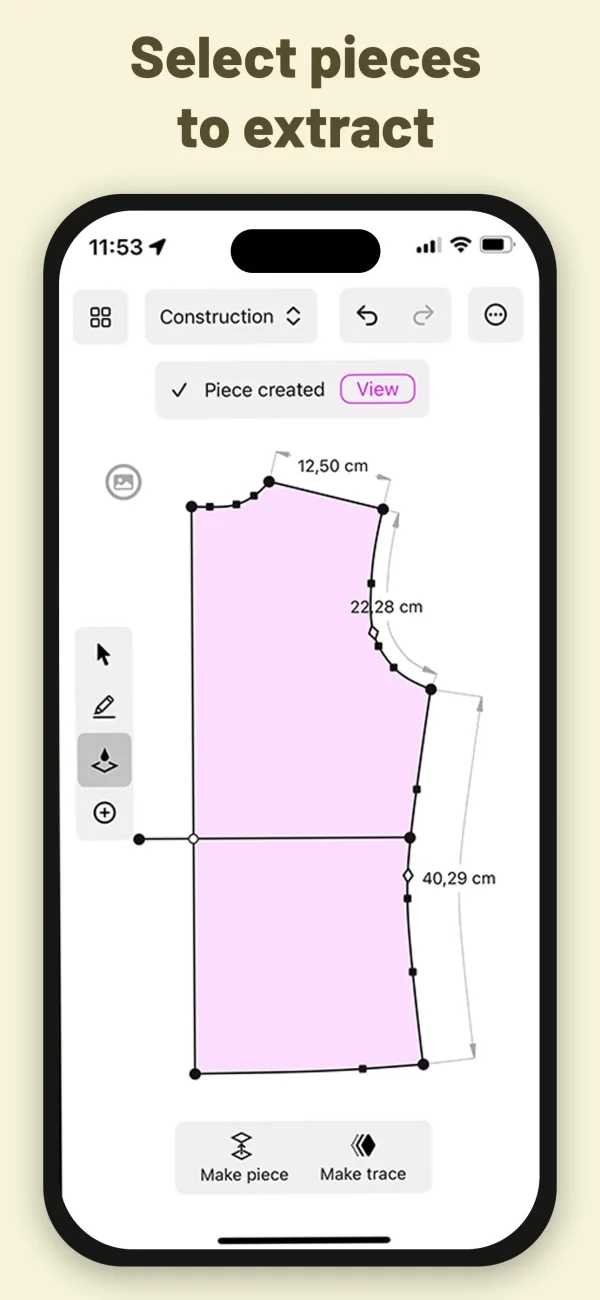
• Create a new piece by selecting a form you’d like to extract from your construction
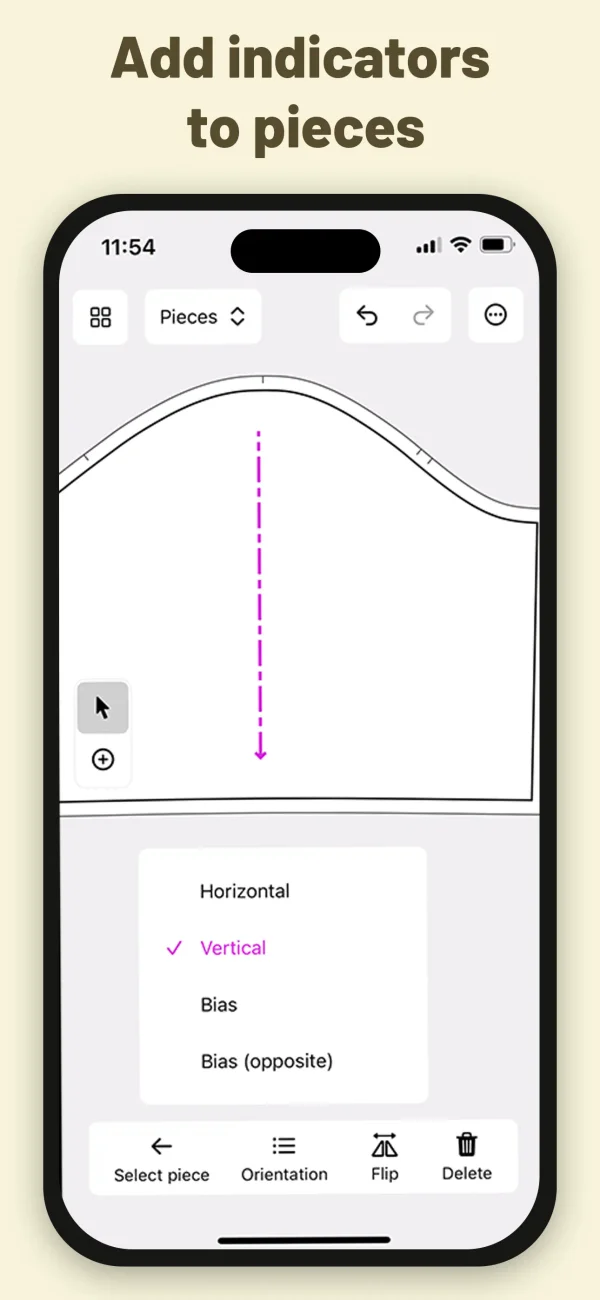
• Add indicators (notches, markers, fabric grain lines) to each piece
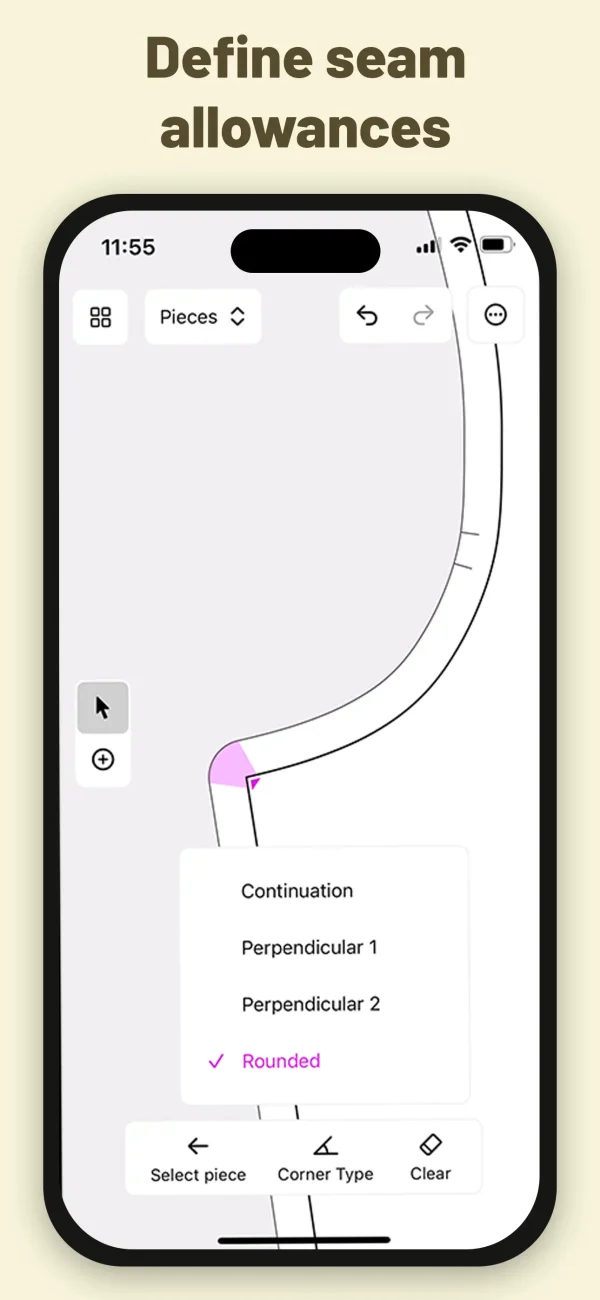
• Define seam allowance sizes and corner types
EXPORT
You can export your patterns in PDF or SVG format. The exported pattern is the exact vector representation you see in Pieces Mode in the app. The exported pattern is compatible with vector drawing apps like Adobe Illustrator or Inkscape. Once exported, you can use one of these tools to finalize the layout and style of your pattern.
Project Syncing
All your projects are automatically synced to the cloud, no need to remember to manually save to avoid losing your work.
The projects are linked to your user account, and can be accessed from multiple devices (iPhone or iPad).
Exporting your pattern from DartSide opens up a number of possibilities depending on what other apps you use:
• Customize the layout of your pattern
• Create a cutting layout to print your pattern on your desired paper size
• Make your pattern downloadable on your website or online store
-----
Terms of service: https://dartside.app/p/terms/
Privacy policy: https://dartside.app/p/privacy/
We want DartSide to be the best possible partner for all of your pattern drafting needs. If you run into any problems, or have ideas for how things could be improved, we'd love to hear from you at contact@dartside.app !
Neue Funktionen
Version 1.1.2 · 24.09.2026
Bug fixes and improvements.
App-Datenschutz
Was DartSide im App Store zum Umgang dieser App mit Daten angibt.
-
Mit Ihnen verknüpfte Daten
Können erfasst und mit Ihrer Identität verknüpft werden.
- Kontaktinformationen
- Benutzerinhalte
- Kennungen
Die Datenschutzpraktiken können variieren, zum Beispiel je nach den von Ihnen verwendeten Funktionen oder Ihrem Alter.
Informationen
- Anbieter
- DartSide
- Kategorie
- Grafik und Design
- Version
- 1.1.2
- Aktualisiert
- 24.09.2026
- Veröffentlicht
- 18.12.2023
- Größe
- 22,6 MB
- Erfordert
- iOS 17.0 oder neuer
- Altersfreigabe
- 4+
- Preis
- Kostenlos
- Sprachen
- Englisch, Französisch
- Copyright
- © 2026 DartSide SARL
Das könnte Ihnen auch gefallen
-
 Ditto PatternsGrafik und Design
-
 Motaz Pattern DesignGrafik und Design
-
 PatternDraw by FashionaryGrafik und Design
-
 Mode Design Outfit MakerFashion Ankleiden Skizzenbuch
-
 FashionDraw by FashionaryModedesign, Skizzen & Pinsel
-
 Mode-Design - IllustratorZeichnen lernen: Skizzenbuch
-
 Quilt Pattern CreatorGrafik und Design
-
 Mode Design & Anzieh StilModedesign: ankleiden & makeup
-
 Fashion Design AIGrafik und Design
-
 Fashion Designer SketchesMode Design Skizzen