
- 対象年齢4+
- カテゴリ仕事効率化
- 開発元Ryan Setiawan
- 言語英語
- サイズ20.5 MB
App Storeの公式ページにリンクしています
Download.orgはDaybreak: Screen Time Controlのファイルを一切ホストしていません。ボタンを押すと、Ryan Setiawanが公開しているApp Storeのアプリページが開きます。ページの最終確認:2026/11/20。
スクリーンショット

概要
開発元はこのテキストをお使いの言語で提供していません。
Your phone should not be the first thing that takes your attention each morning.
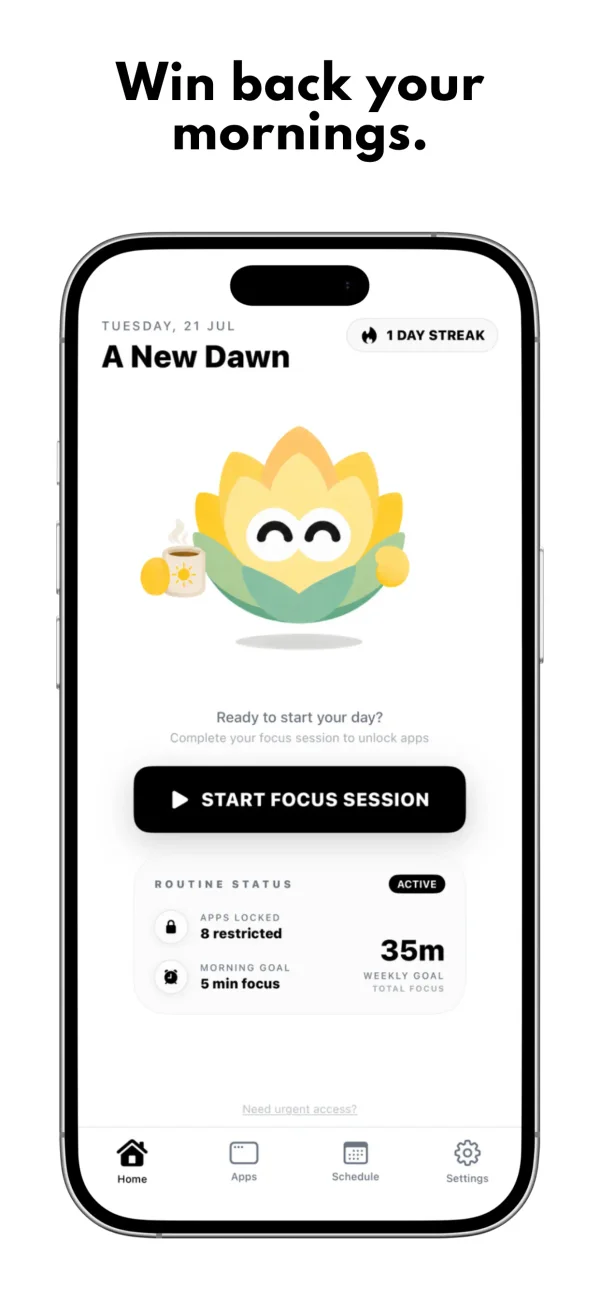
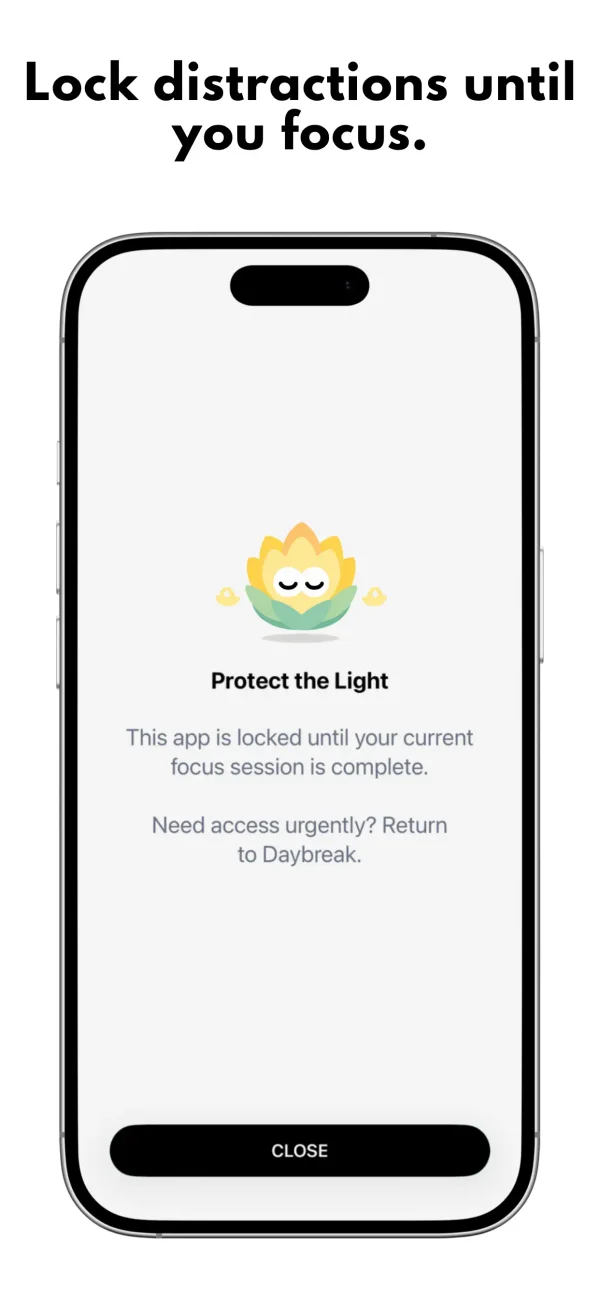
Daybreak automatically blocks the distracting apps you choose overnight and keeps them blocked after you wake. Dedicate time in the morning to complete a focus session before those apps become available for the day.
HOW DAYBREAK WORKS
1. Choose your distractions
Select the social media, video, news, games, or other apps that tend to cloud your mornings.
2. Set your schedule
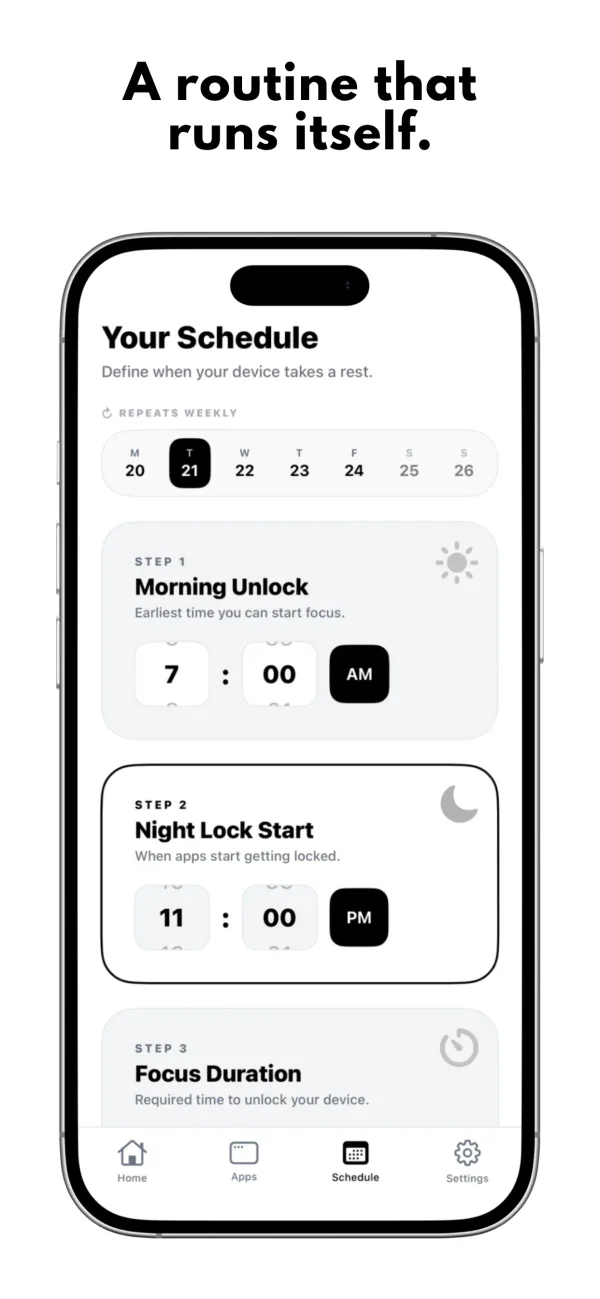
Choose when your apps lock for the night and when your morning focus period becomes available. Daybreak applies the schedule automatically, without requiring you to remember to turn it on.
3. Focus before distractions
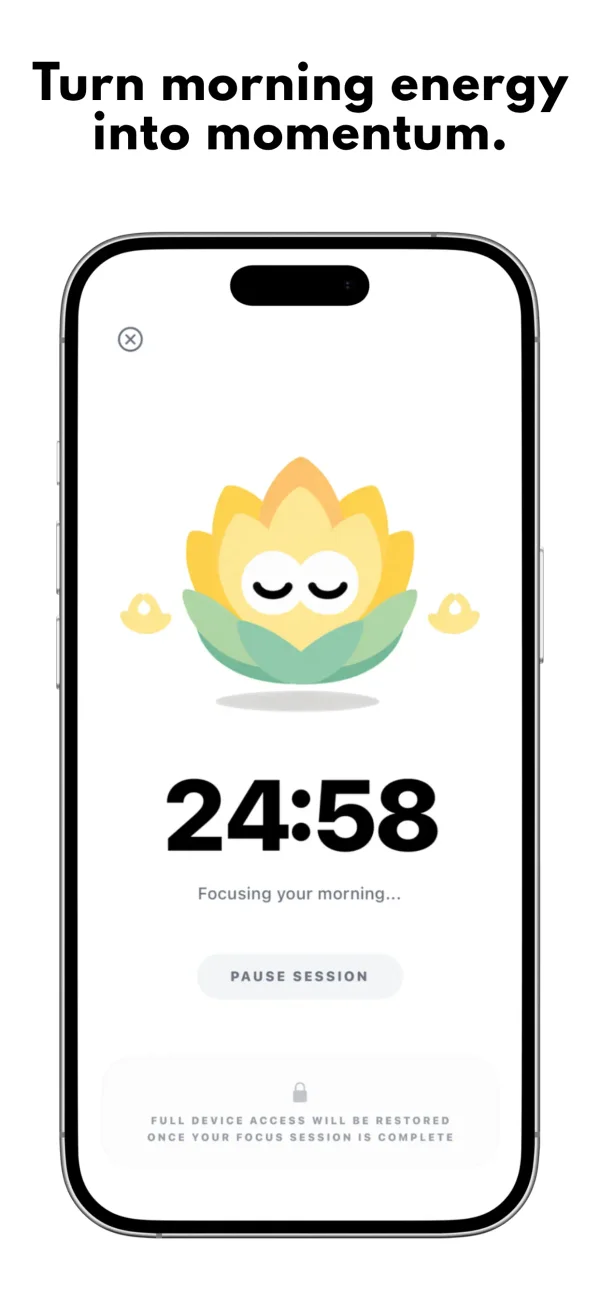
When you wake up, your selected apps remain blocked until you complete your chosen focus session. After completing it, your apps become available for the rest of the day.
BUILT FOR PROTECTED MORNINGS
• Automatic overnight and morning app blocking
• A clear morning streak
• Emergency access for unexpected situations
• Live Activities and Dynamic Island support
• A simple schedule that runs automatically
• Screen Time controls powered by Apple’s Family Controls framework
FRICTION WITH A PURPOSE
Daybreak does not try to compete with distracting apps for your attention. It creates a clear boundary before the morning begins: focus first, then regain access.
Emergency access remains available, but it includes deliberate limits so that it stays an exception rather than becoming the default.
PRIVATE BY DESIGN
Your schedule, selected apps, and focus history are stored on your device. Daybreak does not upload your selected-app information to a remote database.
An account is optional. Daybreak can be used without signing in.
EARLY ACCESS
Every part of Daybreak is available free during its launch while the app is refined with early users.
Optional one-time early-support purchases grant lifetime access to Daybreak’s current and future features. There is no recurring subscription during this early-access release.
Daybreak requires Screen Time permission to block the apps you select. Permission can be removed from your device settings.
新機能
バージョン 1.1 · 2026/8/18
The schedule screen has been redesigned — setting your lock and unlock
times is faster and much clearer.
Focus duration is now a slider, so you can dial in exactly the session
length that works for you.
Emergency Unlock is more reliable, and the button has moved somewhere
easier to reach when you actually need it.
Also fixed: the countdown timer animation, a few rough edges in setup,
and a clearer message when you try to sign in without an account.
アプリのプライバシー
このアプリのデータの取り扱いについて、Ryan SetiawanがApp Storeで申告している内容です。
-
ユーザーに関連付けられたデータ
収集され、ユーザーの識別情報に関連付けられる場合があります。
- 購入
- 連絡先情報
- ID
- 使用状況データ
プライバシーの取り扱いは、ご利用の機能やお客様の年齢などに応じて異なる場合があります。
情報
- 販売元
- Ryan Setiawan
- カテゴリ
- 仕事効率化
- バージョン
- 1.1
- 更新日
- 2026/8/18
- リリース
- 2026/7/31
- サイズ
- 20.5 MB
- 必要条件
- iOS 26.4以降
- 対象年齢
- 4+
- 価格
- 無料
- アプリ内課金
- あり
- 言語
- 英語
- 著作権
- © 2026 Ryan Setiawan
こちらもおすすめ
-
 Screen Time – Slackn't仕事効率化
-
 Superior 15: Time Tracker仕事効率化
-
 Scrollar - Screen Time Control仕事効率化
-
 Sonory – AI議事録・ノート会話を、そのまま要点に
-
 Bossy: AI Habit Coach仕事効率化
-
 Meanwhile - Focus & Pomodoro仕事効率化
-
 Promise: Screen Time Control仕事効率化
-
 Rotcut: スクリーンタイム管理タスクでスマホをアンロック
-
 Fried: Screen Time Control仕事効率化
-
 Organizr: Life Planner仕事効率化