Daybreak: Screen Time Control
Block apps until you focus
Designed for iPhone
Free · In-app purchases
- Age rating4+
- CategoryProductivity
- DeveloperRyan Setiawan
- LanguagesEnglish
- Size20.5 MB
Links to the official App Store page
Download.org hosts no file of Daybreak: Screen Time Control. The button opens its official App Store page, published by Ryan Setiawan. Listing last checked on Nov 20, 2026.
Screenshots
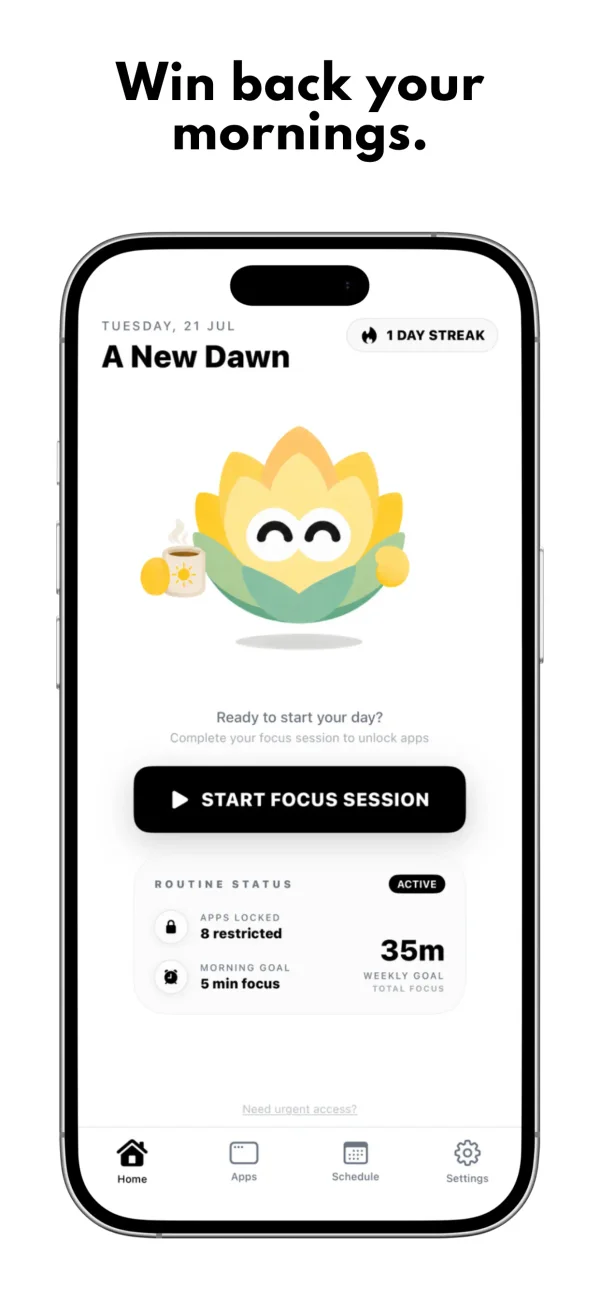
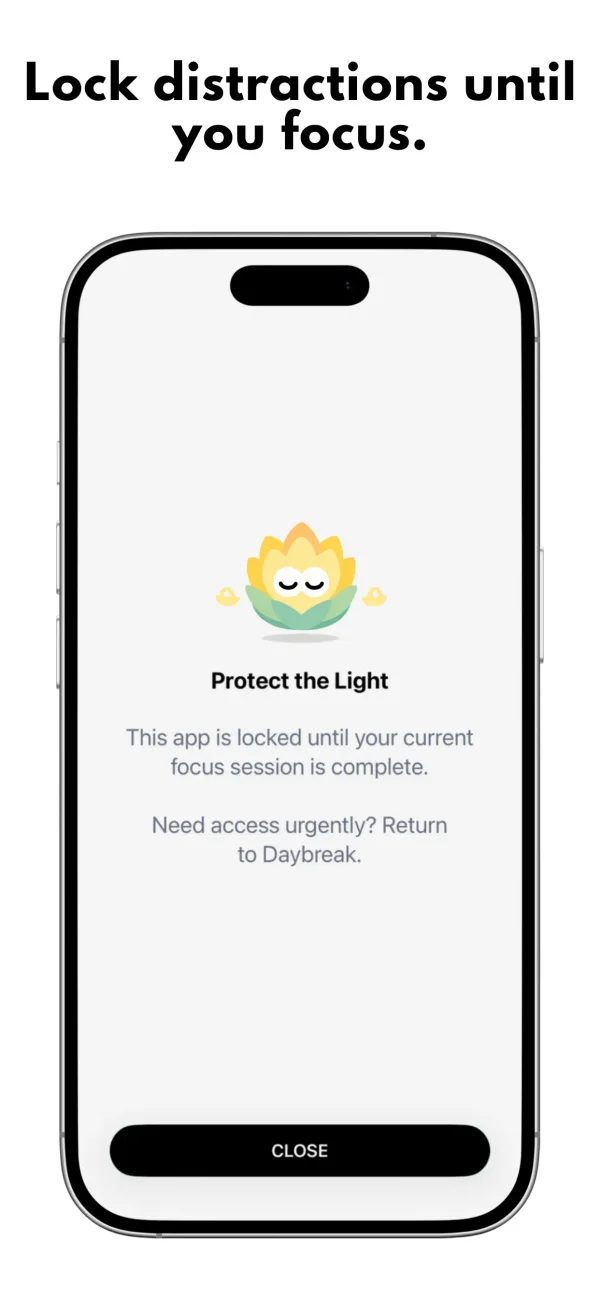
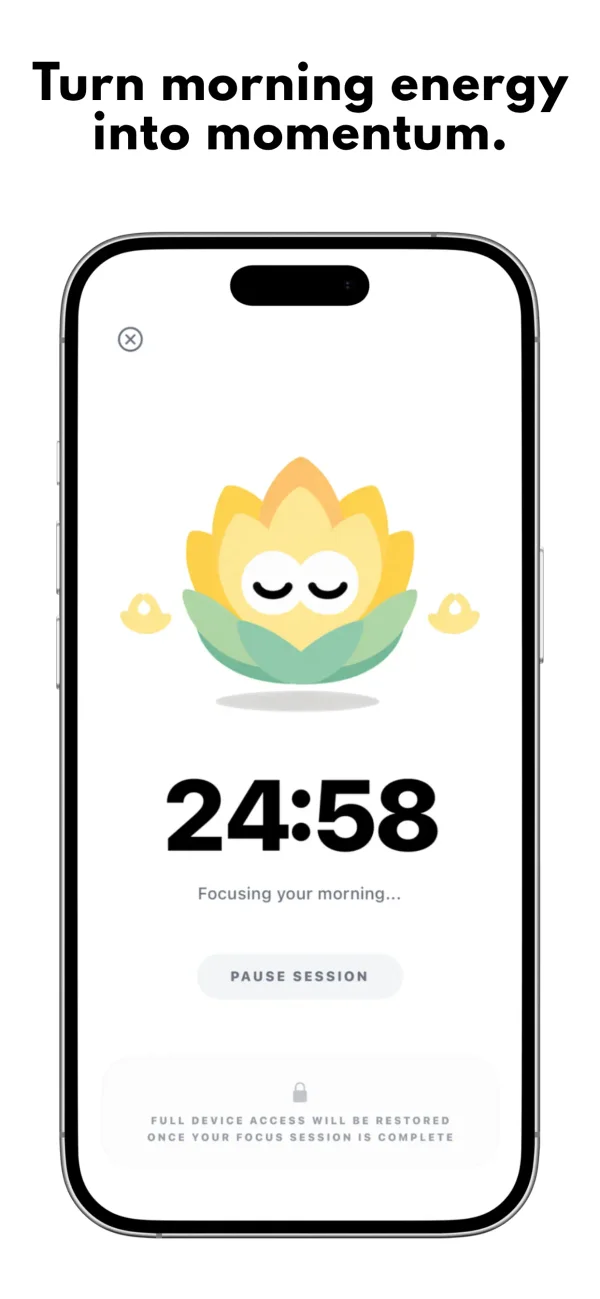

About
Your phone should not be the first thing that takes your attention each morning.
Daybreak automatically blocks the distracting apps you choose overnight and keeps them blocked after you wake. Dedicate time in the morning to complete a focus session before those apps become available for the day.
HOW DAYBREAK WORKS
1. Choose your distractions
Select the social media, video, news, games, or other apps that tend to cloud your mornings.
2. Set your schedule
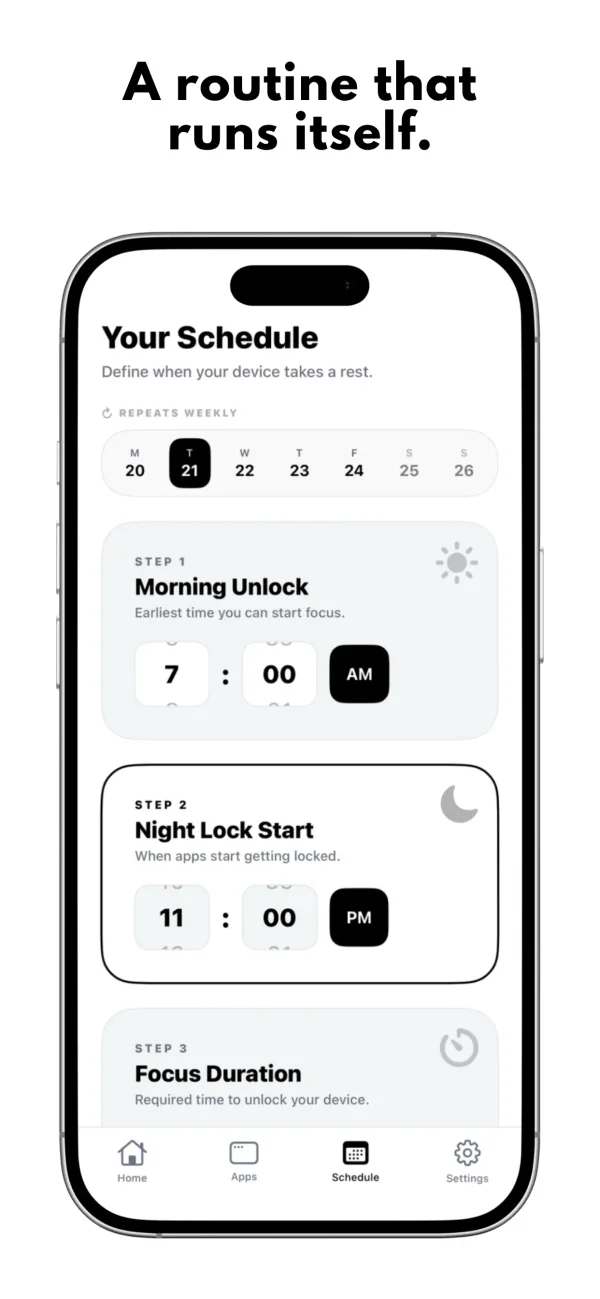
Choose when your apps lock for the night and when your morning focus period becomes available. Daybreak applies the schedule automatically, without requiring you to remember to turn it on.
3. Focus before distractions
When you wake up, your selected apps remain blocked until you complete your chosen focus session. After completing it, your apps become available for the rest of the day.
BUILT FOR PROTECTED MORNINGS
• Automatic overnight and morning app blocking
• A clear morning streak
• Emergency access for unexpected situations
• Live Activities and Dynamic Island support
• A simple schedule that runs automatically
• Screen Time controls powered by Apple’s Family Controls framework
FRICTION WITH A PURPOSE
Daybreak does not try to compete with distracting apps for your attention. It creates a clear boundary before the morning begins: focus first, then regain access.
Emergency access remains available, but it includes deliberate limits so that it stays an exception rather than becoming the default.
PRIVATE BY DESIGN
Your schedule, selected apps, and focus history are stored on your device. Daybreak does not upload your selected-app information to a remote database.
An account is optional. Daybreak can be used without signing in.
EARLY ACCESS
Every part of Daybreak is available free during its launch while the app is refined with early users.
Optional one-time early-support purchases grant lifetime access to Daybreak’s current and future features. There is no recurring subscription during this early-access release.
Daybreak requires Screen Time permission to block the apps you select. Permission can be removed from your device settings.
What’s new
Version 1.1 · Aug 18, 2026
The schedule screen has been redesigned — setting your lock and unlock
times is faster and much clearer.
Focus duration is now a slider, so you can dial in exactly the session
length that works for you.
Emergency Unlock is more reliable, and the button has moved somewhere
easier to reach when you actually need it.
Also fixed: the countdown timer animation, a few rough edges in setup,
and a clearer message when you try to sign in without an account.
App privacy
What Ryan Setiawan declares on the App Store about how this app handles data.
-
Data linked to you
May be collected and linked to your identity.
- Purchases
- Contact info
- Identifiers
- Usage data
Privacy practices may vary, for example with the features you use or your age.
Information
- Seller
- Ryan Setiawan
- Category
- Productivity
- Version
- 1.1
- Updated
- Aug 18, 2026
- Released
- Jul 31, 2026
- Size
- 20.5 MB
- Requires
- iOS 26.4 or later
- Age rating
- 4+
- Price
- Free
- In-app purchases
- Yes
- Languages
- English
- Copyright
- © 2026 Ryan Setiawan
You might also like
-
 Screen Time – Slackn'tFocus Timer & App Blocker
-
 Superior 15: Time TrackerLive in 15-minute blocks
-
 Scrollar - Screen Time ControlApp blocker & focus timer
-
 Sonory – AI Note TakerYour conversations, made clear
-
 Bossy: AI Habit CoachAccountability coach for goals
-
 Meanwhile - Focus & PomodoroFocus Timer & App Blocker
-
 Promise: Screen Time ControlApp Blocker, Focus & Timer
-
 Rotcut: Screen Time ControlComplete tasks to unlock phone
-
 Fried: Screen Time ControlApp Blocker & Focus Timer
-
 Organizr: Life PlannerHabits and personal growth