- 対象年齢4+
- カテゴリユーティリティ
- 開発元Evan Freymiller
- 言語英語
- サイズ1.9 MB
App Storeの公式ページにリンクしています
Download.orgはDepth Torchのファイルを一切ホストしていません。ボタンを押すと、Evan Freymillerが公開しているApp Storeのアプリページが開きます。ページの最終確認:2026/11/17。
スクリーンショット


概要
開発元はこのテキストをお使いの言語で提供していません。
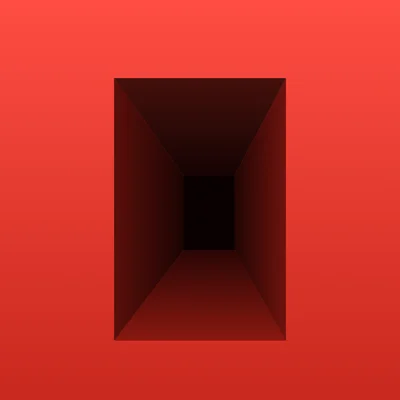
Your iPhone's LiDAR sensor works by timing infrared pulses, not by collecting light. It keeps working in complete darkness, when the camera sees nothing at all.
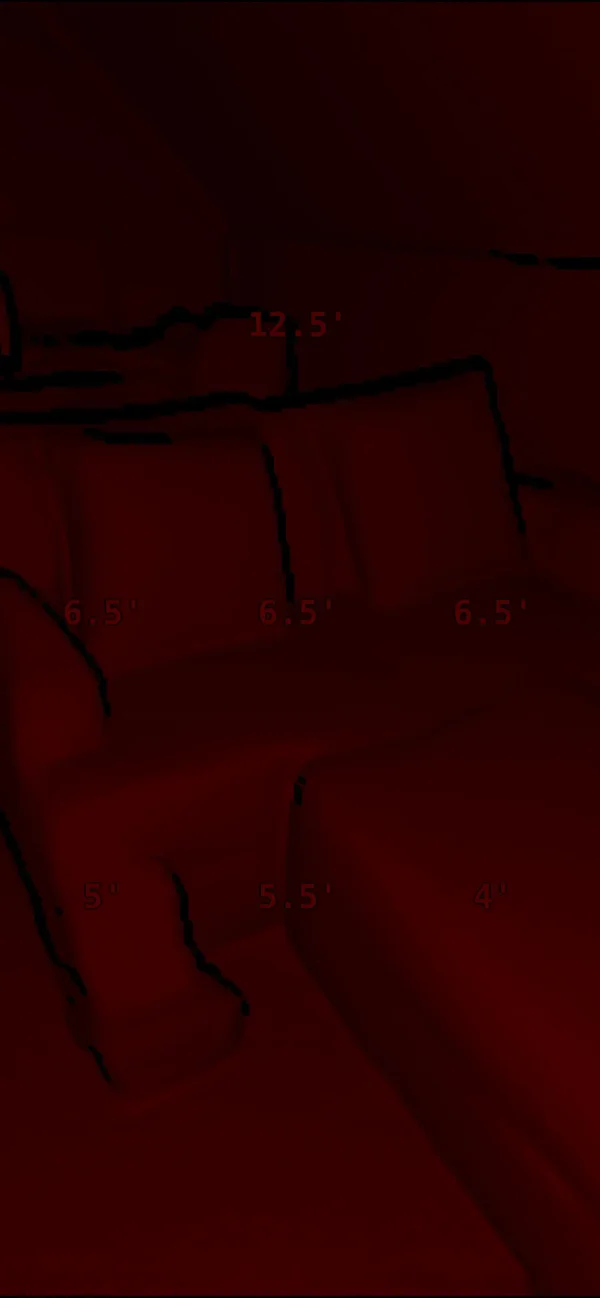
Depth Torch turns that sensor into a live view of the space around you. Doorways, walls, furniture and corners appear as shaded 3D geometry, updating in real time as you move — shaded as though lit from where you are standing, so edges and door frames stand out.
WHAT IT IS NOT
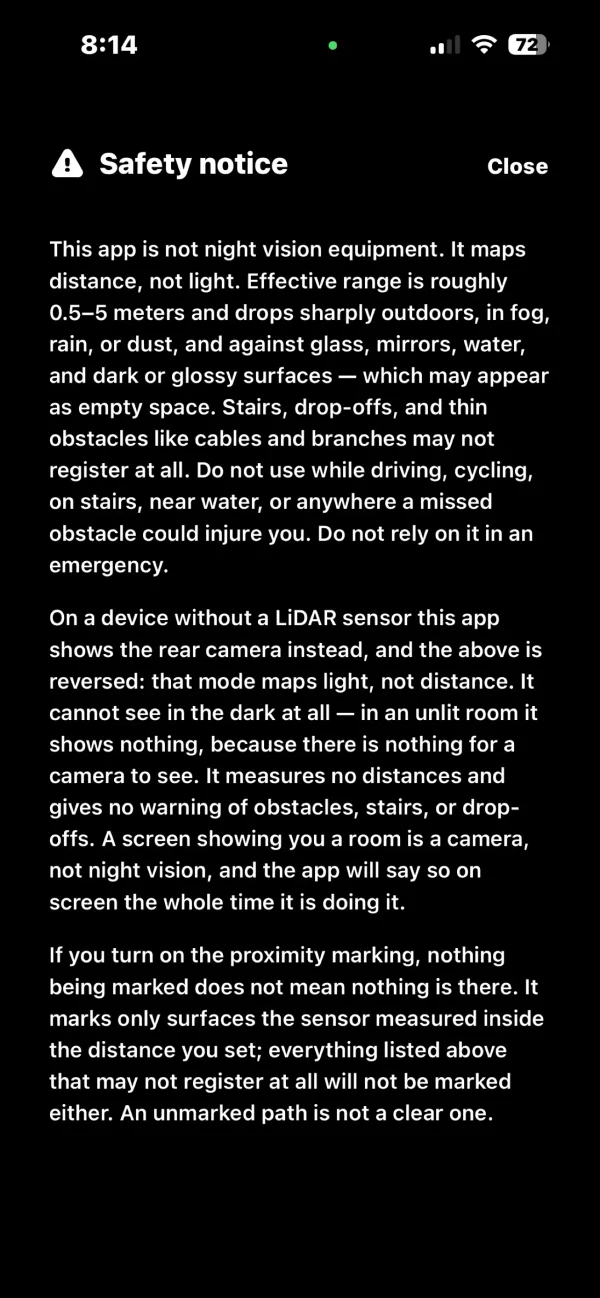
This is not night vision. It does not amplify light and it does not use infrared imaging. It maps distance. Things that do not return a clean pulse — glass, mirrors, water, dark or glossy surfaces — can read as empty space, and thin obstacles like cables may not register at all. Effective range is roughly half a metre to five metres, and it drops sharply outdoors or in fog, rain or dust. Please read the safety notice in the app.
RED IN THE DARK, GREEN IN THE LIGHT
Red light leaves your night vision largely intact, so you can still see the unlit room when you look up from the screen. The app measures the light in the room and picks for you — red in the dark, green where there is already light — and dims the screen in red so it does not undo the adaptation it is protecting. You can pin either one.
DISTANCES ON WHAT YOU ARE LOOKING AT
Turn on distance markers and the view labels what it measured: 5' on the wall ahead, 4' on the chair beside you. Where the sensor is not confident, it shows nothing rather than a number it cannot stand behind.
There is also an optional proximity marking that picks out surfaces close enough to walk into. It marks what the sensor measured — it does not promise that an unmarked path is clear.
HANDHELD OR IN A HEADSET
Hold the phone upright for a single full-screen view. Turn it sideways and it becomes a stereo pair, ready to drop into a Google Cardboard-class headset for real depth perception. Lens calibration is built in for whichever headset you own.
THREE BUTTONS, NOTHING ELSE IN THE WAY
Palette, capture, and distance markers sit at the bottom of the live view. Everything else stays out of the picture until you tap.
The capture button saves a still of what you are seeing to your photo library. That is the only thing the app saves, it happens only when you ask, and it goes nowhere else.
AN OPTIONAL TORCH
Off by default, because seeing without emitting light is the point. Turn it on when you want the room lit.
PRIVACY
Nothing is recorded as video, nothing is shared, and nothing is sent anywhere. No account, no analytics, and no network access of any kind. Your settings stay on your device.
REQUIREMENTS
A device with a rear LiDAR sensor: iPhone 12 Pro or later Pro and Pro Max models. This is an iPhone app and does not run on iPad. On other iPhones it falls back to a clearly labelled camera-only mode, which cannot see in the dark.
SAFETY
Do not use this while driving, cycling, on stairs, near water, or anywhere a missed obstacle could injure you. Do not rely on it in an emergency.
新機能
バージョン 1.0.1 · 2026/9/30
Adjusts viewport circles when in viewer mode to be larger and allows the adjustment of the size, and width apart
アプリのプライバシー
このアプリのデータの取り扱いについて、Evan FreymillerがApp Storeで申告している内容です。
-
データの収集なし
開発元はこのアプリからデータを収集しません。
プライバシーの取り扱いは、ご利用の機能やお客様の年齢などに応じて異なる場合があります。
情報
- 販売元
- Evan Freymiller
- カテゴリ
- ユーティリティ
- バージョン
- 1.0.1
- 更新日
- 2026/9/30
- リリース
- 2026/9/23
- サイズ
- 1.9 MB
- 必要条件
- iOS 18.0以降
- 対象年齢
- 4+
- 価格
- ¥150
- 言語
- 英語
- 著作権
- © 2026 Canvas 23 Studios
こちらもおすすめ
-
 DomainDigユーティリティ
-
 NFC Tool: タグリーダー&ライターNDEFスキャナー・NTAG&シール対応
-
 BamBuddy3Dプリンタをどこからでも操作
-
 SEM-Meterユーティリティ
-
 DeSal Lite+ユーティリティ
-
 Unraid Deck - Server Managerユーティリティ
-
 Beagleprintユーティリティ
-
 NFC Scanner, Reader & Writerユーティリティ
-
 Joint Craft - 3D Print MonitorKlipper and Bambu Lab printers
-
 Vlog Camera - Video Recorderユーティリティ