- 対象年齢4+
- カテゴリグラフィック/デザイン
- 開発元JOSHUA CHARLES JORDAN
- 言語英語
- サイズ2.5 MB
App Storeの公式ページにリンクしています
Download.orgはDM Warpのファイルを一切ホストしていません。ボタンを押すと、JOSHUA CHARLES JORDANが公開しているApp Storeのアプリページが開きます。ページの最終確認:2026/11/17。
スクリーンショット
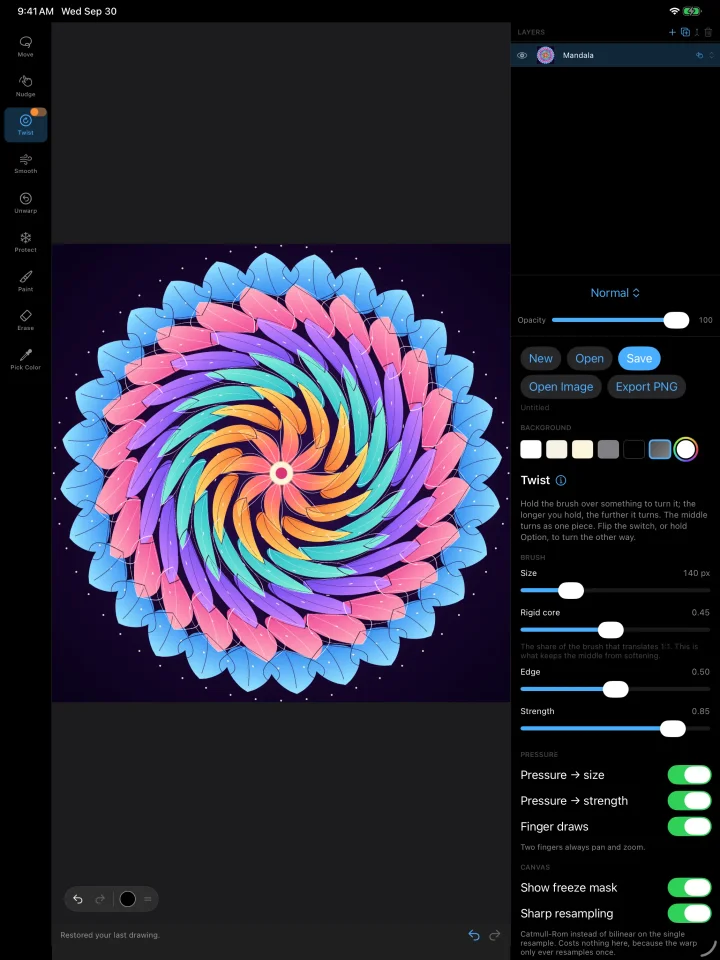
概要
開発元はこのテキストをお使いの言語で提供していません。
DM Warp is a drawing app for iPad built around one thing other apps get wrong: moving what you've already drawn.
MOVE WITHOUT A HOLE
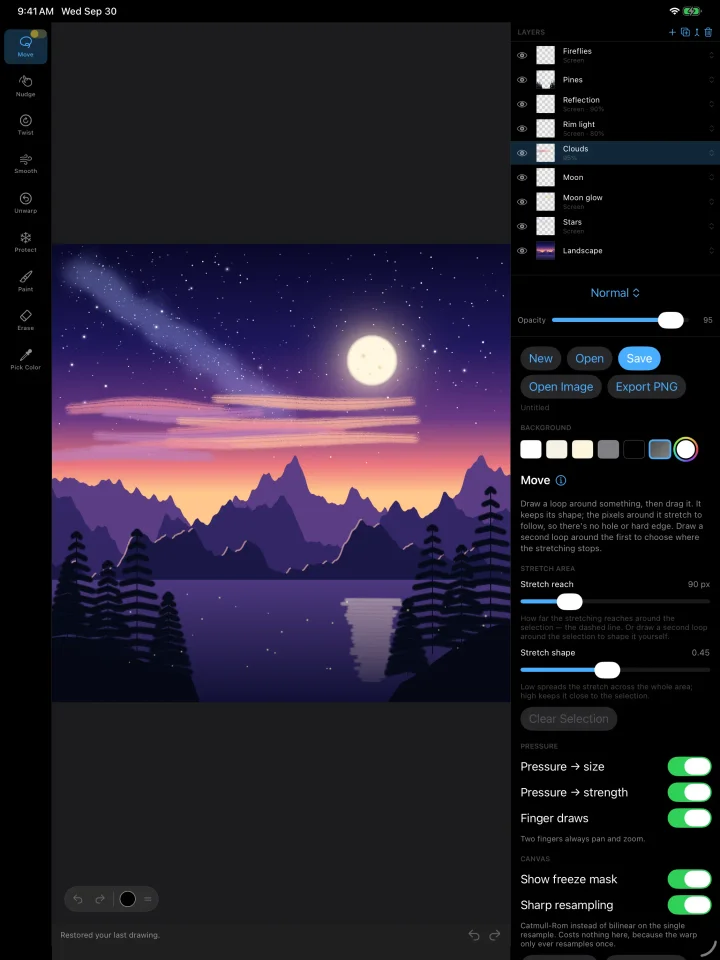
Draw a loop around anything — an eye that sits too low, a hand that's too far left — and drag it. What you selected keeps its shape exactly, and the pixels around it stretch to follow. Nothing is cut out, so there's no hole behind it and no hard edge around it.
NUDGE WITHOUT THE BLUR
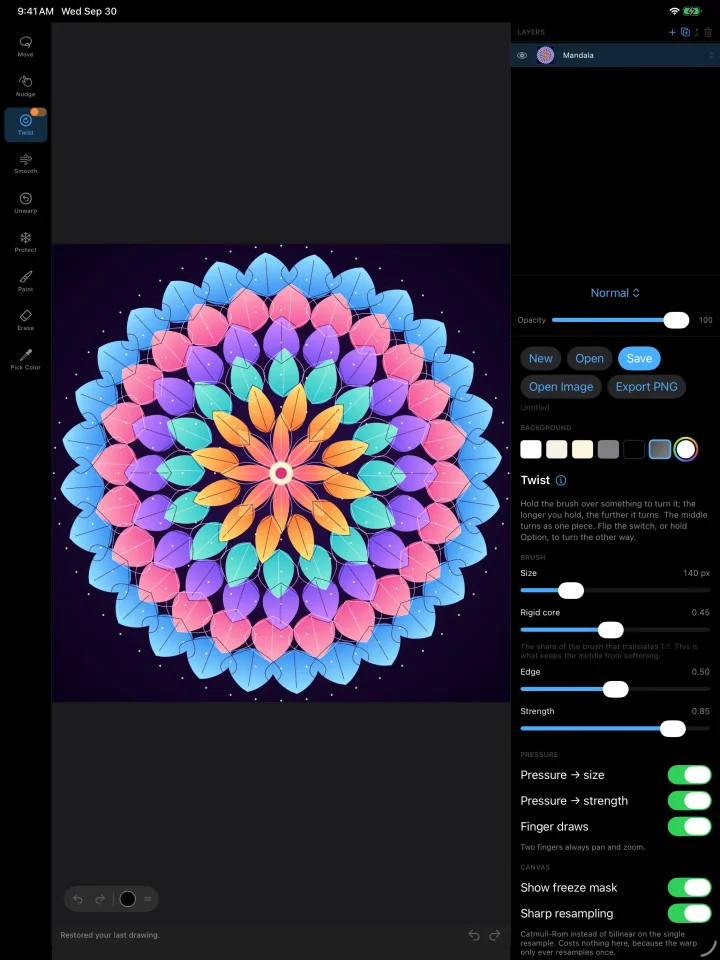
Smudge and liquify tools soften whatever they touch, because they redraw the pixels on every step. DM Warp never does: it reads from your untouched drawing exactly once, however many times you push something around. Protect anything that must stay put by painting over it.
YOUR PHOTOSHOP BRUSHES
Import Photoshop .abr brush sets — tip, size, spacing and angle intact. Put them in DM Warp's folder in Files and they're ready next launch.
A LIBRARY THAT FITS THE JOB
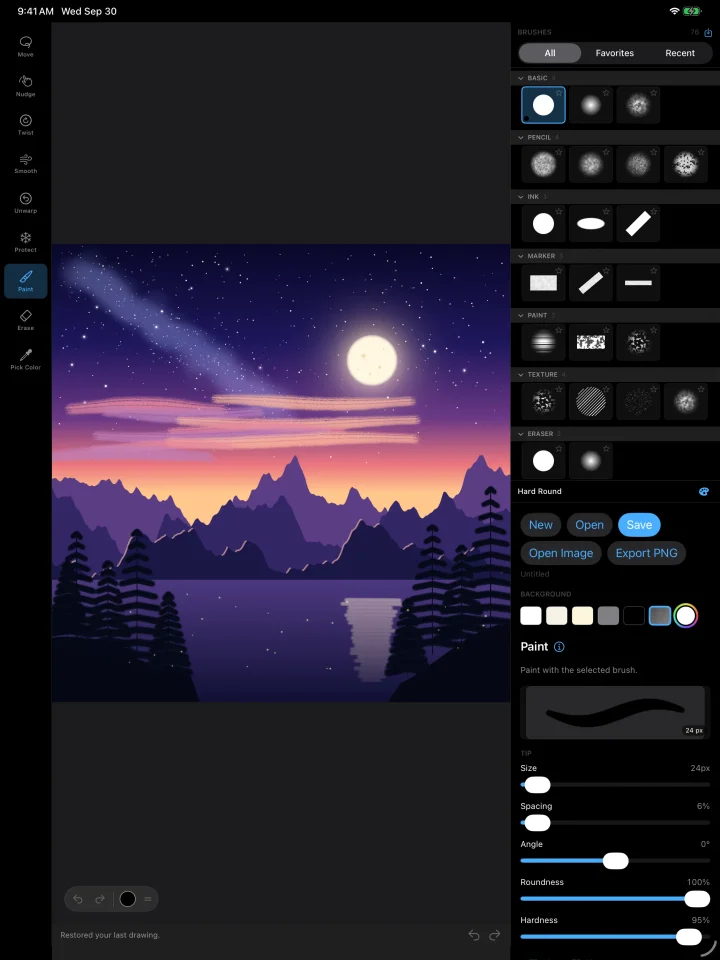
22 built-in brushes: pencils, inks, markers, paint, textures and erasers. Star the few a project needs and show only those. Each brush remembers its own colour. A live stroke preview shows every setting before you touch the canvas.
LAYERS AND DOCUMENTS
Layers with the 16 standard blend modes. Documents keep every move adjustable — reopen a drawing next week and undo a nudge from today. Autosave means a closed app never loses your work.
MADE FOR APPLE PENCIL
Pressure shapes size and flow. Two-finger tap to undo, three to redo. Your palm can't paint.
No account, no ads, no tracking. DM Warp has no networking code at all.
新機能
バージョン 1.0.2 · 2026/10/14
What's New in 1.0.2
• Fast strokes with big brushes no longer stall
• Build up while held still: a brush setting that keeps adding paint while you hold the brush in one spot, the way an airbrush does
• A mixing palette: a small work area at the bottom of the screen for blending colours. It is saved with your drawing and never exported
• Draw in symmetry: mirror left–right, up–down, four ways, or around a centre. It works with the brushes, Fill, Move and Move Loops
• Replay how a drawing was made, scrub to any step, and save the replay as a video
• New tools: Select, Transform, Fill, Shapes, Guides, Canvas size, Text, Clone and Heal brushes, and Spot Heal
• Shift-click draws a straight line from your last point
• A new colour panel that never gets in the way of drawing, with sliders or a classic colour square and hex code, and a ring of nearby colours (hold Option on a Mac keyboard)
• Hold Command and move the pointer to change the brush size; hold B for size and opacity, or Control and Command for size and edge
• A Keyboard Shortcuts window to see and change every key, with more than one key per action
• A Settings window for undo levels, history and shortcuts
• Faster undo, smoother colour changes, and the app opens ready to paint with the brush you used last
• Better Wacom pen support on the Mac
• Press and hold any tool to see how it works
アプリのプライバシー
このアプリのデータの取り扱いについて、JOSHUA CHARLES JORDANがApp Storeで申告している内容です。
-
データの収集なし
開発元はこのアプリからデータを収集しません。
プライバシーの取り扱いは、ご利用の機能やお客様の年齢などに応じて異なる場合があります。
情報
- 販売元
- JOSHUA CHARLES JORDAN
- カテゴリ
- グラフィック/デザイン
- バージョン
- 1.0.2
- 更新日
- 2026/10/14
- リリース
- 2026/9/30
- サイズ
- 2.5 MB
- 必要条件
- iOS 17.0以降
- 対象年齢
- 4+
- 価格
- 無料
- 言語
- 英語
- 著作権
- © 2026 Dependent Media
こちらもおすすめ
-
 Wixel - AI Design Agentグラフィック/デザイン
-
 Micapaint - 絵描きが作ったペイントアプリ途切れた線もはみ出さないスライムブラシ/広告なし
-
 Take Notes - cute note appグラフィック/デザイン
-
 Unreal VCamグラフィック/デザイン
-
 Mandala Maker: 対称お絵かき万華鏡アートとマンダラぬりえ
-
 ToonSquidCreate beautiful animations
-
 Prisma3D – アニメとモデリングPrisma 3D: 3Dアニメーション・モデリングアプリ
-
 FlipaClip:2Dアニメーション制作カートゥーン描画とアート制作
-
 Adobe Illustrator: グラフィックデザインイラストレーターiPad版でロゴやアイコン、チラシを作成。