- Yaş sınırı4+
- KategoriGrafik ve Tasarım
- GeliştiriciJOSHUA CHARLES JORDAN
- Dillerİngilizce
- Boyut2,5 MB
Resmi App Store sayfasına bağlanır
Download.org, DM Warp için hiçbir dosya barındırmaz. Düğme, uygulamanın App Store üzerindeki sayfasını açar; uygulamayı orada JOSHUA CHARLES JORDAN yayınlar. Sayfanın son kontrolü: 17.11.2026.
Ekran görüntüleri
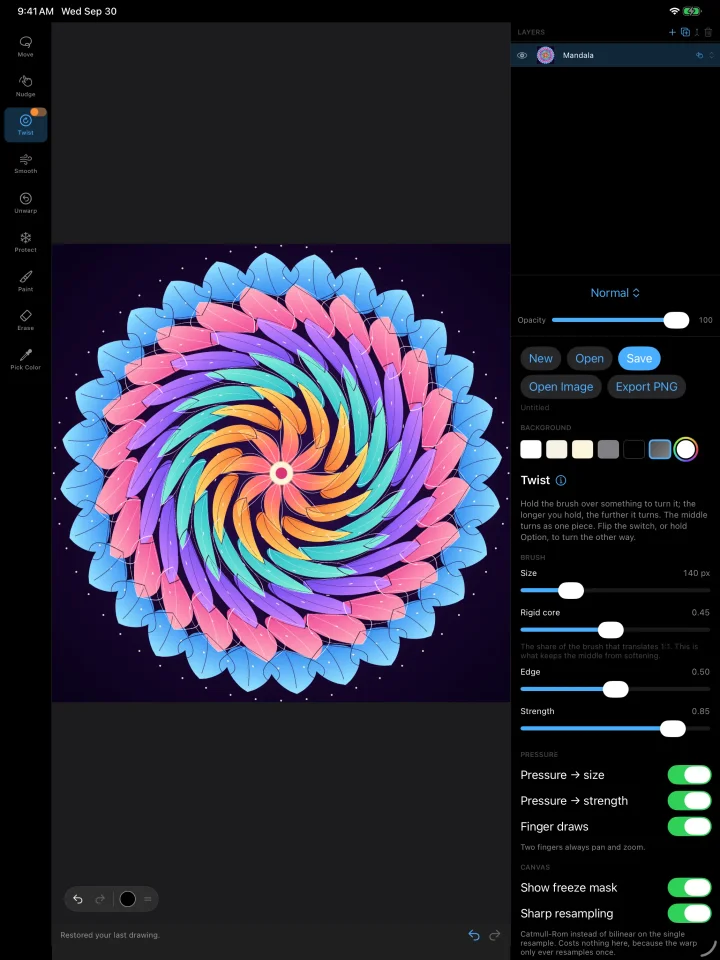
Hakkında
Geliştirici bu metni dilinizde sunmamış.
DM Warp is a drawing app for iPad built around one thing other apps get wrong: moving what you've already drawn.
MOVE WITHOUT A HOLE
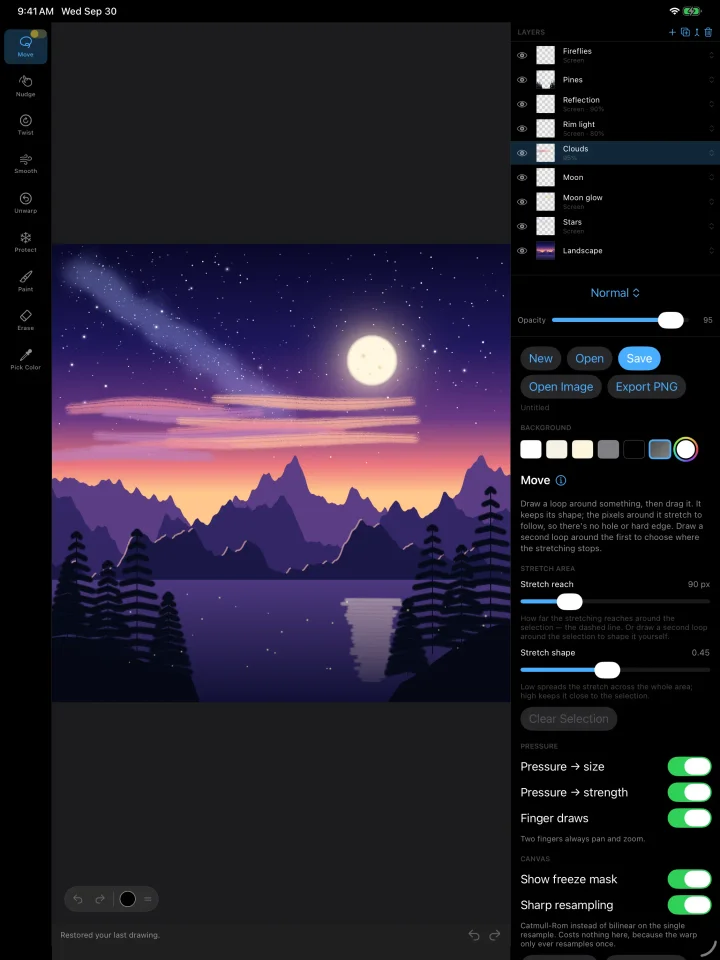
Draw a loop around anything — an eye that sits too low, a hand that's too far left — and drag it. What you selected keeps its shape exactly, and the pixels around it stretch to follow. Nothing is cut out, so there's no hole behind it and no hard edge around it.
NUDGE WITHOUT THE BLUR
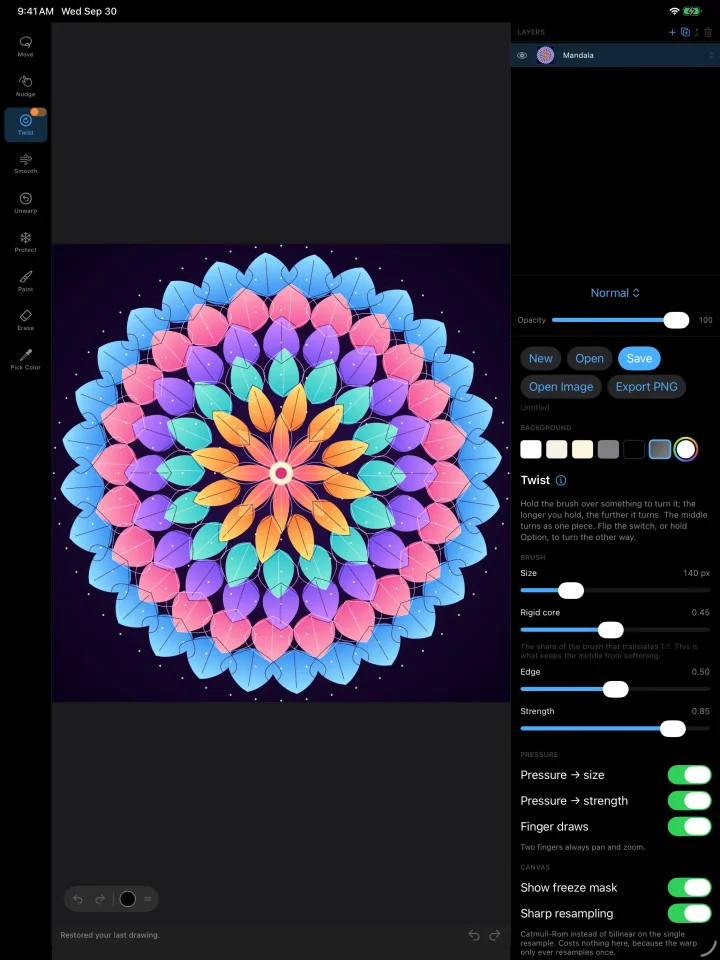
Smudge and liquify tools soften whatever they touch, because they redraw the pixels on every step. DM Warp never does: it reads from your untouched drawing exactly once, however many times you push something around. Protect anything that must stay put by painting over it.
YOUR PHOTOSHOP BRUSHES
Import Photoshop .abr brush sets — tip, size, spacing and angle intact. Put them in DM Warp's folder in Files and they're ready next launch.
A LIBRARY THAT FITS THE JOB
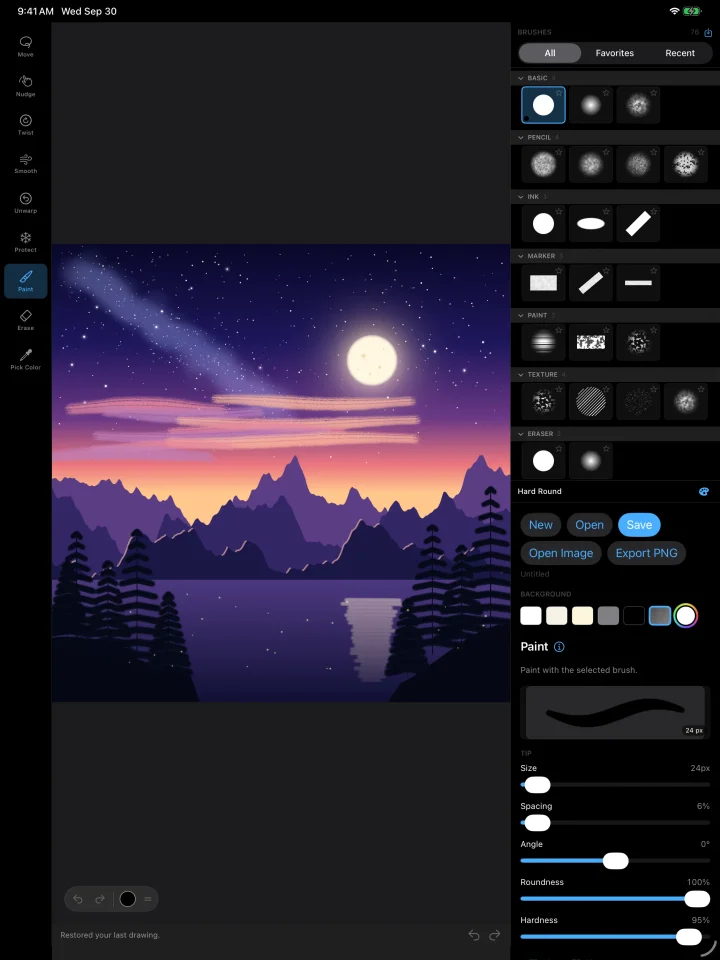
22 built-in brushes: pencils, inks, markers, paint, textures and erasers. Star the few a project needs and show only those. Each brush remembers its own colour. A live stroke preview shows every setting before you touch the canvas.
LAYERS AND DOCUMENTS
Layers with the 16 standard blend modes. Documents keep every move adjustable — reopen a drawing next week and undo a nudge from today. Autosave means a closed app never loses your work.
MADE FOR APPLE PENCIL
Pressure shapes size and flow. Two-finger tap to undo, three to redo. Your palm can't paint.
No account, no ads, no tracking. DM Warp has no networking code at all.
Yenilikler
Sürüm 1.0.2 · 14.10.2026
What's New in 1.0.2
• Fast strokes with big brushes no longer stall
• Build up while held still: a brush setting that keeps adding paint while you hold the brush in one spot, the way an airbrush does
• A mixing palette: a small work area at the bottom of the screen for blending colours. It is saved with your drawing and never exported
• Draw in symmetry: mirror left–right, up–down, four ways, or around a centre. It works with the brushes, Fill, Move and Move Loops
• Replay how a drawing was made, scrub to any step, and save the replay as a video
• New tools: Select, Transform, Fill, Shapes, Guides, Canvas size, Text, Clone and Heal brushes, and Spot Heal
• Shift-click draws a straight line from your last point
• A new colour panel that never gets in the way of drawing, with sliders or a classic colour square and hex code, and a ring of nearby colours (hold Option on a Mac keyboard)
• Hold Command and move the pointer to change the brush size; hold B for size and opacity, or Control and Command for size and edge
• A Keyboard Shortcuts window to see and change every key, with more than one key per action
• A Settings window for undo levels, history and shortcuts
• Faster undo, smoother colour changes, and the app opens ready to paint with the brush you used last
• Better Wacom pen support on the Mac
• Press and hold any tool to see how it works
Uygulama gizliliği
Bu uygulamanın verileri nasıl işlediği hakkında JOSHUA CHARLES JORDAN tarafından App Store üzerinde yapılan beyan.
-
Veri toplanmıyor
Geliştirici bu uygulamadan hiçbir veri toplamıyor.
Gizlilik uygulamaları, örneğin kullandığınız özelliklere veya yaşınıza göre değişiklik gösterebilir.
Bilgiler
- Satıcı
- JOSHUA CHARLES JORDAN
- Kategori
- Grafik ve Tasarım
- Sürüm
- 1.0.2
- Güncellendi
- 14.10.2026
- Yayın tarihi
- 30.09.2026
- Boyut
- 2,5 MB
- Gereksinim
- iOS 17.0 veya sonrası
- Yaş sınırı
- 4+
- Fiyat
- Ücretsiz
- Diller
- İngilizce
- Telif hakkı
- © 2026 Dependent Media
Bunları da beğenebilirsiniz
-
 Wixel - AI Design AgentGrafik ve Tasarım
-
 Micapaint - Çizim uygulamasıTaşmayan fırça, reklamsız
-
 Take Notes - cute note appGrafik ve Tasarım
-
 Unreal VCamGrafik ve Tasarım
-
 Mandala Maker: simetrik çizimMandalalar çiz, boyama yap
-
 ToonSquidGrafik ve Tasarım
-
 Prisma3D – Animasyon, ModelPrisma 3D Animasyon Uygulaması
-
 FlipaClip: Draw 2D AnimationGrafik ve Tasarım
-
 Adobe Illustrator: Graphic ArtGrafik ve Tasarım