
- 対象年齢4+
- カテゴリユーティリティ
- 開発元CHUNG-HO LEE
- 言語英語ほか1言語
- サイズ5.1 MB
App Storeの公式ページにリンクしています
Download.orgはDNS Securityのファイルを一切ホストしていません。ボタンを押すと、CHUNG-HO LEEが公開しているApp Storeのアプリページが開きます。ページの最終確認:2026/11/20。
スクリーンショット


概要
開発元はこのテキストをお使いの言語で提供していません。
Make your DNS private. Start with DNS Security.
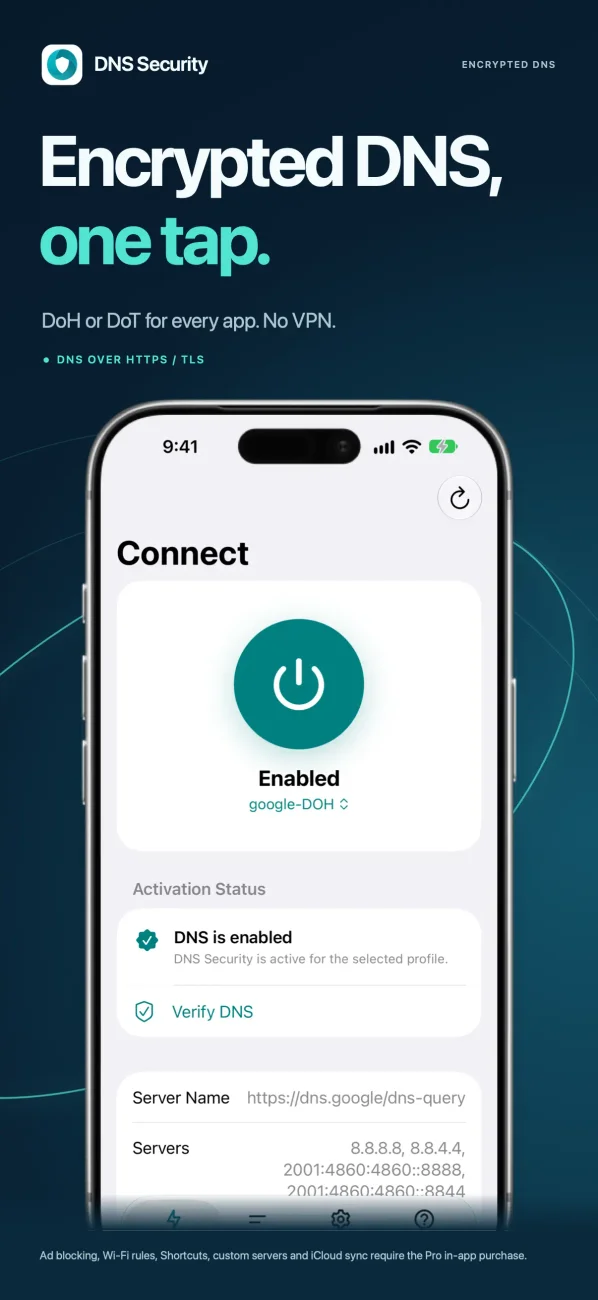
DNS Security helps protect your privacy by encrypting DNS queries with DNS over HTTPS (DoH) and DNS over TLS (DoT). Choose a provider, enable your DNS configuration, and manage your settings in one place—without routing your internet traffic through a VPN.
WHY ENCRYPT YOUR DNS?
HTTPS protects the content exchanged with websites, but traditional DNS lookups may still be unencrypted. These lookups translate domain names into IP addresses and can reveal the domains your device requests.
Encrypted DNS helps protect queries between your device and your chosen DNS provider from eavesdropping and tampering. Your provider still handles those queries, so choose one whose privacy practices you trust.
EVERYDAY DNS CONTROL
• Use DNS over HTTPS or DNS over TLS.
• Choose built-in profiles for Cloudflare and Google.
• Enable or disable your DNS configuration from the app.
• Choose whether DNS settings apply on Wi-Fi, cellular, or both.
• Check DNS protocol and provider details in the Status tab.
DNS SECURITY OR DNS SECURITY PRO?
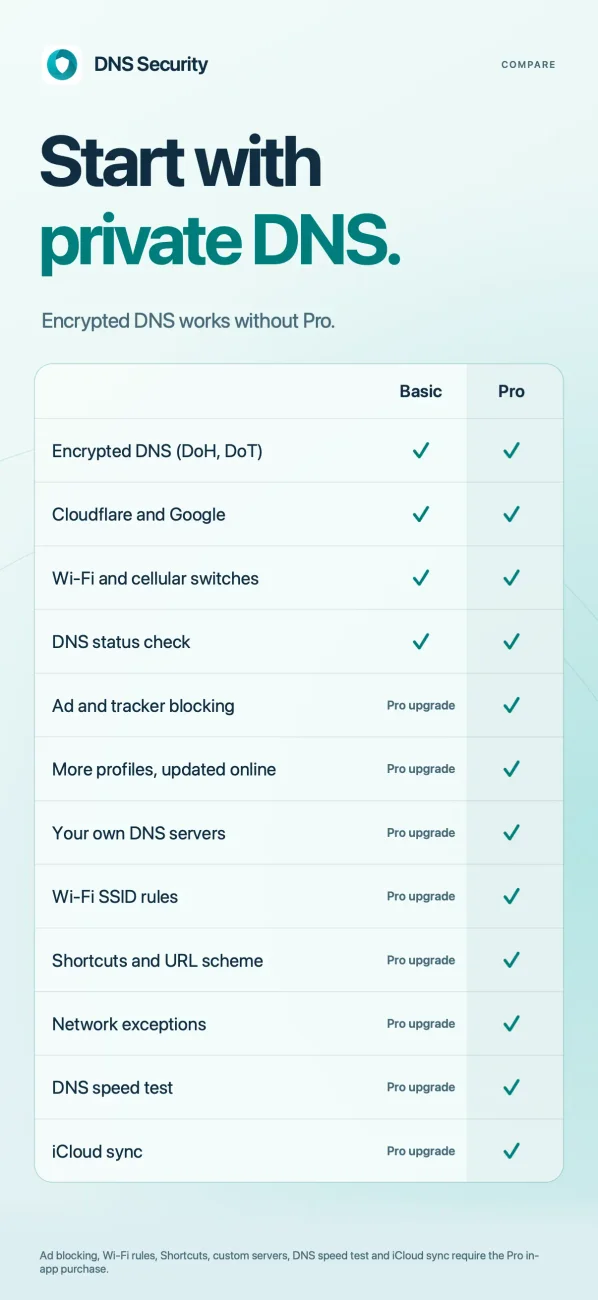
DNS Security includes the everyday DNS controls above at no cost. It offers an optional Pro in-app purchase for the advanced features below.
DNS Security Pro is the paid edition. It includes the same everyday DNS controls plus these advanced features from the start:
PRO FEATURES
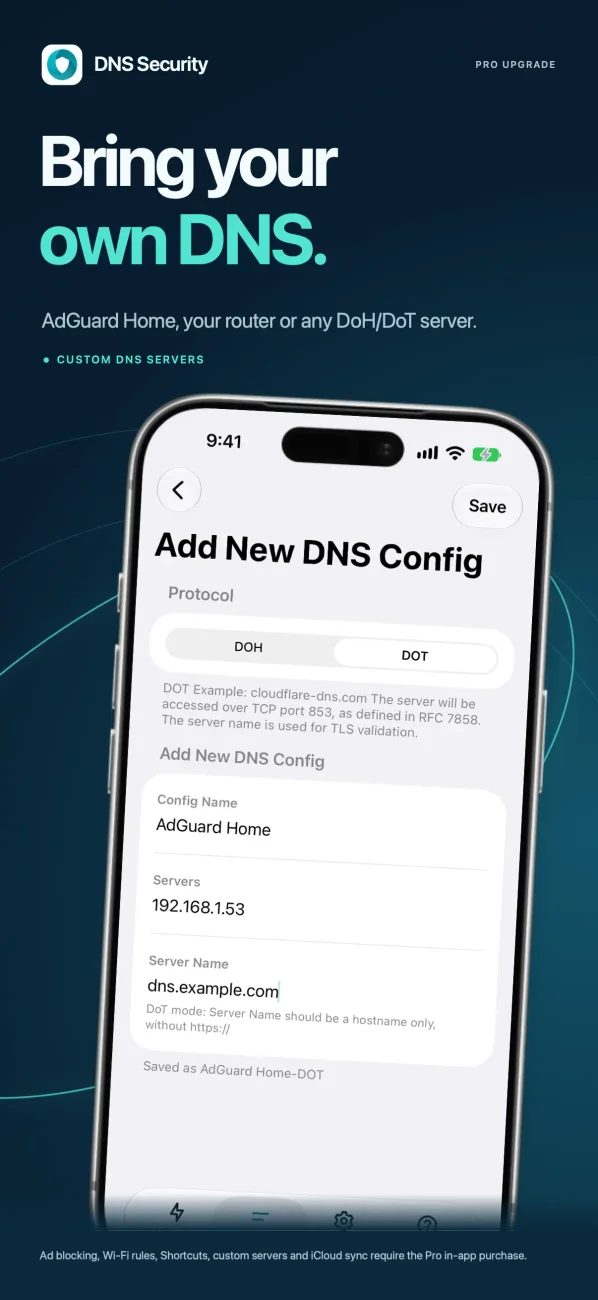
• Create custom DoH and DoT profiles.
• Use built-in AdGuard profiles and download profile updates.
• Skip encrypted DNS for some domains or networks.
• Sync custom DNS profiles and optional Wi-Fi rules with iCloud.
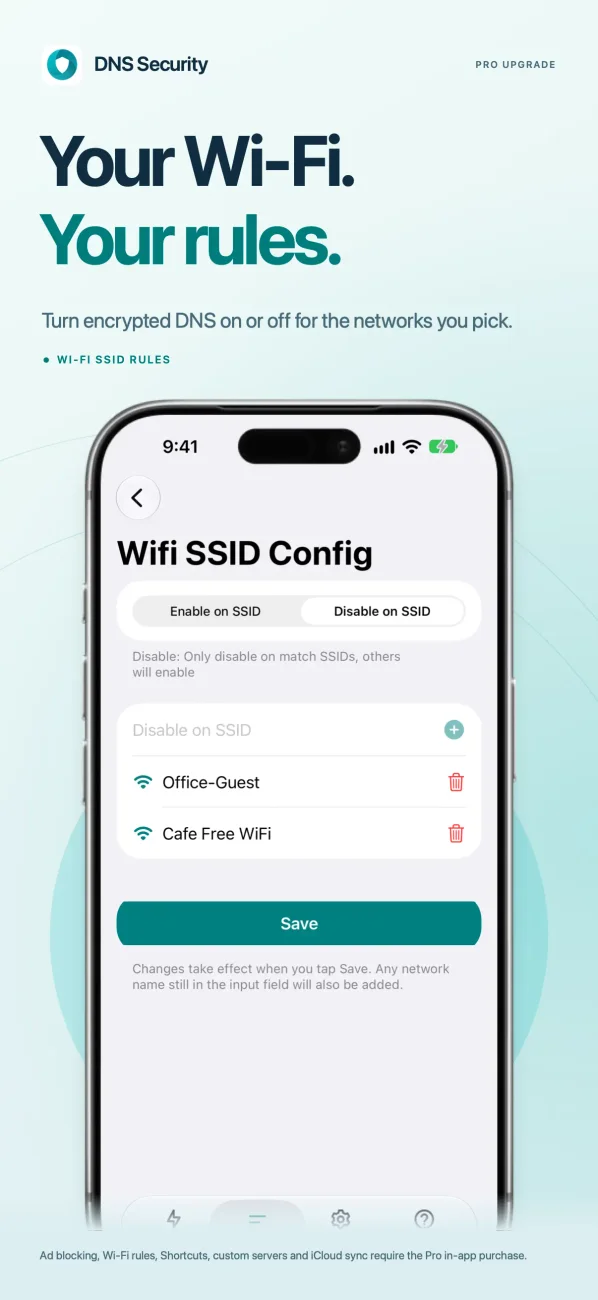
• Enable or disable DNS for specific Wi-Fi SSIDs.
• Switch profiles with Shortcuts and URL schemes.
• Compare DNS profile response times with the built-in speed test.
DESIGNED AROUND PRIVACY
DNS Security manages your device's DNS configuration and does not collect personal information. DNS requests are handled by your selected provider under that provider's privacy policy. Encrypted DNS protects DNS queries; it does not make all browsing anonymous. Blocking malicious domains depends on the provider and profile you choose.
AUTOMATE YOUR DNS
With Pro, use Shortcuts or a compatible app to open a switch URL and select a DNS profile with your preferred network settings.
Example: select google-DOH for Wi-Fi, with cellular disabled:
dnsapp://switch?config=google-DOH&enableOnWifi=true&enableOnCellular=false
Use the scheme for your installed app:
• DNS Security Pro: dnssecuritypro://
• DNS Security: dnssecurity://
• Shared scheme: dnsapp://
Replace dnsapp in the example with your app's scheme. The requested profile must already exist in the app. Initial activation may require selecting DNS Security in iOS Settings.
新機能
バージョン 3.9.6 · 2026/11/14
fix bug.
アプリのプライバシー
このアプリのデータの取り扱いについて、CHUNG-HO LEEがApp Storeで申告している内容です。
-
データの収集なし
開発元はこのアプリからデータを収集しません。
プライバシーの取り扱いは、ご利用の機能やお客様の年齢などに応じて異なる場合があります。
情報
- 販売元
- CHUNG-HO LEE
- カテゴリ
- ユーティリティ
- バージョン
- 3.9.6
- 更新日
- 2026/11/14
- リリース
- 2020/11/6
- サイズ
- 5.1 MB
- 必要条件
- iOS 17.0以降
- 対象年齢
- 4+
- 価格
- 無料
- アプリ内課金
- あり
- 言語
- 英語, 繁体字中国語
- 著作権
- © peterlee
こちらもおすすめ
-
 Tracker Protectionユーティリティ
-
 DNS Optimizer: Server Changerユーティリティ
-
 DNSecureユーティリティ
-
 DNS Cloak:DNS変更 & Private VPN広告とポップアップをブロックする
-
 DNS Benchmark: Speed Testユーティリティ
-
 VPN Gaming - Fast & Stableユーティリティ
-
 Tunnel Guard : Security VPNユーティリティ
-
 Gaming VPN : Ping & Bandwidthユーティリティ
-
 Net Optimizer : Optimize Pingユーティリティ
-
 ゲーマーとストリーミングのための無制限の高速Wifi最高の無制限の安全なプロキシ