- 対象年齢17+
- カテゴリ仕事効率化
- 開発元Tyler Mattingly
- サイズ216.4 MB
App Storeの公式ページにリンクしています
Download.orgはDocLib Vaultのファイルを一切ホストしていません。ボタンを押すと、Tyler Mattinglyが公開しているApp Storeのアプリページが開きます。ページの最終確認:2026/11/18。
スクリーンショット



概要
開発元はこのテキストをお使いの言語で提供していません。
DocLib is a local-first private vault for photos, videos, files, audio, and notes.
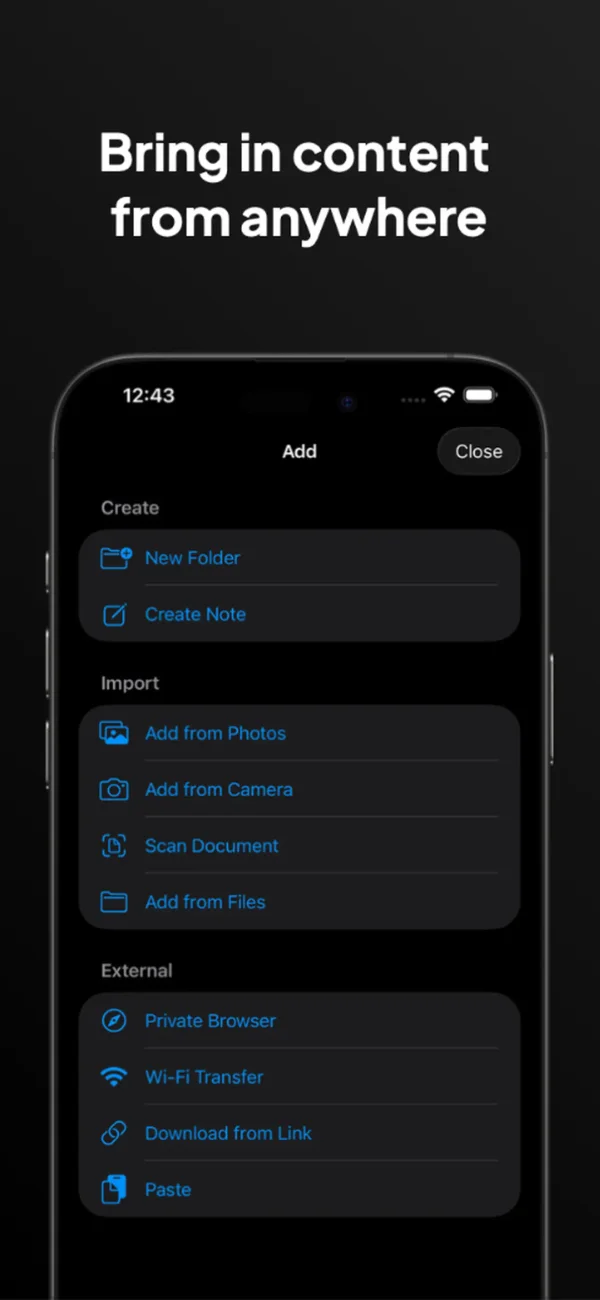
Import from Photos, Files, Camera, document scan, direct HTTPS links, the Share Sheet, clipboard, Private Browser, or your computer over local Wi-Fi. No account required. Your content stays on your device by default unless you choose to export, share, or create a backup.
Keep everything organized with folders and subfolders, tags, favorites, smart folders, filters, search, and Recently Deleted. Create secure Markdown or plain-text notes, convert supported PDFs and text files into Markdown, view Markdown with rich formatting, preview code files with syntax highlighting and line numbers, search inside PDFs, and mark up PDFs right in the app. Choose from built-in themes and app icons to make the vault feel like yours.
DocLib is built for private everyday use:
- Passcode and Face ID protection
- Built-in viewers for photos, videos, audio, PDFs, Markdown, code, and common document types
- Photo slideshows with interval controls
- Photo and video Randomizer with folder selection, adjustable tile counts and timing, fit/fill, and optional automatic changes
- Photo grids with up to 32 tiles
- Custom browser homepages and startup tabs
- Mute media for saved media and browser playback, with an info button explaining browser and system audio limitations
- Video playback speed controls, mute, loop, mini-player behavior, and swipe-down actions
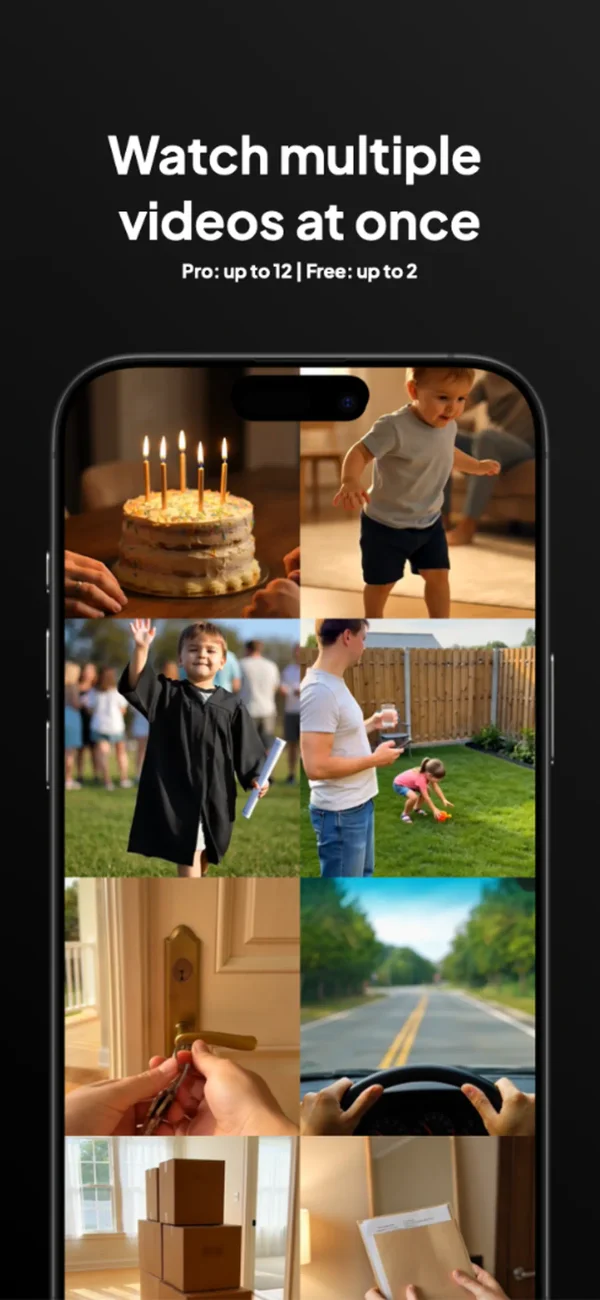
- Multi-Play for watching multiple videos at once with shared controls for play/pause, mute, playback speed, filters, orientation, reordering, and add/remove
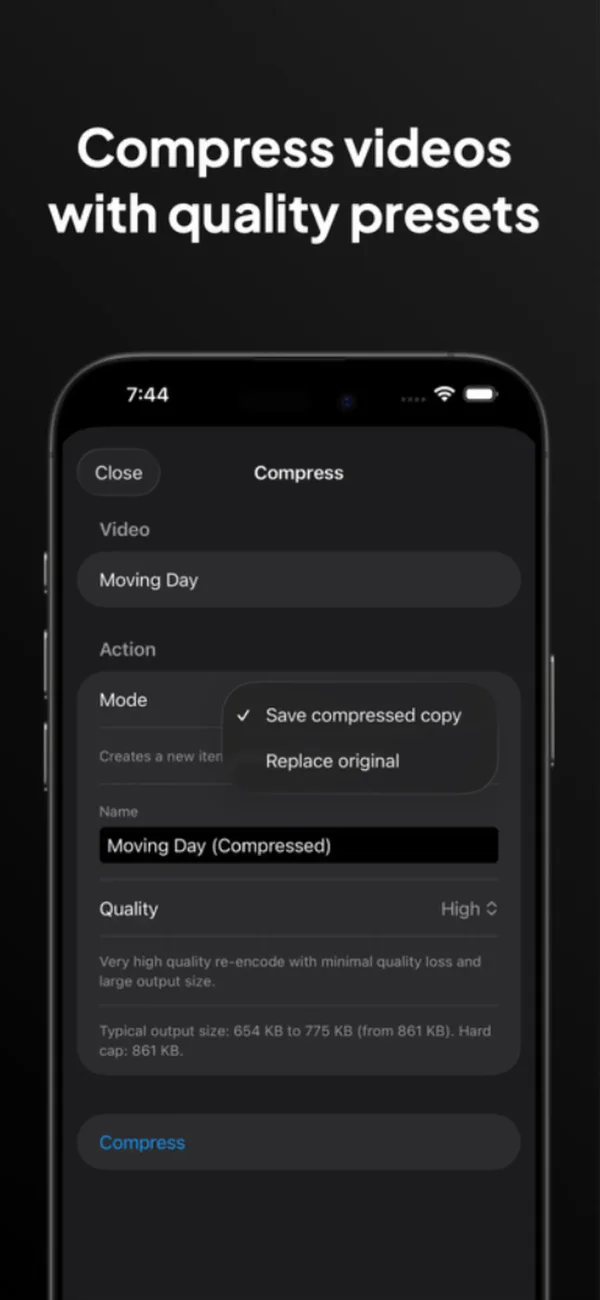
- Video and audio trim tools, plus compression to save space
- Fast import from the Share Sheet, Private Browser, clipboard, and local Wi-Fi Transfer
- Encrypted backup and restore with reminder scheduling
DocLib Pro adds deeper power features:
- Deep Vault with separate passcode, biometrics, and reveal controls
- Up to 12 video tiles in Multi-Play and Randomizer, plus duplicate Multi-Play tiles
- Resume playback, background audio, and Picture in Picture
- On-device OCR and full-text indexing for documents, PDFs, images, and many code/text formats
- Selective restore from encrypted backups
- Larger link downloads up to 5 GB
- Video merge
- Per-type library layouts, custom backgrounds, more app icons, and advanced privacy controls
Private by default. Fast to use. Built for the things you actually want to keep.
Have an idea? Send a feature request from the app. DocLib keeps getting better through real user feedback.
新機能
バージョン 1.1.1 · 2026/10/21
- Set a custom video thumbnail from a frame you choose.
- Save video frames as images in your library.
- Improved reliability of automatic video thumbnails and frame capture.
アプリのプライバシー
このアプリのデータの取り扱いについて、Tyler MattinglyがApp Storeで申告している内容です。
-
データの収集なし
開発元はこのアプリからデータを収集しません。
プライバシーの取り扱いは、ご利用の機能やお客様の年齢などに応じて異なる場合があります。
情報
- 販売元
- Tyler Mattingly
- カテゴリ
- 仕事効率化
- バージョン
- 1.1.1
- 更新日
- 2026/10/21
- リリース
- 2026/3/23
- サイズ
- 216.4 MB
- 必要条件
- iOS 17.6以降
- 対象年齢
- 17+
- 価格
- 無料
- アプリ内課金
- あり
- 著作権
- © 2026 Tyler Mattingly
こちらもおすすめ
-
 TubeTuner for YouTube広告ブロック・バックグラウンド再生・その他カスタマイズ
-
 Files Vault Pro, Security Lock仕事効率化
-
 LoopTask - Focus Loop Timer仕事効率化
-
 MyRecordKeeper Vault仕事効率化
-
 PLANZ: 自動スケジュール作成・予定表・手帳タスクを空き時間へ自動配置|時間管理
-
 Time to Read Pro仕事効率化
-
 TruePomo: Pomodoro Focus Timer仕事効率化
-
 AI Assistant: QuicklyAI質問で知りたいことを簡潔に
-
 ScanCode - QR & バーコード読み取り履歴も残ってネット検索もラクラク
-
 microAI:ローカルAIメモリあなたを記憶するパーソナル AI。