- 対象年齢4+
- カテゴリユーティリティ
- 開発元Jashan Sharma
- 言語英語
- サイズ44.0 MB
App Storeの公式ページにリンクしています
Download.orgはDocs Editor: Edit Word Fileのファイルを一切ホストしていません。ボタンを押すと、Jashan Sharmaが公開しているApp Storeのアプリページが開きます。ページの最終確認:2026/11/12。
スクリーンショット

概要
開発元はこのテキストをお使いの言語で提供していません。
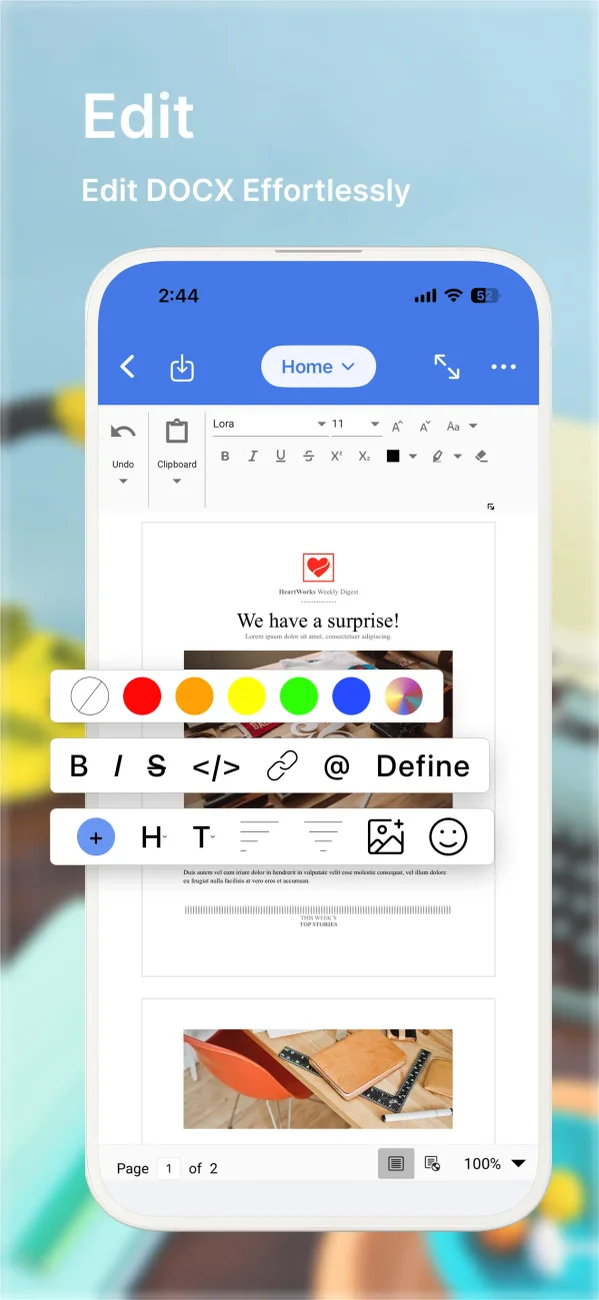
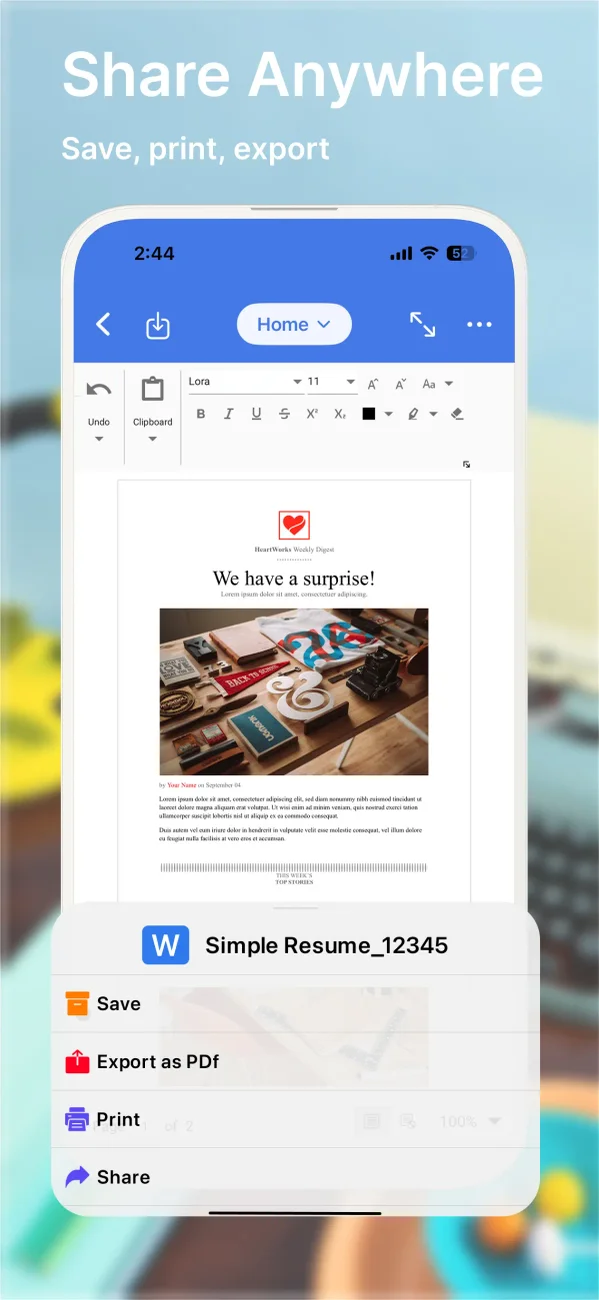
Docs Editor is a powerful and user-friendly app that lets you create, edit, view, share, and manage your documents and files on the go. Whether you're a busy professional crafting reports and proposals, a student juggling assignments, or you simply need to jot down quick notes, this app equips you with everything you need to conquer your document needs.
Powerful Interface and Formatting Tools
Intuitive Navigation: Enjoy a sleek, user-friendly interface designed for effortless document and file management.
Rich Text Editing: Customize your Word docs with a wide variety of formatting tools (custom fonts, text sizes, bold, italic, underline, and highlight).
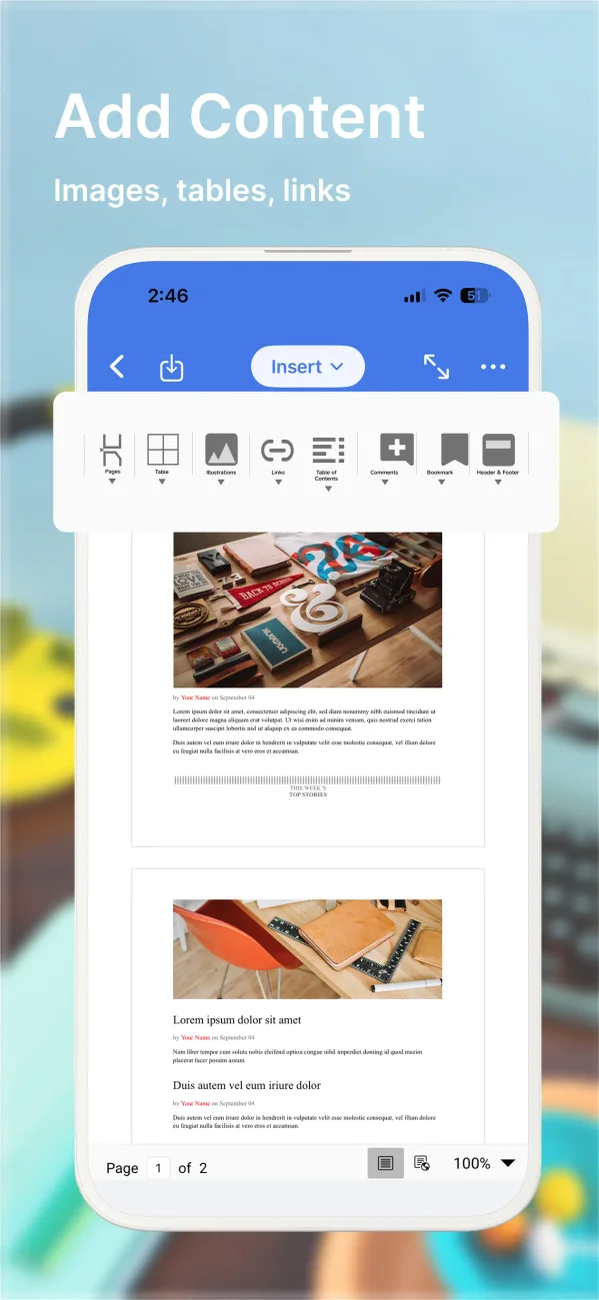
Media & Tables: Seamlessly insert tables, images, and charts directly into your files to create comprehensive reports.
Seamless Collaboration
Real-Time Editing: Create, edit, and annotate documents simultaneously with your team members.
In-Line Commenting: Leave comments directly on specific parts of a document or file to facilitate clear, asynchronous communication and fast feedback.
Top-Tier Security
Password Protection: Lock your essential Word files with passwords to ensure complete data security.
Two-Factor Authentication (2FA): Add an extra layer of protection for authorized access to your sensitive documents.
Robust Privacy: Advanced security features keep your workspace safe from unauthorized viewers.
Universal Compatibility & Cloud Integration
All Major Formats: Read and manage all popular file formats, including Word, DOCX, PDF, XLS, PPTX, and more.
Cloud Syncing: Seamlessly integrate with popular cloud services like Google Drive and Dropbox for easy document sharing and backup.
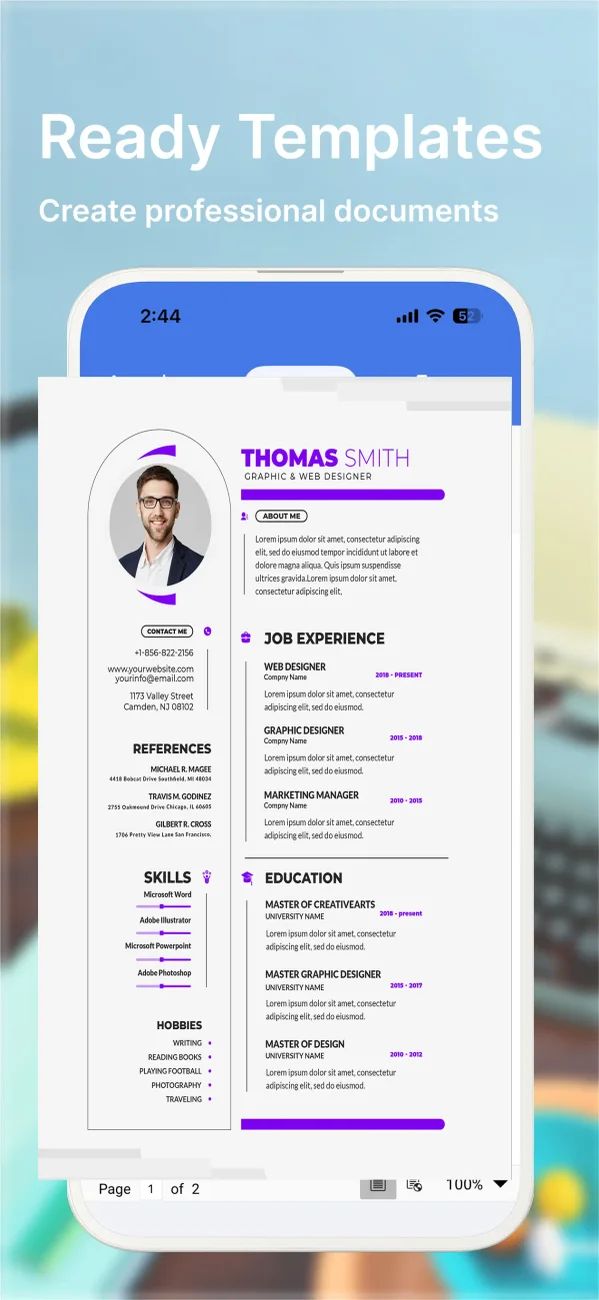
Built-In Templates: Instantly create professional resumes and cover letters using our high-quality existing templates.
Empowering Users in Every Role
Students: Streamline your workflow and excel in your studies. Effortlessly create, view, and share all your school documents. Manage assignments, take organized notes, and create polished presentations that will impress your professors.
Freelancers & Professionals: Enhance your productivity by creating professional Word documents, proposals, and invoices that leave a lasting impression on clients. Work efficiently, deliver high-quality projects on time, and manage your business effectively with seamless file sharing on the go.
Additional Information
Term of Uses - https://sites.google.com/view/terms-of-use-word-editor/home
Privacy Policy - https://sites.google.com/view/privacypolicywordeditor/home
新機能
バージョン v1.0.1 · 2026/9/1
- Minor bug fixes.
アプリのプライバシー
このアプリのデータの取り扱いについて、Jashan SharmaがApp Storeで申告している内容です。
-
ユーザーのトラッキングに使用されるデータ
他社のアプリやウェブサイトを横断してユーザーをトラッキングする目的で使用される場合があります。
- ID
-
ユーザーに関連付けられたデータ
収集され、ユーザーの識別情報に関連付けられる場合があります。
- ID
- 診断
-
ユーザーに関連付けられないデータ
収集される場合がありますが、ユーザーの識別情報には関連付けられません。
- 使用状況データ
プライバシーの取り扱いは、ご利用の機能やお客様の年齢などに応じて異なる場合があります。
情報
- 販売元
- Jashan Sharma
- カテゴリ
- ユーティリティ
- バージョン
- v1.0.1
- 更新日
- 2026/9/1
- リリース
- 2026/7/15
- サイズ
- 44.0 MB
- 必要条件
- iOS 17.0以降
- 対象年齢
- 4+
- 価格
- 無料
- アプリ内課金
- あり
- 言語
- 英語
- 著作権
- © 2026 Appyhigh Technology
こちらもおすすめ
-
 画像文字編集・文字消し - Qutu写真に文字入れ・文字変更をAIで
-
 Word Editor : Docx, XLSX Editユーティリティ
-
 PDFリーダー&エディター - Ora Docsオールインワンドキュメントリーダー
-
 Word Editor: Reader & Writerユーティリティ
-
 Print Photos: Print Exact Sizeユーティリティ
-
 Voice Changer & Modulator: EQOユーティリティ
-
 E-Sign Docs: Signature MakerSign Documents, PDF Signer
-
 Dice Roller Virtual - Rollioユーティリティ
-
 Free Remote For Roku TVユーティリティ
-
 QR Maker: スキャン & コード作成QR・バーコードスキャナー