DocuPDF – Scanner & Editor
Scan, Edit, Convert & Sign PDF
iPhone, iPad, iPod touch向けに設計
無料 · アプリ内課金
- 対象年齢4+
- カテゴリ仕事効率化
- 開発元MBDTECH LTD
- 言語英語
- サイズ71.7 MB
App Storeの公式ページにリンクしています
Download.orgはDocuPDF – Scanner & Editorのファイルを一切ホストしていません。ボタンを押すと、MBDTECH LTDが公開しているApp Storeのアプリページが開きます。ページの最終確認:2026/11/18。
スクリーンショット

概要
開発元はこのテキストをお使いの言語で提供していません。
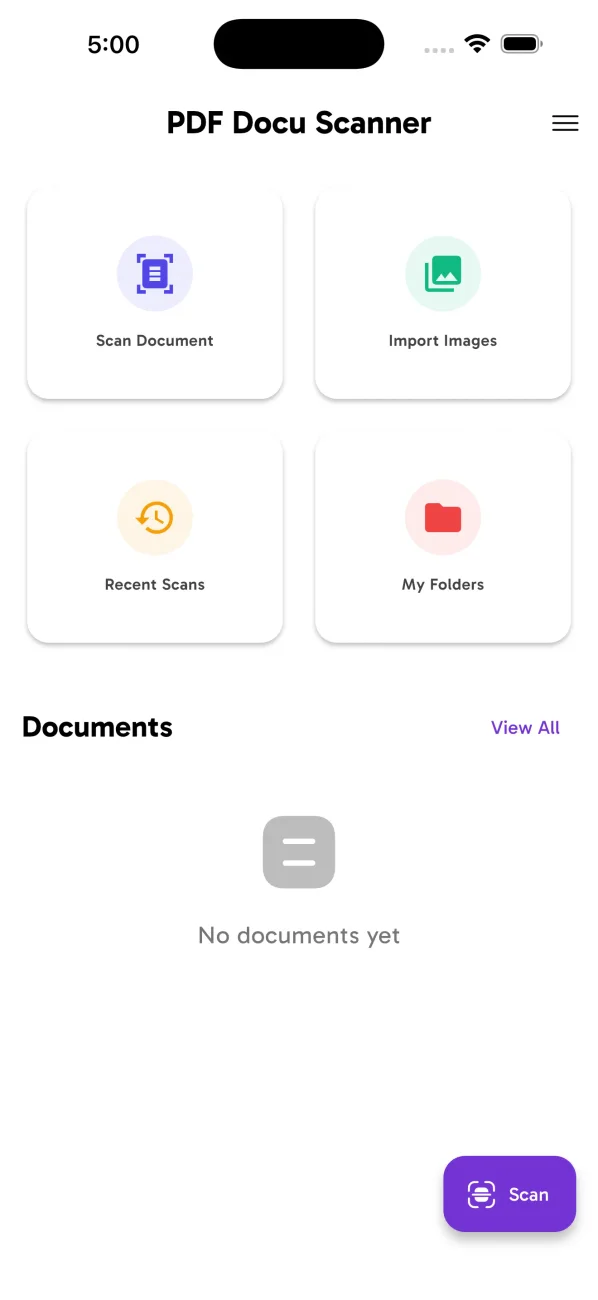
DocuPDF – Scanner & Editor is an all-in-one document scanner, PDF scanner, PDF editor and document management app for scanning, editing, signing, converting, compressing, organizing and sharing documents.
SCAN DOCUMENTS
Scan receipts, invoices, notes, forms, contracts, IDs, certificates and everyday paperwork with your camera. Detect document edges and corners, auto capture pages, correct perspective, rotate, crop and enhance scans. Choose brightness, contrast, grayscale, black & white, color or original modes.
Create multi-page scans and manage pages before exporting. Reorder, delete, duplicate, retake or add pages whenever needed.
PDF SCANNER & PDF EDITOR
Create PDFs from scanned documents, photos, images and imported files. Merge PDF files, split PDFs, extract pages, reorder pages, rotate pages and delete unwanted pages.
Compress PDF files for smaller storage, email, messaging and uploads. Convert supported documents and images and export your work as PDF, JPG, PNG or text.
OCR & TEXT EXTRACTION
Use OCR text recognition to extract text from scanned documents and create searchable content. Copy recognized text and search extracted text without manually typing it. Useful for receipts, invoices, forms, notes, printed documents, business paperwork and study materials.
DIGITAL SIGNATURES
Sign PDF documents directly from your device. Create signatures by drawing, typing or importing an image. Remove unwanted signature backgrounds and save signatures for reuse.
Move, resize, rotate and adjust signature opacity to place your signature exactly where needed.
WATERMARKS, IMAGES, STAMPS & TRADEMARKS
Add text or image watermarks, transparent PNGs, logos, stamps, images and trademarks. Adjust opacity and position, select pages and use tiled or diagonal watermark layouts.
ANNOTATION & REDACTION
Review documents with annotation and markup tools, add notes and mark important information. Use permanent PDF redaction to remove sensitive or confidential information before sharing.
PDF CONVERTER & COMPRESSION
Create PDFs from photos and images, convert supported files, export pages as JPG or PNG and extract document text. Compress PDF files when smaller file sizes are needed for sharing, uploading or storage.
IMPORT, EXPORT, SHARE & PRINT
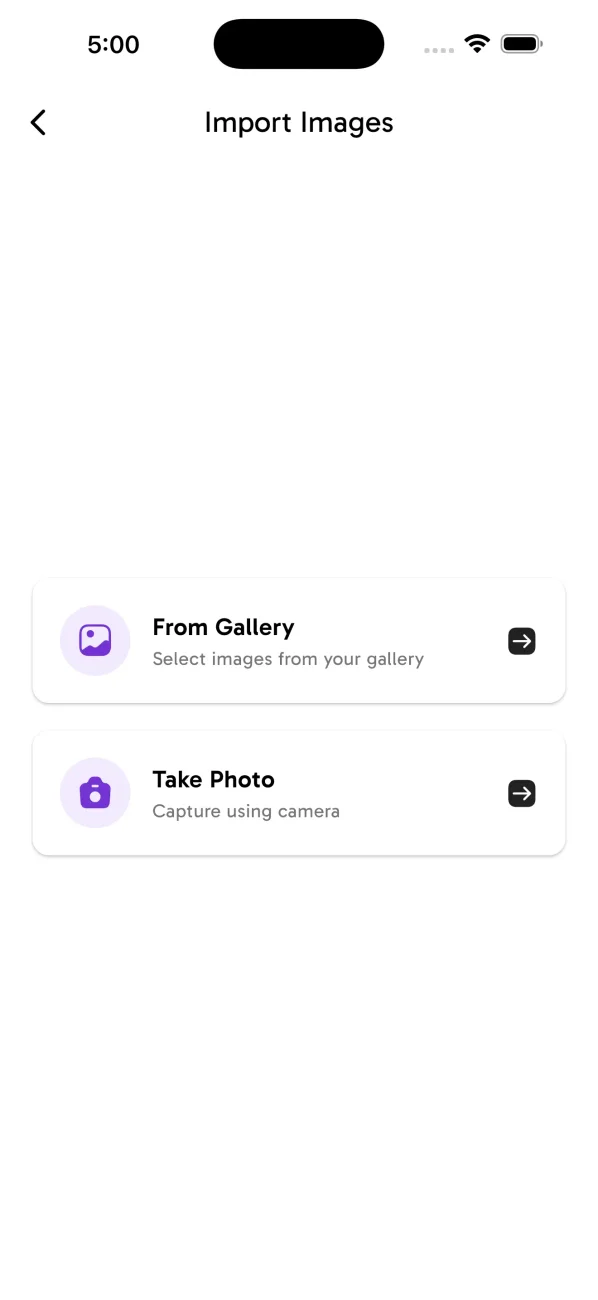
Import documents from your camera, photo library, gallery and device files. Combine scanned and imported pages into complete documents.
Export as PDF, JPG, PNG or text. Copy extracted text, share files with other apps and print when supported.
DOCUMENT ORGANIZATION
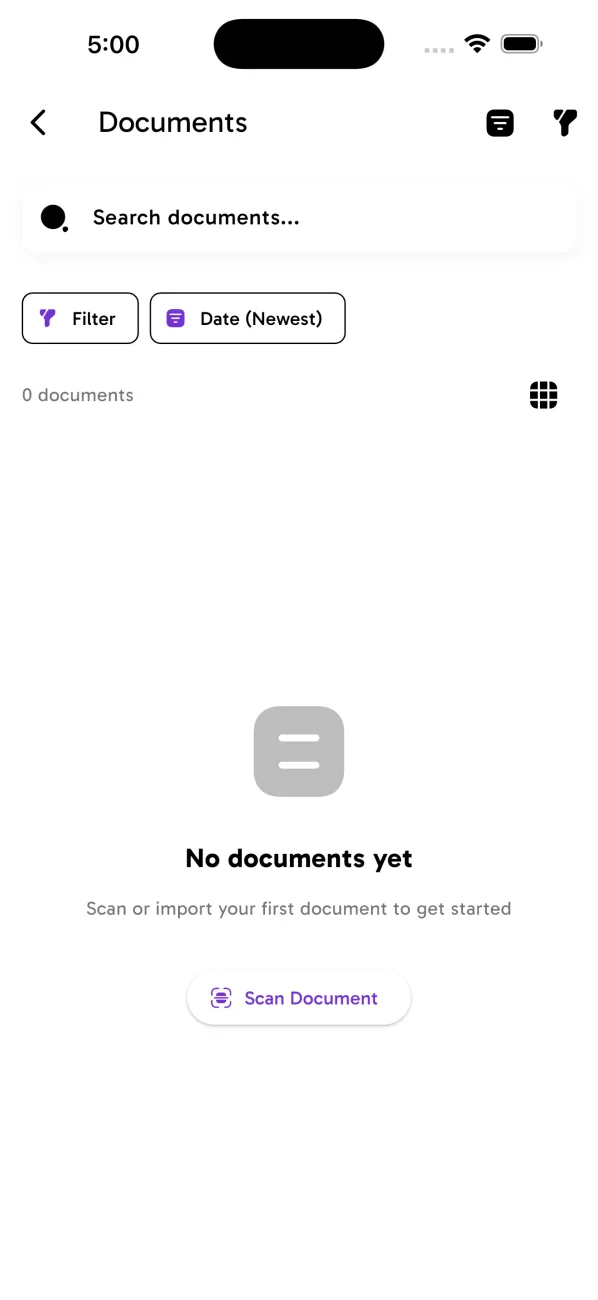
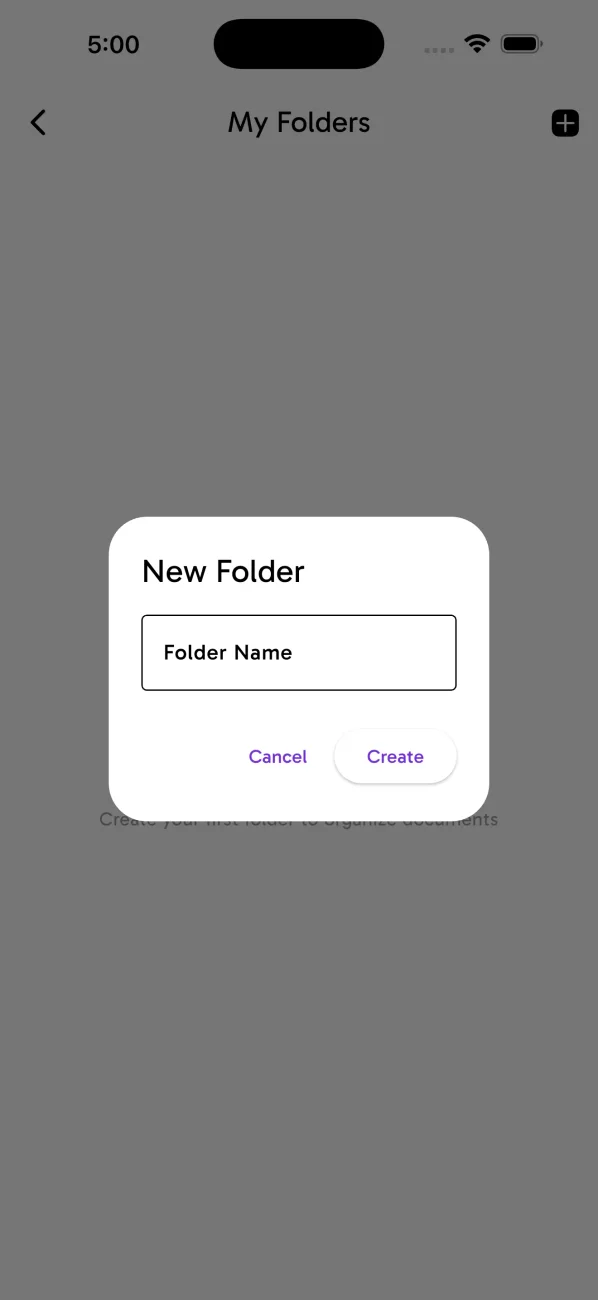
Keep paperwork organized with folders, favorites, tags and recent documents. Search and sort files, quickly find important documents and manage unwanted files through Trash.
USE DOCUPDF FOR
Document scanning, PDF scanning, receipt scanning, photo scanning, PDF editing, PDF creation, PDF conversion, PDF compression, OCR, text recognition, text extraction, searchable PDFs, text copying, digital signatures, signature background removal, annotations, redaction, text and image watermarks, transparent PNG watermarks, tiled and diagonal watermarks, images, stamps, logos, trademarks, PDF merge, PDF split, page extraction, page rotation, page deletion, page reordering, multi-page scanning, image to PDF, photo to PDF, JPG and PNG export, text export, password protected PDFs, document search, folders, favorites, tags, recent files, Trash, sorting, camera, gallery and file import, sharing and printing.
SECURITY & PRIVACY
Protect access with App Lock, PIN and biometric authentication where supported. Use PDF password protection and permanent redaction for sensitive documents.
DocuPDF is designed around a local-first workflow. Documents, scans, signatures, annotations and PDF files are intended to remain on your device unless you explicitly choose to share or export them.
PREMIUM
DocuPDF offers optional Premium subscriptions
Apple Standard EULA:
https://www.apple.com/legal/internet-services/itunes/dev/stdeula/
新機能
バージョン 1.4.1 · 2026/10/6
What’s New in Version 1.4.1
Introducing an improved DocuPDF experience with powerful tools for scanning, editing, converting and managing your documents.
• Enhanced document scanning with automatic edge detection, auto capture and perspective correction
• Improved multi-page scanning with page reorder, delete, duplicate, retake and add-page controls
• New and improved PDF editing tools
• PDF merge, split, page extraction, rotation, deletion and reordering
• PDF compression for smaller, easier-to-share files
• Improved PDF and document conversion workflows
• OCR text recognition and searchable document support
• Copy and search extracted text from scanned documents
• Digital signatures with draw, type and image import options
• Signature background removal, resizing, rotation and opacity controls
• Text and image watermark support
• Transparent PNG, tiled and diagonal watermark options
• Images, stamps, logos and trademark support
• Improved annotations and document markup
• Permanent PDF redaction for sensitive information
• Improved document organization with folders, favorites, tags and recent files
• Document search and sorting
• Camera, gallery, photo and file import
• Export documents as PDF, JPG, PNG or text
• Improved sharing and printing workflows
• PDF password protection and document security tools
• App Lock with PIN and biometric authentication where supported
• Improved local-first document workflow and privacy-focused document handling
• Performance, stability and overall user experience improvements
Scan, edit, sign, convert, compress, organize and share your documents with the improved DocuPDF experience.
アプリのプライバシー
このアプリのデータの取り扱いについて、MBDTECH LTDがApp Storeで申告している内容です。
-
データの収集なし
開発元はこのアプリからデータを収集しません。
プライバシーの取り扱いは、ご利用の機能やお客様の年齢などに応じて異なる場合があります。
情報
- 販売元
- MBDTECH LTD
- カテゴリ
- 仕事効率化
- バージョン
- 1.4.1
- 更新日
- 2026/10/6
- リリース
- 2025/12/12
- サイズ
- 71.7 MB
- 必要条件
- iOS 15.5以降
- 対象年齢
- 4+
- 価格
- 無料
- アプリ内課金
- あり
- 言語
- 英語
- 著作権
- © MBDTECH LTD