
- 対象年齢4+
- カテゴリミュージック
- 開発元Masahiro Sato
- 言語英語
- サイズ20.3 MB
App Storeの公式ページにリンクしています
Download.orgはEffectDeckのファイルを一切ホストしていません。ボタンを押すと、Masahiro Satoが公開しているApp Storeのアプリページが開きます。ページの最終確認:2026/11/22。
スクリーンショット
概要
開発元はこのテキストをお使いの言語で提供していません。
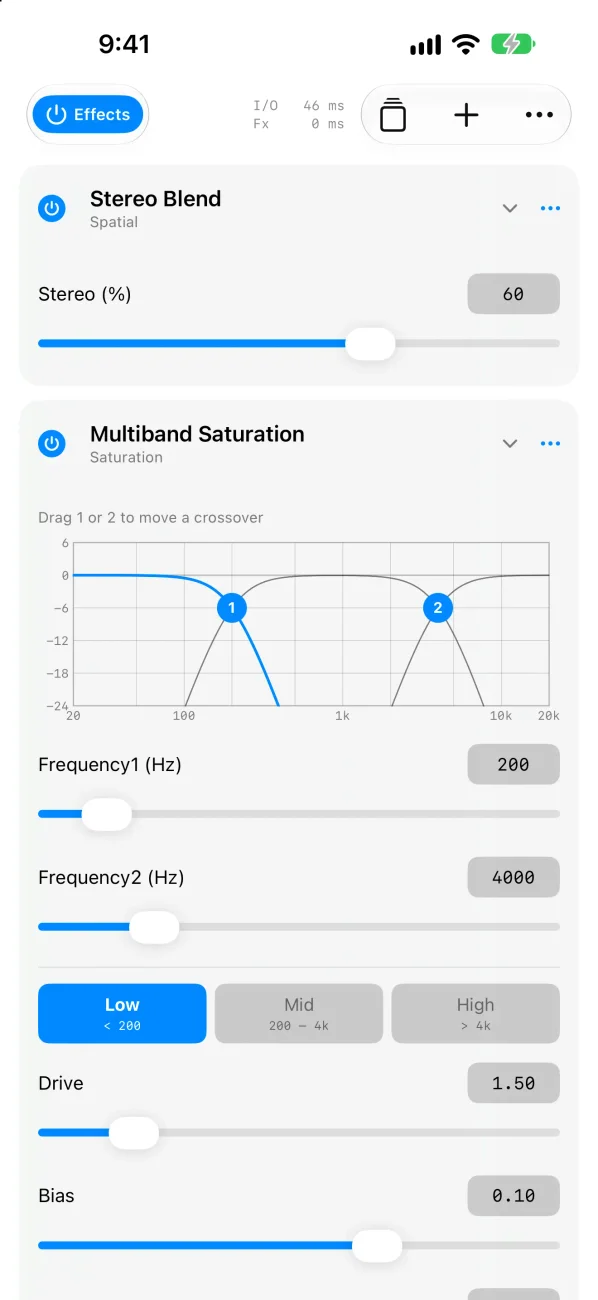
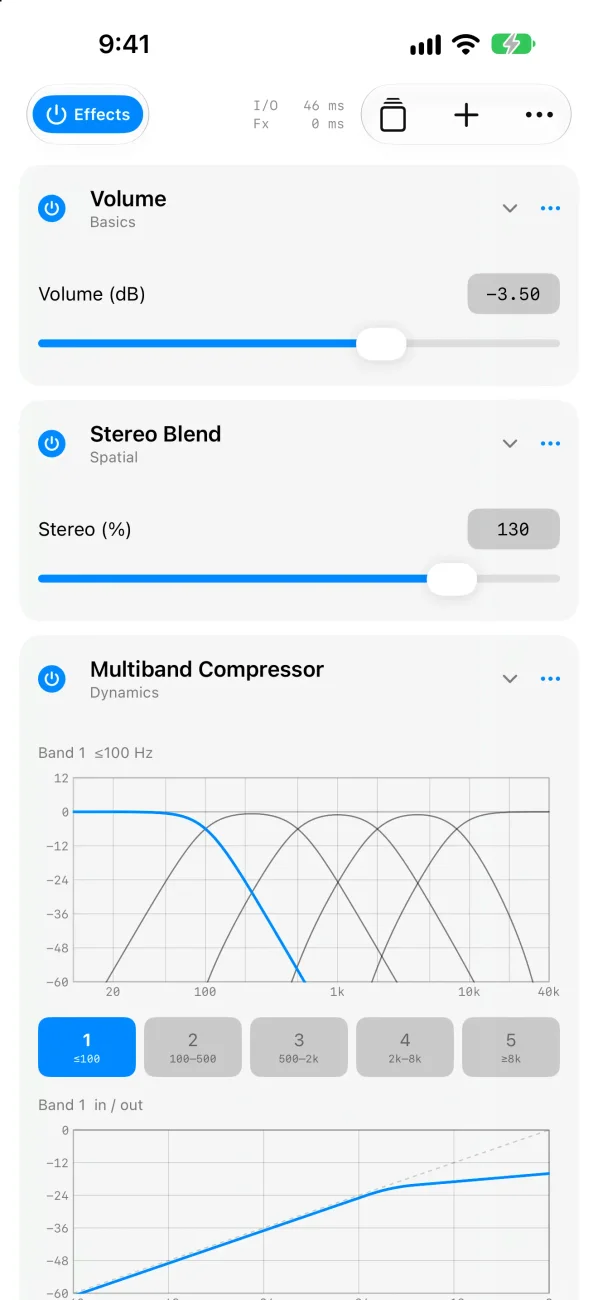
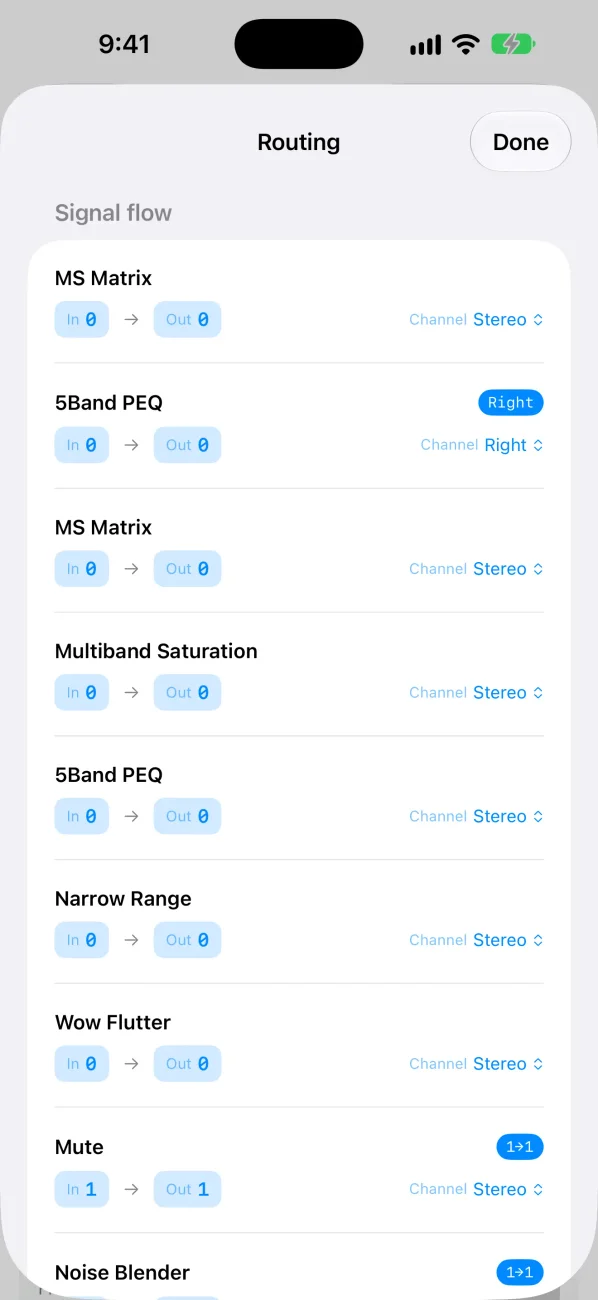
EffectDeck puts an effect chain on the audio other apps are already playing, and the effects you can put in it are not limited to the ones it ships with.
Pick EffectDeck as the output in Control Center, then open the app and build a chain. No virtual cable, no routing to set up, nothing to configure first.
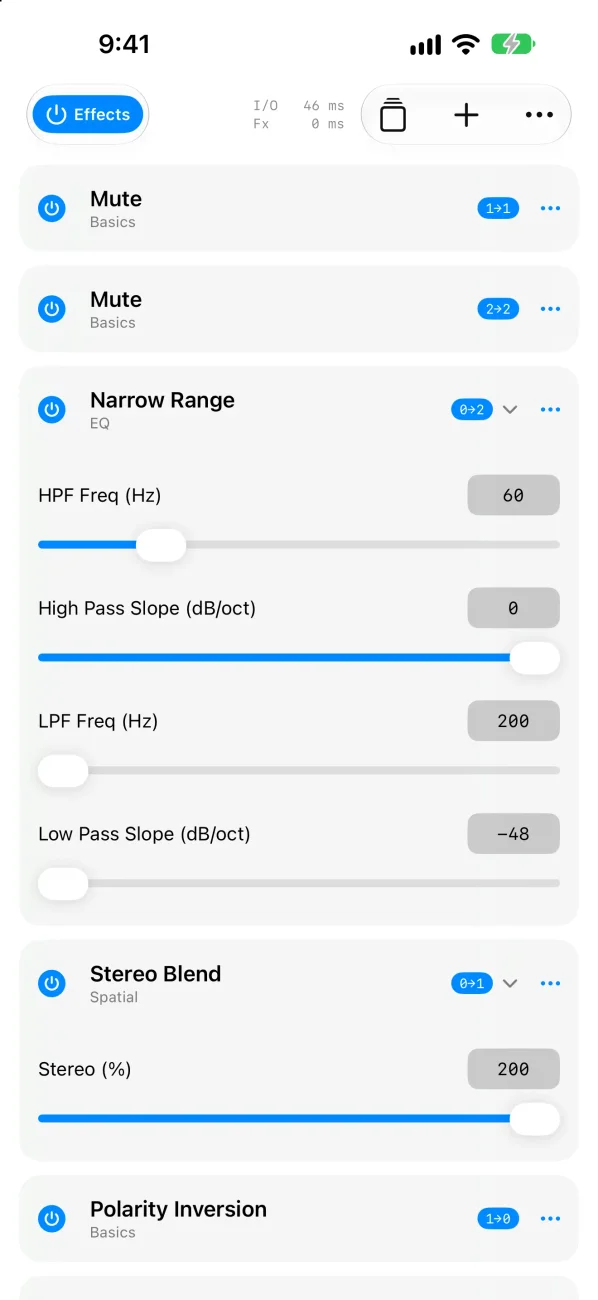
Start from over 100 of EffeTune's effects, running unmodified: the same DSP code EffeTune runs on the desktop and on the web. Add the AUv3 plug-ins already on your device and your own impulse responses. When the effect you want does not exist, write it as a JSFX script, and it goes into the chain like any other effect.
WHAT YOU GET
- Over 100 built-in effects: EQ, dynamics, saturation, modulation, reverb, delay, spatial, lo-fi and restoration
- JSFX effects: import a script from Files, a link or the clipboard. Each gets its own sliders and, if it draws, its own display
- AUv3 effect plug-ins installed on your iPhone or iPad
- Convolution reverb with your own impulse responses, and AutoEQ profiles for the 15-band EQ
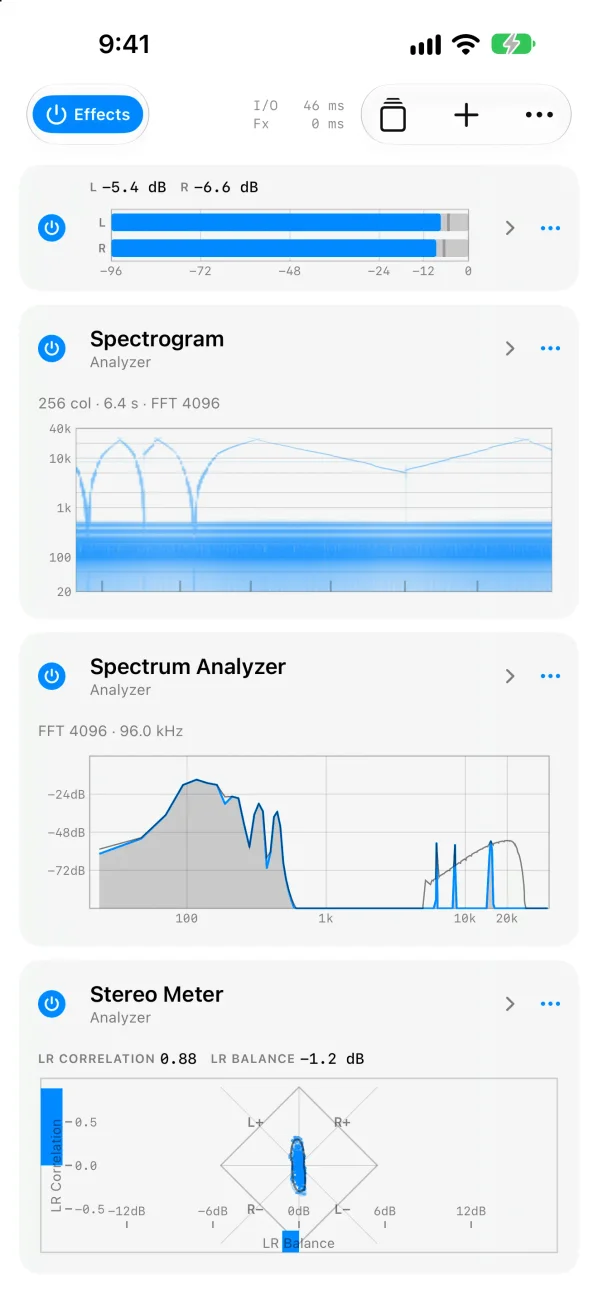
- Analyzers you can drop into the chain: spectrum, spectrogram, oscilloscope, level and stereo meters
- Presets from EffeTune, plus your own presets in folders
- Share a chain or a JSFX script as a link, and open the links others send you
- A two-column layout on iPad
- Oversampling at 48, 96 or 192 kHz, with latency and CPU shown while it runs
HOW IT WORKS
iOS 27 lets an app present itself as an audio output device. EffectDeck appears in Control Center next to your speaker and headphones. Choose it, and the audio from the player you are using is handed over, processed, and played back on the same device. Apps that never report themselves as playing, most games among them, keep going straight to the speaker.
The audio never leaves the device, and nothing is collected. If you are signed in to iCloud, your presets and chain follow you to your other devices.
The effects are EffeTune by Yoshiyuki Kobayashi (MIT). This app is a separate project and is not affiliated with EffeTune. The name was changed at the upstream author's request.
新機能
バージョン 2026.11.03 · 2026/11/3
New since 2026.10.16
Undo
- Undo and Redo for the effect chain: parameter changes, adding, removing and moving effects. Shake your iPhone, swipe left or right with three fingers, or press ⌘Z / ⇧⌘Z on a keyboard.
Follow Volume
- An effect can follow the output volume. Choose Follow Volume in the card's ⋯ menu, then add keyframes with the + on the strip under the card name.
- JSFX can read the output volume through effectdeck_output_volume.
Also new
- EffeTune 2.16.0 (DSP 0.16.0): Note Spectrogram Chords & Key, Rhythm Analyzer drums, 10 Mastering presets.
- EffeTune 2.15.0: SFZ Note Player Detection.
- Add Effect search groups results into Effects / Plugins / Presets and also finds common names (de-esser, goniometer, brir).
- An effect you add now goes outside Sections, unless you drop it onto a Section card.
- Chroma Spiral and Stereo Meter use the space better when collapsed. Note Spectrogram has an opaque keyboard, sharper notes and a legend readable in light mode.
- Floating Meters and graphs use less CPU.
- Accessibility: VoiceOver labels, larger text, standard buttons.
Fixes
- iPad (two columns): the top-right buttons could stop responding after closing a sheet by tapping outside it.
Previous update (2026.10.16):
- Remote Control for EffeTune 2.14 on a computer, Floating Meters (Picture in Picture), SFZ Note Player, and smoother dragging.
アプリのプライバシー
このアプリのデータの取り扱いについて、Masahiro SatoがApp Storeで申告している内容です。
-
データの収集なし
開発元はこのアプリからデータを収集しません。
プライバシーの取り扱いは、ご利用の機能やお客様の年齢などに応じて異なる場合があります。
情報
- 販売元
- Masahiro Sato
- カテゴリ
- ミュージック
- バージョン
- 2026.11.03
- 更新日
- 2026/11/3
- リリース
- 2026/9/17
- サイズ
- 20.3 MB
- 必要条件
- iOS 27.0以降
- 対象年齢
- 4+
- 価格
- 無料
- 言語
- 英語
- 著作権
- © 2026 nemut.ai
こちらもおすすめ
-
 SoundStage - Sound Enhancerミュージック
-
 AurisPEQシステム全体のEQ
-
 Pragmatic Audio PEQミュージック
-
 Airwindows Consolidated AUv3ミュージック
-
 QMe テレプロンプター 歌詞コード、セットリスト、自動スクロール
-
 Symphony: 音楽プレーヤー&統計再生回数・履歴・ウィジェット
-
 Auris Hi-Fi PlayerパラメトリックEQ搭載のハイレゾ対応プレーヤー
-
 ToneRig: NAM Amp & Pedalboardミュージック
-
 CueWeeミュージック
-
 Q BIT Crusherタイムホールド機能搭載ビットクラッシャー