- 対象年齢4+
- カテゴリファイナンス
- 開発元Magyar Nemzeti Bank
- 言語英語
- サイズ10.2 MB
App Storeの公式ページにリンクしています
Download.orgはÉSZLAのファイルを一切ホストしていません。ボタンを押すと、Magyar Nemzeti Bankが公開しているApp Storeのアプリページが開きます。ページの最終確認:2026/11/17。
スクリーンショット
概要
開発元はこのテキストをお使いの言語で提供していません。
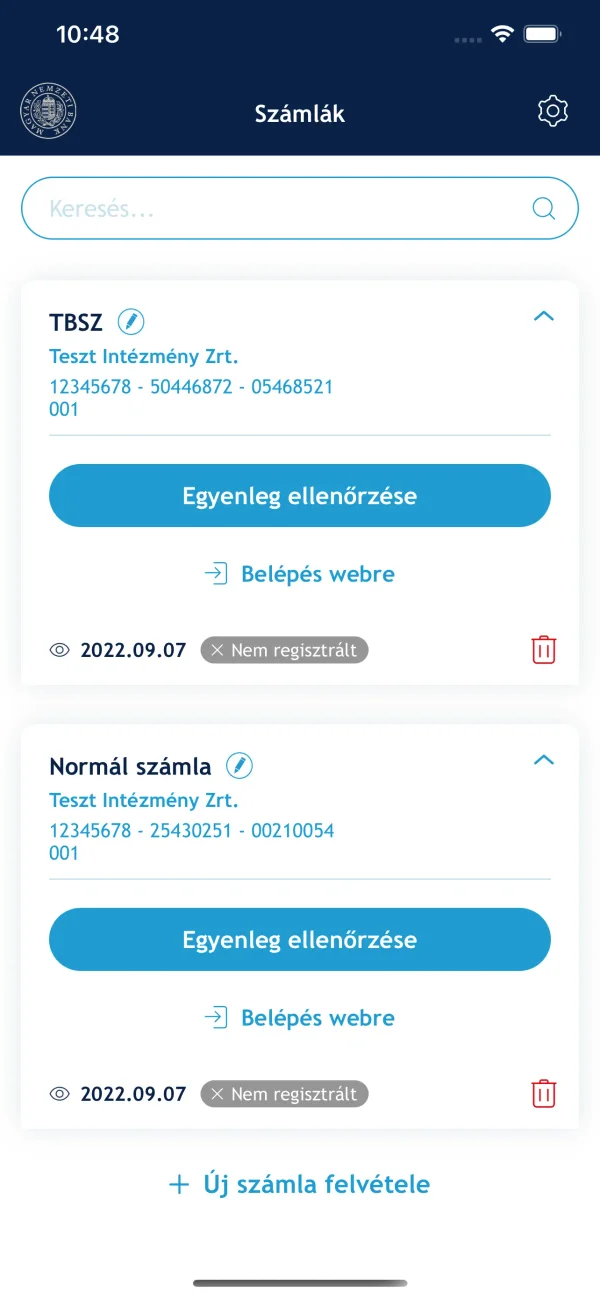
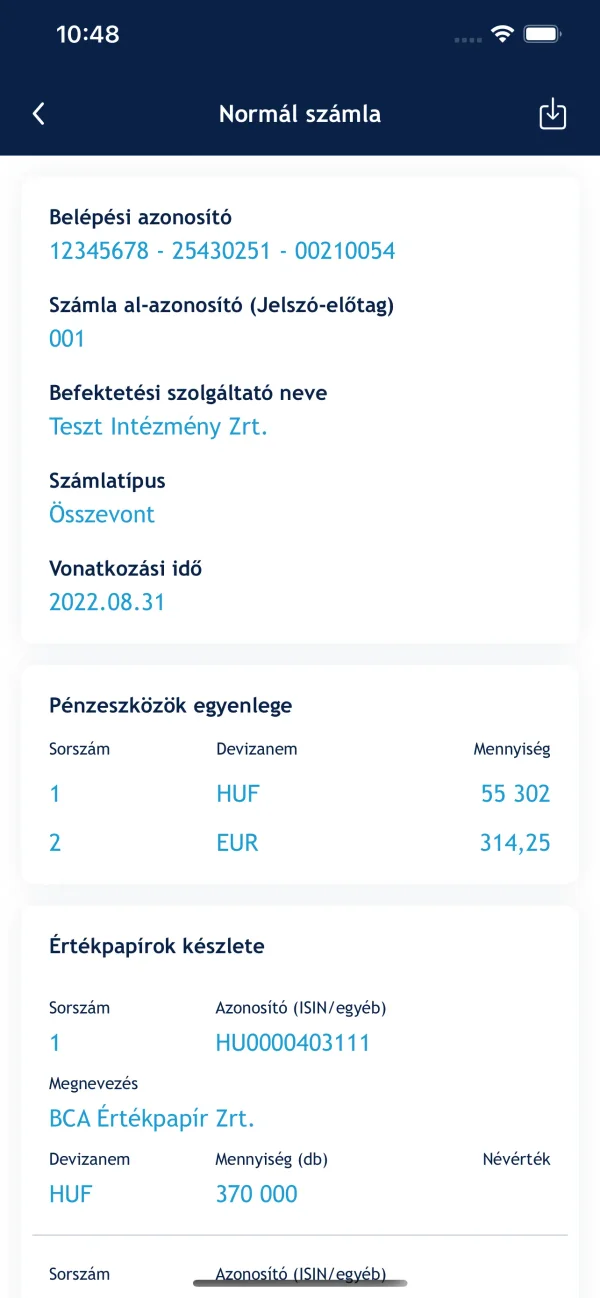
This application allows you to compare the reports received from your financial service provider managing your securities account with the data transferred by the service provider to the MNB, these data are sent by service providers to the MNB on a monthly basis.
Why is it useful for you?
By checking the on-line balance on a regular basis you can make sure that your service provider manages your securities account correctly, i.e. it transfers the same information to the Magyar Nemzeti Bank and to you.
The application provides the possibility to query the securities account balance in a clear and user-friendly way, even without entering a password, by scanning the QR code on the statement, which service providers are obliged to place on each securities account statement. In addition, the mobile app also provides a number of convenience and notification features compared to the ÉSZLA online enquiry application.
The convenience features: if the account holder activates this feature in the mobile application and checks his/her securities account in at least three different months, the account becomes a registered account, which means that in subsequent months, you can access the balance data uploaded to the ÉSZLA system with a single click, without having to enter the current monthly password, by logging into the mobile application.
QR code on the monthly statement: the password, generated monthly by the investment service provider and sent to the account holder together with the monthly statement, will also be displayed on the statement in the form of a QR code. You can conveniently enter your password to retrieve the account balance using the dedicated QR code reader of the ÉSZLA mobile application without entering the password by scanning the QR code on the account statement.
Access to the web-based ÉSZLA application with a QR code: if the account holder wishes to view his/her statement on a larger display on a computer, you must select a QR code entry on the MNB web-based ÉSZLA enquiry application page, which will display a QR code on the web interface, which must be scanned using the "Access to web" function of the mobile application, after which the mobile application may still ask for a login password (if the account is not yet "registered").
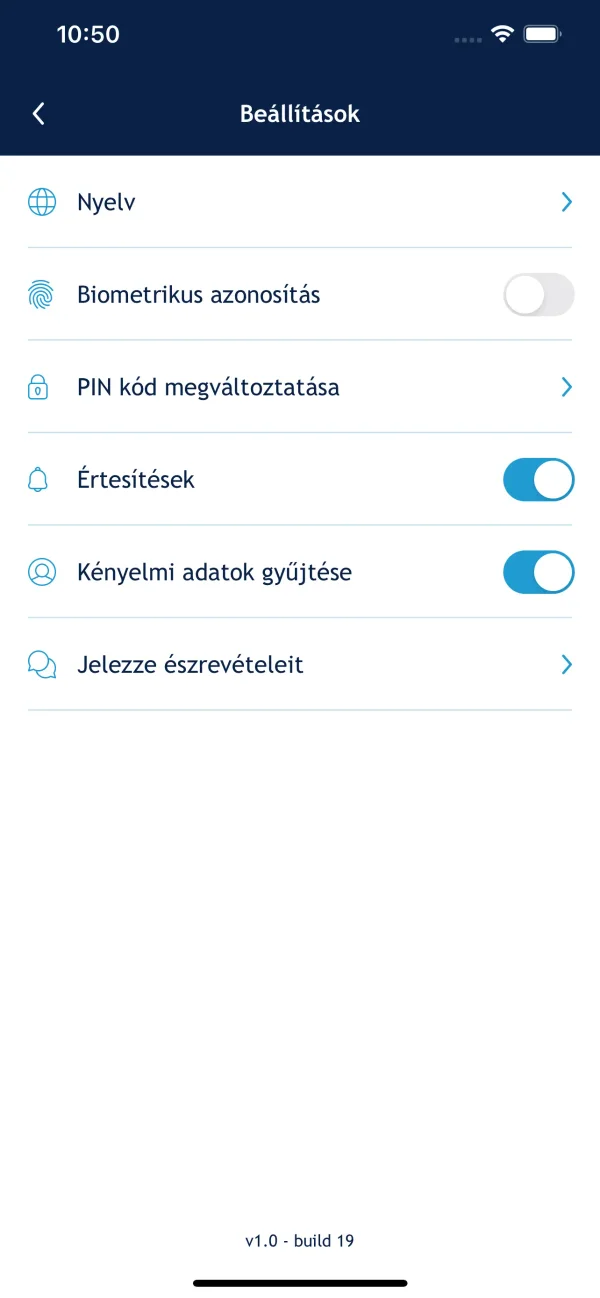
PUSH notifications: if you activate this feature in the mobile application, you will receive a PUSH message from the mobile application typically on the 10th working day of each month, informing you that your balance data has been uploaded to the system, which you can retrieve and compare with your statement using the mobile application.
Saving as PDF: in the ÉSZLA application, it is possible to retrieve the balance data for a given month from the 10th working day following the month in question until the 10th working day of the second month following the month in question. If you wish to access the ÉSZLA balance data beyond this period, it is advisable to download it in PDF format to your smartphone or you can also send it (e.g. as an e-mail attachment).
Check your securities account balance now and compare it with the statement sent to you by your investment service provider.
If you notice a discrepancy, notify the discrepancy to your investment service provider immediately.
新機能
バージョン 1.3.1 · 2026/10/28
We have improved the user experience.
アプリのプライバシー
このアプリのデータの取り扱いについて、Magyar Nemzeti BankがApp Storeで申告している内容です。
-
ユーザーに関連付けられないデータ
収集される場合がありますが、ユーザーの識別情報には関連付けられません。
- 使用状況データ
- 診断
プライバシーの取り扱いは、ご利用の機能やお客様の年齢などに応じて異なる場合があります。
情報
- 販売元
- Magyar Nemzeti Bank
- カテゴリ
- ファイナンス
- バージョン
- 1.3.1
- 更新日
- 2026/10/28
- リリース
- 2022/9/14
- サイズ
- 10.2 MB
- 必要条件
- iOS 15.6以降
- 対象年齢
- 4+
- 価格
- 無料
- 言語
- 英語
- 著作権
- © MNB