- Độ tuổi4+
- Danh mụcTài Chính
- Nhà phát triểnMagyar Nemzeti Bank
- Ngôn ngữTiếng Anh
- Kích thước10,2 MB
Liên kết đến trang App Store chính thức
Download.org không lưu trữ tệp nào của ÉSZLA. Nút này mở trang ứng dụng trên App Store, nơi Magyar Nemzeti Bank phát hành ứng dụng. Trang được kiểm tra lần cuối: 17/11/2026.
Ảnh chụp màn hình
Giới thiệu
Nhà phát triển chưa cung cấp nội dung này bằng ngôn ngữ của bạn.
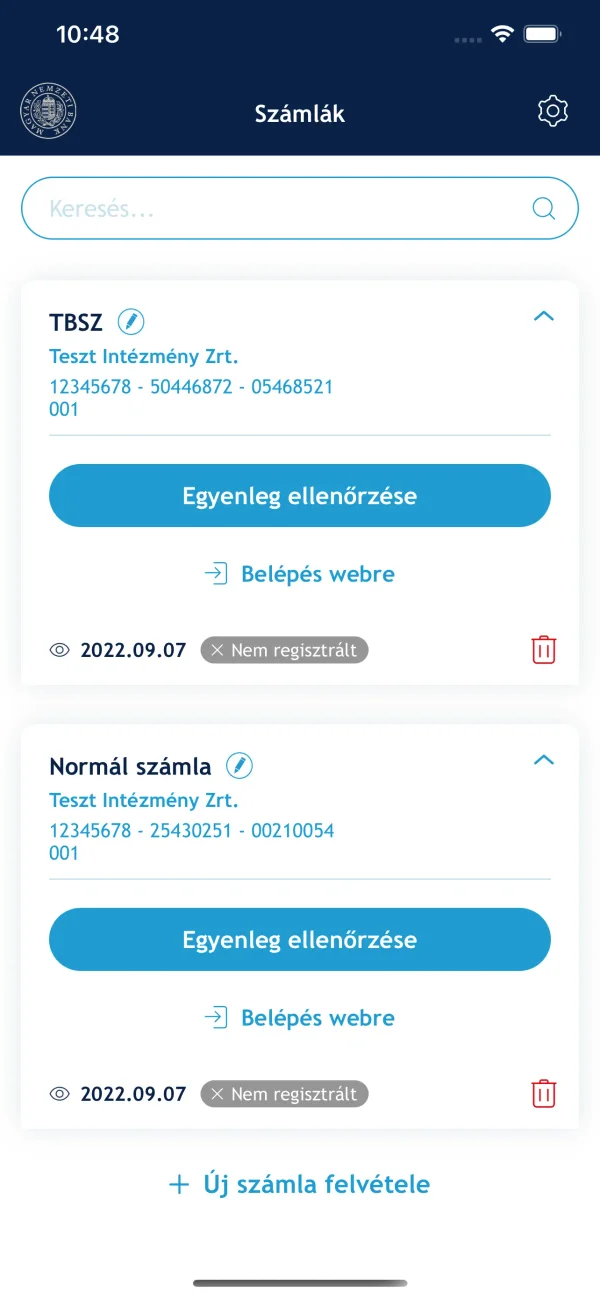
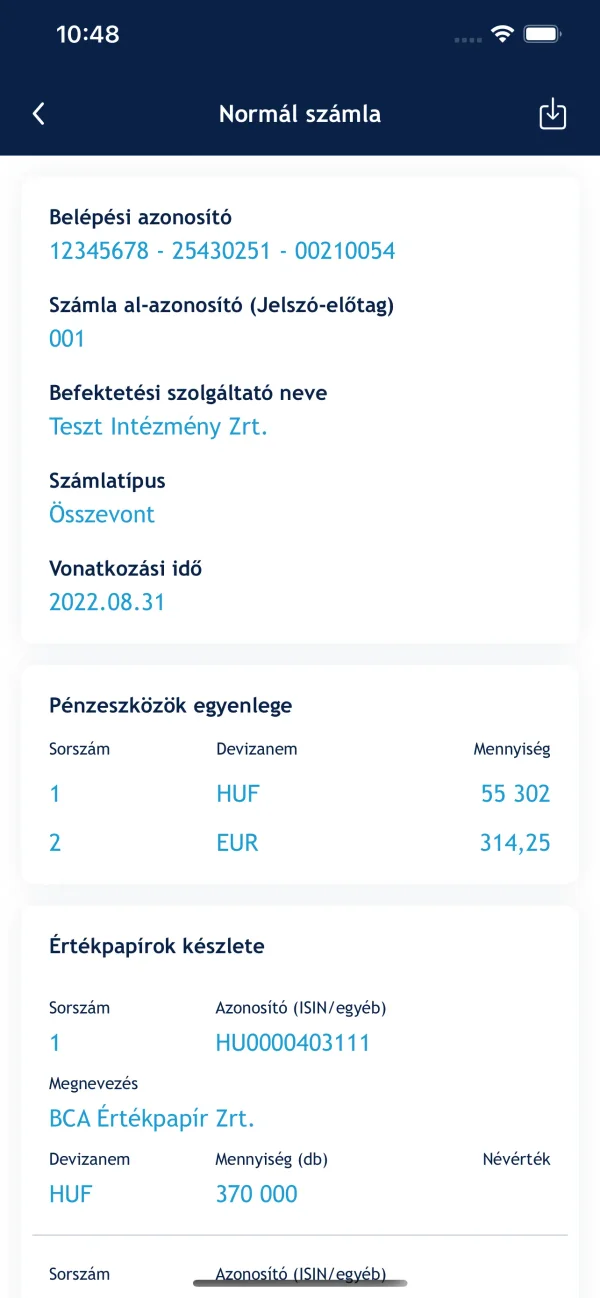
This application allows you to compare the reports received from your financial service provider managing your securities account with the data transferred by the service provider to the MNB, these data are sent by service providers to the MNB on a monthly basis.
Why is it useful for you?
By checking the on-line balance on a regular basis you can make sure that your service provider manages your securities account correctly, i.e. it transfers the same information to the Magyar Nemzeti Bank and to you.
The application provides the possibility to query the securities account balance in a clear and user-friendly way, even without entering a password, by scanning the QR code on the statement, which service providers are obliged to place on each securities account statement. In addition, the mobile app also provides a number of convenience and notification features compared to the ÉSZLA online enquiry application.
The convenience features: if the account holder activates this feature in the mobile application and checks his/her securities account in at least three different months, the account becomes a registered account, which means that in subsequent months, you can access the balance data uploaded to the ÉSZLA system with a single click, without having to enter the current monthly password, by logging into the mobile application.
QR code on the monthly statement: the password, generated monthly by the investment service provider and sent to the account holder together with the monthly statement, will also be displayed on the statement in the form of a QR code. You can conveniently enter your password to retrieve the account balance using the dedicated QR code reader of the ÉSZLA mobile application without entering the password by scanning the QR code on the account statement.
Access to the web-based ÉSZLA application with a QR code: if the account holder wishes to view his/her statement on a larger display on a computer, you must select a QR code entry on the MNB web-based ÉSZLA enquiry application page, which will display a QR code on the web interface, which must be scanned using the "Access to web" function of the mobile application, after which the mobile application may still ask for a login password (if the account is not yet "registered").
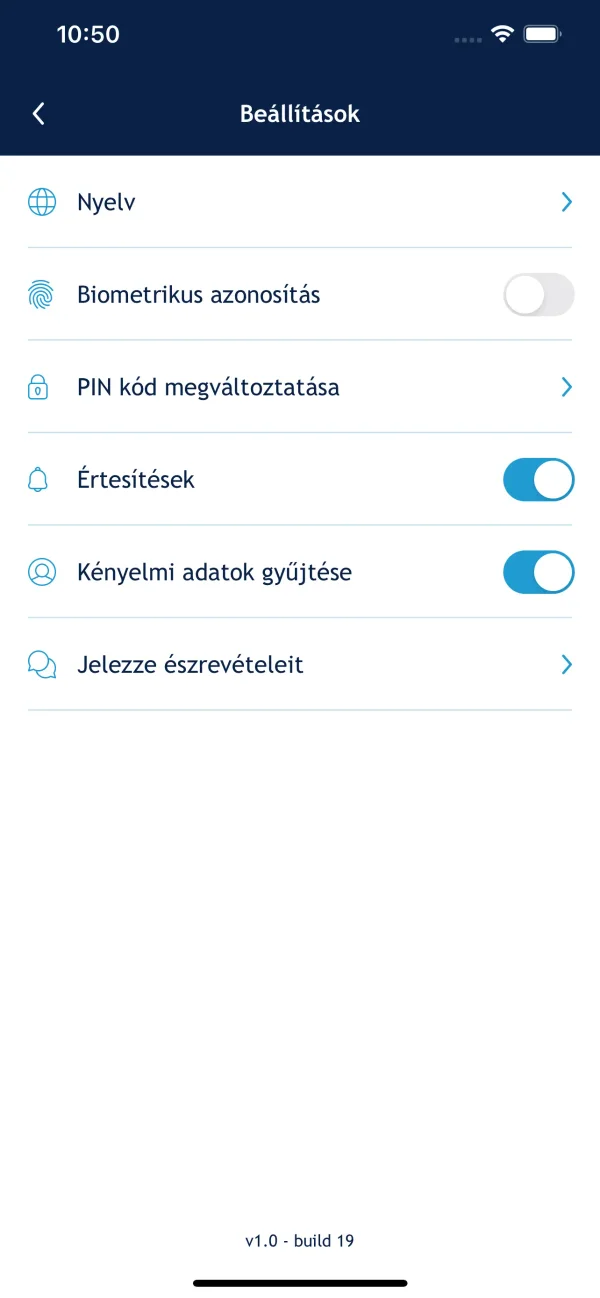
PUSH notifications: if you activate this feature in the mobile application, you will receive a PUSH message from the mobile application typically on the 10th working day of each month, informing you that your balance data has been uploaded to the system, which you can retrieve and compare with your statement using the mobile application.
Saving as PDF: in the ÉSZLA application, it is possible to retrieve the balance data for a given month from the 10th working day following the month in question until the 10th working day of the second month following the month in question. If you wish to access the ÉSZLA balance data beyond this period, it is advisable to download it in PDF format to your smartphone or you can also send it (e.g. as an e-mail attachment).
Check your securities account balance now and compare it with the statement sent to you by your investment service provider.
If you notice a discrepancy, notify the discrepancy to your investment service provider immediately.
Có gì mới
Phiên bản 1.3.1 · 28/10/2026
We have improved the user experience.
Quyền riêng tư của ứng dụng
Những gì Magyar Nemzeti Bank khai báo trên App Store về cách ứng dụng này xử lý dữ liệu.
-
Dữ liệu không liên kết với bạn
Có thể được thu thập nhưng không liên kết với danh tính của bạn.
- Dữ liệu sử dụng
- Chẩn đoán
Phương thức đảm bảo quyền riêng tư có thể khác nhau, chẳng hạn như tuỳ theo các tính năng bạn sử dụng hoặc độ tuổi của bạn.
Thông tin
- Người bán
- Magyar Nemzeti Bank
- Danh mục
- Tài Chính
- Phiên bản
- 1.3.1
- Cập nhật
- 28/10/2026
- Phát hành
- 14/09/2022
- Kích thước
- 10,2 MB
- Yêu cầu
- iOS 15.6 trở lên
- Độ tuổi
- 4+
- Giá
- Miễn phí
- Ngôn ngữ
- Tiếng Anh
- Bản quyền
- © MNB