
- 対象年齢4+
- カテゴリ写真/ビデオ
- 開発元homedatasheet.com, Inc.
- 言語英語
- サイズ1.9 MB
App Storeの公式ページにリンクしています
Download.orgはExif Wizard-Proのファイルを一切ホストしていません。ボタンを押すと、homedatasheet.com, Inc.が公開しているApp Storeのアプリページが開きます。ページの最終確認:2026/11/12。
スクリーンショット

概要
開発元はこのテキストをお使いの言語で提供していません。
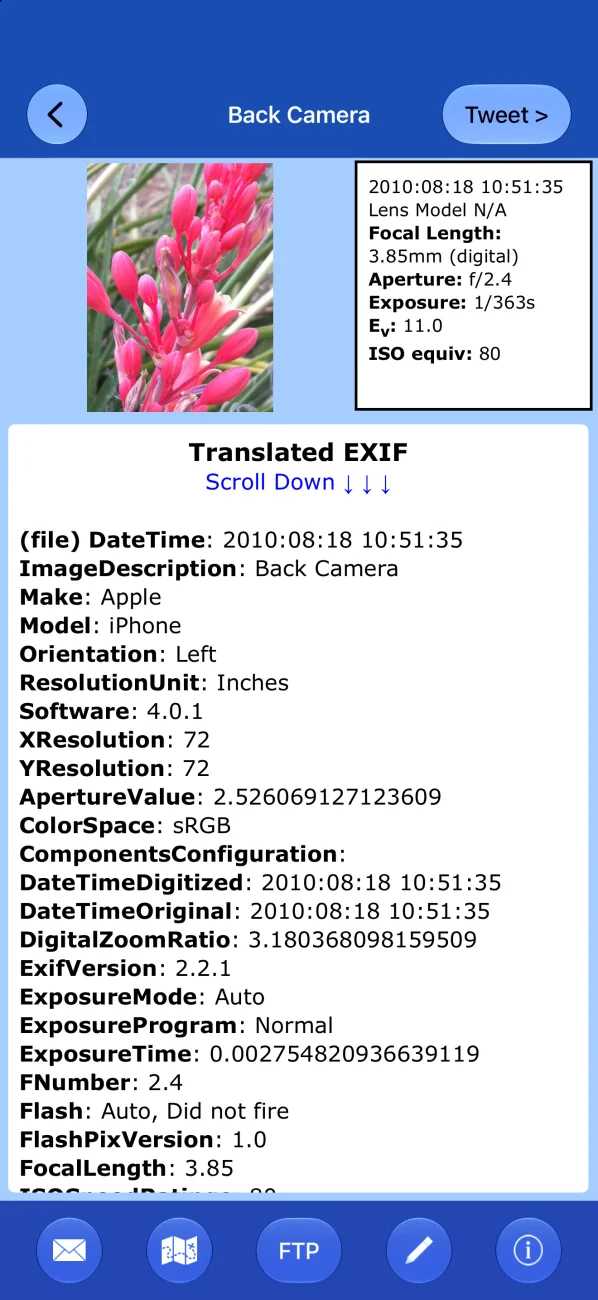
Exif Wizard-Pro is an Exif reader for photographers who are serious about their digital images.
- Work in native screen resolution, portrait & landscape, on your iPad.
- Move through an album using left or right finger "swipe" gestures on the preview or zoomed-out full-size images
- Ability to e-mail photos from within the app which retain their Exif data
- Upload images via FTP (passive mode, which virtually every recent server supports) and select your upload directory via a graphical user interface. Send one image at a time, or let Exif Wizard-Pro upload an entire album for you with the touch of a button.
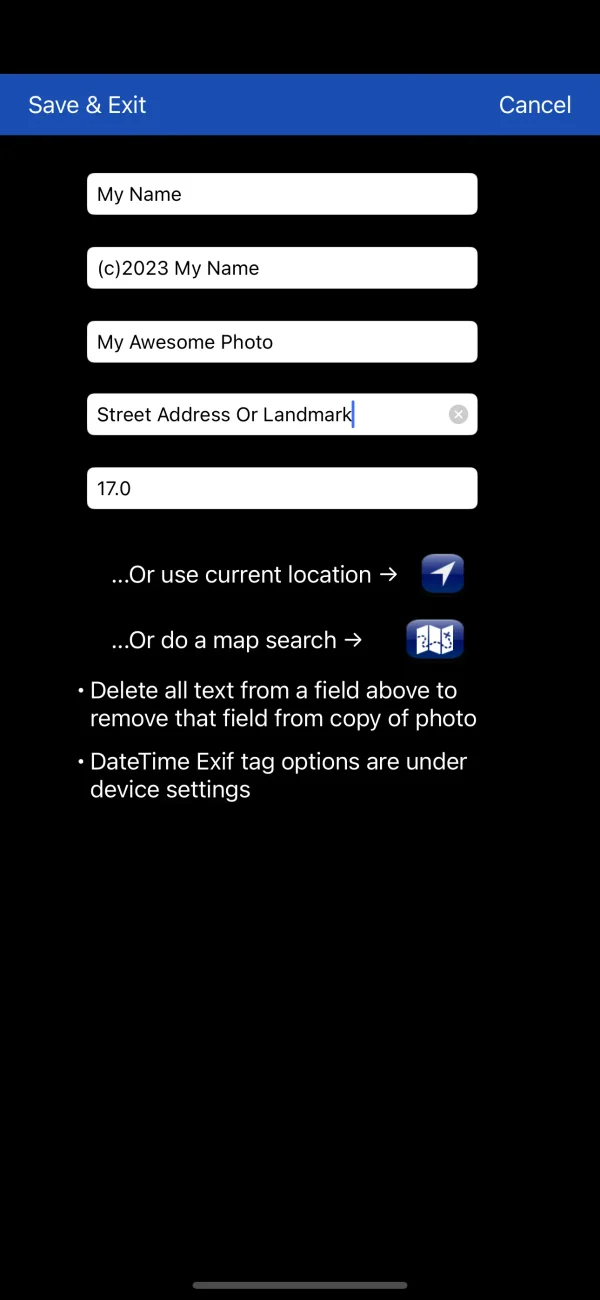
- Create a copy of an existing photo with the option to add, modify, or delete some Exif tags (Artist, Copyright, ImageDescription, Software, and GPS Location). Copies are placed at the end of your Recents album (Camera Roll). (JPEG images only)
***iCloud Photo Library Users - In the event a photo you believe is in your iCloud Photo Library fails to load, please open Apple's built-in "Photos" app to verify its presence, then try Exif Wizard-Pro again. Note that it may take several seconds or more to download a photo.
***If you edit a photo in Apple's built-in Photos app, it may become inaccessible to Exif Wizard-Pro. Reverting to original should restore access.
FTP security: Exif Wizard-Pro sends FTP data (including your password) unencrypted and, if you choose to store your password, saves it on your mobile device unencrypted. Therefore, you should NOT enter your main server password into Exif Wizard-Pro. If you have not done so already, set up an FTP account with limited access permissions. Consult your sources of technical support for further information.
Expectations Management: The process of importing photos from your desktop, laptop, or stand-alone digital camera to your mobile device is controlled by Apple. Some image editing programs, social media sites, and image upload/storage services remove Exif data from photos. Thank you for your understanding.
Notes:
- Web photos can be stored in your Recents album (Camera Roll) with Exif information by touching and holding the photo, and then touching "Add to Photos" on the action sheet which will appear.
- If you experience slow loading of photos for a selected album, go to the "Settings" app (from your home screen) and, in Exif Wizard-Pro's settings, scroll down and turn ON the "Fast Load" switch.
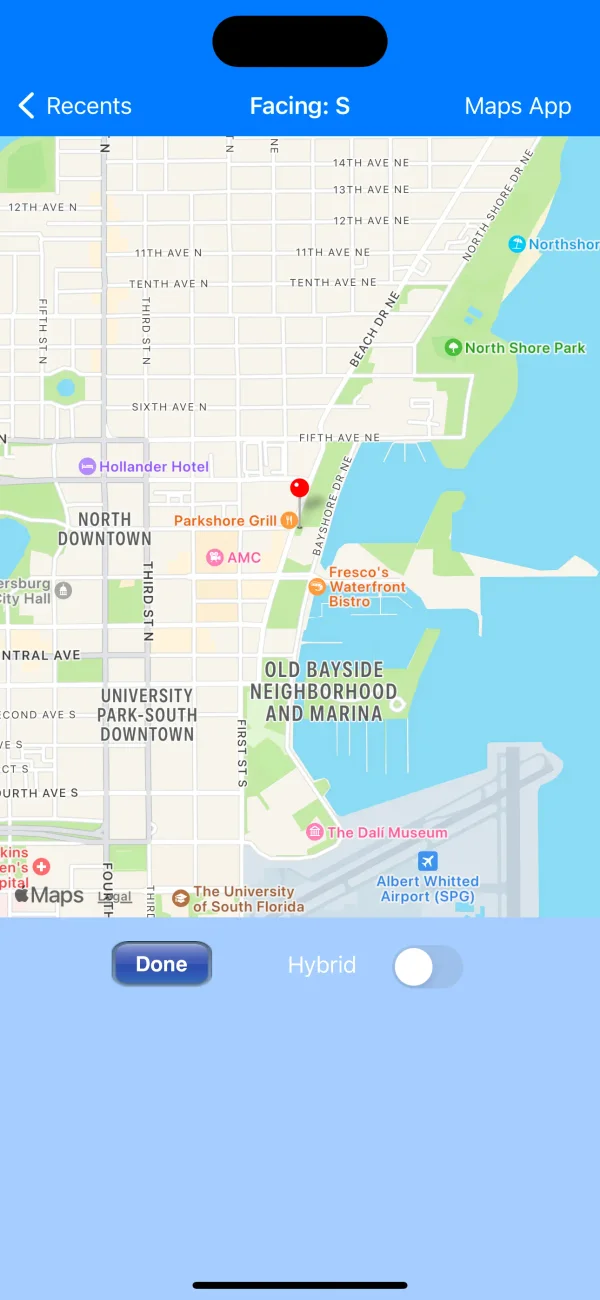
*** If Exif Wizard-Pro is not displaying GPS/mapping information for photos you have taken with your iOS device, it may be because you did not enable geotagging when you first used the built-in Camera app. To grant permission now, from your home screen, touch Settings -> Privacy -> Location Services. Make sure the "Location Services" switch at the top of the screen is ON, then scroll down and turn on the switch next to "Camera." Keep in mind that if you enable geotagging, people you transmit your photos to may be able to determine the locations where those photos were taken using any number of mobile and desktop Exif applications.
新機能
バージョン 14.0 · 2026/9/19
Updated UI. Most important change is the ability to move through an album by swiping zoomed-out, full-size images left or right rather than double or triple tapping them.
アプリのプライバシー
このアプリのデータの取り扱いについて、homedatasheet.com, Inc.がApp Storeで申告している内容です。
-
ユーザーに関連付けられないデータ
収集される場合がありますが、ユーザーの識別情報には関連付けられません。
- 診断
プライバシーの取り扱いは、ご利用の機能やお客様の年齢などに応じて異なる場合があります。
情報
- 販売元
- homedatasheet.com, Inc.
- カテゴリ
- 写真/ビデオ
- バージョン
- 14.0
- 更新日
- 2026/9/19
- リリース
- 2011/3/21
- サイズ
- 1.9 MB
- 必要条件
- iOS 17.0以降
- 対象年齢
- 4+
- 価格
- ¥300
- 言語
- 英語
- 著作権
- © 2010-2026
こちらもおすすめ
-
 EXIF Viewer:写真メタデータExif情報の表示・編集・削除
-
 EXIF確認:写真のメタデータビューア位置情報・カメラ・撮影日時を表示
-
 Exif Viewer デモ Fluntro提供 & 写真写真の詳細とGPS情報チェック
-
 EXIF 写真メタデータ編集・削除GPS位置情報・日付・時間を一括で変更・削除
-
 ベスティゲーター: メタデータを表示、編集、削除EXIF GPS メタデータを編集する
-
 Exif Metadata写真/ビデオ
-
 Metapho写真/ビデオ
-
 HashPhotos整理・編集・楽しむ
-
 Luminar 写真編集・AI加工簡単フォト編集と美肌補正
-
 Tactacam REVEAL写真/ビデオ