
Falcon PDF: Reader & Editor
PDF Scanner, Sign & Convert
iPhone, iPad, Mac向けに設計
無料 · アプリ内課金
- 対象年齢4+
- カテゴリ仕事効率化
- 開発元ANRMS Private Limited
- 言語英語
- サイズ86.1 MB
App Storeの公式ページにリンクしています
Download.orgはFalcon PDF: Reader & Editorのファイルを一切ホストしていません。ボタンを押すと、ANRMS Private Limitedが公開しているApp Storeのアプリページが開きます。ページの最終確認:2026/11/14。
スクリーンショット

概要
開発元はこのテキストをお使いの言語で提供していません。
Falcon PDF – Edit PDF Text, Sign, Scan & Convert (No Ads)
Your iPhone can view and mark up PDFs — but it can’t actually EDIT them. Falcon PDF can.
Change the real text inside a PDF. Fix a typo, update a date, swap an image, adjust fonts — directly on your iPhone or iPad. This is true PDF editing, not just drawing on top.
Edit real PDF text & fonts
Add, replace & delete images
Whiteout and rewrite content
Keep the original layout intact
And when you’re done editing, Falcon PDF does everything else too — sign, scan, convert, and read — all in one clean, ad-free app.
No ads
No interruptions
No clutter
Just pure productivity.
EDIT PDFs LIKE A DOCUMENT
• Edit existing text inside any PDF
• Change font, size, style & color
• Add new text blocks anywhere
• Insert, replace or delete images
• Whiteout content and rewrite it
• Rearrange, add & delete pages
• Export your edits as a clean PDF
Finally, real editing — the one thing your iPhone’s built-in viewer can’t do.
WHY FALCON PDF STANDS OUT
Truly Ad-Free Experience
• No popups
• No banners
• No distractions
30+ Tools in One App
• Everything from reading to editing to converting
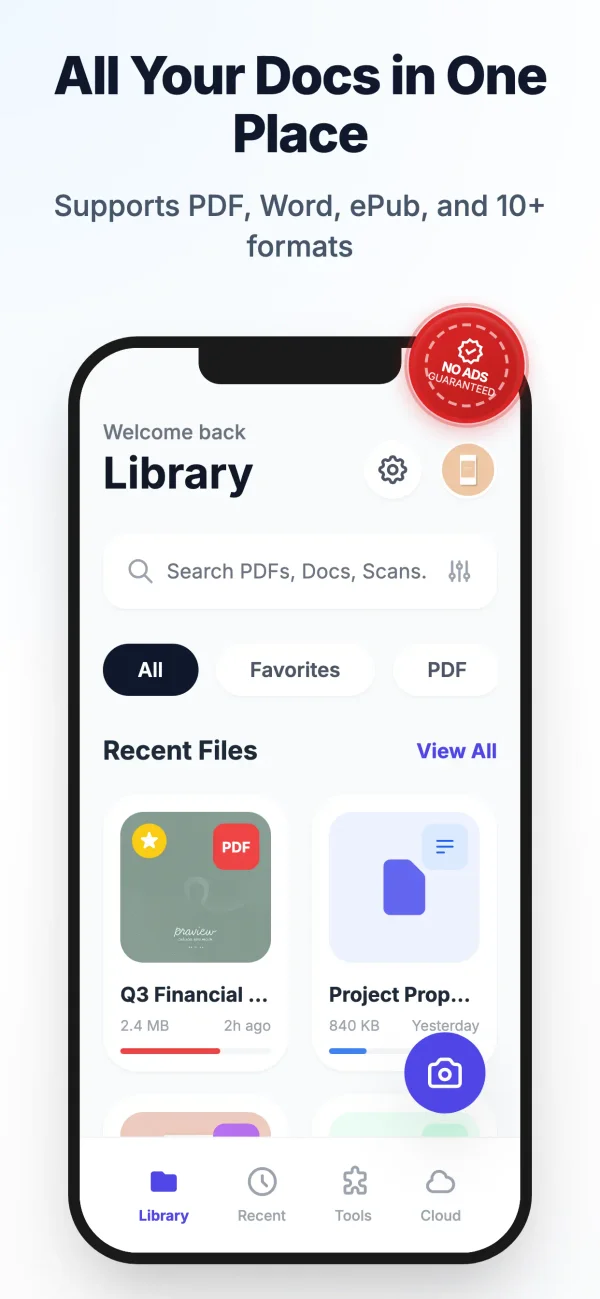
Supports 15+ File Formats
• PDF + eBooks + documents in one app
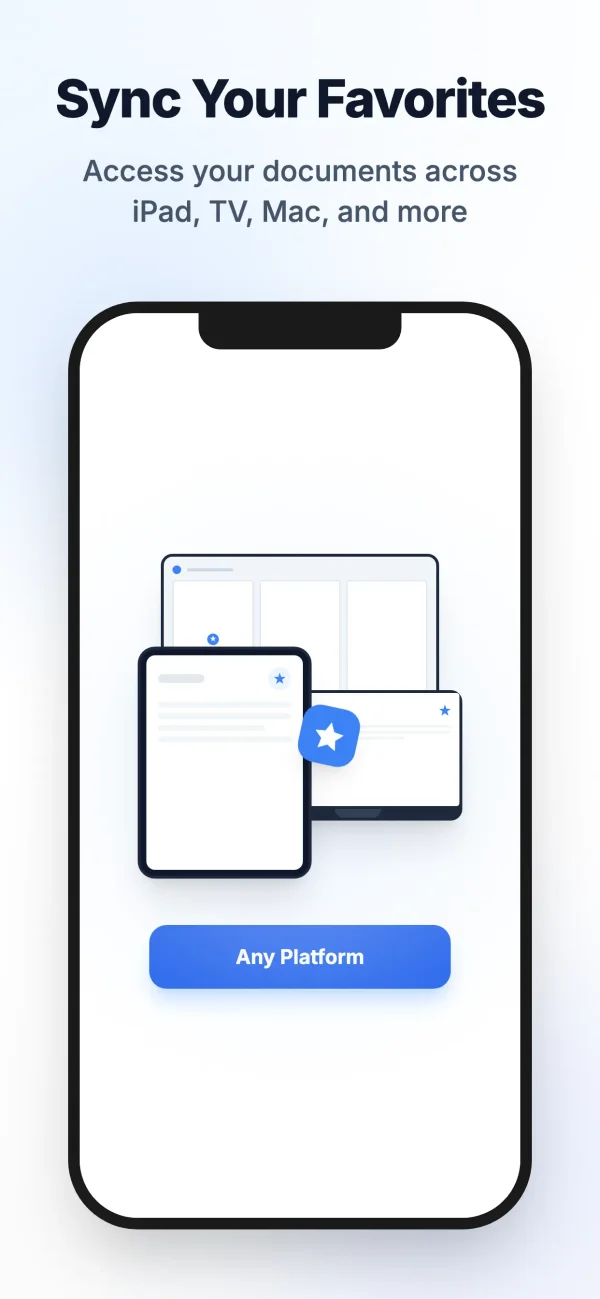
Seamless Cross-Platform Sync
• Access your files anywhere, anytime
Secure & Private
• Your documents stay yours
ACCESS YOUR PDFs ANYWHERE
• Sync PDFs across phone, tablet & web
• Continue from where you left off
• Import from cloud storage
• Instant access to recent files
SUPPORTS 15+ FILE FORMATS
Documents
• PDF
• DOC
• TXT
• RTF
• HTML
eBooks
• EPUB
• MOBI
• FB2
• AZW
• AZW3
Other Formats
• DjVu
• CBZ & CBR (Comics)
One app for documents, books, and comics
ADVANCED READING EXPERIENCE
• Smooth scrolling (vertical & horizontal)
• Continuous & book reading modes
• Dark mode & eye protection
• Fast search & text selection
• Bookmark & navigation support
LIQUID / REFLOW MODE
• Reformat PDFs for small screens
• Adjust font size & style
• Change text & background colors
• Read PDFs like eBooks
• Better readability without zooming
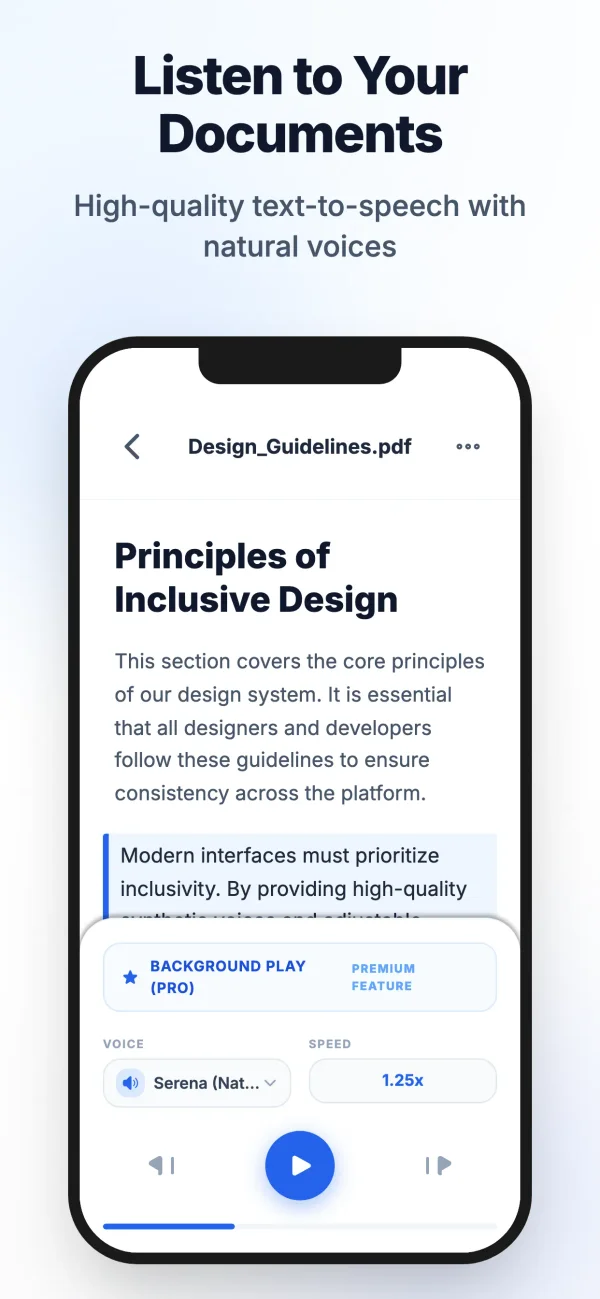
HANDS-FREE READING
• Read PDFs aloud (text-to-speech)
• Listen while driving, walking, or working
• Great for accessibility
ADVANCED DOCUMENT SCANNER
Turn your phone into a powerful portable scanner
• Scan documents, receipts, notes & invoices
• Auto edge detection & smart cropping
• Perspective correction for perfect alignment
• Enhance scan quality (auto + manual filters)
• Remove shadows & improve clarity
• Convert scans to high-quality PDF
SMART SCANNING FEATURES
• Batch scanning (scan multiple pages)
• Merge scans into a single PDF
• Reorder scanned pages
• Adjust brightness, contrast & sharpness
• Multiple color modes (Color, Grayscale, B&W)
• Export as PDF or image
OCR (TEXT RECOGNITION) – SMART EXTRACTION
• Extract text from scanned documents
• Copy text from images
• Search within scanned PDFs
• Convert scans into editable content
Perfect for digitizing paperwork and going paperless
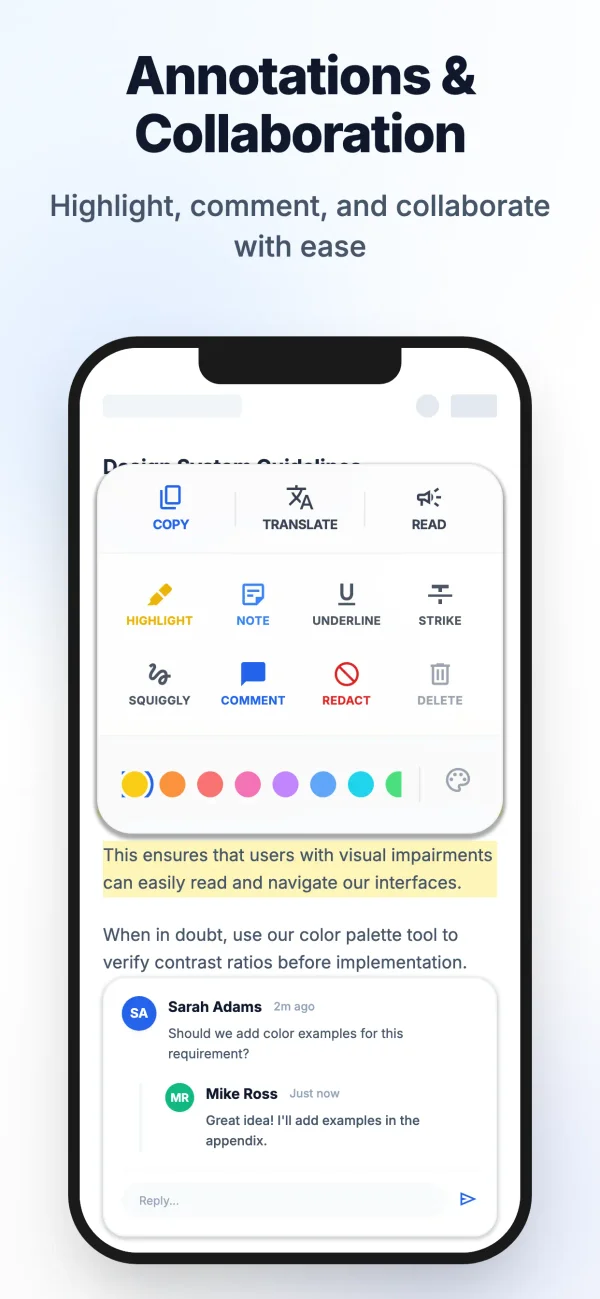
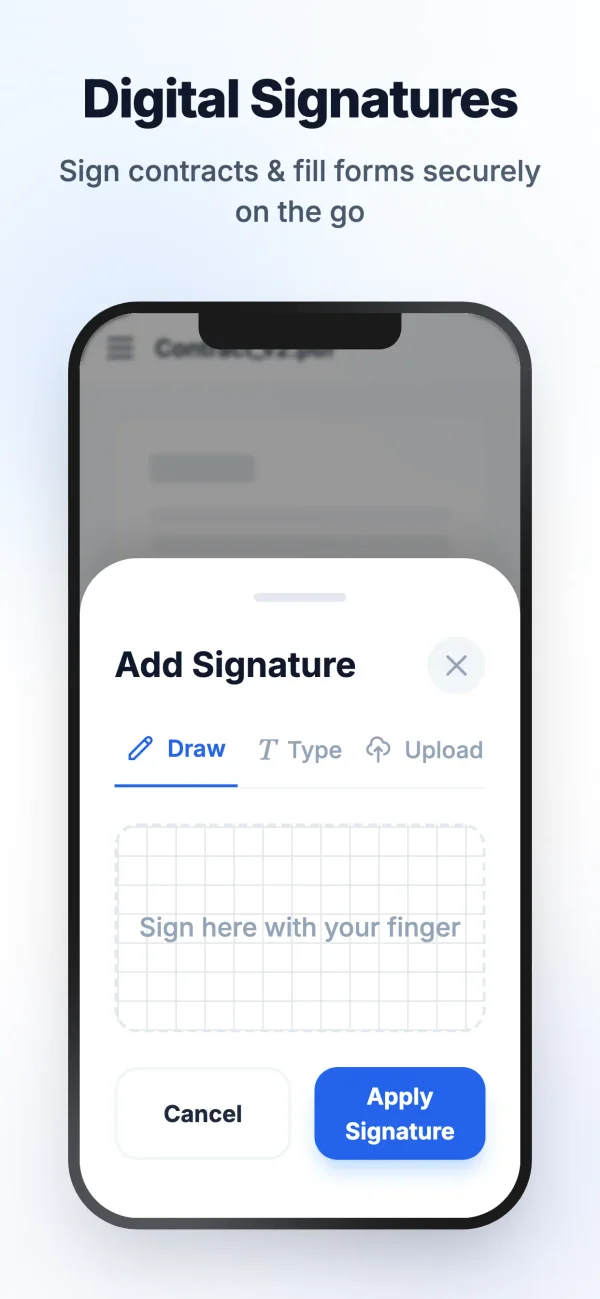
SIGN, FILL & ANNOTATE
• Draw signature
• Type signature
• Upload signature image
• Fill forms instantly
• Highlight, annotate & comment
• Add text & images
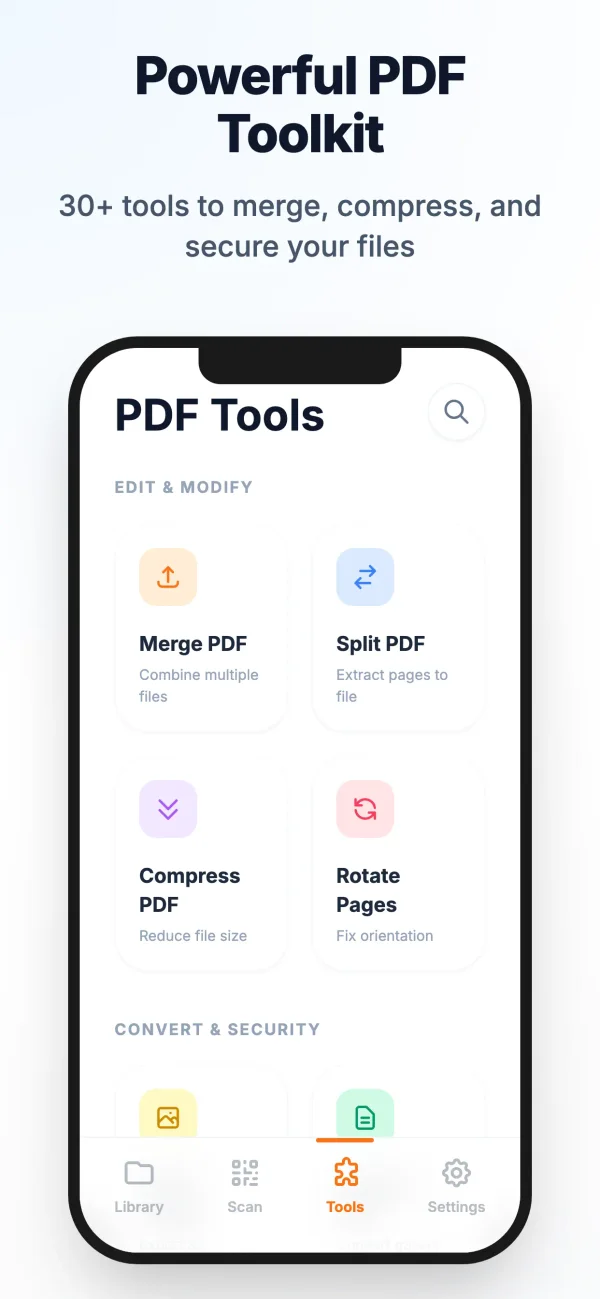
ALL PDF TOOLS (30+)
ORGANIZE PDF
• Merge PDF
• Split PDF
• Extract pages
• Delete pages
• Reorder pages
• Rotate PDF
CONVERT FILES
• PDF to Word
• PDF to Image
• Word to PDF
• Image to PDF
OPTIMIZE
• Compress PDF
• Reduce file size
SECURITY & PROFESSIONAL TOOLS
• Lock PDF (password protect)
• Unlock PDF
• Change password
• eSign documents (digital signature)
• Add watermark
• Remove watermark
• Redact sensitive content
Built for secure, professional workflows
SMART FEATURES
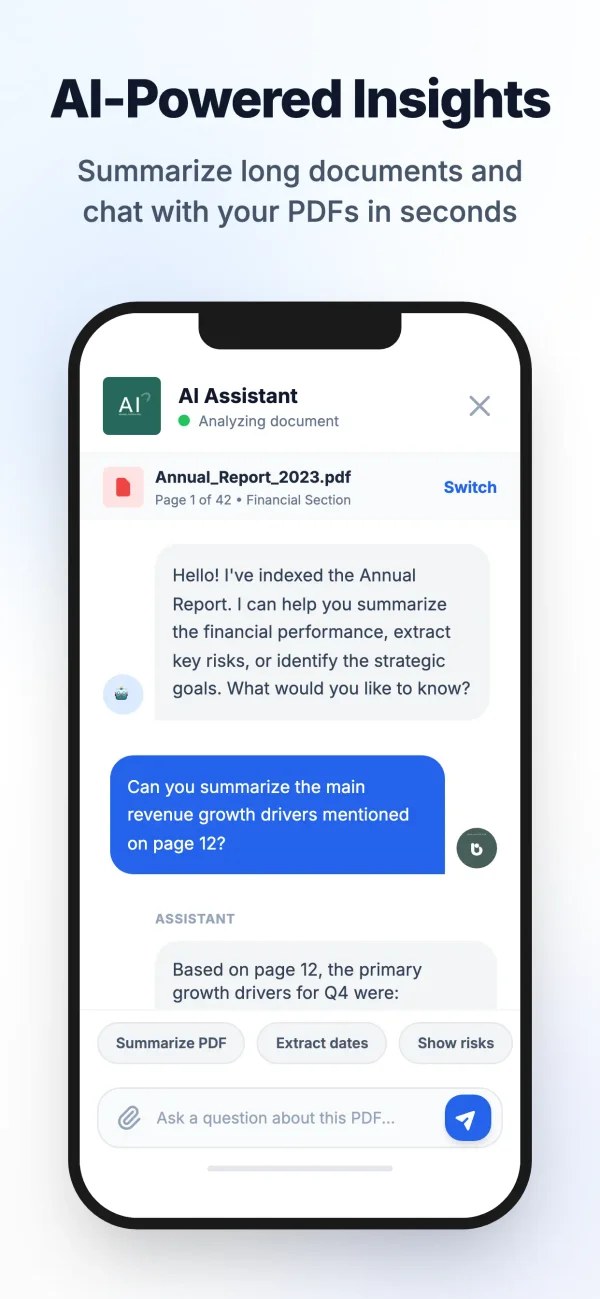
• AI PDF chat — ask questions & summarize documents
PERFECT FOR
• Professionals
• Students
• Readers & book lovers
• Everyday users
DOWNLOAD NOW
Read • Scan • Sign • Edit • Convert — all ad-free.
Support: support@falconpdf.com
Terms of Use (EULA): https://www.apple.com/legal/internet-services/itunes/dev/stdeula/
新機能
バージョン 2026.11 · 2026/11/11
What's New
• AI Chat now runs on credits — see your balance live in chat, get welcome/monthly credit packs (Pro/Premium), and top up anytime with one tap
• Multiple enhancements/bug fixes
アプリのプライバシー
このアプリのデータの取り扱いについて、ANRMS Private LimitedがApp Storeで申告している内容です。
-
ユーザーに関連付けられたデータ
収集され、ユーザーの識別情報に関連付けられる場合があります。
- 購入
- 連絡先情報
- ID
- その他のデータ
-
ユーザーに関連付けられないデータ
収集される場合がありますが、ユーザーの識別情報には関連付けられません。
- 使用状況データ
- 診断
プライバシーの取り扱いは、ご利用の機能やお客様の年齢などに応じて異なる場合があります。
情報
- 販売元
- ANRMS PRIVATE LIMITED
- カテゴリ
- 仕事効率化
- バージョン
- 2026.11
- 更新日
- 2026/11/11
- リリース
- 2026/5/13
- サイズ
- 86.1 MB
- 必要条件
- iOS 18.2以降
- 対象年齢
- 4+
- 価格
- 無料
- アプリ内課金
- あり
- 言語
- 英語
- 著作権
- © 2026 ANRMS Private Limited
こちらもおすすめ
-
 ReflowPDF:PDFリーダーモードスキャンPDFを端末内OCRで読みやすく
-
 PDF Reader Light仕事効率化
-
 FocusFlow Pomodoro仕事効率化
-
 Wateera: Prayer-Window Habits仕事効率化
-
 Waqtain 礼拝時間プランナー・会議日程調整礼拝で区切る作業時間にタスクと会議を自動配置。通信ゼロ
-
 Markdown Editor & AI Notes仕事効率化
-
 Password Manager:Authenticator仕事効率化
-
 PDFKit - PDF編集ツールPDF編集・変換・署名
-
 Skyline Cloud Mail仕事効率化
-
 BlueNotess: AI Notes & PDF仕事効率化