- 対象年齢9+
- カテゴリ教育
- 開発元Sebastian Egbers
- 言語英語ほか19言語
- サイズ33.2 MB
App Storeの公式ページにリンクしています
Download.orgは* FlashCards *のファイルを一切ホストしていません。ボタンを押すと、Sebastian Egbersが公開しているApp Storeのアプリページが開きます。ページの最終確認:2026/11/24。
スクリーンショット
概要
開発元はこのテキストをお使いの言語で提供していません。
Learning that actually sticks.
FlashCards is the smart flashcard app for iPhone, iPad, and Mac. It shows you each card just before you would forget it – thanks to proven spaced repetition.
8 Algorithms. Your Rhythm.
FlashCards is the only app that offers eight spaced repetition algorithms:
• FSRS – The most advanced algorithm: FSRS 6 with a personalized forgetting curve (default) and 4.5
• ACT-R – Cognitive model based on the power law of forgetting
• Anki – Refined SM-2 variant with four rating buttons
• Bayesian – Probability-based optimization for maximum efficiency
• SM-2 – The proven SuperMemo classic
• Leitner System – The classic card box method, digitally reimagined
• 6-Phases – Progressive intervals from same-day to 90 days
• Flat – Simple: 10 correct answers in a row = learned
Choose the algorithm per card box individually – switch anytime.
Flashcards
• Front, back, and optional notes side
• Attach images and files, record pronunciation directly
• Tag cards and browse tags across all boxes
• Math formulas in LaTeX
• IPA phonetics and text-to-speech in 39 languages
• Make a card from any app: share text, a link, or an image
Apple Intelligence – On Your Device
• Turn texts, photos, scans, and PDFs into flashcards (Pro)
• Improve hard cards: clearer wording, memory aids, one card per fact (Pro)
• Tag suggestions in the card editor (Pro)
• Typed answers in other words count as correct, mistakes are explained
• Tricky wrong options in Multiple Choice, duplicates found in other words
Share & Discover
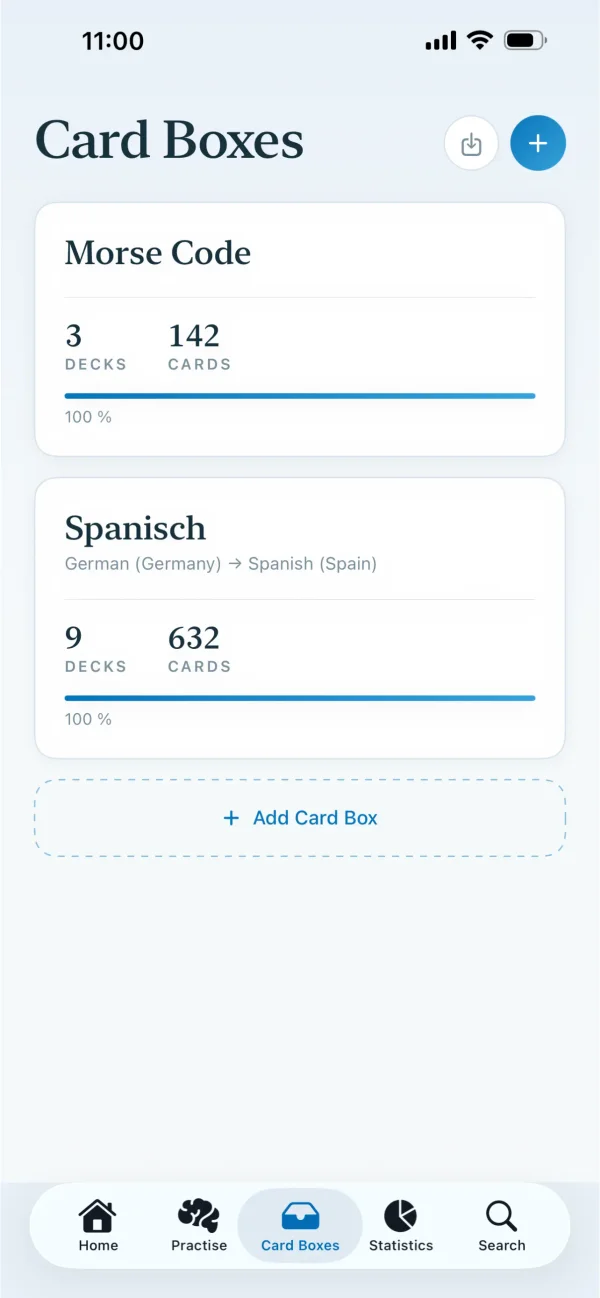
• Share card boxes directly from the app via link
• Import ready-made boxes from the built-in catalog with one tap
• Updates for imported boxes
• Import your existing Anki decks (.apkg)
• Import vocabulary lists from CSV
Training
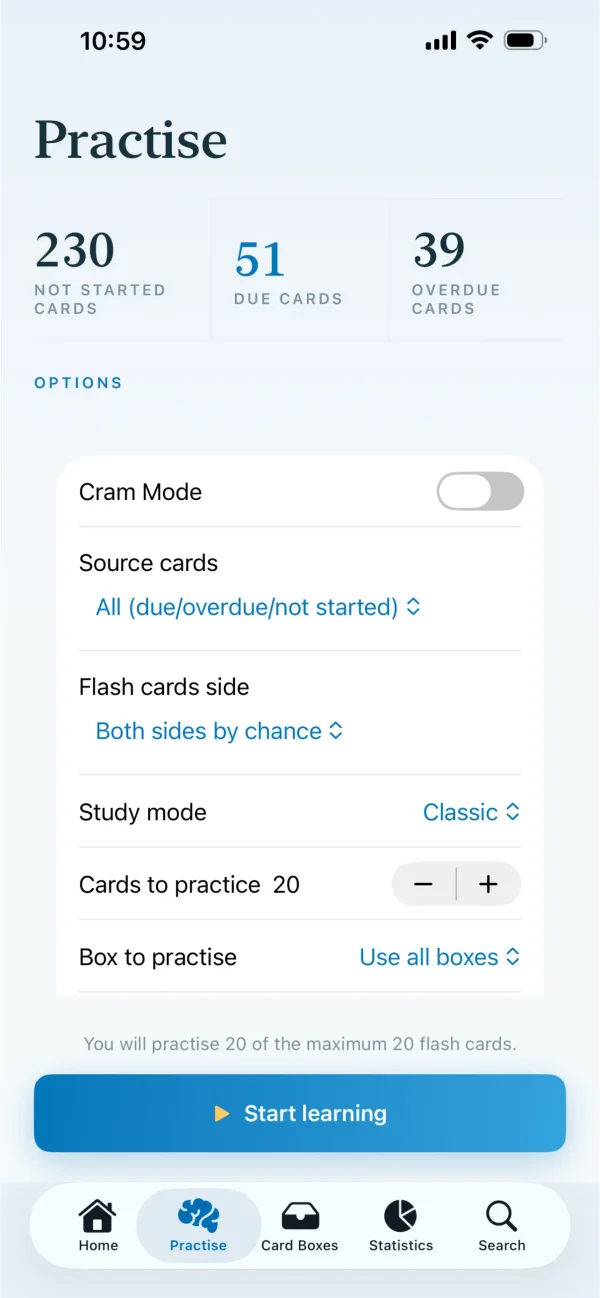
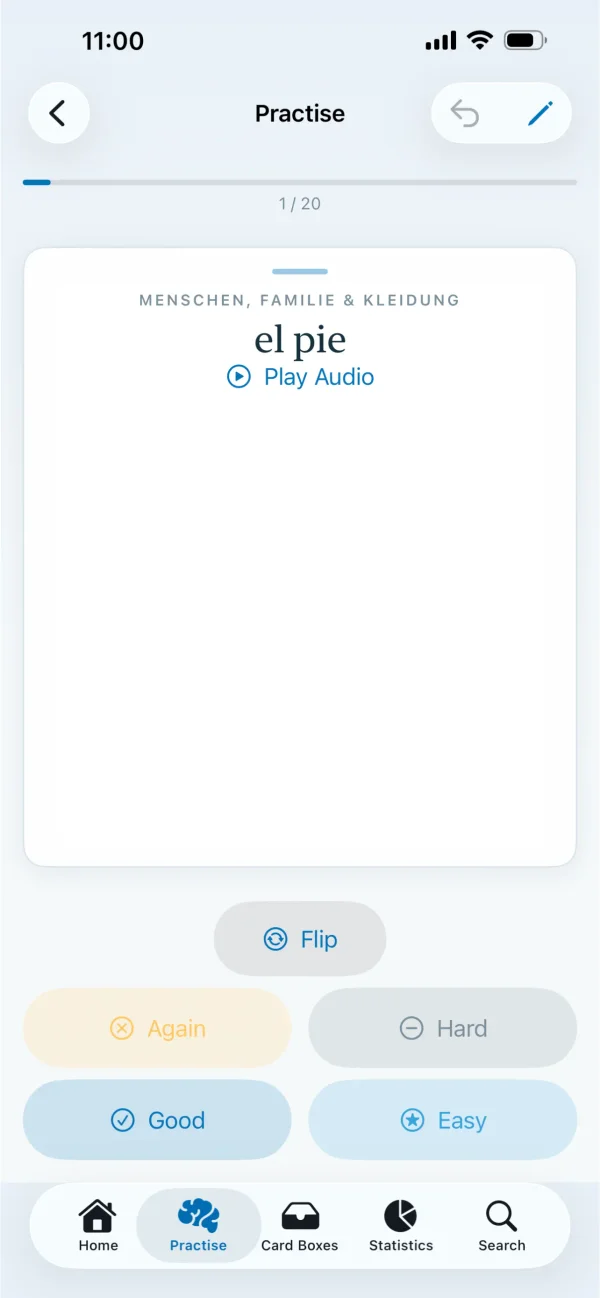
• Four study modes: Classic, Multiple Choice, Speak & Repeat, and Type the Answer (the last three Pro)
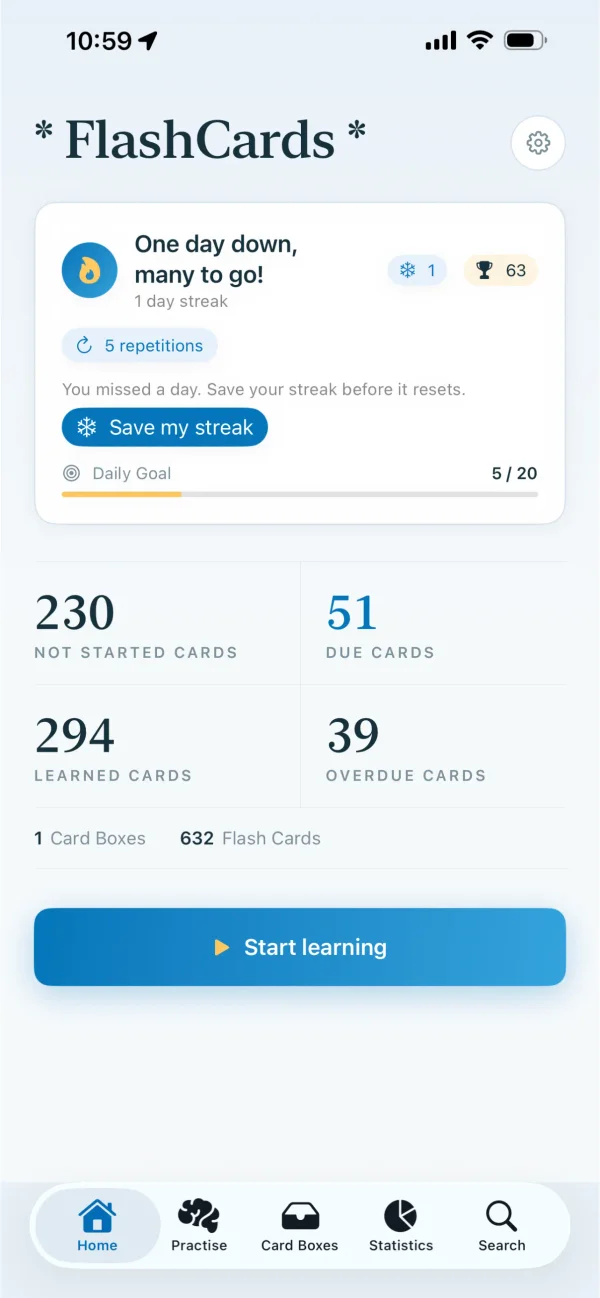
• Configurable session size, direction, and source
• Learning status per side: learn recognizing and recalling separately
• Cram mode (Pro): work through a whole box before an exam – without changing your review schedule
• Pause cards by hand or automatically after repeated mistakes – level and history kept
• Similar cards are spaced apart, so one answer doesn't give away the next
• Undo your last rating, resume an interrupted session
Statistics & Sync
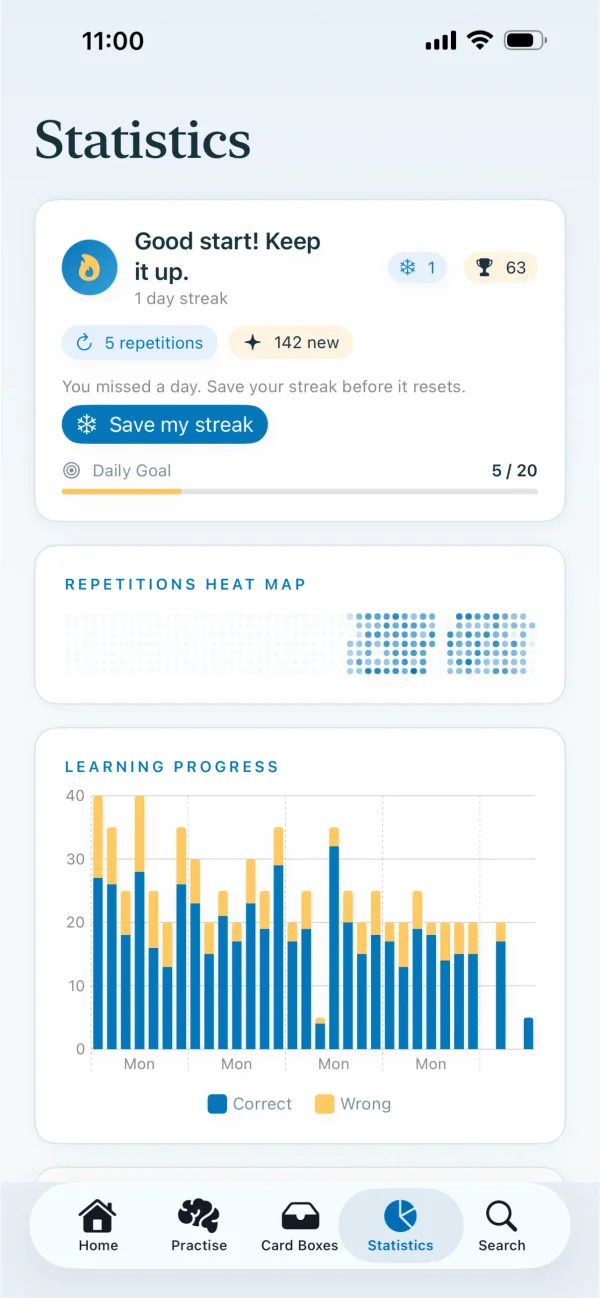
• Learning streak with streak freeze, year-long heatmap, progress charts, and per-card history
• Study mode usage breakdown and retention rate per algorithm
• Learning Insights: forecast, memory strength by deck, best time to study, cards that are stuck (Pro)
• Home Screen and Lock Screen widgets (Pro) and daily reminders
• Siri, Shortcuts, and Control Center: start training, ask for due cards
• Spotlight search: find your flashcards system-wide
• Three themes: Azur Blue, Rose, and Classic
• iCloud sync across iPhone, iPad, and Mac
Start Free. Go Pro When You're Ready.
Free:
• Full learning functionality without restrictions
• All 8 algorithms
• iCloud synchronization
• Share card boxes and import from the catalog
FlashCards Pro:
• No ads
• Multiple Choice, Speak & Repeat, and Type the Answer study modes
• Cram mode for exam preparation
• Create and improve cards with Apple Intelligence
• Practice a tag across all card boxes
• Refresh learned cards to check what really stuck
• Learning Insights
• FSRS optimization: fit the algorithm weights to your own review history
• Streak freeze to rescue a missed day
• Auto-play text-to-speech during practice
• Daily repetitions goal with history chart
• Statistics charts per card
• Reset or filter cards by learning status
• Home Screen and Lock Screen widgets
• Export data
• Backup & Restore, also daily, automatic and encrypted
• Flexible pricing: monthly, yearly, or one-time purchase (Lifetime)
Learn smarter. Remember more. Start today.
Terms of Use (EULA): https://www.apple.com/legal/internet-services/itunes/dev/stdeula/
Privacy Policy: https://80h.de/flash-cards/privacy.html
新機能
バージョン 1.27 · 2026/11/14
• Apple Intelligence: on supported devices, FlashCards uses Apple Intelligence to help you create, improve, and check your cards – entirely on your device.
• Similar cards are spaced apart within a session, and every card lists the cards most easily mixed up with it.
• Images and sounds now appear in every study mode.
• The FSRS settings estimate your daily reviews before you save.
• Additional localizations.
Plus numerous bug fixes and stability improvements.
アプリのプライバシー
このアプリのデータの取り扱いについて、Sebastian EgbersがApp Storeで申告している内容です。
-
ユーザーのトラッキングに使用されるデータ
他社のアプリやウェブサイトを横断してユーザーをトラッキングする目的で使用される場合があります。
- ID
- 使用状況データ
-
ユーザーに関連付けられないデータ
収集される場合がありますが、ユーザーの識別情報には関連付けられません。
- ID
- 使用状況データ
プライバシーの取り扱いは、ご利用の機能やお客様の年齢などに応じて異なる場合があります。
情報
- 販売元
- Sebastian Egbers
- カテゴリ
- 教育
- バージョン
- 1.27
- 更新日
- 2026/11/14
- リリース
- 2025/10/24
- サイズ
- 33.2 MB
- 必要条件
- iOS 18.6以降
- 対象年齢
- 9+
- 価格
- 無料
- アプリ内課金
- あり
- 言語
- 英語, アラビア語, デンマーク語, オランダ語, フランス語, ドイツ語, ギリシャ語, ヒンディー語, イタリア語, 日本語, 韓国語, ノルウェー語 (ブークモール) ほか8言語
- 著作権
- © 2025/2026 S. Egbers
こちらもおすすめ
-
 Deckstreak:FSRS単語カード毎日少しずつ復習、しっかり定着
-
 Discito:FSRSフラッシュカード忘却曲線で覚える暗記カード
-
 Flashcard Maker - Learn Faster教育
-
 Flashcards Space: Learn Words教育
-
 Daily Decks: 暗記カード間隔反復・FSRS・AIで記憶
-
 EzMemory – FSRS Flashcards教育
-
 Memzi - Smart Flashcards SRS教育
-
 Cardlingo: Vocab Flashcards教育
-
 Nibomo: AI暗記カードノートや写真から作成、間隔反復で復習
-
 Repeto: Spaced Repetition教育