- 対象年齢4+
- カテゴリエンターテインメント
- 開発元Visuality srl
- 言語英語
- サイズ370.0 MB
App Storeの公式ページにリンクしています
Download.orgはFlight Deck ONEのファイルを一切ホストしていません。ボタンを押すと、Visuality srlが公開しているApp Storeのアプリページが開きます。ページの最終確認:2026/11/13。
スクリーンショット



概要
開発元はこのテキストをお使いの言語で提供していません。
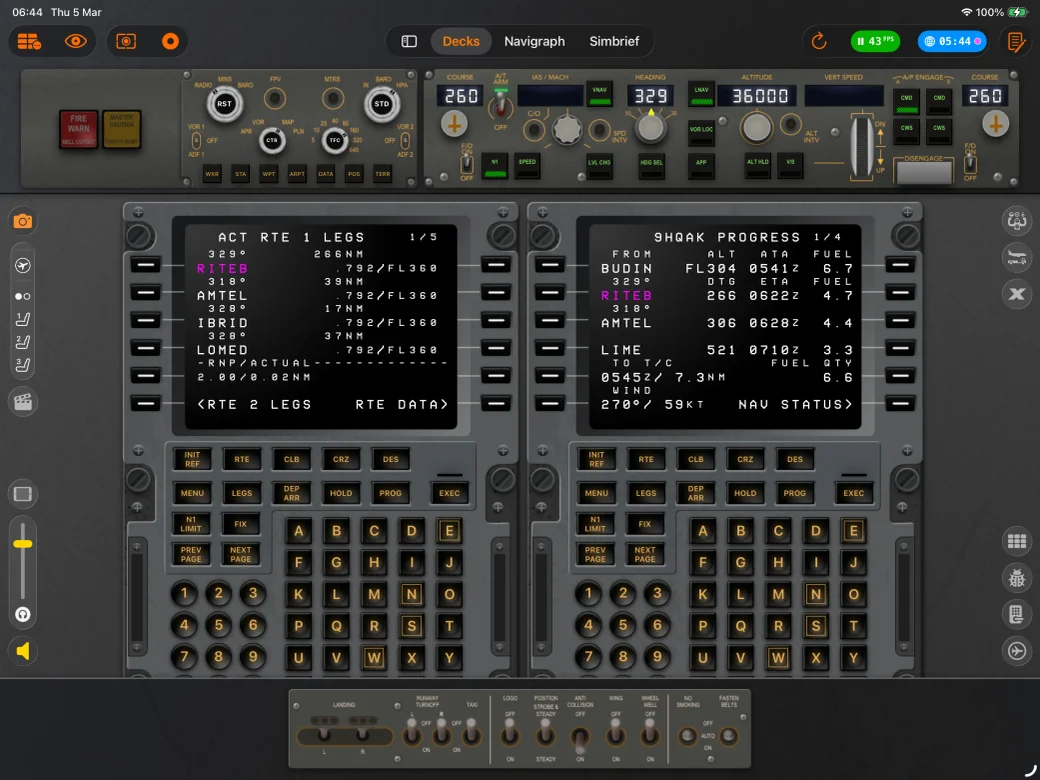
Flight Deck ONE turns your device into a powerful, touch-based remote controller for X-Plane.
Whether you’re flying airliners, business jets, or GA aircraft, this app gives you seamless access to aircraft systems, instruments, ground operations, online services, and more.
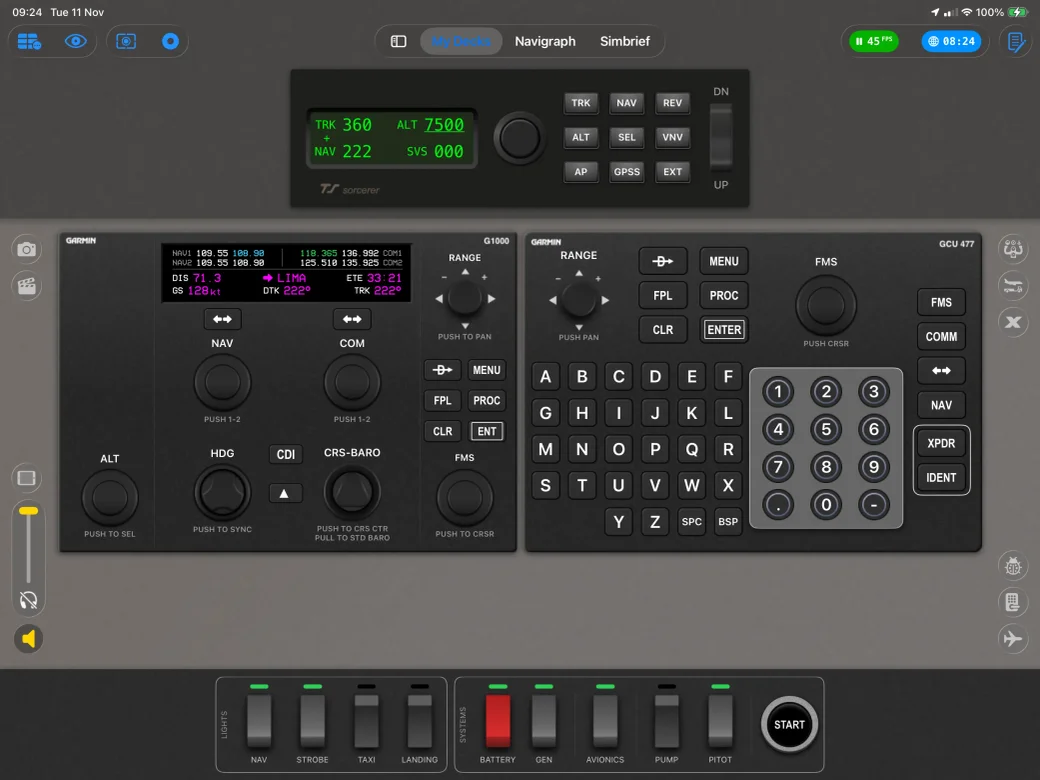
Real-Time Flight Instrument Control
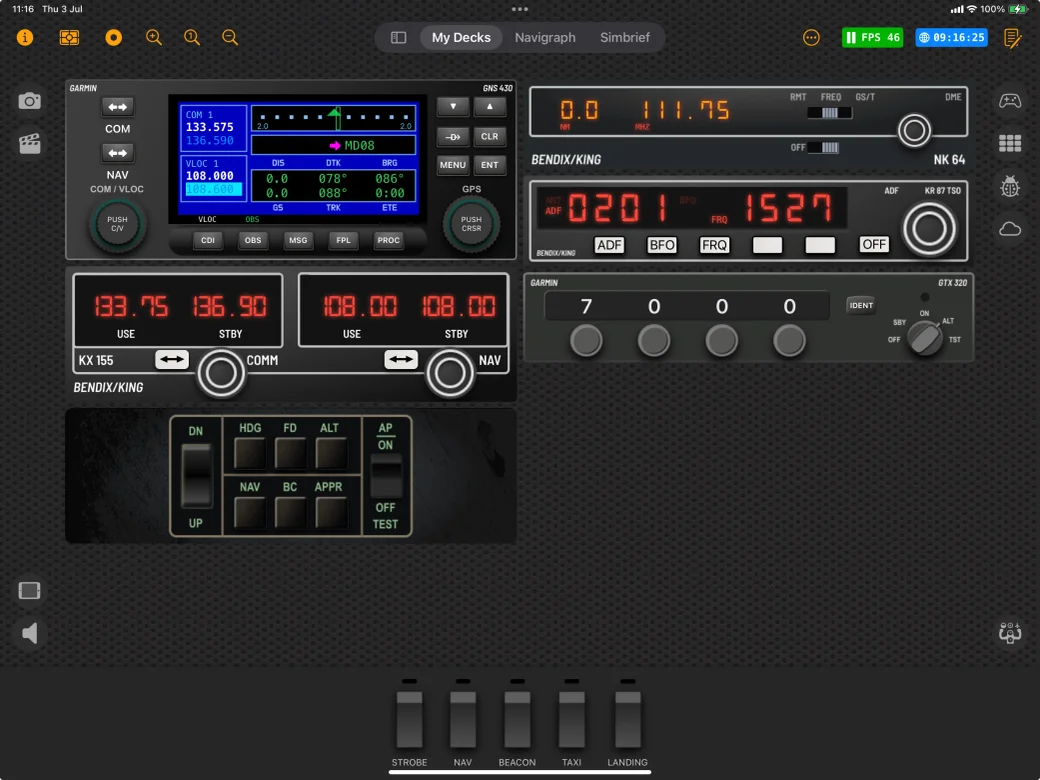
• Operate MCP, EFIS, radios, autopilot, transponder, and other systems directly from your iPad, fully synchronized with X-Plane via UDP.
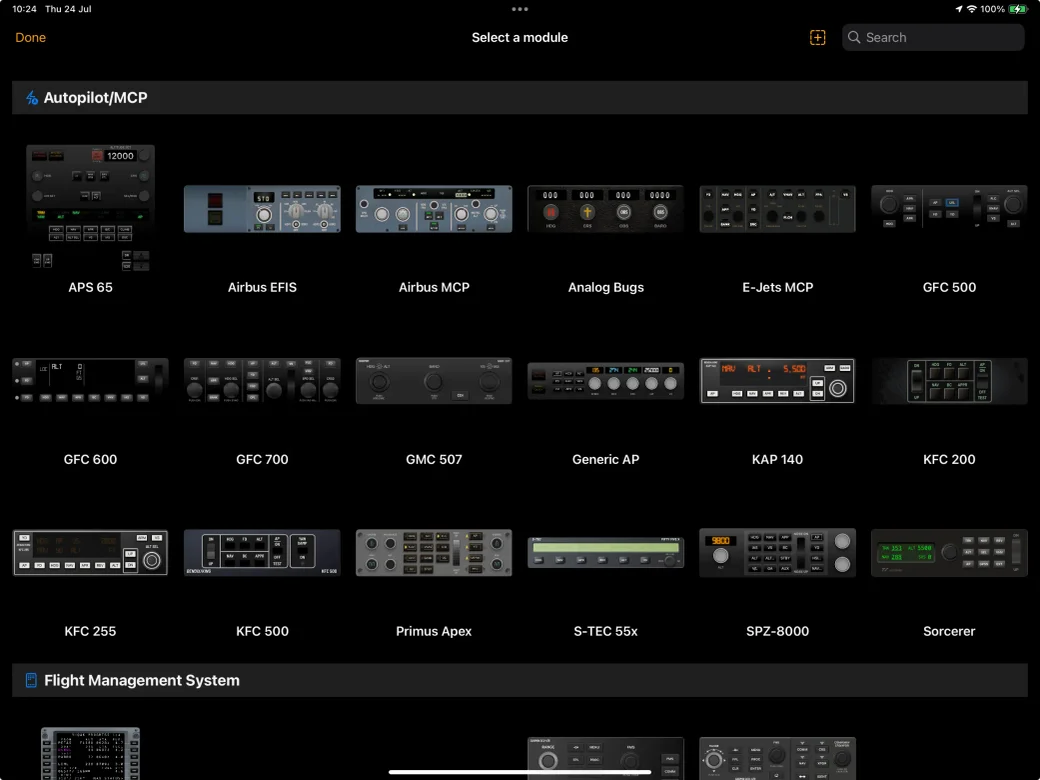
High-Fidelity Avionics Modules
• Each instrument reflects the brand and model of real-world avionics.
• Layouts, fonts, colors, and interactions are carefully hand-crafted for unmatched realism.
Aircraft-Specific Support
• Includes plug-and-play compatibility for Zibo 737, ToLiss A319/A321/A340, Laminar defaults, and more
• 70+ aircraft officially supported and 120 avionics
Custom Dashboards
• Build your own cockpit layouts by combining modules. Configure instrument panels to match your aircraft and flight profile.
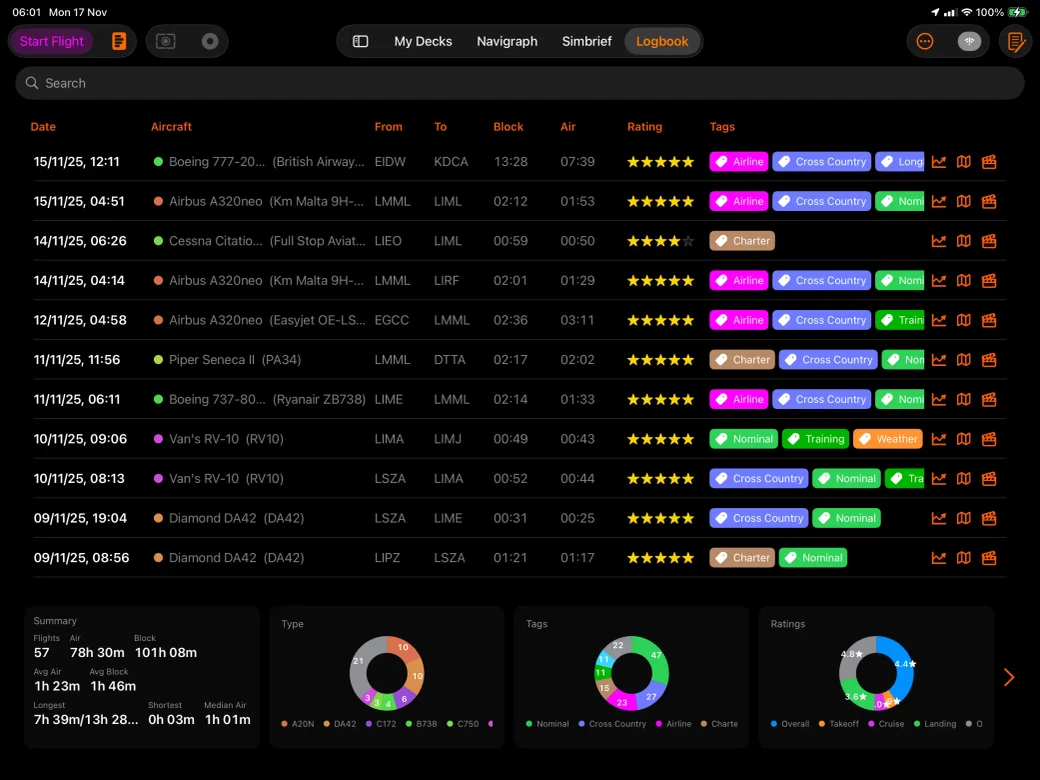
Logbook
A real pilot’s logbook, automatically maintained with your flights. Export and share in the most common real-world standards.
Black Box
A true-to-life flight recorder built right into Flight Deck ONE. Every flight is logged in detail, with time-stamped data, graphs, and performance metrics.
Review your airspeed, altitude, heading, engine parameters, and more with precision. Ideal for flight schools and training, it allows you to analyze maneuvers, track progress, and learn from every flight — just like a real black box.
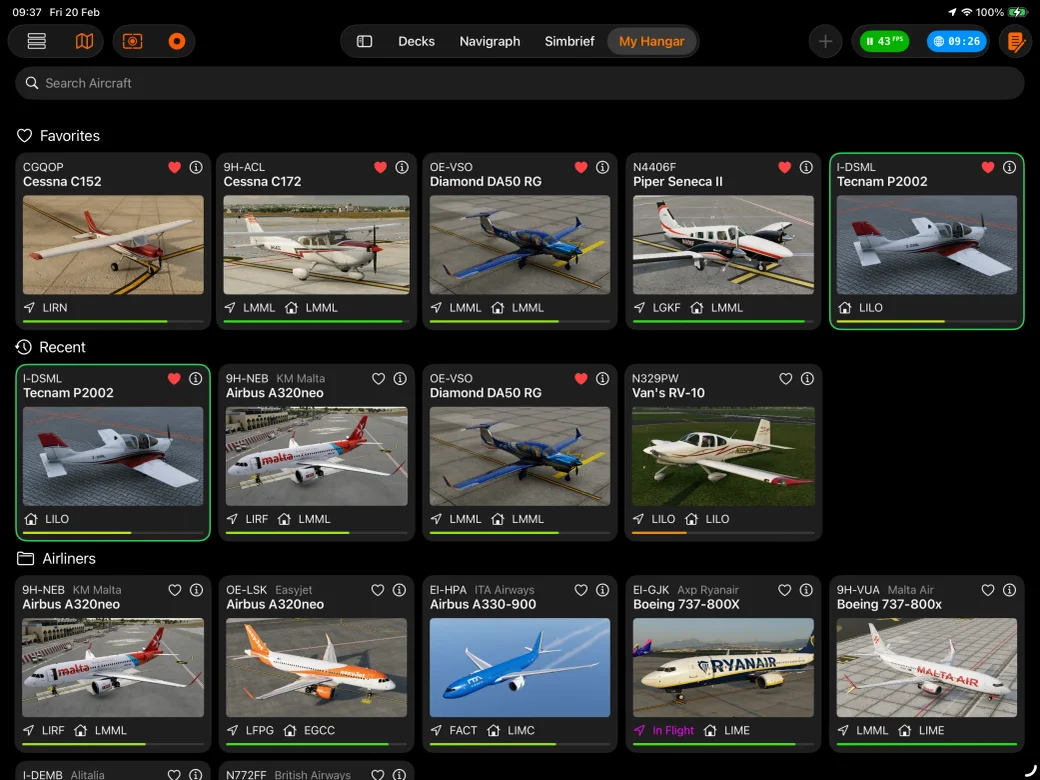
My Hangar - Your personal fleet, always at a glance.
Each airframe is tracked with its own registration number, home airport and parking stand, and last parked location. See total hours flown, monitor wear and tear conditions, and keep tabs on fuel, oil, and system states. My Hangar gives you a real pilot’s view of aircraft ownship, turning every airplane into a persistent, living machine.
Scratchpad
• Take notes during full ATC sessions, clearances, and frequency changes.
• Apple Pencil and multitouch supported.
Ground Services and Camera Views
• Request pushback, GPU, chocks, and more.
• Control internal and external views without touching your computer.
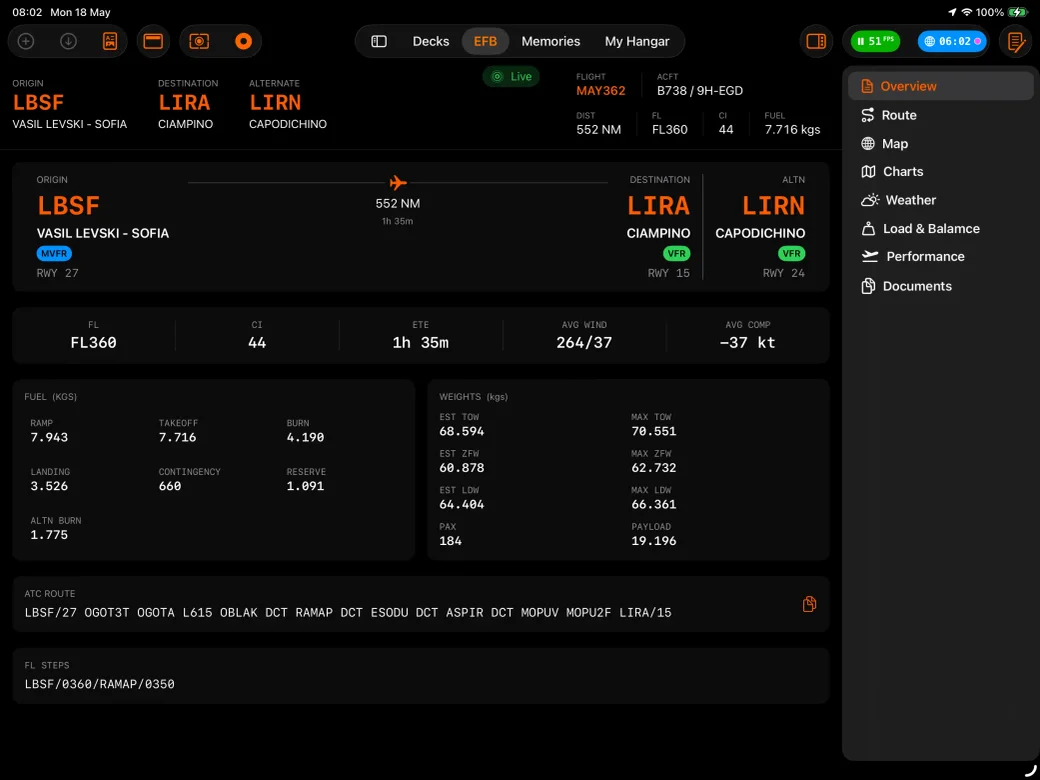
EFB
• Dispatch flight plans directly from the app via SimBrief
• Route: full waypoint table with ident, FL, coordinates and magnetic heading
• Map view of the dispatched route
• Charts: Navigraph (embedded), ChartFox, custom URL template or local PDF; pinnable as popup
• Weather: live METAR for origin, destination and alternate; en-route section
• Load & Balance data from the OFP
• Performance: takeoff and landing figures pulled from the SimBrief OFP
Memories
• Screenshots, videos, flight plans and EFB automatically attached to each flight
• Calendar view: browse flights by day, open media in a full-screen carousel
• Grid view: all media by month, with text search by aircraft or airport and filter chips
• Built-in photo editor: exposure, contrast, saturation, colour channels, warmth, Noir, Chrome / Instant / Fade film looks, tilt-shift, sharpness, vignette, Auto-Fix, crop (7 aspect ratios)
• Built-in video editor: same adjustments plus trim
Online Sim Services Integration
• Access SimBrief, Navigraph, Volanta, and other services from within the app.
• Integrated support for Simbrief OFP
• Integrate access to the huge OpenAIP open source database
Touch-First, Mouse-Free Design
• Designed natively for iPadOS with smooth gestures, tactile buttons, and responsive UI.
• Every interaction feels natural and immersive.
Flexible Pricing for Every Pilot
• Free Version – Essential functionalities to get started
• In-App Packs – Buy modules by aircraft type or avionics brand
• Premium Access – Unlock all current and future content
Requirements
• X-Plane 11 or 12 (Windows, macOS, or Linux)
• Local network connection (iPad and simulator on the same Wi-Fi or Ethernet)
• No plugins required
Terms of Use
https://www.apple.com/legal/internet-services/itunes/dev/stdeula/
新機能
バージョン 1.1.7 · 2026/9/25
Flight Deck ONE Delta 6
World Map
• Built-in offline navigation database
• New waypoint and airspace layers
• Smarter zoom
Smart Scratchpad
• Frequencies, live weather and your centre drawn on the pad
• With a briefing or on a VFR hop, following the aircraft
• Pick your destination from the fields around you
• Tap a value to tune or set the altimeter
EFB
• New EFB Frequencies section with enroute centres
• Open departure or destination charts in one tap from your OFP
• The EFB opens straight on Charts when it knows your airport
• Set a scheduled departure time when dispatching a new plan
• Choose which sections the sidebar shows
Fixes & Improvements
• Auto-rated flights get a direct Blackbox button
• Aircraft cycles stay correct when a manual flight is removed
• The FMS Pack now fully unlocks the Garmin GCU units
• Improved reconnection to X-Plane after the device was locked
• Radio keypads suggest nearby frequencies
• Full compatibility with iPadOS 27
Delta 6A Fixes
• Flights no longer start by themselves after an X-Plane crash or a replay
• Black Box opens without crashing
• 777 MCP: the LOC button lights up, and the speed window is blank when closed
アプリのプライバシー
このアプリのデータの取り扱いについて、Visuality srlがApp Storeで申告している内容です。
-
データの収集なし
開発元はこのアプリからデータを収集しません。
プライバシーの取り扱いは、ご利用の機能やお客様の年齢などに応じて異なる場合があります。
情報
- 販売元
- Visuality srl
- カテゴリ
- エンターテインメント
- バージョン
- 1.1.7
- 更新日
- 2026/9/25
- リリース
- 2026/3/26
- サイズ
- 370.0 MB
- 必要条件
- iOS 18.0以降
- 対象年齢
- 4+
- 価格
- 無料
- アプリ内課金
- あり
- 言語
- 英語
- 著作権
- Copyright © 2025, 2026 by Michele Longhi