- 対象年齢4+
- カテゴリ仕事効率化
- 開発元Spencer Lay
- 言語英語
- サイズ3.8 MB
FocusFlow: Earn Your Scrollは現在App Storeで入手できない可能性があります
前回の確認時、ストアのページにアクセスできませんでした。リンク先は引き続きApp Storeの公式ページです。
スクリーンショット

概要
開発元はこのテキストをお使いの言語で提供していません。
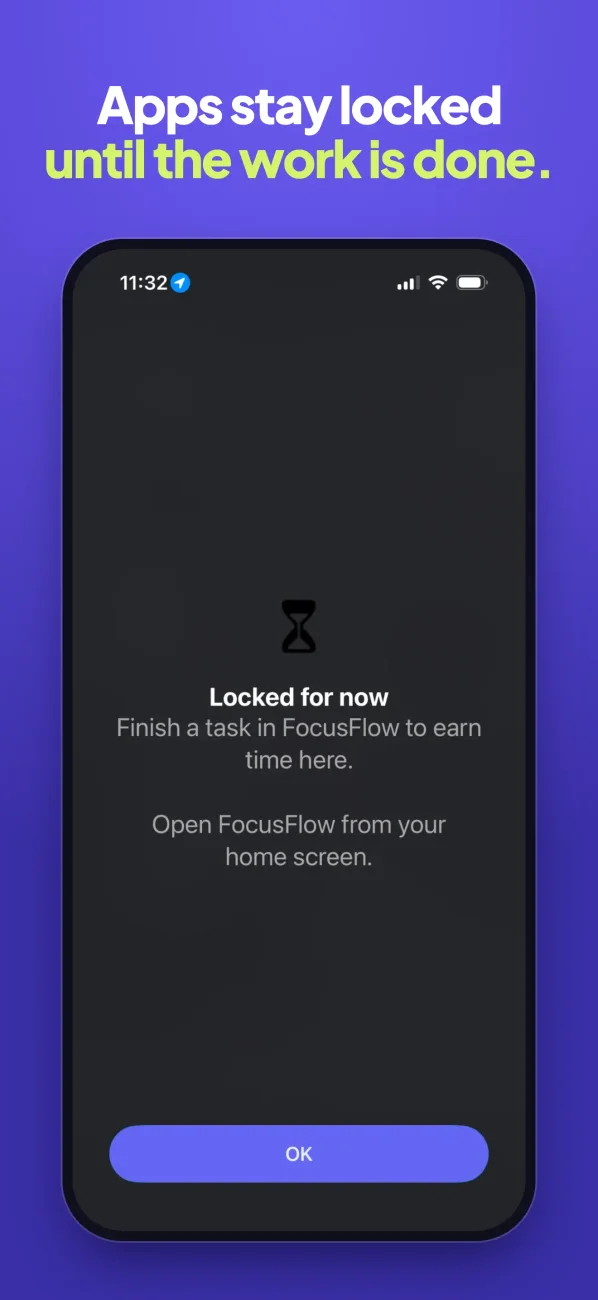
Your apps stay locked until you finish what you actually need to do.
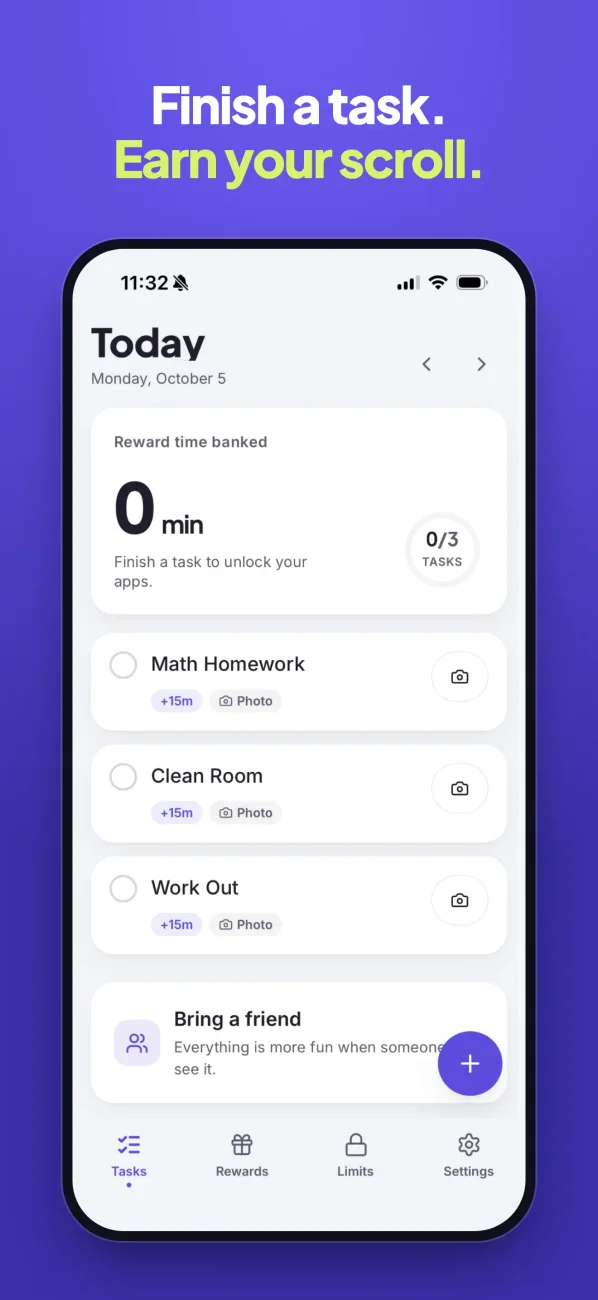
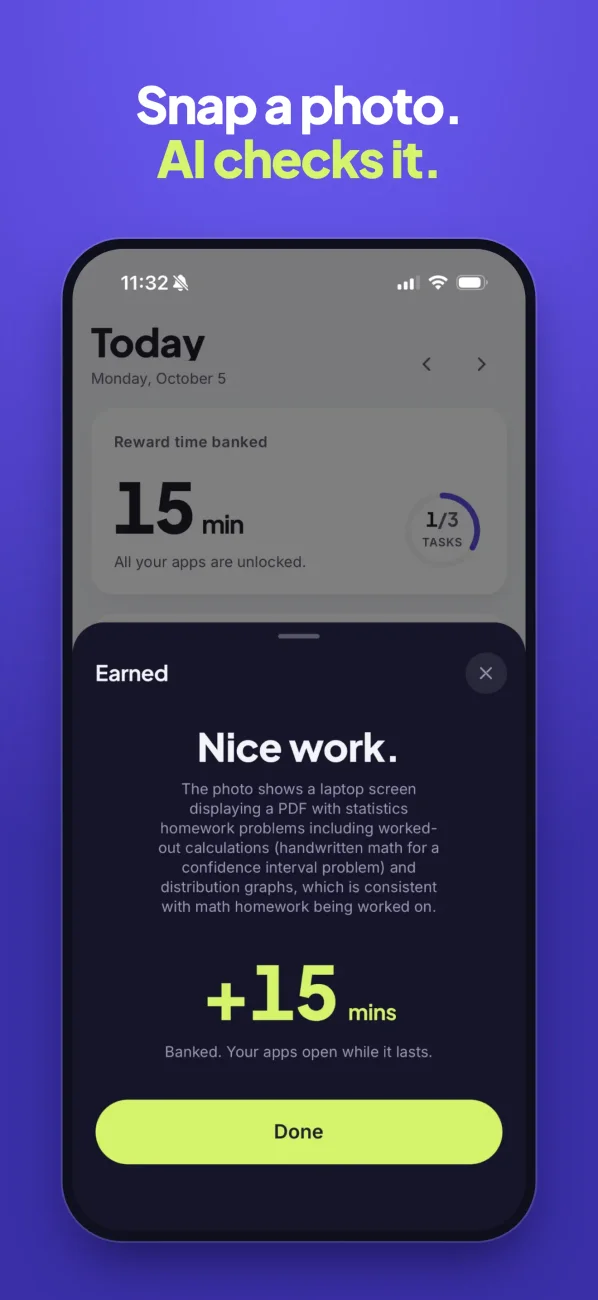
FocusFlow is a different kind of screen time app. Most blockers let you tap "ignore limit" and carry on scrolling. FocusFlow makes you earn it. Add a task, do it, take a photo as proof, and AI checks the photo really shows the work. Verified work earns scroll time. Nothing else unlocks your apps.
HOW IT WORKS
1. Pick the apps that eat your day. Instagram, TikTok, X, games, anything.
2. Add today's tasks. Homework, gym, laundry, whatever you keep putting off.
3. Finish one and snap a photo. The AI checks it against the task.
4. Earn minutes. Your apps unlock, and the time counts down while you use them.
5. Hit zero and they lock again, even with FocusFlow closed.
WHY IT WORKS
A limit you can dismiss is a suggestion. Apple's own Screen Time puts "Ignore Limit" one tap away, and everyone taps it. FocusFlow replaces that tap with doing the thing you were avoiding. The friction is the point.
FEATURES
Photo verification, so finishing means finishing.
Reward time that counts down only while you are in the apps you picked.
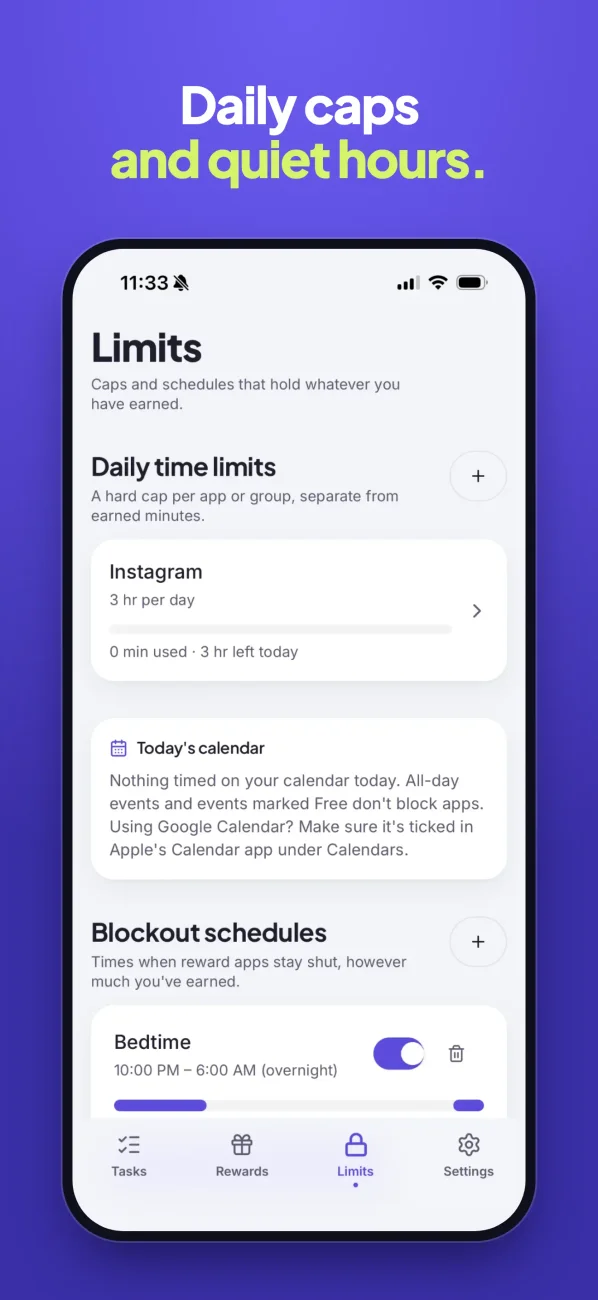
Blockout schedules for class, work, practice or bedtime, when nothing unlocks.
Daily limits per app or per group, on top of earned time.
An emergency override with a wait and a log, for when you genuinely need in.
Canvas assignments and exams become tasks automatically, and Reminders and your calendar can be imported too.
A morning notification with the day's tasks, an evening nudge to plan tomorrow, and a warning before your minutes run out.
Your own history: tasks finished, time earned, time spent.
Family accounts: parents set tasks for their kids and approve them from their own device.
PRICING
FocusFlow is free to download, and everything outside the family plan is free for now.
FocusFlow Family, for parents who set tasks for their kids, is an auto-renewing subscription: $9.99 a month or $69.99 a year, with a 7-day free trial. Payment is charged to your Apple ID when the trial ends. It renews automatically unless cancelled at least 24 hours before the period ends. Manage or cancel anytime in your Apple ID settings.
Terms of Use: https://getfocusflow.app/terms
Privacy Policy: https://getfocusflow.app/privacy
PRIVACY
FocusFlow does not sell your data, does not run ads and has no analytics. Your proof photos are used to check the task and nothing else. Apple's Screen Time keeps your app usage private, even from us. We can block an app without ever learning which one it is.
Built by a student who lost five hours a day to his phone.
Requires iPhone or iPad and Screen Time permission.
新機能
バージョン 1.1.11 · 2026/11/26
Lock websites, not just apps.
• Pick websites in the same list as your apps (they sit inside each category, or under Other), and they lock until you've earned your time.
• The Rewards tab has a new look that matches Tasks.
• The lock screen button now simply says Close.
• Widget fixes: the Photo button fits again, and your whole companion shows.
Plus fixes.
アプリのプライバシー
このアプリのデータの取り扱いについて、Spencer LayがApp Storeで申告している内容です。
-
ユーザーに関連付けられたデータ
収集され、ユーザーの識別情報に関連付けられる場合があります。
- 連絡先情報
- ユーザーコンテンツ
- ID
- 使用状況データ
- その他のデータ
プライバシーの取り扱いは、ご利用の機能やお客様の年齢などに応じて異なる場合があります。
情報
- 販売元
- Spencer Lay
- カテゴリ
- 仕事効率化
- バージョン
- 1.1.11
- 更新日
- 2026/11/26
- リリース
- 2026/10/5
- サイズ
- 3.8 MB
- 必要条件
- iOS 17.0以降
- 対象年齢
- 4+
- アプリ内課金
- あり
- 言語
- 英語
- 著作権
- © 2026 Spencer Lay
こちらもおすすめ
-
 FocusFlow: ポモドーロ & タスク集中力向上タイマー
-
 Luma:スクリーンタイム制限・集中タイマースマホ依存対策・勉強の習慣化・ブロック
-
 ProveIt: Accountability仕事効率化
-
 Nagg: Study Alarm & Focus仕事効率化
-
 Proc: Procrastination Blocker仕事効率化
-
 Sunny: 集中・勉強タイマー作業を切り替えるポモドーロ、ADHD対応
-
 Do Instead: App Blocker仕事効率化
-
 Focal - Focus & Blocking仕事効率化
-
 Pomodoro Focus Timer: Dayflint仕事効率化
-
 Pryvo - Earn Your Screen Time仕事効率化